Your Browsing History
Meet Your Seller
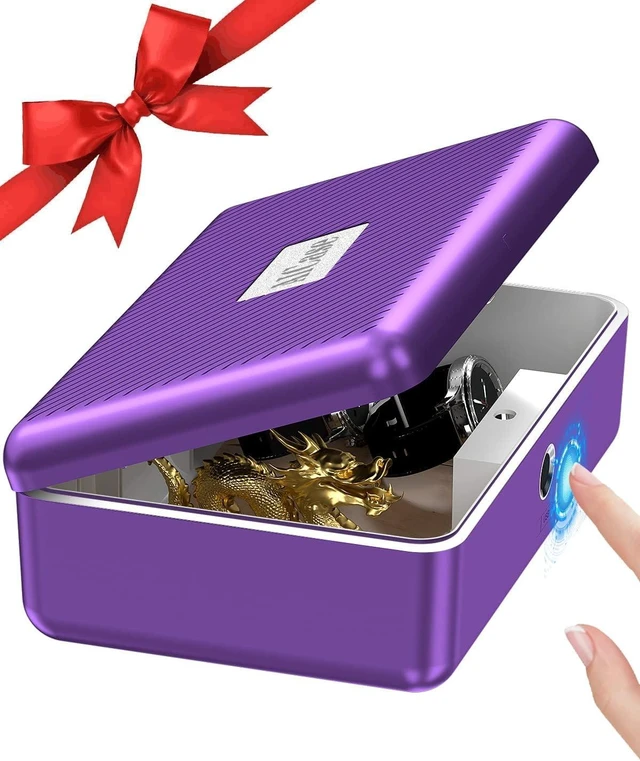
AICase Biometric Fingerprint Storage Box, Portable Cash Jewelry Security Lock Box Safe, Combination Lock for Car, Home, Office Travel
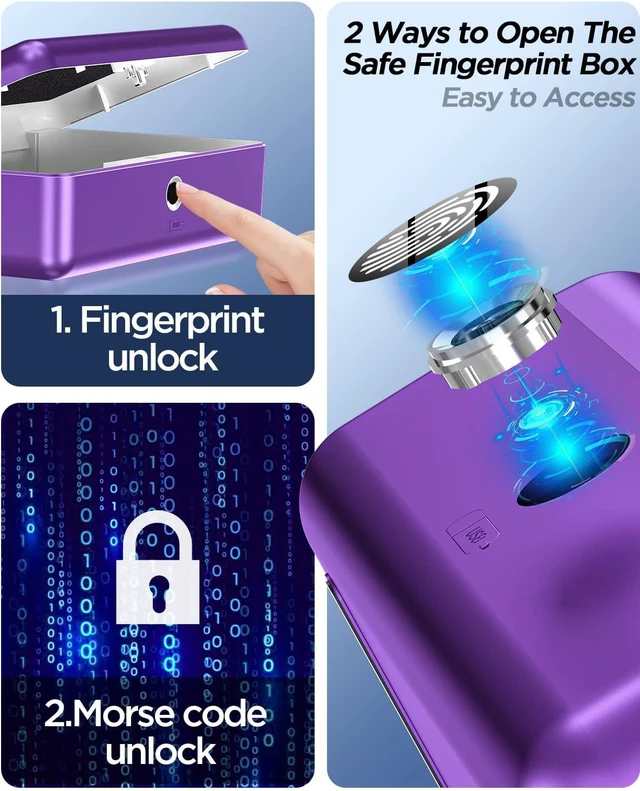
- Quick Access: The Biometric Fingerprint Box allows you to access your safe quickly and safely.The security safe box is able to be opened in two ways, which makes it more convenient.One way is your fingerprint; you can access your valuables quickly. The other one is morse code. Morse code has a total of 12 digits consisting of 0 and 1 and easy to set.
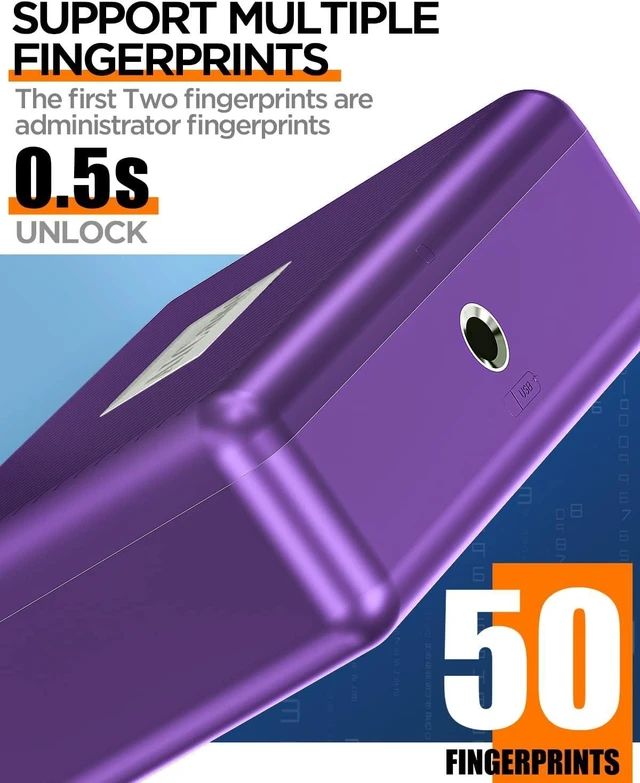
- fingerprint biometric technologyThis Biometric Fingerprint Box uses high-quality fingerprint biometric technologyseconds fast recognition speed and record 50 sets of fingerprints. No fingerprint in factory settings,anyone can open the lock.
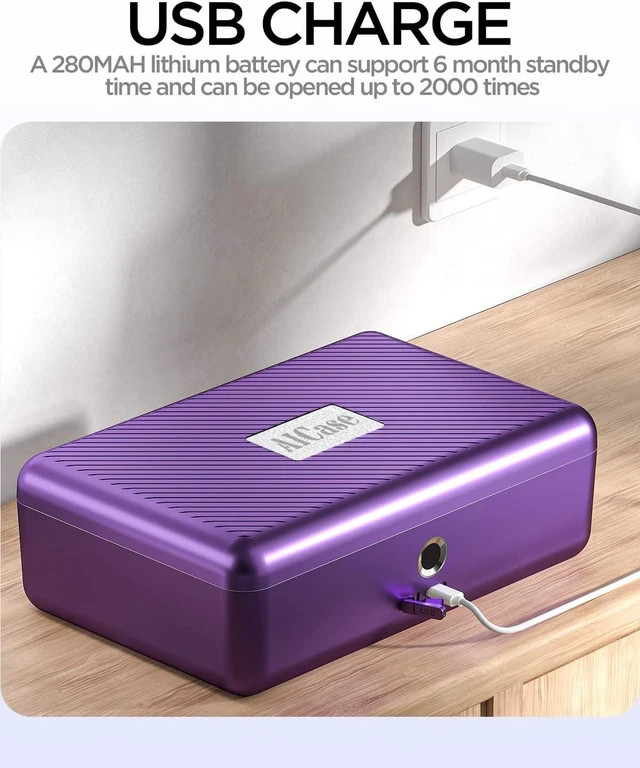
- 2000+ TIMES UNLOCK AFTER A FULL CHARGE This portable Fingerprint Box built-in 280mah lithium battery, 2000+ times unlock and 180 days standby time after a full charge. When the battery power is less than 10%, the red indicator will flash when the padlock is unlocked, then simply connect to a USB-Type C Cable supply to charge the lock. (Comes with a 6.5ft type C charging cable which worth $
+
+
Overview
Reviews
Any questions? Ask CelesteSM will help you find out quickly.
Try me now
Fingerprint Recognition,Supports up to 50 individual fingerprints
AICase most advanced locking system allows you to access your Valuables with the swipe of a finger.There is also a morse code setting for emergency use.
2 WAYS QUICK ACCESS:
One way is your fingerprint,The other one is morse code.which makes it more convenient.
Emergency USB Port
The fingerprint safe box has a built-in emergency USB port on the side of the box for connecting power bank under the circumstance of low battery state. No need to worry about running out of power!
Long use time and USB rechargeable:
2000+ Times Unlock after a full charge, 180 days standby time, USB rechargeable.
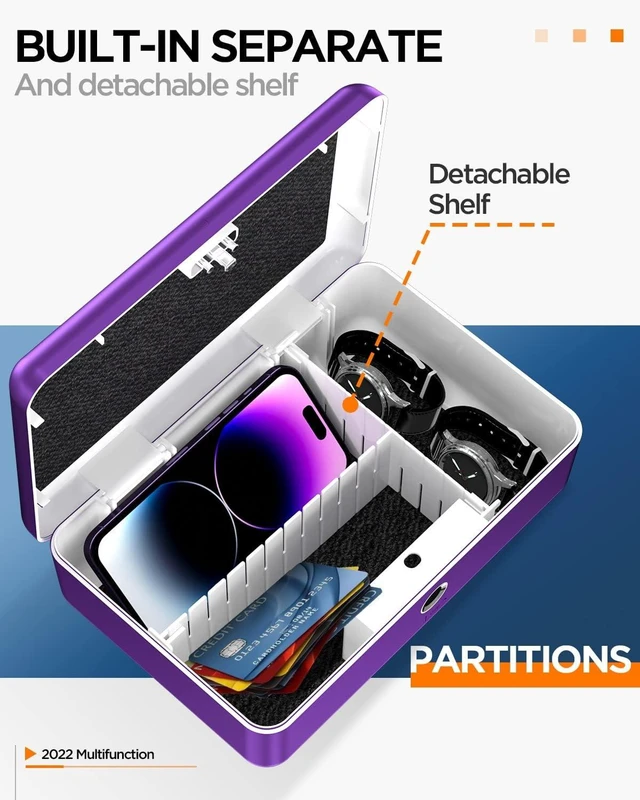
Removable Shelf:The fingerprint safe box equipped with a removable shelf offers flexible storage solution, get more space to accommodate your valuables.
Ensure the Safety of Valuables: cash jewelry,watches, Important documents and other protective places that are carried placed in hidden places at home are very suitable for locking valuable and dangerous small and medium-sized items.
Great for home, office or business use
1.long press until the purple light on ,then release your finger.
2.Press the administrator fingerprint the light change to blue, can start to set
Morse password
3.short press, the green light on, and lifting
your finger mean input 0,now the video Clicked 6 times and the green light on 6 times,mean input 000000 .long-press, the light turns from green to purple ,
lifting your finger mean input 1.now Clicked 6 times and the purple light up 6 times,mean input 111111.
4.total input 12 digits ,the blue light on.Then enter the confirmation password again.The blue light on once and "di" beeps once, the Morse password is set successfully(such as video 000000111111)
1,How to successfully enter the administrator fingerprint?
The first and second fingerprint is the administrator.
1.long press until the blue light flashing ,then release your finger.
2.Start collecting fingerprints from different angles until the green light turns on and"Di" with a long beep
2Setting 2-50 fingerprint
1. long press until the blue light flashing ,then release your finger.
2. Press with the first fingerprint(the one just setting ),the green light on once and then the blue light flashing.
3.Start collecting fingerprints from different angles until the green light turns on and"Di" with a long beep
3,How to Delete fingerprints?
long press until the red light on ,then release your finger,Press the administrator fingerprint ,the green light is on, the "di" beeps for a long time, all fingerprints are deleted successfully.
4,How to use Password unlock?
1,long press until the purple light on ,then release your finger and the white light will stay on.
2,It Can start to enter the 12-password pairing password.Same as setting Morse Password,short press, the green light on mean input 0 ,long-press the light turns from green to purple mean input 1 . Such as video 000000111111.
After using the Morse code , the lock enters the factory setting state,can open the box by any fingerprint
See More Biometric Fingerprint Storage Box,AICase Portable Cash Jewelry Security Case Lock Box Safe for Car, Home,Office Travel How to successfully Setting Morse password? Frequently Asked Questions about AICase fingerprint storage box
Warranty & Returns
Warranty, Returns, And Additional Information
Warranty
- Please contact the Seller directly for warranty information. Warranty information may also be found on the Manufacturer's website.
- CONTACT
Return Policies
- Return for refund within: 30 days
- Return for replacement within: 30 days
- This item is covered by Cloudless Clear Return Policy
Manufacturer Contact Info
- For a directory of all our manufacturers, please click below.
- Manufacturers Directory
LOADING...