






Make the Most of Your Wireless Charger
Important Notes Before Use:
To ensure the best charging performance, please follow these simple steps before using your charger:
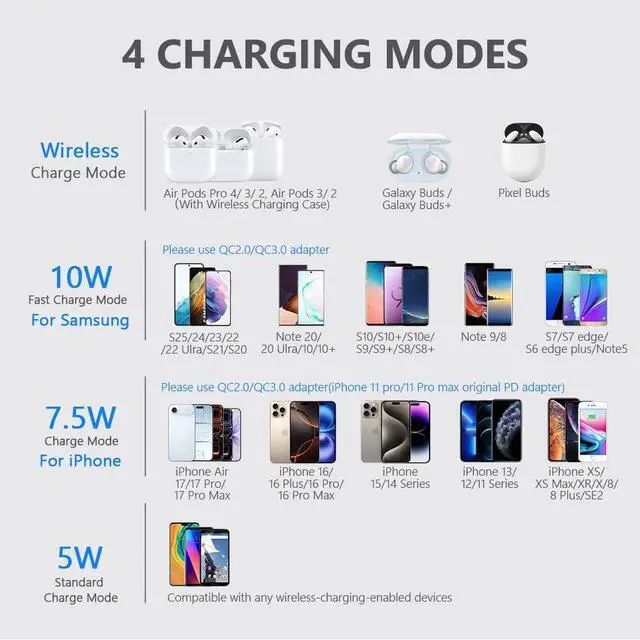
- Use a QC 2.0/3.0 power adapter, and Make sure your phone’s coil is centered on the charging area.
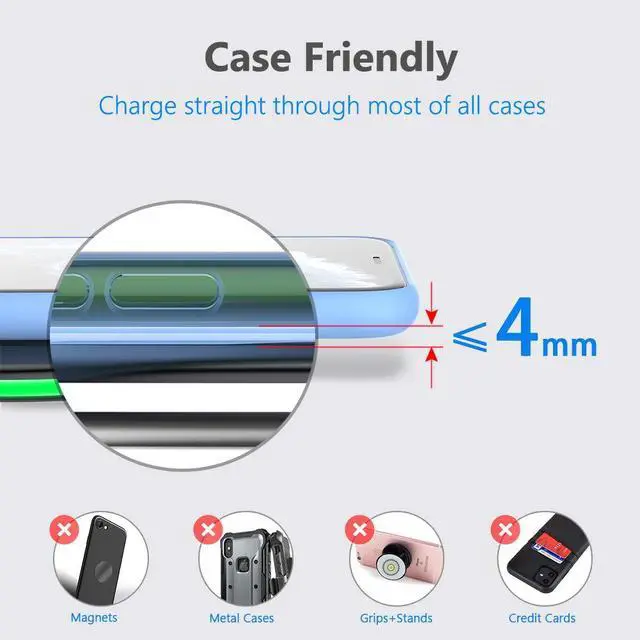
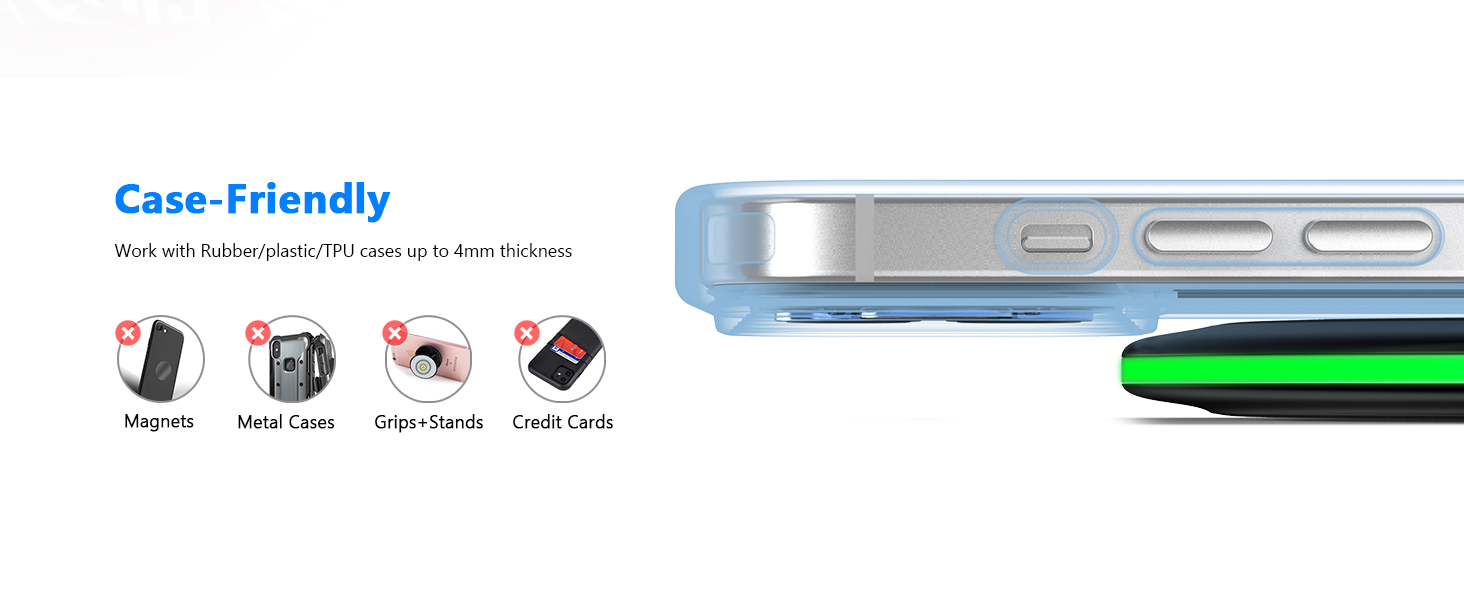
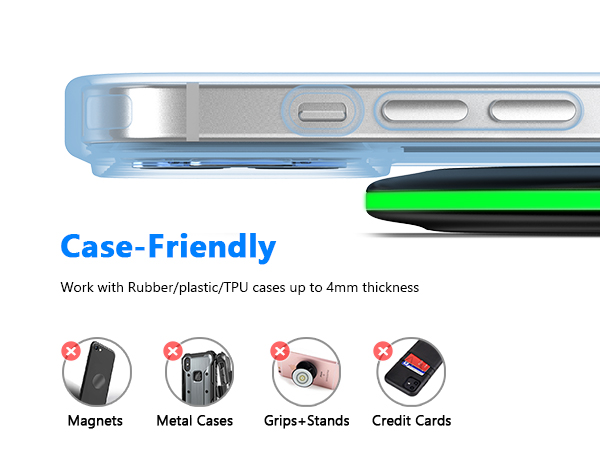
- Remove thick or metal phone cases (including magnetic plates or rings), do not use pop sockets, grips, or cards between the phone and charger.
Quick Troubleshooting Guide:
If your charger doesn’t work as expected, try these quick solutions:
- Not charging? Use a higher-power adapter (QC 3.0 or PD 18W+).
- Intermittent charging or Blinking LED light? Remove thick or metal phone cases.
- Charging stopped? Restart your phone and try it with another adapter or cable.
Most charging issues are caused by misalignment, power adapter mismatch, or case interference — all easy to fix in seconds

Living without limits isn’t just a tagline, it’s a belief. And we truly believe we can follow the trend of modern technology, enabling you to live without limitation.
Over the years Yootech is committing to evolving as a brand and our product line has expanded to meet the growing needs of our customers.
Our mission is to empower everyone to be able to have a easier charging experience, simplifying their lives.

Make the Most of Your Wireless Charger
Important Notes Before Use:
To ensure the best charging performance, please follow these simple steps before using your charger:
- Use a QC 2.0/3.0 power adapter, and Make sure your phone’s coil is centered on the charging area.
- Remove thick or metal phone cases (including magnetic plates or rings), do not use pop sockets, grips, or cards between the phone and charger.
Quick Troubleshooting Guide:
If your charger doesn’t work as expected, try these quick solutions:
- Not charging? Use a higher-power adapter (QC 3.0 or PD 18W+).
- Intermittent charging or Blinking LED light? Remove thick or metal phone cases.
- Charging stopped? Restart your phone and try it with another adapter or cable.
Most charging issues are caused by misalignment, power adapter mismatch, or case interference — all easy to fix in seconds
Living without limits isn’t just a tagline, it’s a belief. And we truly believe we can follow the trend of modern technology, enabling you to live without limitation.
Over the years Yootech is committing to evolving as a brand and our product line has expanded to meet the growing needs of our customers.
Our mission is to empower everyone to be able to have a easier charging experience, simplifying their lives.