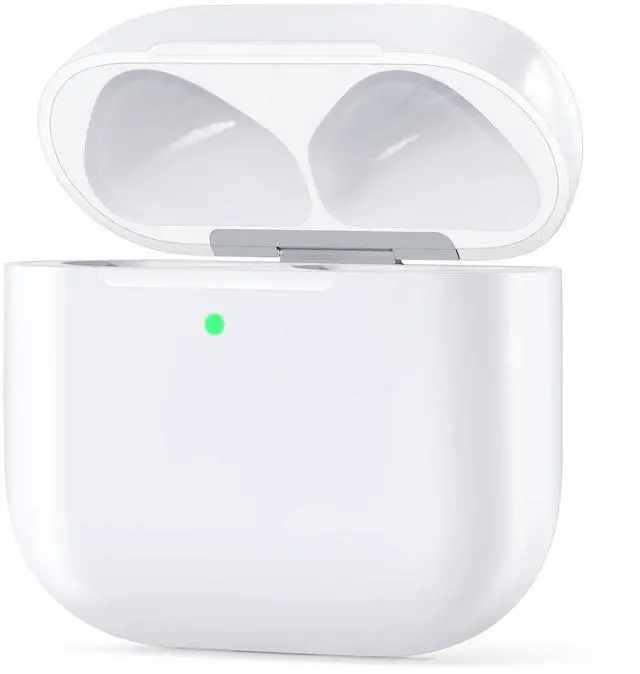
Wireless Charging Case Compatible with AirPods 4, USB-C Port, Charger Case Replacement for AirPods 4, with Bluetooth Pairing Sync Button, Earphones Not Included
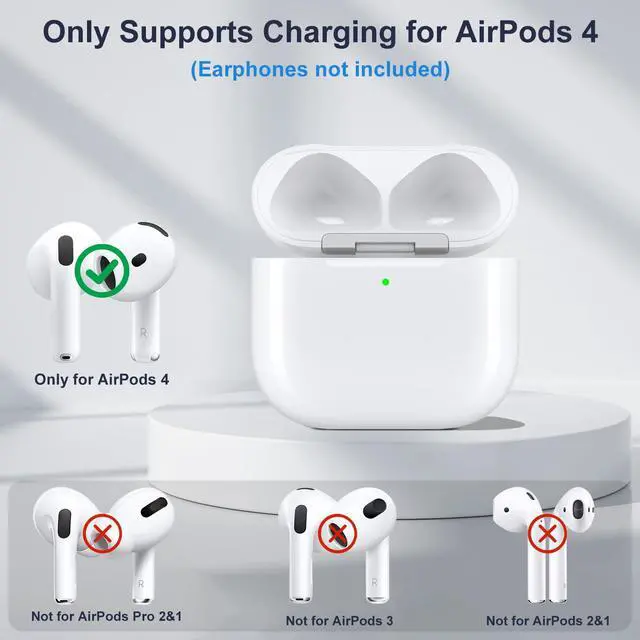
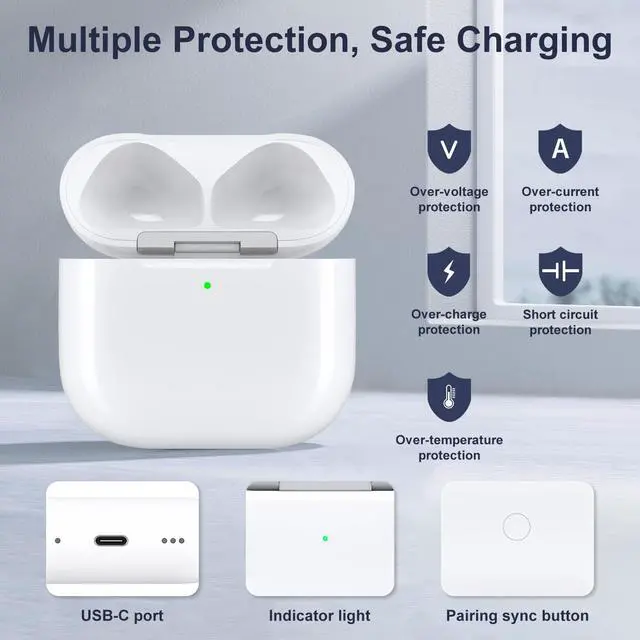
Charging Case for AirPods 4: The replacement case is only compatible with AirPods 4. Provides a great replacement for lost or damaged original charging case. Supports Bluetooth quick pairing. Earphones not included
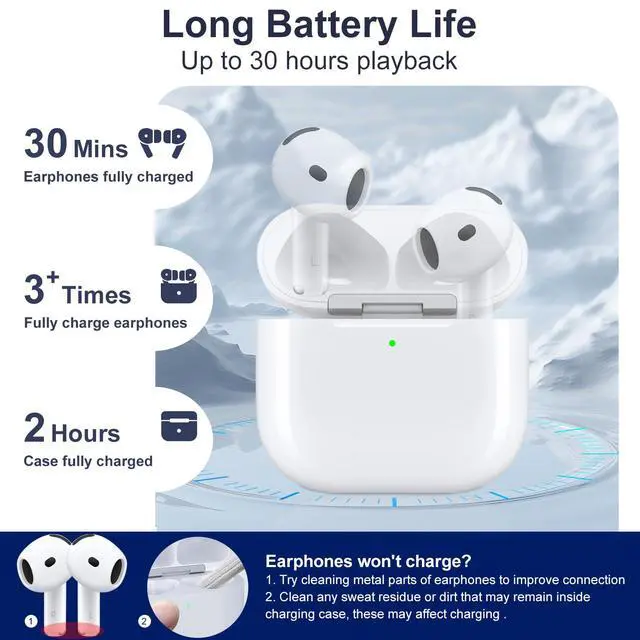
30-Hours Playback Time: Provides all-day battery life for earphones. Fully charges earphones in just 30 minutes. The fully charged charging case provides over 3 fully charges for earphones, supporting up to 30 hours of playback time
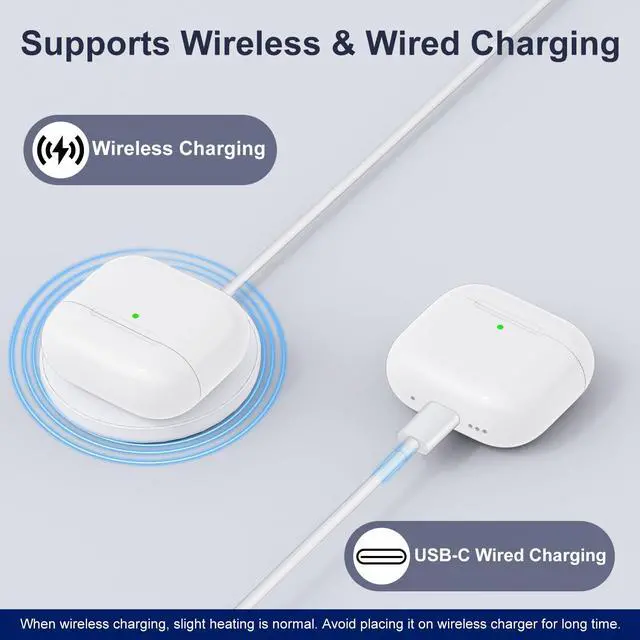
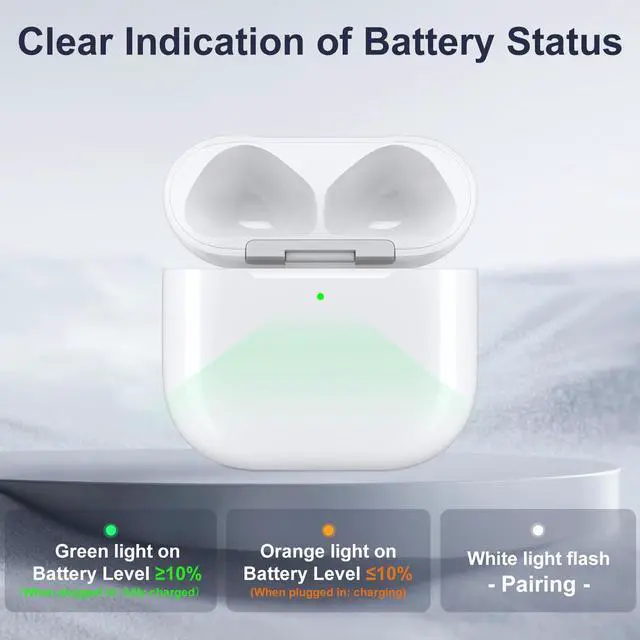
Supports Wireless & Wired Charging: Flexibly supports wireless charging or USB-C wired charging, with advanced chips ensuring fast and stable charging. LED indicator lights allowing know battery status at a glance: Orange light indicates battery level 10% (when plugged in: charging); green light indicates battery level 10% (when plugged in: fully charged). Fully charging the charging case takes about 2 hours
Easy Bluetooth Pairing: Bluetooth pairing is required for first-time use. Simply press the one-touch sync button to connect. Once paired, earphones will automatically connect to device when you open the case, without further action required
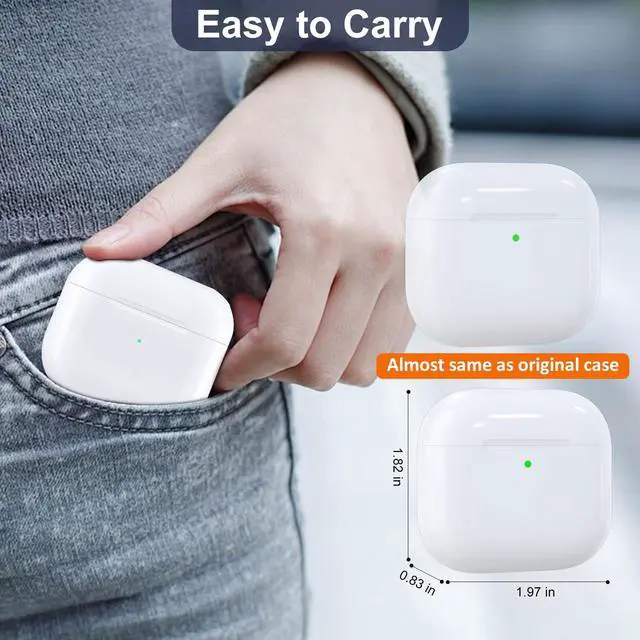
Sleek& Portable: Perfect for work, travel, or everyday use, it always provides reliable charging support and protection. Feel free to leave us a message if you have any concerns
+
+
Overview
Specs
Reviews
Any questions? Ask CelesteSM will help you find out quickly.
Try me now
Troubleshooting Common Issues
No sound from one earbud after successful pairing
Place the earbuds in the charging case, close the lid, open it again, or remove and reinsert the earbuds before pairing.
One earbud has depleted battery. Place it in the charging case, close the lid, charge for 15 minutes, then try again.
If pairing fails repeatedly
Fully charge the charging case. Place the earbuds inside to top up their charge, then attempt pairing again.
Leave the earbuds unused for 15 hours to fully deplete their battery, then place them back in the charging case with the lid closed to recharge.
No sound from one earbud or both L/R after prolonged storage in the charging case
This occurs when the charging case and earbuds are fully depleted from extended inactivity. Fully charge the charging case and recharge the earbuds.
Verify if the earbuds are connected to your phone. Disconnect them, then fully recharge the earbuds.
Place the earbuds in the charging case, close the lid, open it again, or remove and reinsert the earbuds before pairing.
One earbud has depleted battery. Place it in the charging case, close the lid, charge for 15 minutes, then try again.
If pairing fails repeatedly
Fully charge the charging case. Place the earbuds inside to top up their charge, then attempt pairing again.
Leave the earbuds unused for 15 hours to fully deplete their battery, then place them back in the charging case with the lid closed to recharge.
No sound from one earbud or both L/R after prolonged storage in the charging case
This occurs when the charging case and earbuds are fully depleted from extended inactivity. Fully charge the charging case and recharge the earbuds.
Verify if the earbuds are connected to your phone. Disconnect them, then fully recharge the earbuds.
SAYAFAN Headphone Accessories
Replacement Charging Case
Charging Case for Pro 2&1
Comes with a lanyard for easy carrying
Headphone Replacement Ear Tips
Wireless Charging Case Compatible with AirPods 4, USB-C Port, Charger Case Replacement for AirPods 4, with Bluetooth Pairing Sync Button, Earphones Not Included
Learn more about the Detailed Specifications
Model
Brand
AViiQ
Details
Type
Case
Compatibility
Headphones
Material
Acrylonitrile Butadiene Styrene
Specification
Wireless Charging Compatible, Acrylonitrile Butadiene Styrene, Wireless charging case
Features
Features
Wireless Charging Compatible
Dimensions & Weight
Weight
0.068 kilograms
Additional Information
First Listed on Newegg
May 18, 2026
There are no reviews yet.
Do you own this product?
Warranty & Returns
Warranty, Returns, And Additional Information
Warranty
Please contact the Seller directly for warranty information. Warranty information may also be found on the Manufacturer's website.





 here!
here!