





What can we do with the faulty older computers in garages and storage closets? Most can be restored to working order at minimal cost, delivering reliable value.
Don't trash them! Recycling computer hardware conserves natural resources, protects the environment, supports secondary IT deployments, and reduces both e-waste output and IT procurement costs.
Diagnose & Revive Old Desktop PCs With Confidence.
Perfect for students, hobbyists, and IT learners. Comes with step-by-step guides.
- There is no need to purchase new computers when running non-CPU and non-GPU-intensive applications.
- We can restore old PCs to working order for word processing, or deploy extra systems in home spaces like the kitchen for on-demand web browsing, or to watch webinars while doing housework or exercising.
- We can set up multi-PC networks to practice computer networking concepts and prepare for IT certifications.
- Older computers are ideal for hands-on practice and computer literacy learning for children.
Old computers give kids valuable hands-on computer learning experience. They are significantly cheaper than new systems, so there’s less financial risk if something breaks during practice.
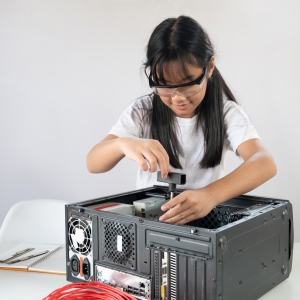
Children can learn computer hardware by hands-on diagnostics using a PC diagnostic starter kit.
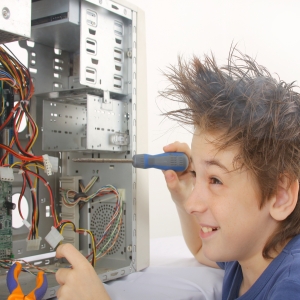
Getting an old PC up and running again is a fun, rewarding learning experience for kids — don’t you agree?
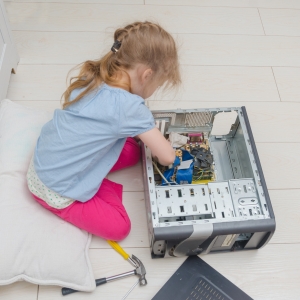
PC diagnostics is a systematic process; starting this training at a young age helps foster structured task management skills through hands-on practice.
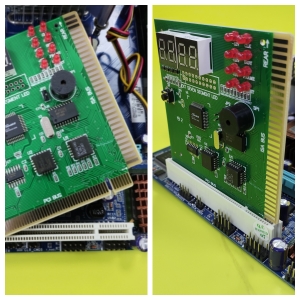
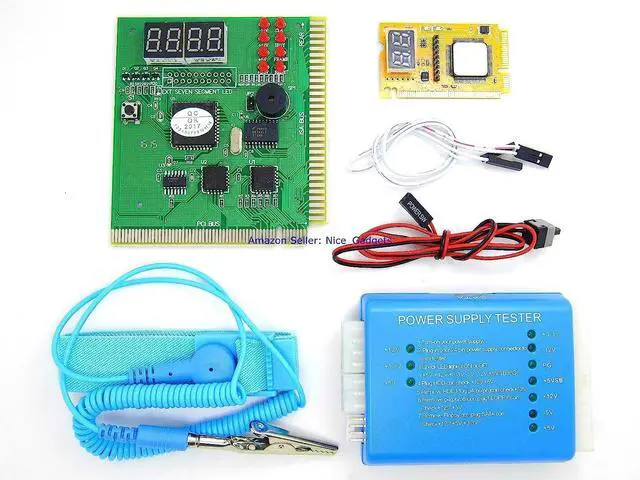
4-Digit 8-LED PCI POST Diagnostic Card for Motherboards Quickly Troubleshoot Desktop Motherboards via LED Indicators, Beep Alerts, and Digital Display Codes.
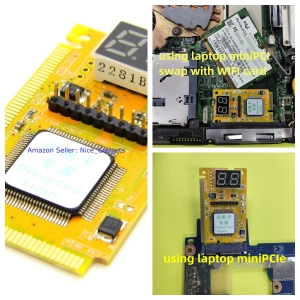
Mini PCI + Mini PCIe Combo Laptop Motherboard Diagnostic Card Replaces the Legacy Wi-Fi Adapter in Older Laptops to Enable Quick Motherboard Troubleshooting.
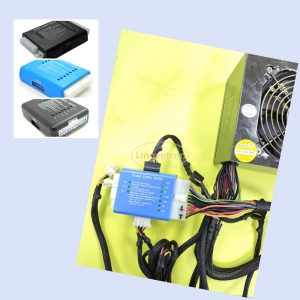
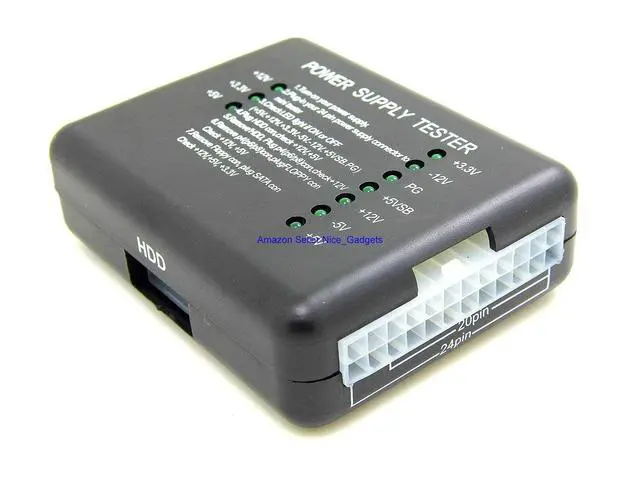
ATX 20+24-Pin LED PSU Power Supply Tester Quick Easy Verify the Operating Status of ATX Power Supply to Rapidly Rule Out Faulty Unit.
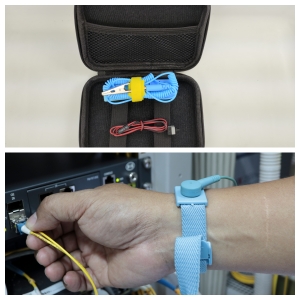
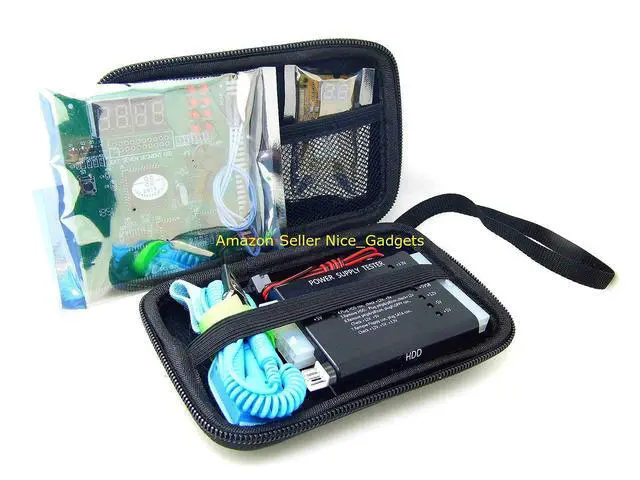
All Accessories Including the Motherboard Power Jumper Switching Cable and Anti-Static Wrist Strap Are Neatly Stored and Packaged in a Compact, Convenient OTG Carrying Case.
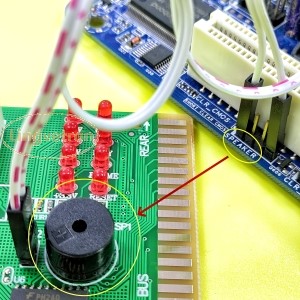
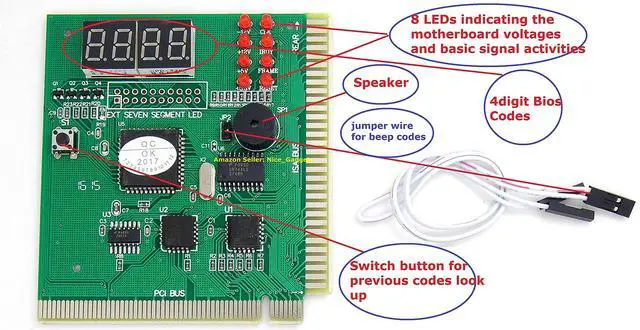
Diagnose the PC computer using the Bios Beep Sound method. Use the included audio wire to connect the Motherboard Speaker Pins to the Large PCI POST test card Speaker pins to get the BIOS Beep Codes.
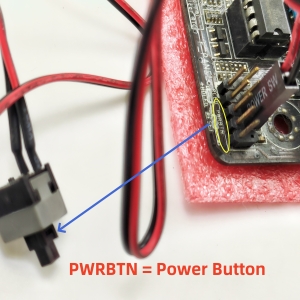
Use this motherboard power switch and cable assembly (included in the diagnostic kit) to quickly troubleshoot and isolate a faulty PC power button or its connecting cable.
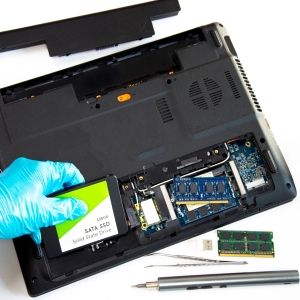
Replace the laptop Wi-Fi adapter with this laptop test card for motherboard diagnostics. Most older laptops allow access to the Wi-Fi card by simply removing a few screws from the bottom panel.
Lingvetron Power PSU and Motherboard Diagnostic Starter Kit Complete in the Nice Carrying Case. Quality Products with Great Customer Cares. Step by Step Easy Guide PDF Manuals with Supports!
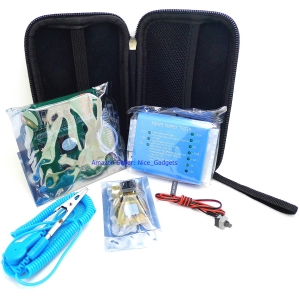
All required essential diagnostic tools are neatly organized and securely stored in a protective carrying case.
- Every component in this kit has been carefully curated to address all core diagnostic requirements for legacy computer systems.
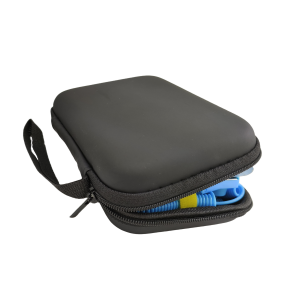
This storage carrying case neatly organizes all on-the-go (OTG) components, keeping everything together and ready for your next use.
- All other components in this kit are also fully compatible with modern computer systems, including the ATX power supply tester, motherboard power jumper cable, BIOS POST beep speaker, and antistatic wrist strap.
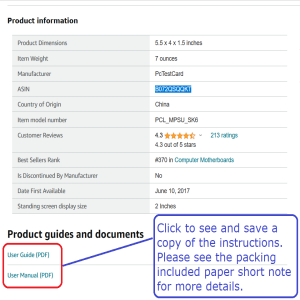
PDF documentation is available for download directly on the product listing, ensuring you always have access to the latest, most up-to-date instructions.
- This kit includes an easy-to-follow step-by-step guide, plus a pictorial PDF user manual available for online download. All documentation is prepared and maintained by a 29-year veteran IT professional.
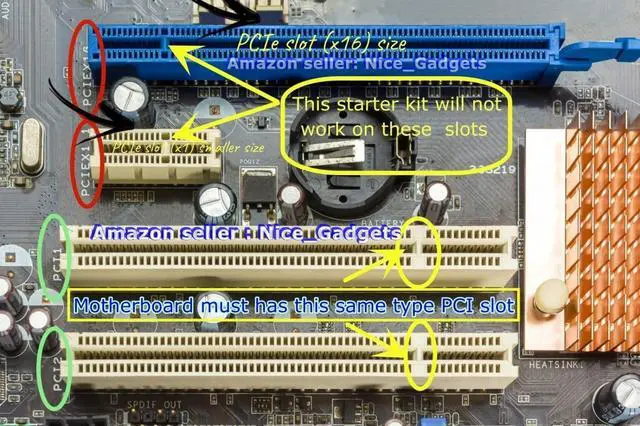
The full-size diagnostic card is compatible with standard PCI slots on legacy desktop PC motherboards only – it does not work with PCIe slots.
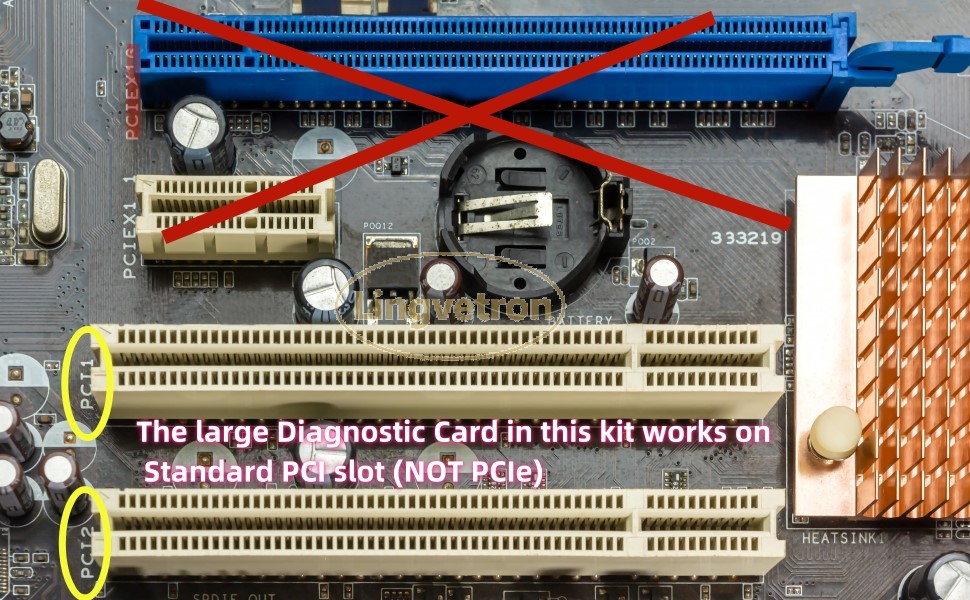
Refer to the image above to confirm that your desktop motherboard features a standard white PCI slot for the full-size 4-digit PCI diagnostic card included in this kit.
Please take care to distinguish standard PCI slots from PCI Express (PCIe) slots:
1. Check the silkscreen labels printed along the edge of the expansion slot (as highlighted by the yellow circle and red markings in the image above).
2. Additionally, the keying notch (alignment pin position) differs between PCI and PCIe slots.
If you have any question, please ask, we will help. Please have your PC brand/model number or your motherboard model number ready. The motherboard model number is typically printed between expansion slots, or in the area adjacent to the CPU socket.
If your motherboard only includes PCIe slots and lacks a native PCI slot, check our store for the latest V8 PCIe USB POST diagnostic card kit for PCIe systems. Click the link below for full product details.
Always select the diagnostic kit matching your motherboard's expansion slot type to meet your troubleshooting requirements.
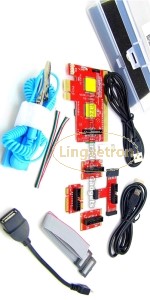 New V8 PCIe USB Motherboard Tester POST Test Card Kit |  V8 diagnostic kit uses PCIe or USB connector to diagnose computers | 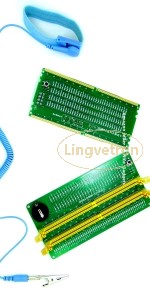 PC DDR4 RAM Module and RAM Slot Tester Kit | 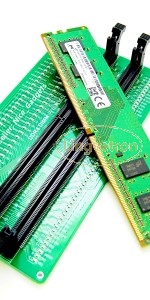 PC Memory RAM Tester Kit for DDR4 | 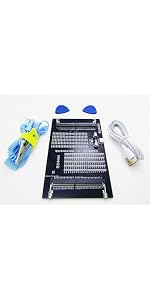 Lingvetron New Laptop DDR4 DDR5 Computer RAM Module Tester Card Combo Set | Q... | |
|---|---|---|---|---|---|
| Customer Reviews | — | — | — | — | — |
| Price | — | — | — | — | — |
| Motherboard Interface | PCIe Express | PCIe Express | DIMM DDR4 (ECC and NonECC) PC Server RAM Tester | DIMM DDR4 (ECC and NonECC) RAM Tester | SO-DIMM DDR4 DDR5 Laptop RAM Tester |
What can we do with the faulty older computers in garages and storage closets? Most can be restored to working order at minimal cost, delivering reliable value.
Don't trash them! Recycling computer hardware conserves natural resources, protects the environment, supports secondary IT deployments, and reduces both e-waste output and IT procurement costs.
Diagnose & Revive Old Desktop PCs With Confidence.
Perfect for students, hobbyists, and IT learners. Comes with step-by-step guides.
- There is no need to purchase new computers when running non-CPU and non-GPU-intensive applications.
- We can restore old PCs to working order for word processing, or deploy extra systems in home spaces like the kitchen for on-demand web browsing, or to watch webinars while doing housework or exercising.
- We can set up multi-PC networks to practice computer networking concepts and prepare for IT certifications.
- Older computers are ideal for hands-on practice and computer literacy learning for children.
Old computers give kids valuable hands-on computer learning experience. They are significantly cheaper than new systems, so there’s less financial risk if something breaks during practice.
Children can learn computer hardware by hands-on diagnostics using a PC diagnostic starter kit.
Getting an old PC up and running again is a fun, rewarding learning experience for kids — don’t you agree?
PC diagnostics is a systematic process; starting this training at a young age helps foster structured task management skills through hands-on practice.
This large-format diagnostic test board is a standard 4-digit 8-LED PCI + ISA motherboard POST test card.
This is an excellent entry-level PC diagnostic repair kit for legacy computer motherboard and power supply troubleshooting.
It includes all essential basic PC component testers, with the key piece being this combined PCI + ISA motherboard test card that validates core components including motherboards, CPUs, RAM and GPUs in both legacy desktop and laptop systems.
This PCI + ISA motherboard test card is equipped with a 4-digit error code display, 8 high-brightness LEDs for monitoring core motherboard activity signals, and an on-board BIOS beep speaker for outputting BIOS beep codes. It unifies digital error codes, LED status indicators and audio beep cues to streamline the PC diagnostic process.
Please advance to the next slide to view the 2-digit diagnostic card designed for legacy laptop motherboards.
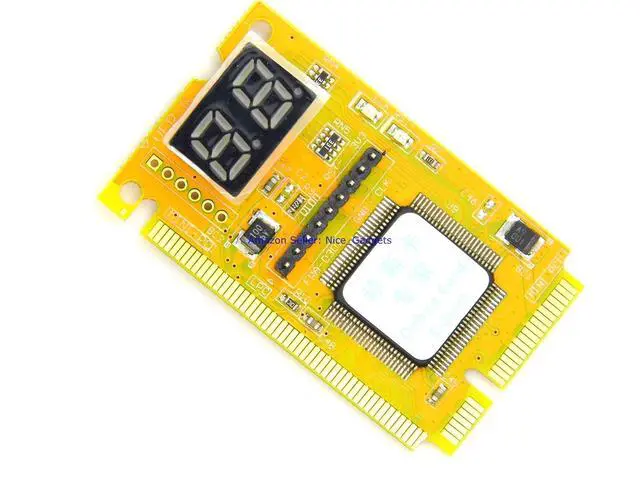
The small Laptop POST Test Card is Designed for the Earlier Old Laptop Computers with the miniPCI or the miniPCIe WIFI connectors
We can simply open the old laptop bottom panel by loosing a couple screws and next swapping the laptop miniPCI or miniPCIe WIFI adapter card with this laptop tester diagnostic card.
After swapping the cards, power on the laptop and let this small laptop diagnostic card to auto scan the laptop motherboard for the faulty hardware components.
The 2 digital display unit will show the error codes and we can look up the manual code book for the error code interpretations and descriptions.
Please hover the mouse to the next slide to see nice ATX PSU tester for desktop PC computers.
This 10 LED ATX PSU Tester Works on All 24 / 20 pins PSU on the Market - quick check on the PC power supply units
This PSU tester tests standard 24pin or 20pin ATX PSUs. It tests 4/6/8 pins accessory power connectors as well as the SATA, IDE, Floppy power connectors on the PC computers.
This PSU tester is available in Blue or Black color, all works exactly the same with same features.
Please take note that all LEDs on the PSU testers should Light ON Except the (-5V) to indicate a working Power Supply Unit.
The -5V LED is for the earlier PC with the ISA slots. On New ATX PSUs today, this -5V LED normally will remain OFF.
Please hover the mouse to the next slide to see next nice PC motherboard power switch cable, the Antistatic Strap and the nice carrying case.
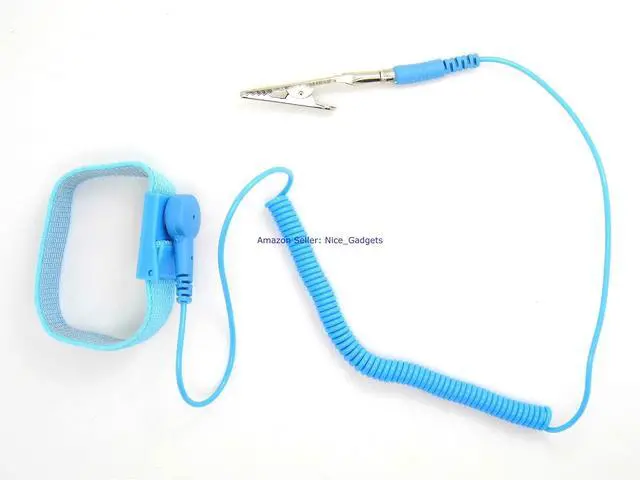
PC Motherboard Power Switch Cable and the Elastic Antistatic Strap are also parts of this starter kit
The motherboard power switch cable and an anti-static strap are also included in this computer diagnostic starter kit. All different testers are well packed in a nice carrying storage case.
The anti-static strap provides the extra care and help to discharge the static off our hands. Adds extra protection to the computer parts and circuit boards.
This full-size PCI motherboard diagnostic card includes an on-board BIOS speaker that outputs BIOS beep codes to facilitate motherboard diagnostics.
In some cases, motherboards (especially newer models) lack an integrated on-board BIOS speaker, or the factory-integrated BIOS speaker may fail.
- This on-board speaker on the diagnostic card allows us to perform BIOS beep code diagnostics on motherboards that do not have a working built-in speaker. It also helps eliminate a faulty factory BIOS speaker as a potential point of failure when troubleshooting.
- Please advance to the next slide to view our next test accessory: the motherboard power switch cable.
A nice Motherboard Power Switch Button and Wire Assembly - quick help to troubleshoot PC No Power On/Off and Auto Power Off issues
The old PC may not power on when we press the PC power button. Or the old PC auto shut down itself in a few seconds after the power button is pressed.
- Cannot Power ON or Auto power off
The PC case power button could have became faulty on old PCs and in some occasions even on the new PCs.
This could cause the computer not able to be powered ON. Besides, the PC sticky / faulty PC power button could also cause the mandatory power off command just like we been pressing the power button over 5 seconds to power off the PC.
Please hover the mouse to the next slide to see how to swap the laptop WIFI card with the laptop diagnostic card to do the diagnosis.
Old Laptops Are Easier to be Taken Apart to Troubleshoot - just need to open up the buttom cover panel so that we can swap the WIFI card with the Laptop Tester
The old laptops WIFI wireless network adapter, Memory RAM modules and the Hard disk Drive (HDD), mostly are removal parts and locate at the bottom of the laptop.
Just loose couple screws at the bottom of the old laptop to open the panel and get access to the WIFI card. Please consult laptop manual to see if having such design.
We may swap the miniPCI or miniPCIe WIFI adapter card with the laptop diagnostic tester, then power on the laptop to diagnose the laptop. So we can troubleshoot the laptop and find out which hardware components need the repair or replace next.
Lingvetron Power PSU and Motherboard Diagnostic Starter Kit Complete in the Nice Carrying Case. Quality Products with Great Customer Cares. Step by Step Easy Guide PDF Manuals with Supports!
All required essential diagnostic tools are neatly organized and securely stored in a protective carrying case.
- Every component in this kit has been carefully curated to address all core diagnostic requirements for legacy computer systems.
This storage carrying case neatly organizes all on-the-go (OTG) components, keeping everything together and ready for your next use.
- All other components in this kit are also fully compatible with modern computer systems, including the ATX power supply tester, motherboard power jumper cable, BIOS POST beep speaker, and antistatic wrist strap.
PDF documentation is available for download directly on the product listing, ensuring you always have access to the latest, most up-to-date instructions.
- This kit includes an easy-to-follow step-by-step guide, plus a pictorial PDF user manual available for online download. All documentation is prepared and maintained by a 29-year veteran IT professional.
The full-size diagnostic card is compatible with standard PCI slots on legacy desktop PC motherboards only – it does not work with PCIe slots.
Refer to the image above to confirm that your desktop motherboard features a standard white PCI slot for the full-size 4-digit PCI diagnostic card included in this kit.
Please take care to distinguish standard PCI slots from PCI Express (PCIe) slots:
1. Check the silkscreen labels printed along the edge of the expansion slot (as highlighted by the yellow circle and red markings in the image above).
2. Additionally, the keying notch (alignment pin position) differs between PCI and PCIe slots.
If you have any question, please ask, we will help. Please have your PC brand/model number or your motherboard model number ready. The motherboard model number is typically printed between expansion slots, or in the area adjacent to the CPU socket.
If your motherboard only includes PCIe slots and lacks a native PCI slot, check our store for the latest V8 PCIe USB POST diagnostic card kit for PCIe systems. Click the link below for full product details.
Always select the diagnostic kit matching your motherboard's expansion slot type to meet your troubleshooting requirements.
New V8 PCIe USB Motherboard Tester POST Test Card Kit | V8 diagnostic kit uses PCIe or USB connector to diagnose computers | PC DDR4 RAM Module and RAM Slot Tester Kit | PC Memory RAM Tester Kit for DDR4 | Lingvetron New Laptop DDR4 DDR5 Computer RAM Module Tester Card Combo Set | Q... | |
|---|---|---|---|---|---|
| Customer Reviews | — | — | — | — | — |
| Price | — | — | — | — | — |
| Motherboard Interface | PCIe Express | PCIe Express | DIMM DDR4 (ECC and NonECC) PC Server RAM Tester | DIMM DDR4 (ECC and NonECC) RAM Tester | SO-DIMM DDR4 DDR5 Laptop RAM Tester |