




 here!
here!
I’m your shopping assistant for PC builds, upgrades, and everything tech.
Got questions? Ask away!
Start a conversation
here!
I’m your shopping assistant for PC builds, upgrades, and everything tech.
Got questions? Ask away!
Start a conversation





Any questions? Ask CelesteSM will help you find out quickly.
Product Specifications
· Compatible Models: Only for Meta Ray-Ban Wayfarer & Skyler glasses
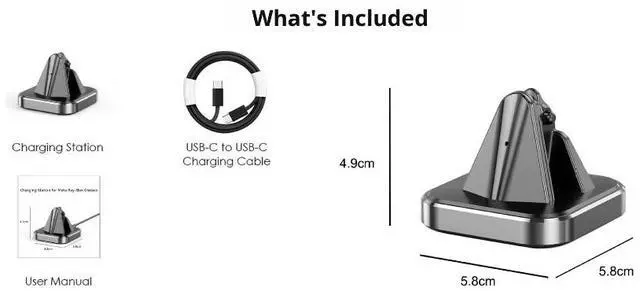
· Product Dimensions: 5.8 × 5.8 × 4.7 cm (2.28" × 2.28" × 1.85")
· Net Weight: 55 g (1.9 oz)
· Input Power Requirement: USB-A to USB-C cable (5V / 1A max input)
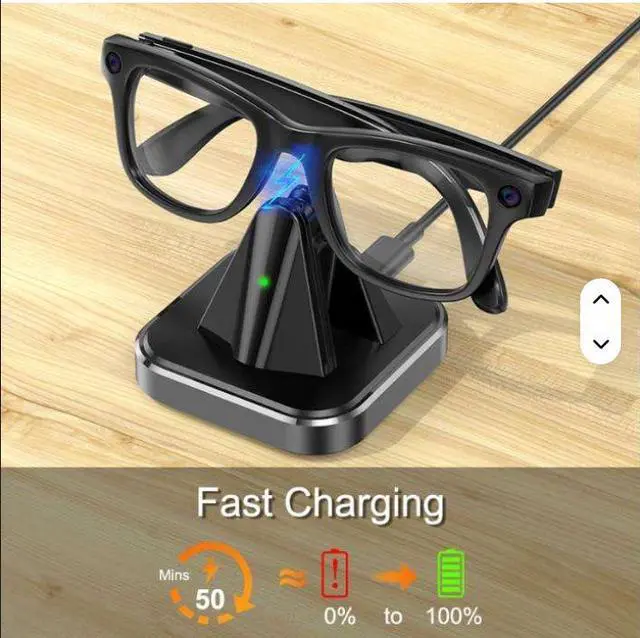
· Charging Indicator: Red = Charging in Progress | Green = Fully Charged
· Cable Length: 0.8 m (2.6 ft)
Core Advantages
1. Perfect Fit for Meta Ray-Ban Glasses
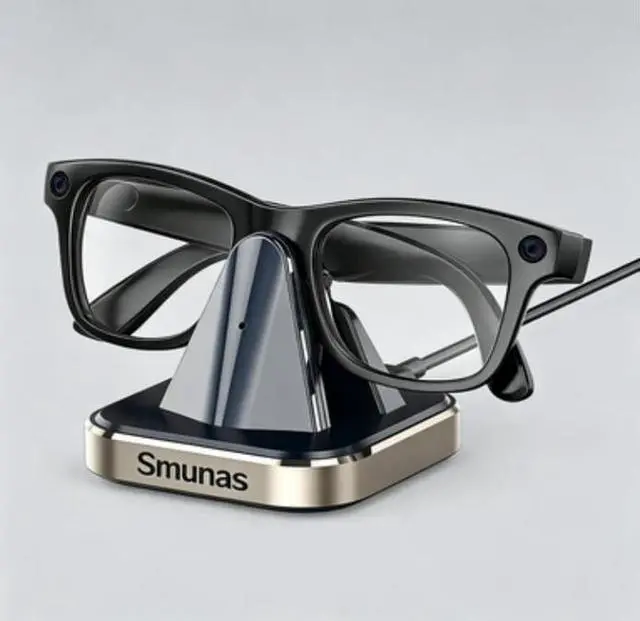
Designed exclusively for Meta Ray-Ban Wayfarer and Skyler models. The precision-aligned pin contacts ensure a secure, stable connectionno wobbly charging here! Its made to match your Meta glasses perfectly, so charging feels effortless.
2. Clear & Convenient LED Status Display
No more guessing if your glasses are charging! The built-in LED indicator gives you instant visibility:
· Solid Red: Your glasses are juicing up (charging in progress).
· Solid Green: Theyre 100% fully charged and ready to wear.
· Super simple, no apps or extra steps neededjust plug and play.
3. Compact & Portable Design
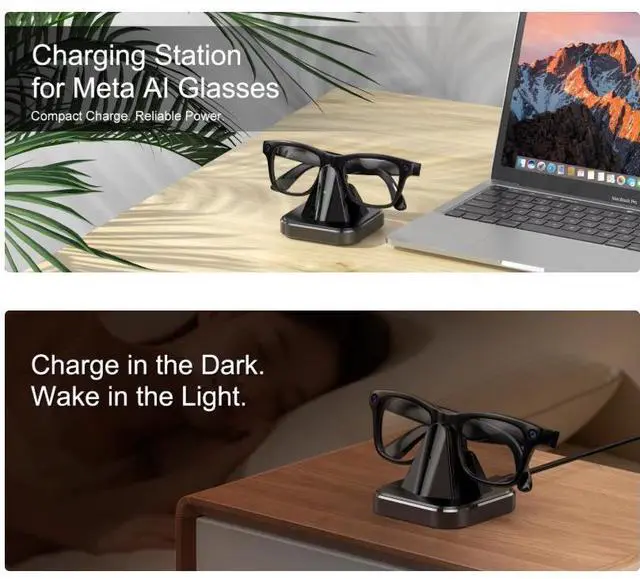
At just 2.28" x 2.28" x 1.85" and 1.9 oz, this charging station fits anywhere: your desk at home, in your bag, or on your nightstand. It wont take up precious space, and the lightweight build makes it easy to take on tripsperfect for keeping your Meta glasses charged on the go.
4. Reliable & Safe Charging
Comes with a 0.8m (2.6ft) USB-A to USB-C cable for easy connectivity. The dedicated 5V input is tailored specifically for your Meta Ray-Ban glasses, preventing overcharging and ensuring safe, efficient power delivery every time.
What's in the Box
· 1 × Charging Station for Meta Ray-Ban Wayfarer/Skyler
· 1 × USB-A to USB-C Cable (0.8 m / 2.6 ft)
· 1 × User Manual
Important Safety Instructions & Warnings
General Usage
1. Always use the included USB-A to USB-C cable with a 5V power adapter (not included). Do NOT use fast-charge adapters over 5Vthis can damage your glasses or the charging station.
2. Do not expose the charger to water, moisture, or humid environments. Keep it dry to avoid short circuits or electrical hazards.
3. Do not place metal objects on the charging contactsthis can cause damage or interference.
4. The charger is designed for indoor use only; keep it away from direct sunlight, extreme temperatures, or flammable materials.
5. Do not disassemble, modify, or repair the charging station or cable. Unauthorized changes will void the warranty and pose safety risks.
6. Keep the charger and cable away from young children to prevent accidental misuse or injury.
7. Stop use immediately if the charger shows unusual heat, odd odors, or deformationthis may indicate damage or a hazard.
Troubleshooting Tips
· If your glasses arent charging: Clean and re-align the temple contacts on the charging station.
· If the LED doesnt light up: Try a different USB-C cable or power adapter to rule out connection issues.
Storage & Maintenance
· Store the charger in a dry, cool place away from dust and moisture.
· Inspect the cable and charger regularly for wear; replace if damaged to avoid safety hazards.
FAQ


