Your Browsing History
Meet Your Seller
H/D VGA DVI Audio LVDs Controller Board 30 pin for 17" 19" 1280x1024 M170EG01 M170EN01 M170EN06 M170ETN01 1 LCD Gaming Screen Panel
Limited time offer, ends 09/07 By Muxiju Store
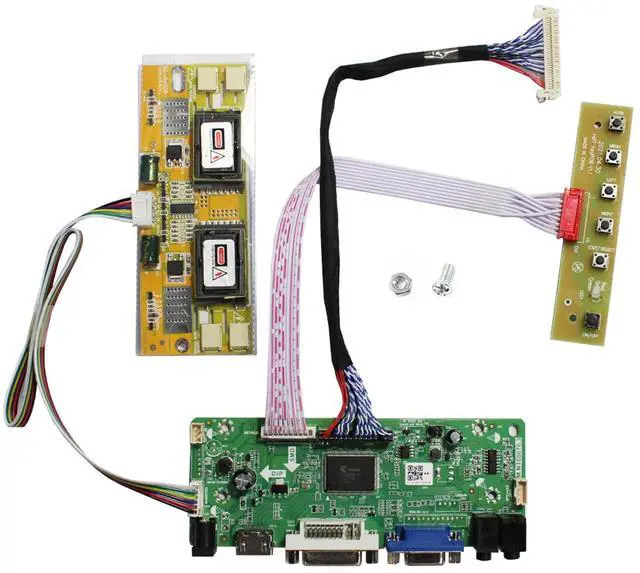
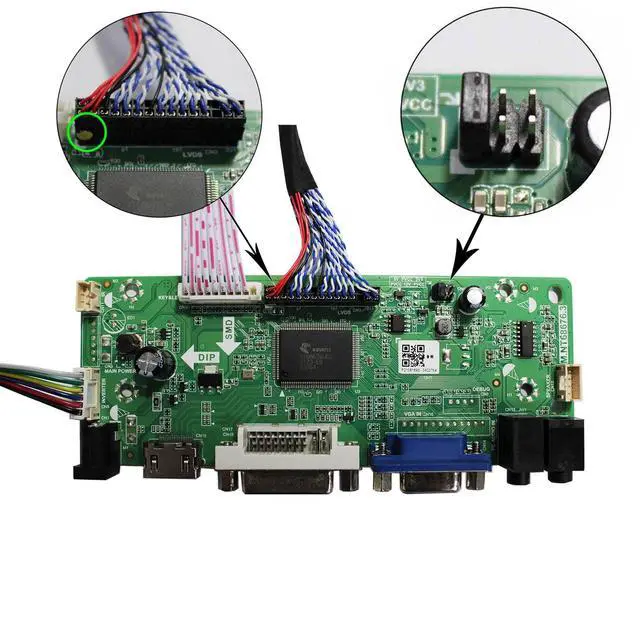
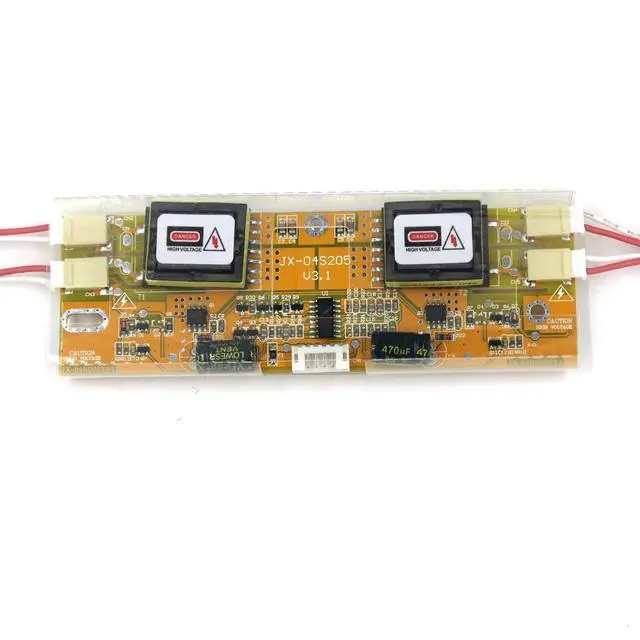
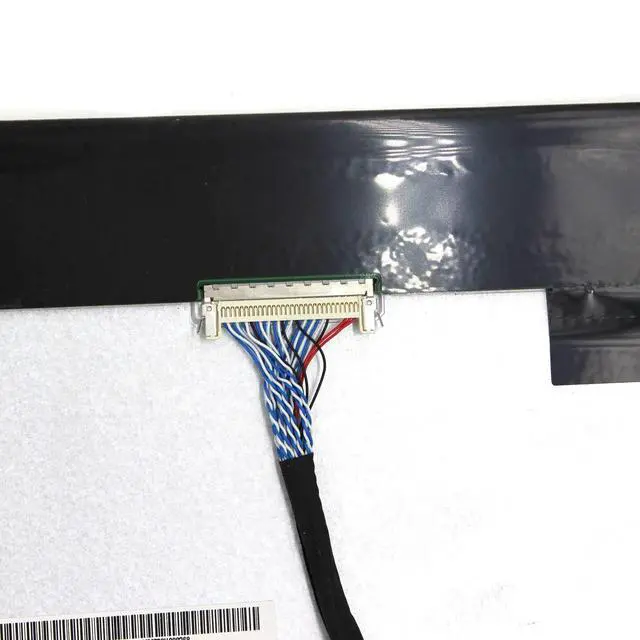
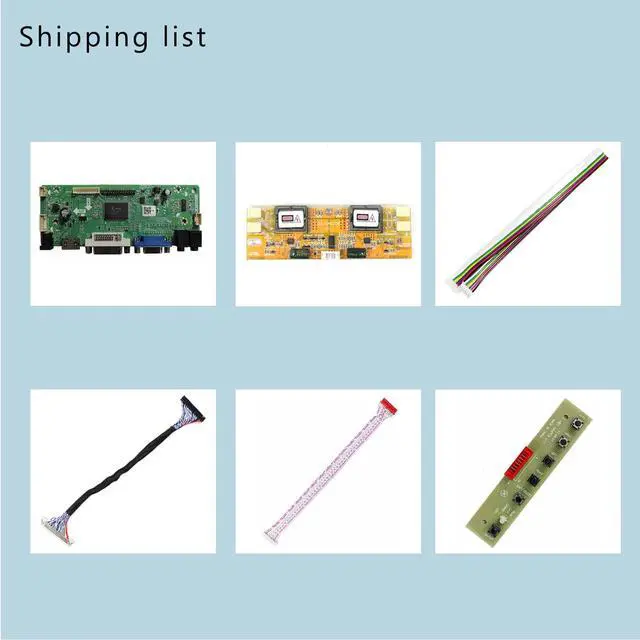
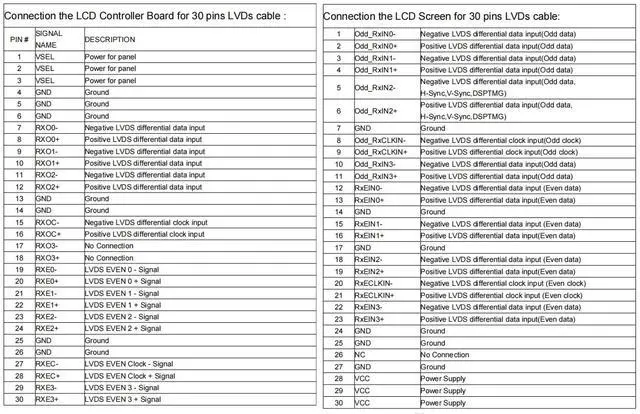
- LCD Driver Board Designed for 1280x1024 30Pin 5V LVDS LCD displays, with VGA and DVI video inputs and an audio output via a speaker connector (8ohm 2W 4Pin PH2.0 connection). It should be used in an insulated environment. Compatible Screen Models17" LTM170EU, LTM170EH, LTM170E5, LTM170E6, HSD170ME13, M170EG01, M170EG02, M170EN01, M170EN04, M170EN05, M170EN06, LM170E03; 19" LM190E02, LM190E03, LM190E08, G190EG01, M190EG02, M190EN01, HSD190ME11, HSD190ME12, HSD190ME13, LTM190EX. Plug and PlayWith a compatible screen, attach the cables and ports, turn on the power, feed a VGA or DVI signal, and the screen will light up. Input Power Supply12V DC at more than 3A, with a port size of 5.5x2.1mm. Please prepare the power adapter yourself. Board Failure Self-checkPower on the board directly. The LED lighting green or red indicates the board is functioning normally. Then connect the screen port. If there is no signal, the "no signal" message appearing on the screen means the issue originates from the source. Please try a different cable or resource. A white or black screen: verify the screen port connection, resolution, 5V jumper pin, and the signal source

+
+
Overview
Specs
Reviews
Any questions? Our AI mode will help you find out quickly.
Try me now
LCD Driver Board Designed for 1280x1024 30Pin 5V LVDS LCD displays, with VGA and DVI video inputs and an audio output via a speaker connector (8ohm 2W 4Pin PH 2.0 connection). It should be used in an insulated environment. Compatible Screen Models17" LTM170EU, LTM170EH, LTM170E5, LTM170E6, HSD170ME13, M170EG01, M170EG02, M170EN01, M170EN04, M170EN05, M170EN06, LM170E03; 19" LM190E02, LM190E03, LM190E08, G190EG01, M190EG02, M190EN01, HSD190ME11, HSD190ME12, HSD190ME13, LTM190EX. Plug and PlayWith a compatible screen, attach the cables and ports, turn on the power, feed a VGA or DVI signal, and the screen will light up.
Input Power Supply12V DC at more than 3A, with a port size of 5.5 x 2.1 mm. Please prepare the power adapter yourself. Board Failure Self-checkPower on the board directly. The LED lighting green or red indicates the board is functioning normally. Then connect the screen port. If there is no signal, the "no signal" message appearing on the screen means the issue originates from the source. Please try a different cable or resource.
A white or black screen: verify the screen port connection, resolution, 5V jumper pin, and the signal source
Input Power Supply12V DC at more than 3A, with a port size of 5.5 x 2.1 mm. Please prepare the power adapter yourself. Board Failure Self-checkPower on the board directly. The LED lighting green or red indicates the board is functioning normally. Then connect the screen port. If there is no signal, the "no signal" message appearing on the screen means the issue originates from the source. Please try a different cable or resource.
A white or black screen: verify the screen port connection, resolution, 5V jumper pin, and the signal source
Warranty & Returns
Warranty, Returns, And Additional Information
Warranty
- Please contact the Seller directly for warranty information. Warranty information may also be found on the Manufacturer's website.
- CONTACT
Return Policies
- Return for refund within: 30 days
- Return for replacement within: 30 days
- This item is covered by Muxiju Store Return Policy
Manufacturer Contact Info
- For a directory of all our manufacturers, please click below.
- Manufacturers Directory
LOADING...