

Your Browsing History

Meet Your Seller

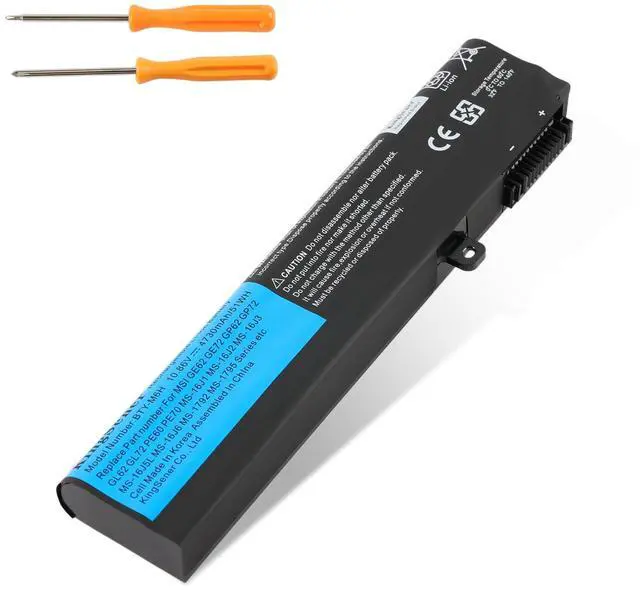


51Wh BTY-M6H Laptop Battery for MSI GE63 GE73 GE75 10.86V | GE72VR GE73VR GL72M GL72MVR GL72VR GP62 GP73 PE70 PL62 MS-1792 MS-16J2 10.86V
Limited time offer, ends 09/07 By Brightflag Electronics
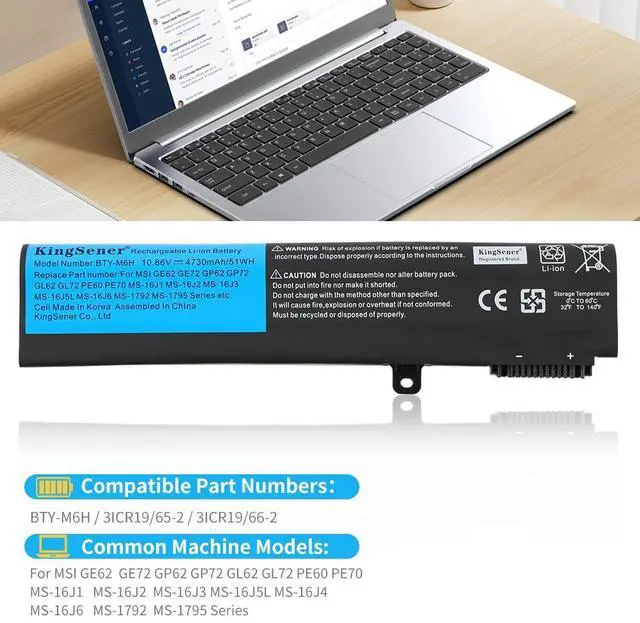
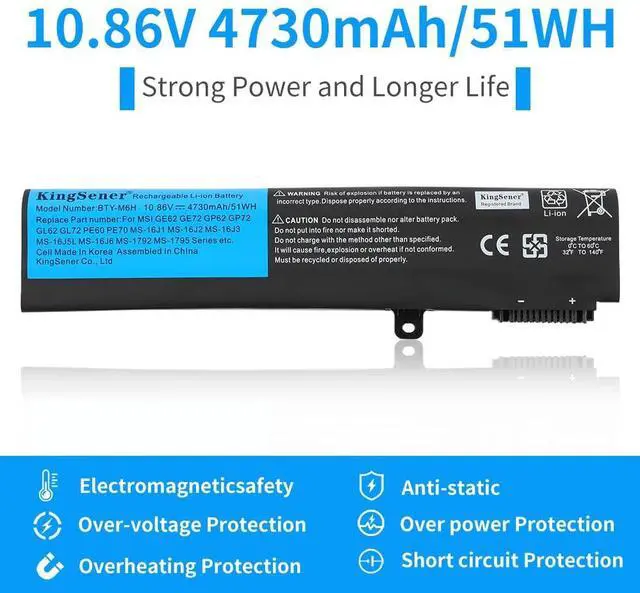
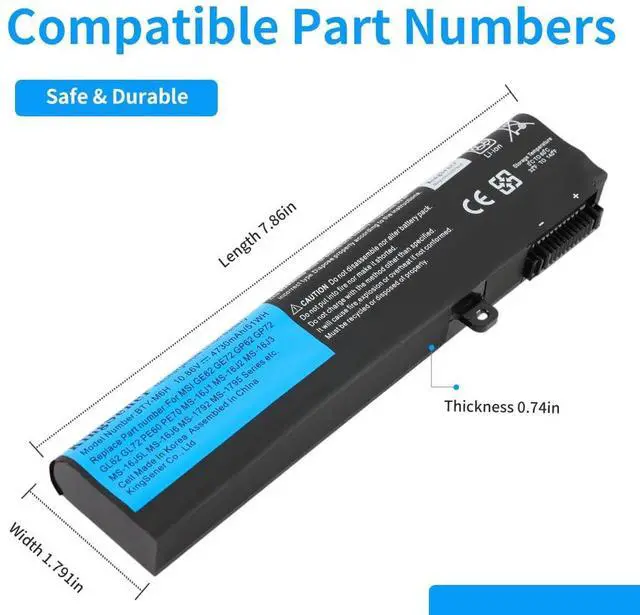
- Battery Type: Li-ion. Capacity: 51WH. Voltage: 10.86V. Over 500 recharge cycles for the battery's lifespan. Replacement Part Numbers: BTY-M6H, 3ICR19/65-2, 3ICR19/66-2. Work or play for extended periods without power worries. Replacement For Laptop Models: For MSI GE62; GE62VR; GE63; GE63VR; GE72; GE72VR; GE73; GE73VR; GP62; GP72; GP72MVR; GL62; GL62VR; GL62M; GL72; GL72VR; GT62VR; PE60; PE70; MS-16J1; MS-16J2; MS-16J3; MS-16J5L; MS-16J4; MS-16J6; MS-1792; MS-1795. Please note: Open the laptop's back cover before ordering and verify that the original battery model matches this listing. After receiving the battery, install it correctly, ensuring the battery connector is firmly attached to the laptop motherboard, and use the original charger to charge the laptop. Discharge the new battery to 5% (not 0%), then charge and cycle 3-4 times to activate the new battery. All batteries are certified and equipped with various safety features, including short circuit, overheat, and overload protection
+
+
Overview
Specs
Reviews

Any questions? Our AI mode will help you find out quickly.
Try me now
Battery Type: Li-ion.
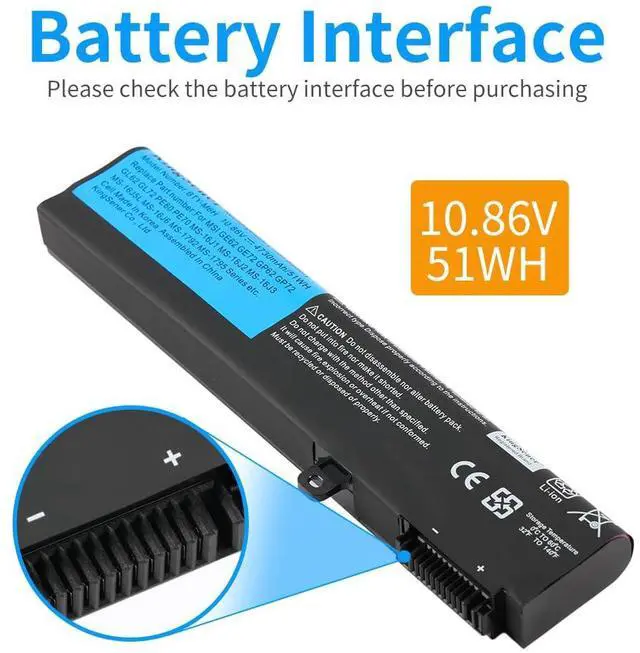
Capacity: 51WH.
Voltage: 10.86V. Over 500 recharge cycles for the battery's lifespan.
Replacement Part Numbers: BTY-M6H, 3ICR19/65-2, 3ICR19/66-2. Work or play for extended periods without power worries.
Replacement For Laptop Models: For MSI GE62; GE62VR; GE63; GE63VR; GE72; GE72VR; GE73; GE73VR; GP62; GP72; GP72MVR; GL62; GL62VR; GL62M; GL72; GL72VR; GT62VR; PE60; PE70; MS-16J1; MS-16J2; MS-16J3; MS-16J5L; MS-16J4; MS-16J6; MS-1792; MS-1795.
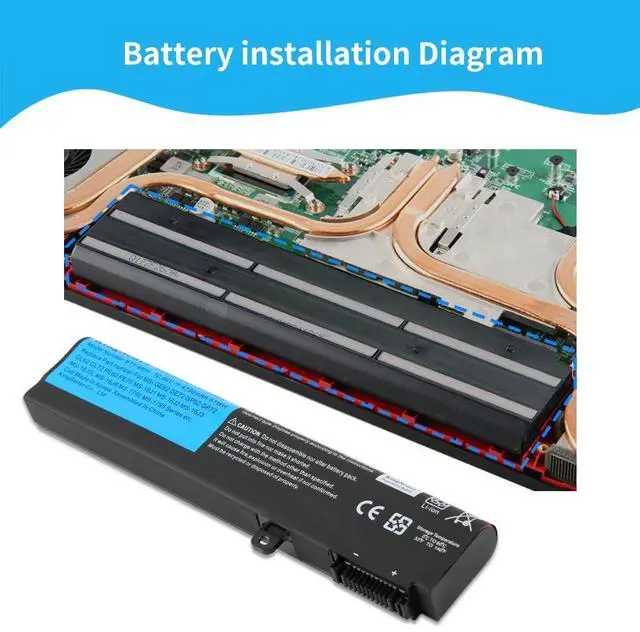
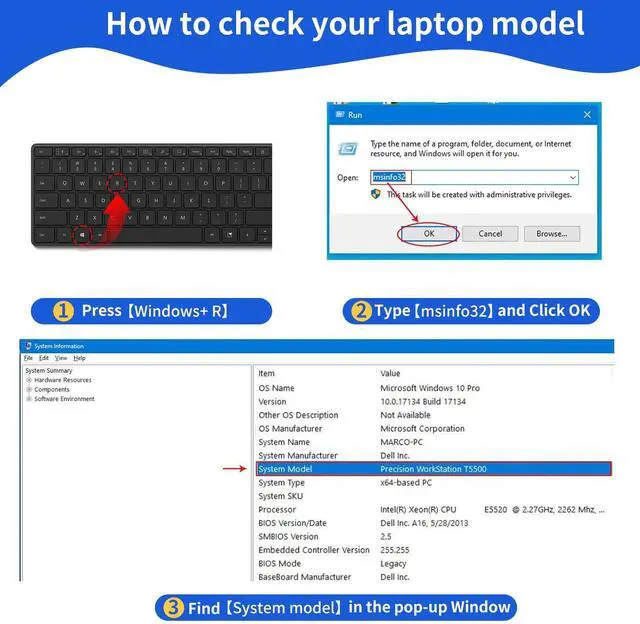
Please note: Open the laptop's back cover before ordering and verify that the original battery model matches this listing. After receiving the battery, install it correctly, ensuring the battery connector is firmly attached to the laptop motherboard, and use the original charger to charge the laptop. Discharge the new battery to 5% (not 0%), then charge and cycle 3-4 times to activate the new battery. All batteries are certified and equipped with various safety features, including short circuit, overheat, and overload protection
Capacity: 51WH.
Voltage: 10.86V. Over 500 recharge cycles for the battery's lifespan.
Replacement Part Numbers: BTY-M6H, 3ICR19/65-2, 3ICR19/66-2. Work or play for extended periods without power worries.
Replacement For Laptop Models: For MSI GE62; GE62VR; GE63; GE63VR; GE72; GE72VR; GE73; GE73VR; GP62; GP72; GP72MVR; GL62; GL62VR; GL62M; GL72; GL72VR; GT62VR; PE60; PE70; MS-16J1; MS-16J2; MS-16J3; MS-16J5L; MS-16J4; MS-16J6; MS-1792; MS-1795.
Please note: Open the laptop's back cover before ordering and verify that the original battery model matches this listing. After receiving the battery, install it correctly, ensuring the battery connector is firmly attached to the laptop motherboard, and use the original charger to charge the laptop. Discharge the new battery to 5% (not 0%), then charge and cycle 3-4 times to activate the new battery. All batteries are certified and equipped with various safety features, including short circuit, overheat, and overload protection
Warranty & Returns
Warranty, Returns, And Additional Information
Warranty
- Please contact the Seller directly for warranty information. Warranty information may also be found on the Manufacturer's website.
- CONTACT
Return Policies
- Return for refund within: 30 days
- Return for replacement within: 30 days
- This item is covered by Brightflag Electronics Return Policy
Manufacturer Contact Info
- For a directory of all our manufacturers, please click below.
- Manufacturers Directory
LOADING...