

Your Browsing History

Meet Your Seller

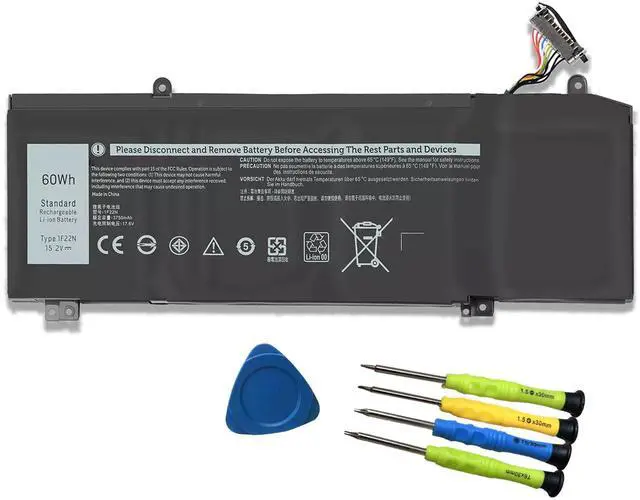
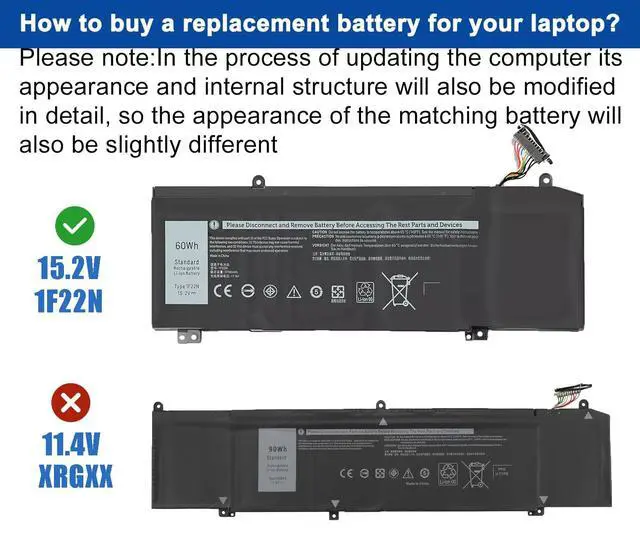


1F22N Laptop Battery Replace for Dell Alienware 2018 M15 G5 5590 G7 7590 7790 R2 R1 2019 P79F M17 P37E P37E001 5590-D2783W D2743B D2843W Series 01F22N 0HYWXJ HYWXJ JJPFK 8622M
Limited time offer, ends 09/30 By Brightflag Electronics
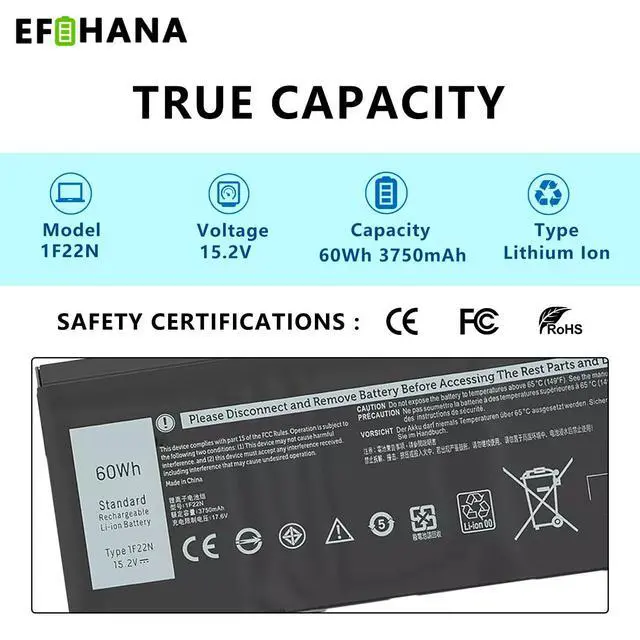
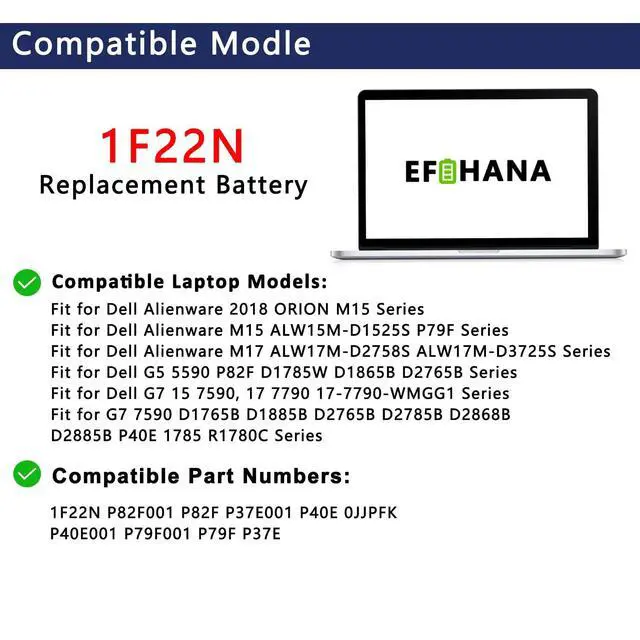
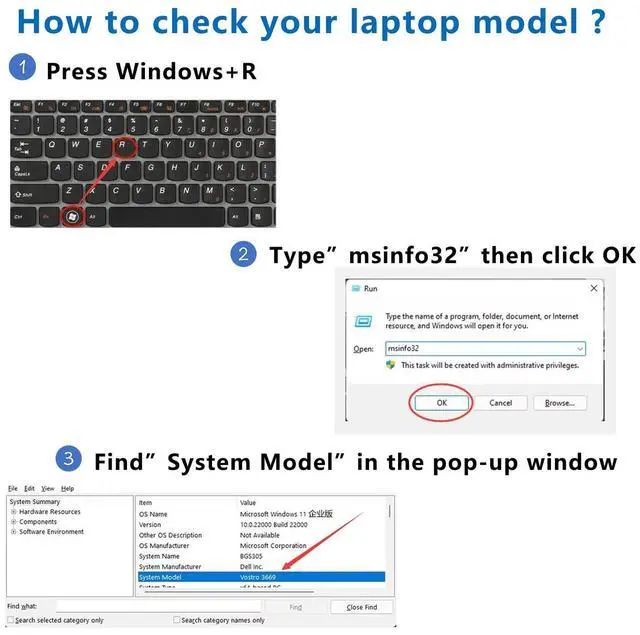
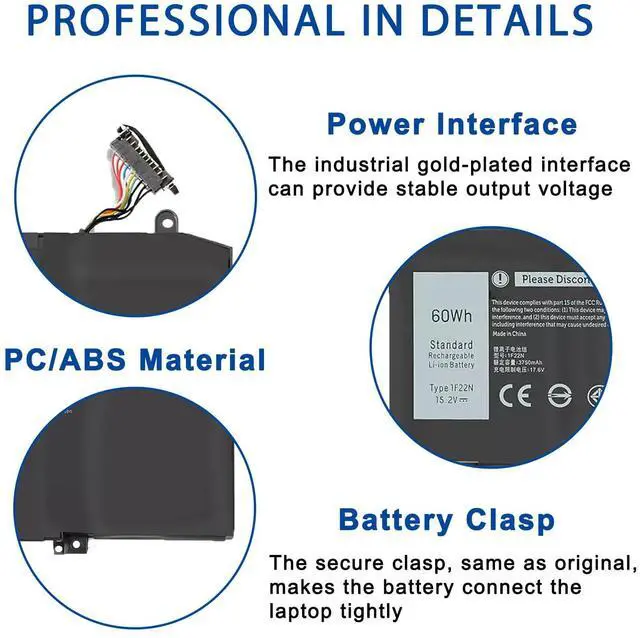
- SpecificationsModel: 1F22N // Battery type: Li-ion // Voltage: 15.2V // Capacity: 60Wh/3750mAh // 100% New from Manufacturer. Top-grade circuit boards and intelligent chip. Compatible Part Number1F22N P82F001 P82F P37E001 P40E 0JJPFK P40E001 P79F001 P79F P37E Compatible with Laptop Models Fit for Dell Alienware 2018 ORION M15; Fit for Dell Alienware M15 ALW15M-D1525S P79F; Fit for Dell Alienware M17 ALW17M-D2758S ALW17M-D3725S; Fit for Dell G5 5590 P82F D1785W D1865B D2765B; Fit for Dell G7 15 7590, 17 7790 17-7790-WMGG1; Fit for G7 7590 D1765B D1885B D2765B D2785B D2868B D2885B P40E 1785 R1780C Gentle ReminderIf the new battery is not recognized during the initial installation, please reinstall and check if the interface is fully connected. Discharge the new battery to 10% (not 0%), then charge and cycle 3-4 times to wake up the new battery. Safety FeaturesPlease refer to the instructions before installing the battery. All products are Certified by CE for safety, strictly tested to ensure both safety and stability
+
+
Overview
Specs
Reviews

Any questions? Our AI mode will help you find out quickly.
Try me now
SpecificationsModel: 1F22N //
Battery type: Li-ion //
Voltage: 15.2V //
Capacity: 60Wh/3750mAh // 100% New from Manufacturer. Top-grade circuit boards and intelligent chip. Compatible Part Number1F22N P82F001 P82F P37E001 P40E 0JJPFK P40E001 P79F001 P79F P37E Compatible with Laptop Models Fit for Dell Alienware 2018 ORION M15; Fit for Dell Alienware M15 ALW15M-D1525S P79F; Fit for Dell Alienware M17 ALW17M-D2758S ALW17M-D3725S; Fit for Dell G5 5590 P82F D1785W D1865B D2765B; Fit for Dell G7 15 7590, 17 7790 17-7790-WMGG1; Fit for G7 7590 D1765B D1885B D2765B D2785B D2868B D2885B P40E 1785 R1780C Gentle ReminderIf the new battery is not recognized during the initial installation, please reinstall and check if the interface is fully connected. Discharge the new battery to 10% (not 0%), then charge and cycle 3-4 times to wake up the new battery. Safety FeaturesPlease refer to the instructions before installing the battery. All products are Certified by CE for safety, strictly tested to ensure both safety and stability
Battery type: Li-ion //
Voltage: 15.2V //
Capacity: 60Wh/3750mAh // 100% New from Manufacturer. Top-grade circuit boards and intelligent chip. Compatible Part Number1F22N P82F001 P82F P37E001 P40E 0JJPFK P40E001 P79F001 P79F P37E Compatible with Laptop Models Fit for Dell Alienware 2018 ORION M15; Fit for Dell Alienware M15 ALW15M-D1525S P79F; Fit for Dell Alienware M17 ALW17M-D2758S ALW17M-D3725S; Fit for Dell G5 5590 P82F D1785W D1865B D2765B; Fit for Dell G7 15 7590, 17 7790 17-7790-WMGG1; Fit for G7 7590 D1765B D1885B D2765B D2785B D2868B D2885B P40E 1785 R1780C Gentle ReminderIf the new battery is not recognized during the initial installation, please reinstall and check if the interface is fully connected. Discharge the new battery to 10% (not 0%), then charge and cycle 3-4 times to wake up the new battery. Safety FeaturesPlease refer to the instructions before installing the battery. All products are Certified by CE for safety, strictly tested to ensure both safety and stability
Warranty & Returns
Warranty, Returns, And Additional Information
Warranty
- Please contact the Seller directly for warranty information. Warranty information may also be found on the Manufacturer's website.
- CONTACT
Return Policies
- Return for refund within: 30 days
- Return for replacement within: 30 days
- This item is covered by Brightflag Electronics Return Policy
Manufacturer Contact Info
- For a directory of all our manufacturers, please click below.
- Manufacturers Directory
LOADING...