Out of stock
  • $239.99
  • Free 30-day Returns
Price alert
Shop it at NeweggBusiness.

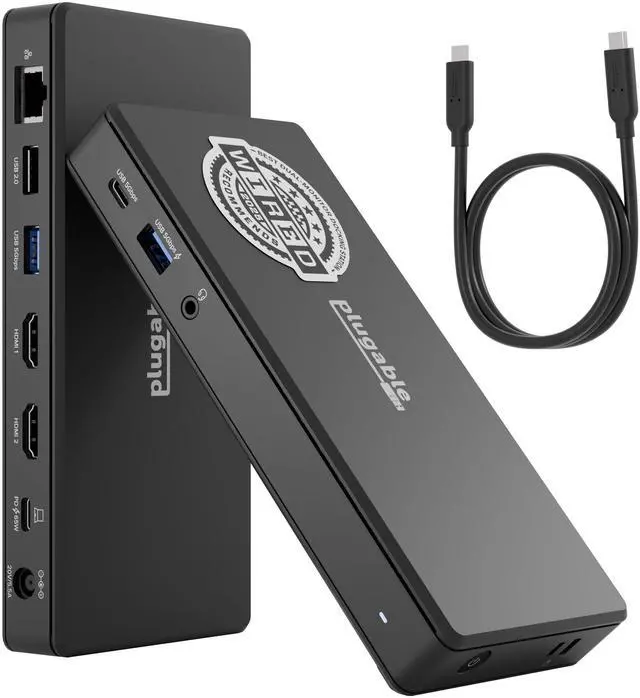
USB-C Docking Station, Dual 4K 60Hz HDMI for Windows and ChromeOS 65W Charging, Gigabit Ethernet, 1x USB-C 5Gbps, 3x USB-A, Audio, USB-C/USB4/Thunderbolt, Driverless (UD-MSTH2)

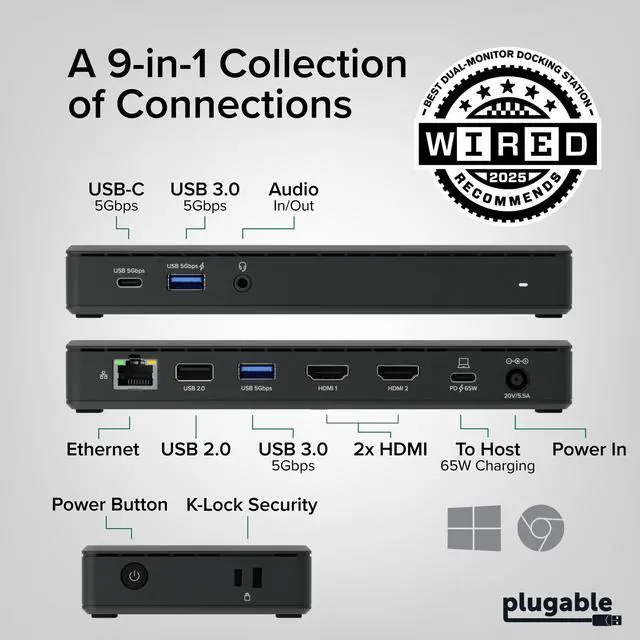
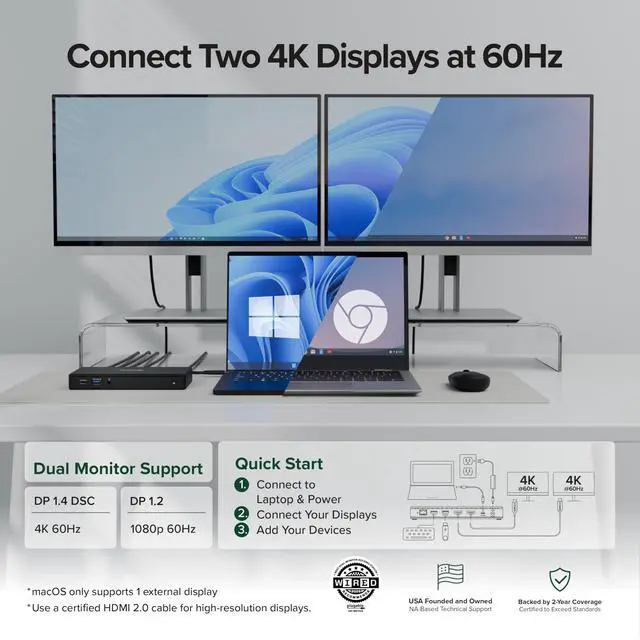
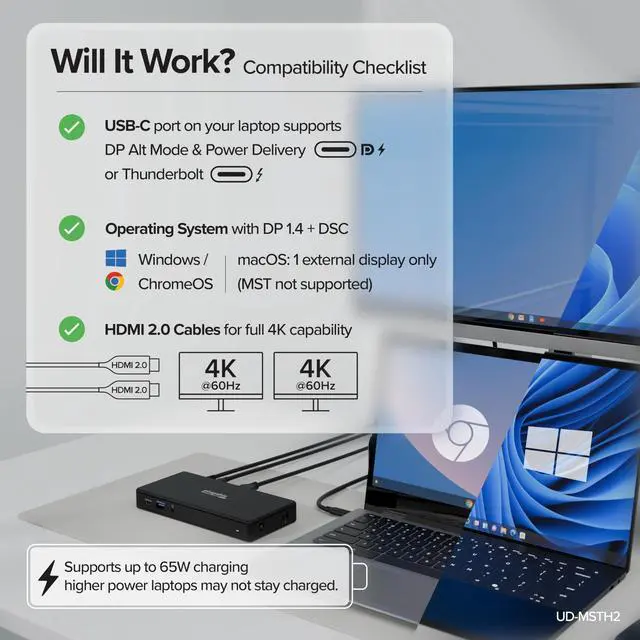
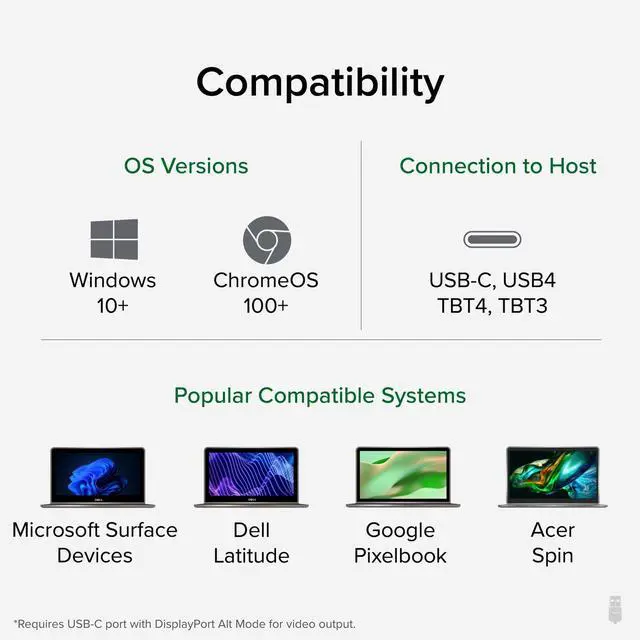
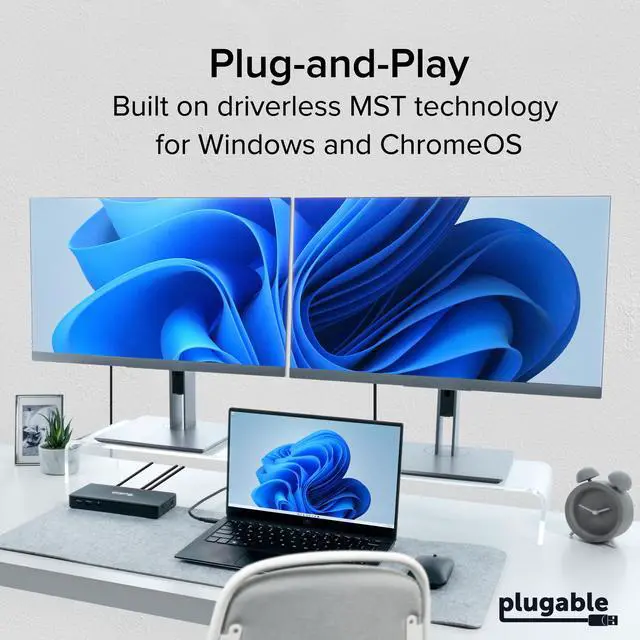
  • One Cable Desk Setup: Turn your laptop into a full workstation with one connection, run two HDMI monitors (up to 4K 60Hz each on supported systems) and keep your desk setup ready for multitasking, spreadsheets, and video calls. Monitor resolution and refresh rate depend on your host systems capabilities (dual 4K 60Hz requires a host that supports higher-end display output). Compatibility Checklist: Designed for Windows 10+ / USB4 / Chromebook systems that support DP Alt Mode + MST. Not recommended for macOS if you need dual extended displays (Mac will be limited to one external monitor). Easy Setup, No Drivers: True plug-and-play, no software installation required on supported systems. Just connect power, plug into your laptop, and attach your monitors and accessories. Host must support USB-C DisplayPort Alt Mode (DP Alt Mode) for video output (not all USB-C ports support video). 10-in-1 Connectivity for a Ready to Go Workstation: Connect your everyday desk essentials keyboard/mouse, external storage, Ethernet, and a headset for calls through one dock. Includes 1x USB-C (5Gbps), 2x USB-A 3.0 (5Gbps), 1x USB-A 2.0 (480Mbps), Gigabit Ethernet, and audio in/out, plus a secure K-Lock slot for office environments

+
+
Overview
Specs
Reviews
avatar

Any questions? Our AI mode will help you find out quickly.

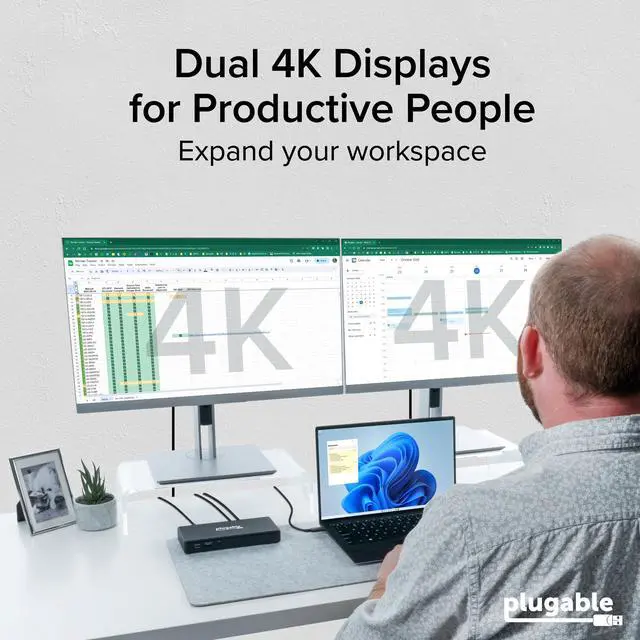
One Cable Desk Setup: Turn your laptop into a full workstation with one connection, run two HDMI monitors (up to 4K 60Hz each on supported systems) and keep your desk setup ready for multitasking, spreadsheets, and video calls. Monitor resolution and refresh rate depend on your host systems capabilities (dual 4K 60Hz requires a host that supports higher-end display output).
Compatibility Checklist: Designed for Windows 10+ / USB4 / Chromebook systems that support DP Alt Mode + MST. Not recommended for macOS if you need dual extended displays (Mac will be limited to one external monitor). Easy Setup, No
Drivers: True plug-and-play, no software installation required on supported systems. Just connect power, plug into your laptop, and attach your monitors and accessories. Host must support USB-C DisplayPort Alt Mode (DP Alt Mode) for video output (not all USB-C ports support video). 10-in-1 Connectivity for a Ready to
Go Workstation: Connect your everyday desk essentials keyboard/mouse, external storage, Ethernet, and a headset for calls through one dock. Includes 1x USB-C (5Gbps), 2x USB-A 3.0 (5Gbps), 1x USB-A 2.0 (480Mbps), Gigabit Ethernet, and audio in/out, plus a secure K-Lock slot for office environments

Warranty & Returns

Warranty, Returns, And Additional Information

Warranty

  • Please contact the Seller directly for warranty information. Warranty information may also be found on the Manufacturer's website.
  • CONTACT

Return Policies

Manufacturer Contact Info

LOADING...