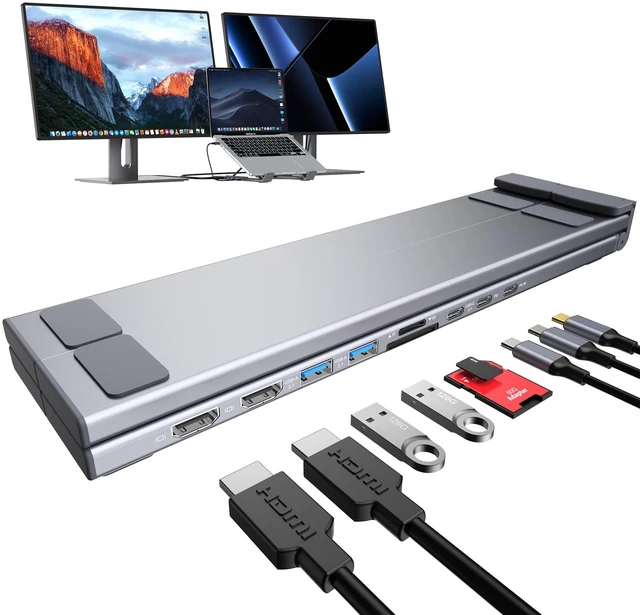
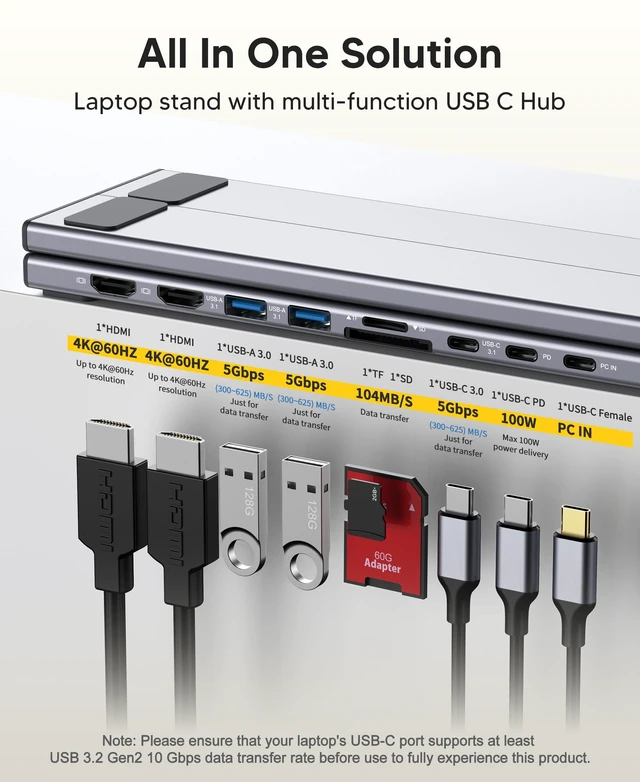
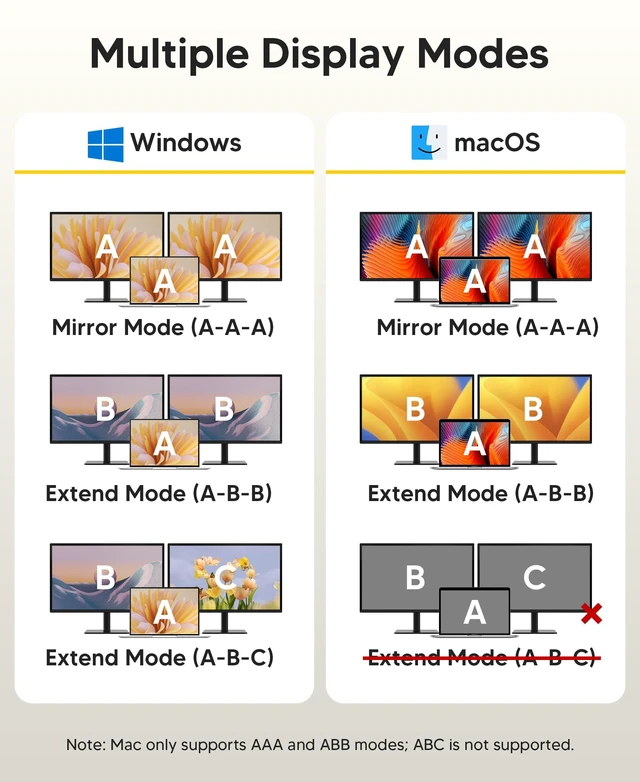
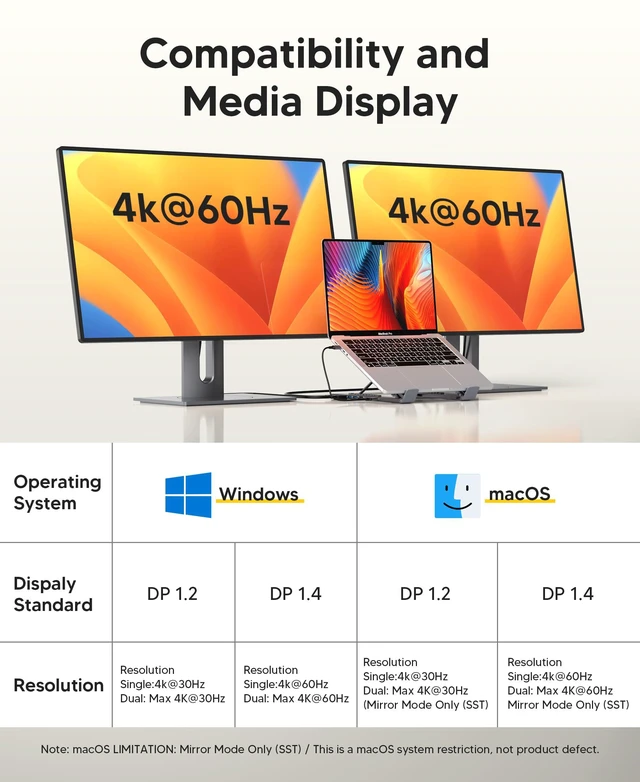
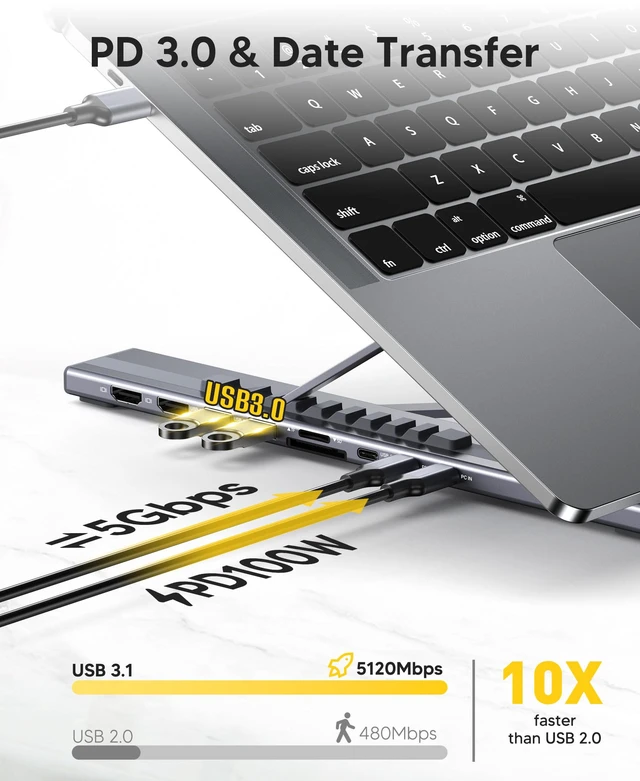
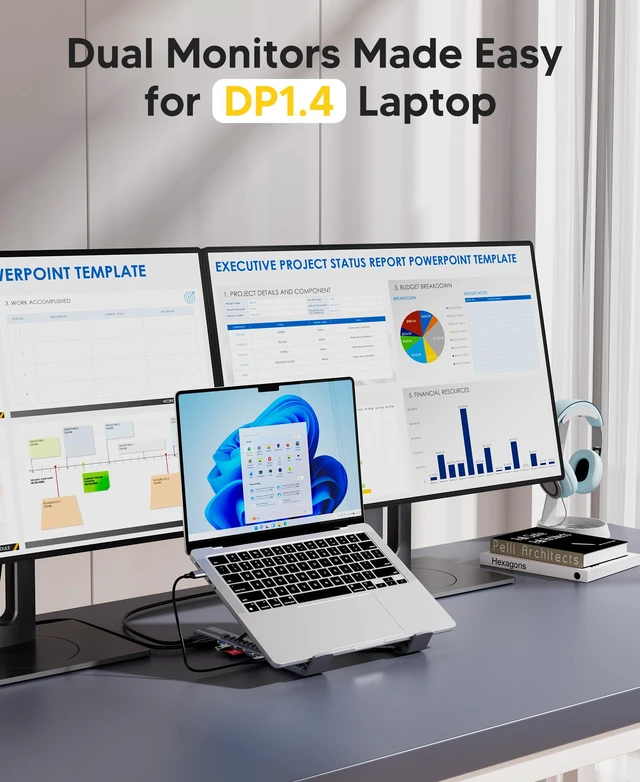
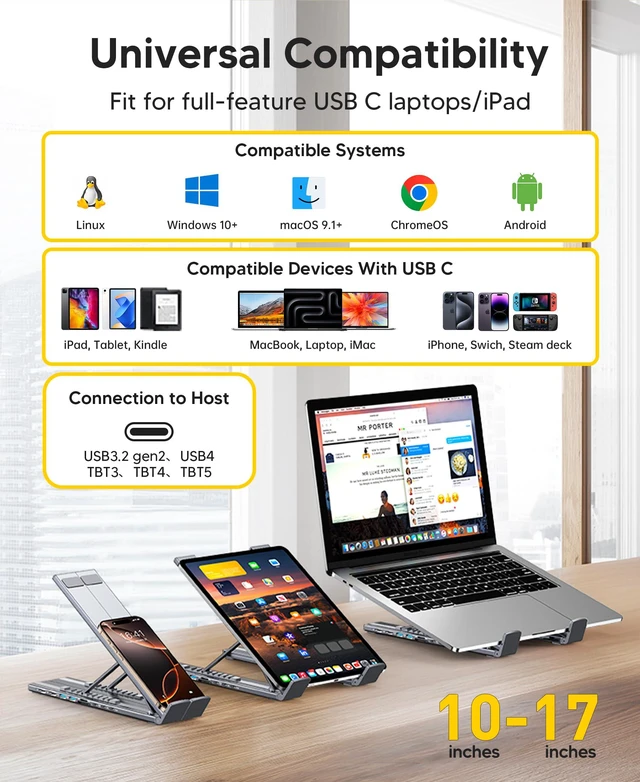
USB-C Docking Station Stand: This lightweight, foldable laptop stand supports laptops from 10-17 inches and features 9 integrated ports. The USB-C docking station for USB C macOS and Windows laptops includes 2 * 4K@60Hz HDMI, 2*USB 3.0 (up to 5Gbps), 1*USB-C PD 3.0 port, 1*USB-C 3.0 (up to 5Gbps), 1*SD, 1*TF, and a host port for connecting the laptop. It combines a USB-C dock with a laptop stand. Ensure that your laptop's USB-C port supports PD Power Delivery, DP Alt Mode, and data transfer. Docking stations require a Thunderbolt or full-featured USB-C port. If the USB-C port only supports data transfer or charging, video output will not be available. For DP 1.4 supported laptops, the dual HDMI ports support MST mode under Windows Laptop for extending two monitors simultaneously. Full Dual Display Expansion Mode (MST) requires Windows support for DP 1.4. On macOS systems, the docking station supports mirror mode (SST) only, not extended desktop mode (MST); macOS
LIMITATION: Mirror Mode Only (SST) / This is a macOS system restriction, not product defect. This plug-and-play docking station with 2 HDMI ports is compatible with a wide range of USB 3.2 Gen2 or Thunderbolt 3/4 or above laptops. Compatible with MacBook (macOS 9.1 and newer; macOS 9.1, newer), Windows 10, Linux 2.4 and newer, Linux 2.4, ChromeOS, and MacBook Pro. The 9-level adjustable ergonomic stand allows you to adjust the height and choose an angle for your posture and body type, helping relieve tension from neck pain, back pain, and eye fatigue for more comfortable work. Its triangle support design improves stability, while the non-slip silicone pad helps secure the laptop in place and protect your device from scratches and slipping. The forward-tilt angle and open design increase ventilation and airflow to cool your laptop while operating rather than lying flat on the table. Crafted from premium aluminum alloy, this compact, lightweight USB C hub multiport adapter docking station stand supports laptops up to 40 lbs without bounce or wobble. It folds to 10.5 * 2.2 * 0.9 inches and weighs only 0.7 lbs.
A portable storage bag is included for business trips or travel





 here!
here!