Your Browsing History
Meet Your Seller
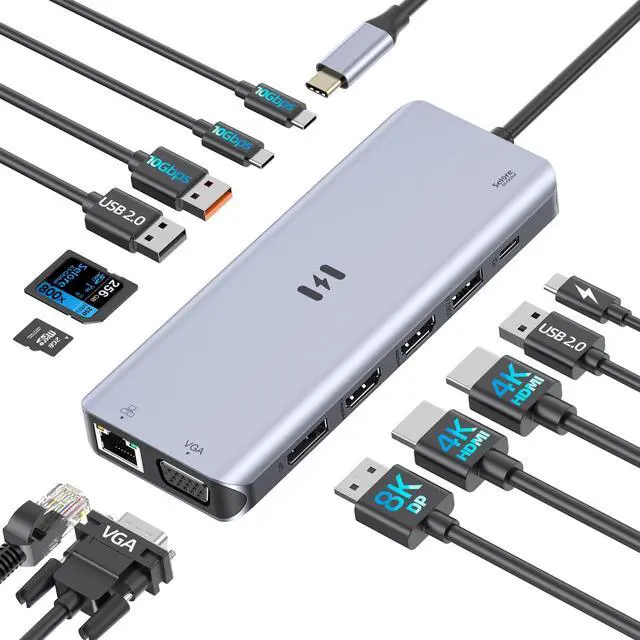
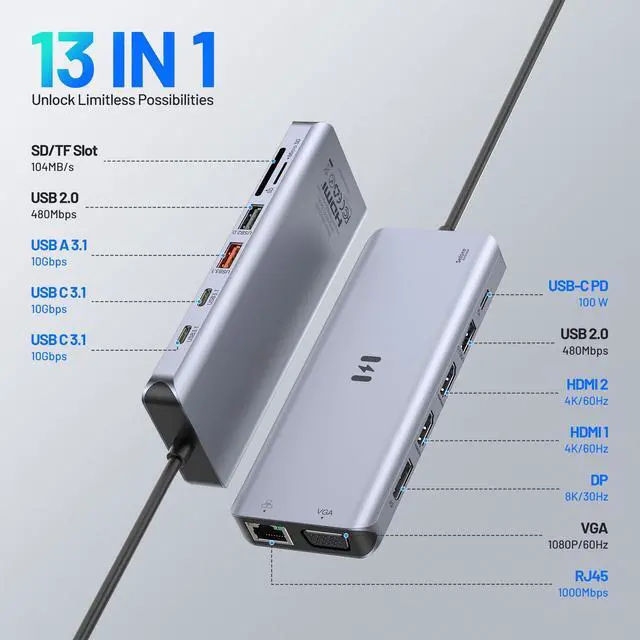
USB C Docking Station 4 Monitors,13 in 1 Laptop Docking Station 3 Monitors Dual HDMI,8K DP,VGA,10Gbps USB A/C Data Transfer, PD Charging,USB C Hub Multiport Adapter for Windows/macOS Laptop
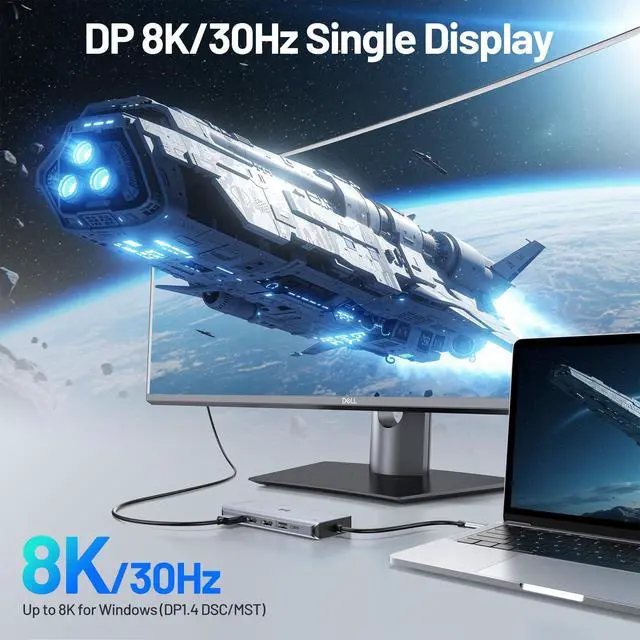
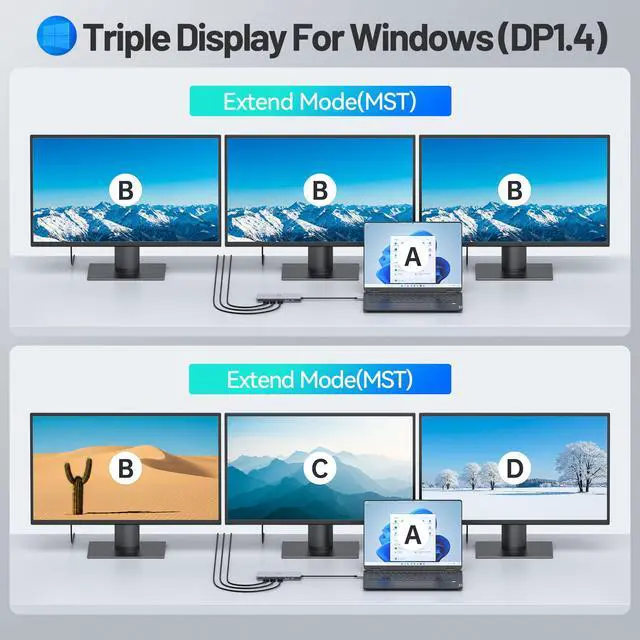
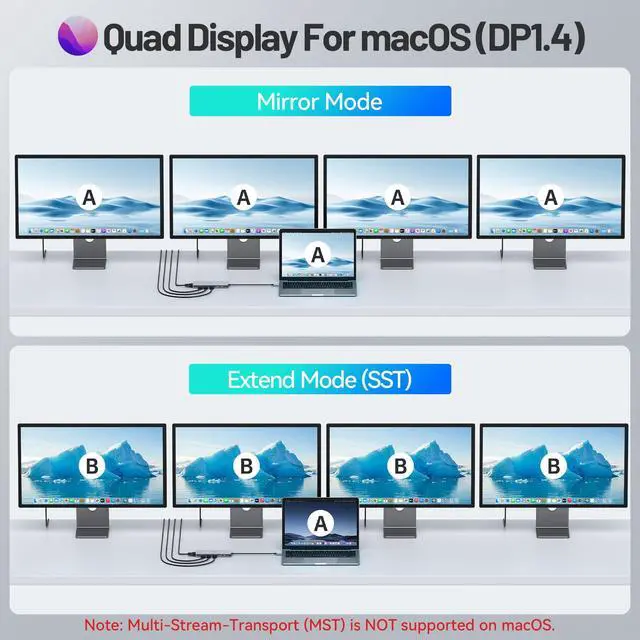
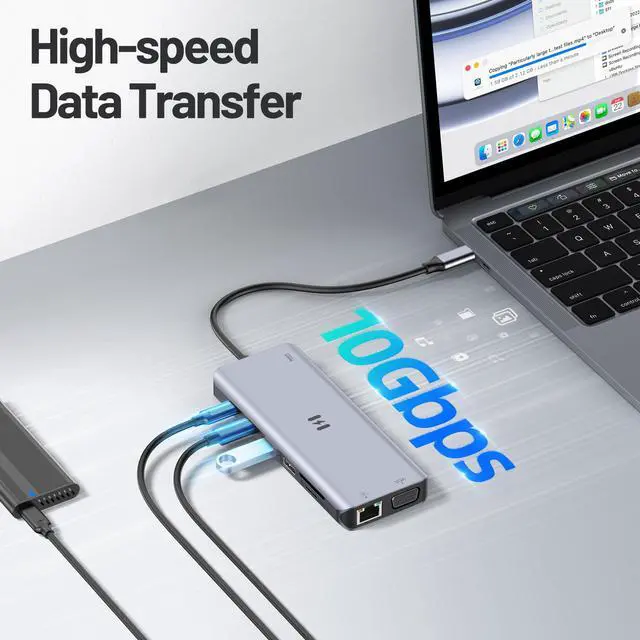
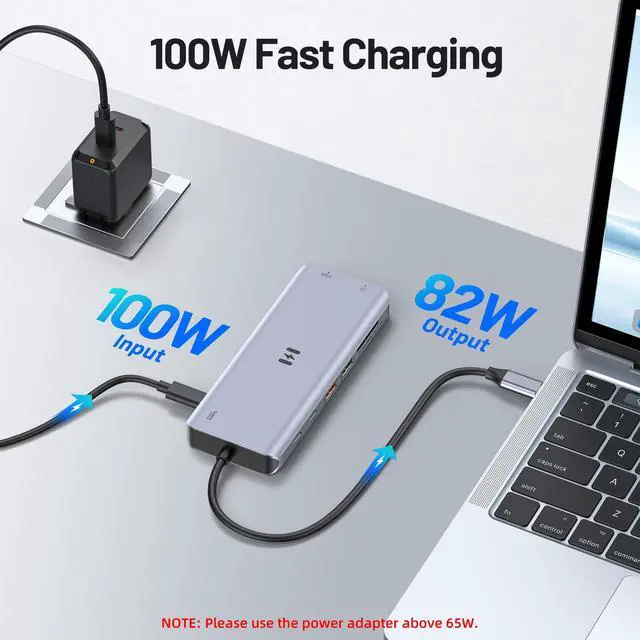
- [13-in-1 USB-C Docking Station] This laptop docking station includes 13 ports: 2 HDMI ports with dual 4K HDMI, 8K DisplayPort, 1080p VGA, 10Gbps USB-A and USB-C ports, 100W PD charging, SD/microSD slots, and Gigabit Ethernet. It functions as a dual-HDMI docking station for Windows or Mac and is plug and play, with no additional drivers needed except DisplayLink for some Mac configurations. Your laptop's USB-C port must support DP Alt Mode and PD, or Thunderbolt 3/4, for full functionality. [Quadruple Display Docking Station] This USB-C docking station expands one USB-C port into four video outputs: dual HDMI 4K@60Hz, DisplayPort 8K@30Hz, and VGA 1080p/60Hz. It supports four displays simultaneously and can be used for triple-monitor setups. macOS does not support 4 independent displays, with a maximum of 2 independent displays plus mirroring; for triple displays on macOS, the third screen mirrors one of the first two. [High-Speed Data Transfer] Multiple 10Gbps USB-A and USB-C ports and a Gigabit Ethernet port offer fast data transfer. The SD/microSD card slots support speeds up to 104MB/s, including when used in dual-monitor or triple-monitor mode. [Efficient 100W Power Delivery] Supports up to 100W USB-C Power Delivery input and delivers up to 82W to your laptop when using a 100W adapter, with power shared with connected peripherals. For full performance, use a power adapter of at least 100W. [Broad Compatibility] This USB-C docking station works with Windows, Mac, MacBook,
+
+
Overview
Specs
Reviews
Any questions? Our AI mode will help you find out quickly.
Try me now
[13-in-1 USB-C Docking Station] This laptop docking station includes 13 ports: 2 HDMI ports with dual 4K HDMI, 8K DisplayPort, 1080p VGA, 10Gbps USB-A and USB-C ports, 100W PD charging, SD/microSD slots, and Gigabit Ethernet. It functions as a dual-HDMI docking station for Windows or Mac and is plug and play, with no additional drivers needed except DisplayLink for some Mac configurations. Your laptop's USB-C port must support DP Alt Mode and PD, or Thunderbolt 3/4, for full functionality. [Quadruple Display Docking Station] This USB-C docking station expands one USB-C port into four video outputs: dual HDMI 4K@60Hz, DisplayPort 8K@30Hz, and VGA 1080p/60Hz. It supports four displays simultaneously and can be used for triple-monitor setups. macOS does not support 4 independent displays, with a maximum of 2 independent displays plus mirroring; for triple displays on macOS, the third screen mirrors one of the first two. [High-Speed Data Transfer] Multiple 10Gbps USB-A and USB-C ports and a Gigabit Ethernet port offer fast data transfer. The SD/microSD card slots support speeds up to 104MB/s, including when used in dual-monitor or triple-monitor mode. [Efficient 100W Power Delivery] Supports up to 100W USB-C Power Delivery input and delivers up to 82W to your laptop when using a 100W adapter, with power shared with connected peripherals. For full performance, use a power adapter of at least 100W. [Broad Compatibility] This USB-C docking station works with Windows, Mac, MacBook, HP, Dell, Lenovo ThinkPad, and more, and is ideal for professionals, designers, gamers, and home users who need a versatile docking station with DisplayPort or a docking station with 2 HDMI for triple monitors. Verify that your laptop's USB-C port supports DisplayPort Alt Mode before purchasing to ensure triple-monitor functionality

Warranty & Returns
Warranty, Returns, And Additional Information
Warranty
- Please contact the Seller directly for warranty information. Warranty information may also be found on the Manufacturer's website.
- CONTACT
Return Policies
- Return for refund within: 30 days
- Return for replacement within: 30 days
- This item is covered by FullChao Living Store Return Policy
Manufacturer Contact Info
- For a directory of all our manufacturers, please click below.
- Manufacturers Directory
LOADING...