• $67.49
  • Free 30-day Returns
  • Price alert
    Shop it at NeweggBusiness.

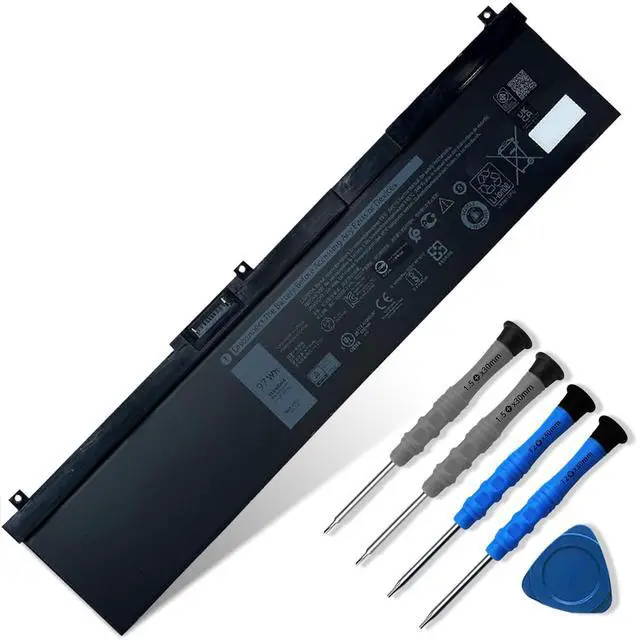
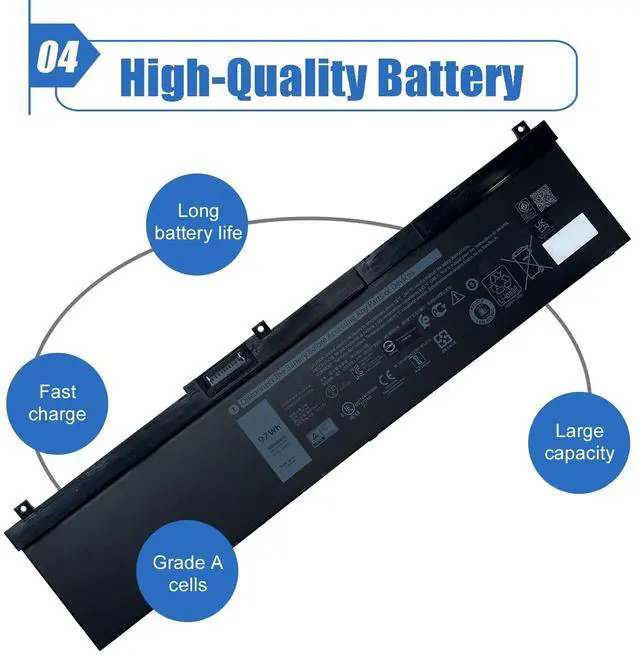
    97Wh NYFJH Laptop Battery Replace for Dell Precision 7530 7730 7540 7740 Mobile Workstation P74F P74F001 P74F002 P34E P34E001 P34E002 Series Notebook 0WNRC 00WNRC GW0K9 0GW0K9 11.4V 8070mAh

    Limited time offer, ends 10/06 By FullChao Living Store

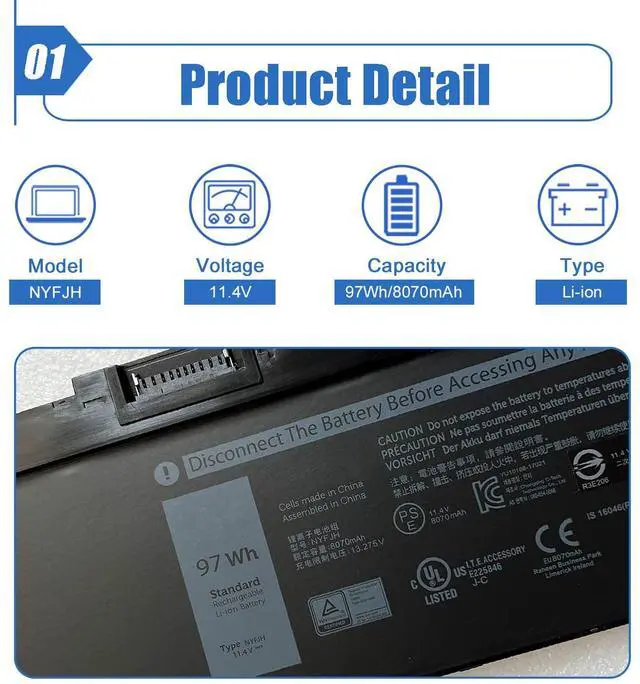
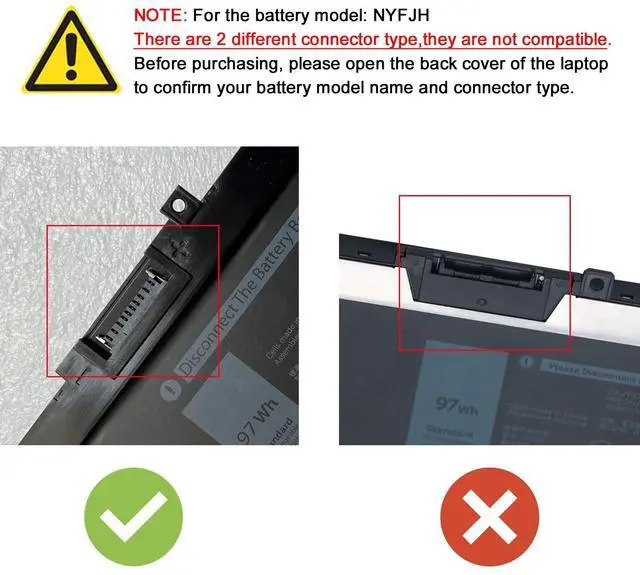
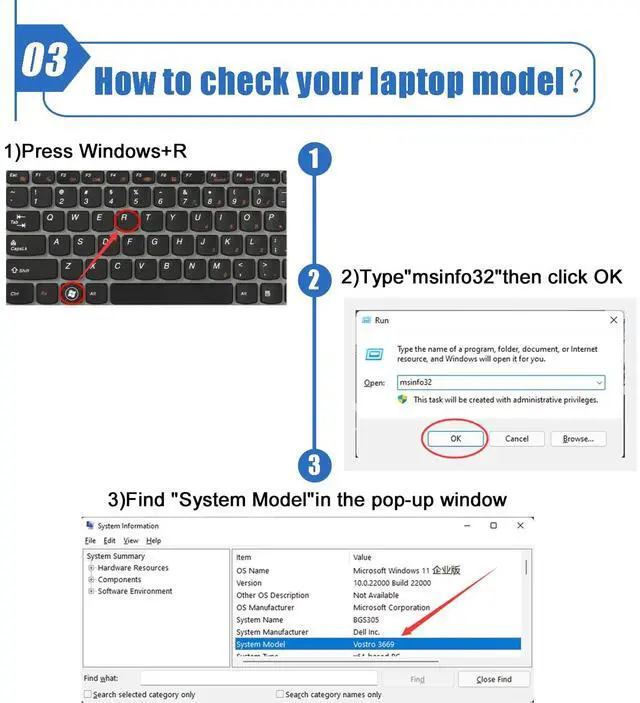
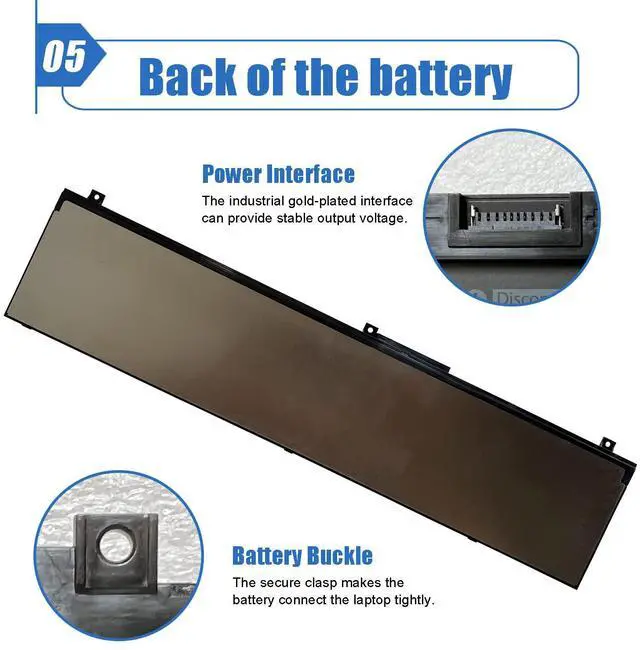
    • Item Model: NYFJH Battery Type: Li-ion Voltage: 11.4V Capacity: 97Wh/8070mAh Battery Color: Black. There are two types of connectors for the NYFJH battery. Ensure your original battery has the same connector as shown in the picture before placing an order. Compatible Battery P/N: NYFJH, 0NYFJH, 0WNRC, 00WNRC, GW0K9, 0GW0K9. Compatible Laptop Models: Dell Precision 7530, Dell Precision 7730, Dell Precision 7540, and Dell Precision 7740 Series; Dell P34E, Dell P34E001, Dell P34E002, Dell P74F, Dell P74F001, and Dell P74F002. If the new battery is not recognized during initial installation, reinstall it and verify that the interface is fully connected. Discharge the new battery to 10-20% (not 0%), then charge and cycle it 3-4 times to activate the new battery. Before purchasing, open the back cover of the laptop to confirm the battery model and shape

    +
    +
    Overview
    Specs
    Reviews
    avatar

    Any questions? Our AI mode will help you find out quickly.

    Item Model: NYFJH
    Battery Type: Li-ion
    Voltage: 11.4V
    Capacity: 97Wh/8070mAh
    Battery Color: Black. There are two types of connectors for the NYFJH battery. Ensure your original battery has the same connector as shown in the picture before placing an order.
    Compatible Battery P/N: NYFJH, 0NYFJH, 0WNRC, 00WNRC, GW0K9, 0GW0K9.
    Compatible Laptop Models: Dell Precision 7530, Dell Precision 7730, Dell Precision 7540, and Dell Precision 7740 Series; Dell P34E, Dell P34E001, Dell P34E002, Dell P74F, Dell P74F001, and Dell P74F002. If the new battery is not recognized during initial installation, reinstall it and verify that the interface is fully connected. Discharge the new battery to 10-20% (not 0%), then charge and cycle it 3-4 times to activate the new battery. Before purchasing, open the back cover of the laptop to confirm the battery model and shape

    Warranty & Returns

    Warranty, Returns, And Additional Information

    Warranty

    • Please contact the Seller directly for warranty information. Warranty information may also be found on the Manufacturer's website.
    • CONTACT

    Return Policies

    Manufacturer Contact Info

    LOADING...