Your Browsing History
Meet Your Seller
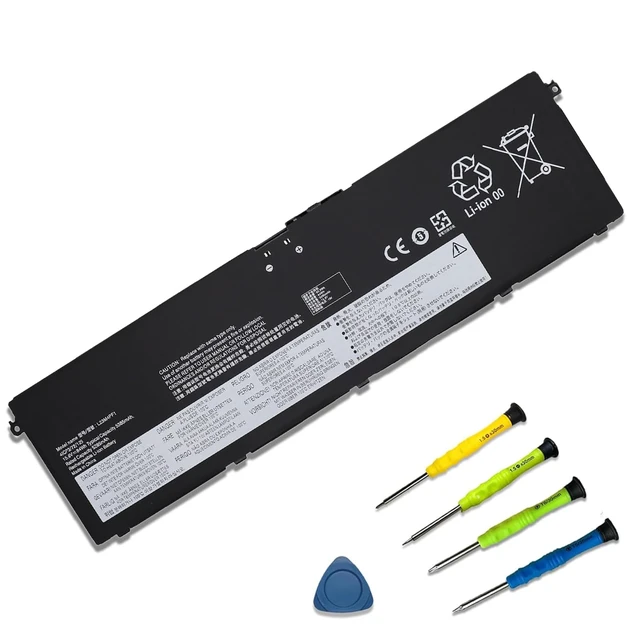
L23M4PF1 L23D4PF1 Battery for Lenovo IdeaPad Pro 5 14AHP9 14AKP10 16AKP10 15.6V 84Wh; for Lenovo IdeaPad Pro 5 16IPH11 14IMH9 16IMH9 16AHP9 14IAH10 Legion 7 16AGP11 16IAX10 15ASH11 Yoga Pro 9 16IMH9
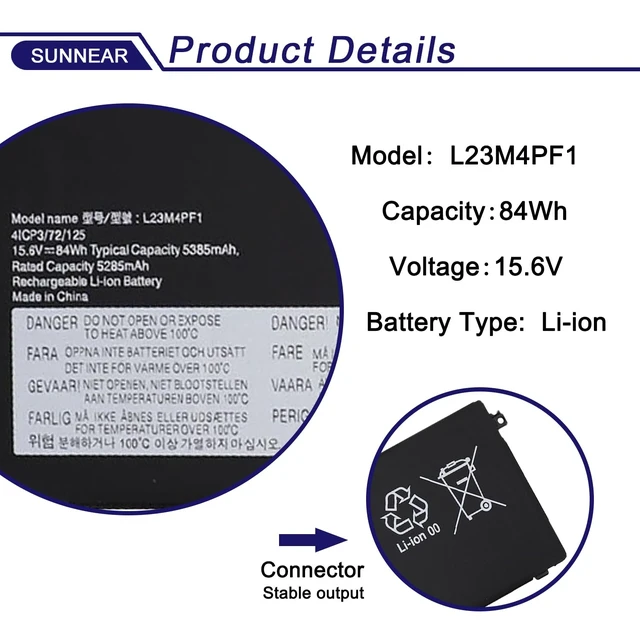
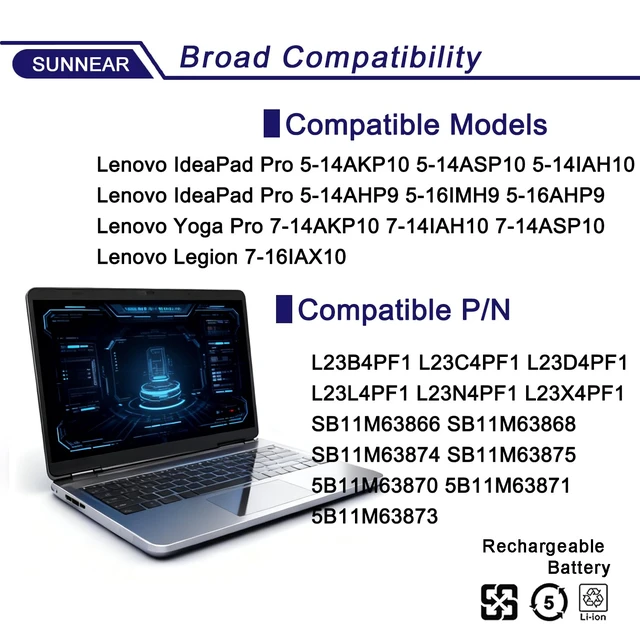
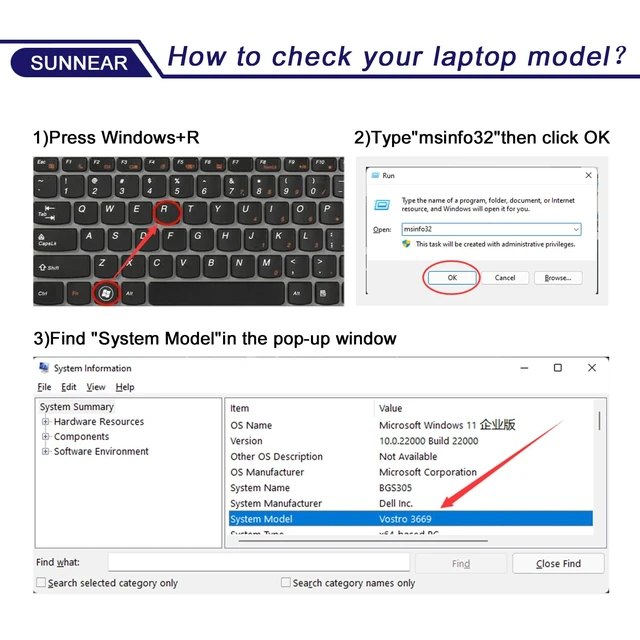
- Specifications Model: L23M4PF1 Voltage: 15.6V Capacity: 84Wh/5385mAh Battery type: Li-ion Uses Grade A battery cells rated for up to 500 power cycles. Includes screwdrivers. Compatible Laptop/Notebook Models For Lenovo IdeaPad Pro 5-14AKP10, 5-14ASP10, 5-14IAH10, 5-14IAH10, 5-14IMH9, 5-14AHP9, 5-16IMH9, 5-16AHP9, 5-16IAH10, 5-16ASP10, 5-16AKP10, Lenovo Legion 7-16IAX10, Lenovo Yoga Pro 7-14AKP10, 7-14IAH10, 7-14ASP10, 9-16IMH9, and 9-16IAH10 Series laptops. Compatible Part Numbers L23B4PF1, L23C4PF1, L23D4PF1, L23L4PF1, L23N4PF1, L23X4PF1, SB11M63866, SB11M63868, SB11M63869, SB11M63874, SB11M63875, 5B11M63867, 5B11M63870, 5B11M63871, 5B11M63872, and 5B11M63873. Before purchasing, open the laptop's back cover to confirm the original battery model number. If the new battery is not recognized during initial installation, reinstall it and check that the interface is fully connected. Allow the battery power level to drop to 5%, not 0%, then restore it to full capacity and repeat this cycle 3-4 times to activate the battery

+
+
Overview
Specs
Reviews
Any questions? Our AI mode will help you find out quickly.
Try me now
Specifications
Model: L23M4PF1Voltage: 15.6V
Capacity: 84Wh/5385mAh
Battery type: Li-ion Uses Grade A battery cells rated for up to 500 power cycles. Includes screwdrivers. Compatible Laptop/Notebook Models For Lenovo IdeaPad Pro 5-14AKP10, 5-14ASP10, 5-14IAH10, 5-14IAH10, 5-14IMH9, 5-14AHP9, 5-16IMH9, 5-16AHP9, 5-16IAH10, 5-16ASP10, 5-16AKP10, Lenovo Legion 7-16IAX10, Lenovo Yoga Pro 7-14AKP10, 7-14IAH10, 7-14ASP10, 9-16IMH9, and 9-16IAH10 Series laptops. Compatible Part Numbers L23B4PF1, L23C4PF1, L23D4PF1, L23L4PF1, L23N4PF1, L23X4PF1, SB11M63866, SB11M63868, SB11M63869, SB11M63874, SB11M63875, 5B11M63867, 5B11M63870, 5B11M63871, 5B11M63872, and 5B11M63873. Before purchasing, open the laptop's back cover to confirm the original battery model number. If the new battery is not recognized during initial installation, reinstall it and check that the interface is fully connected. Allow the battery power level to drop to 5%, not 0%, then restore it to full capacity and repeat this cycle 3-4 times to activate the battery
Warranty & Returns
Warranty, Returns, And Additional Information
Warranty
- Please contact the Seller directly for warranty information. Warranty information may also be found on the Manufacturer's website.
- CONTACT
Return Policies
- Return for refund within: 30 days
- Return for replacement within: 30 days
- This item is covered by MiniJoyBelle Tech Return Policy
Manufacturer Contact Info
- For a directory of all our manufacturers, please click below.
- Manufacturers Directory
LOADING...