Your Browsing History
Meet Your Seller
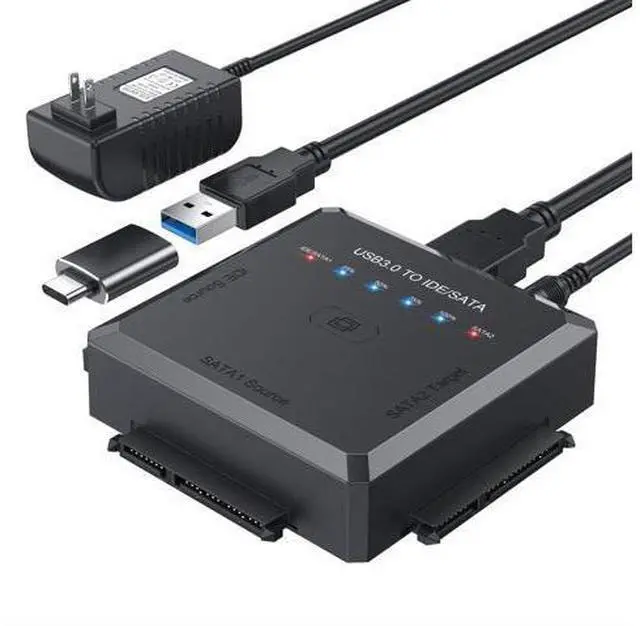
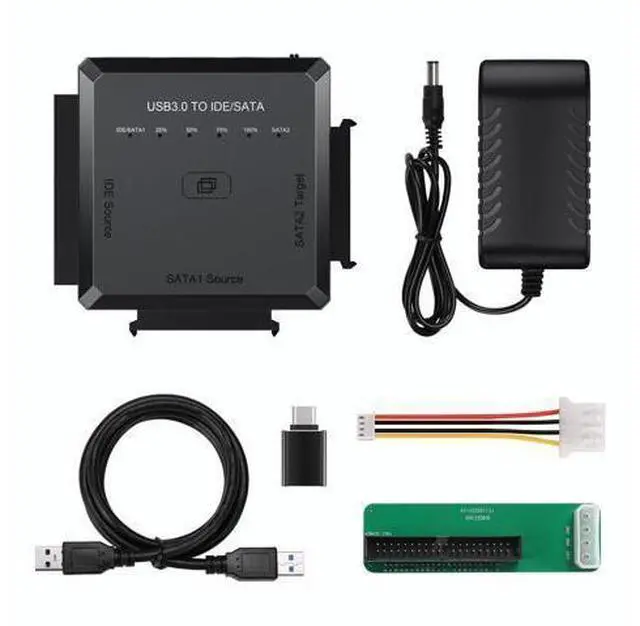
Hard Drive Reader Ultra Recovery Converter, SATA IDE to USB 3.0 Adapter for 2.5" 3.5" HDD/SSD, USB to SATA/IDE One Touch Clone with 12V Power Adapter
Limited time offer, ends 07/25 By NovaStar Tech
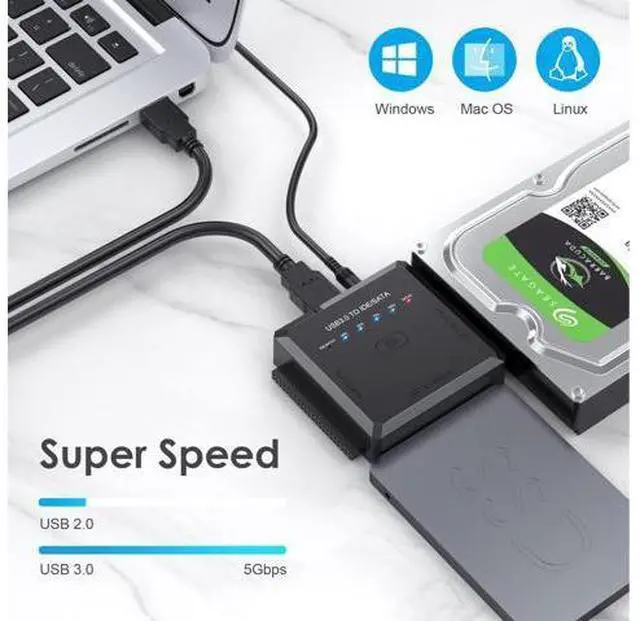
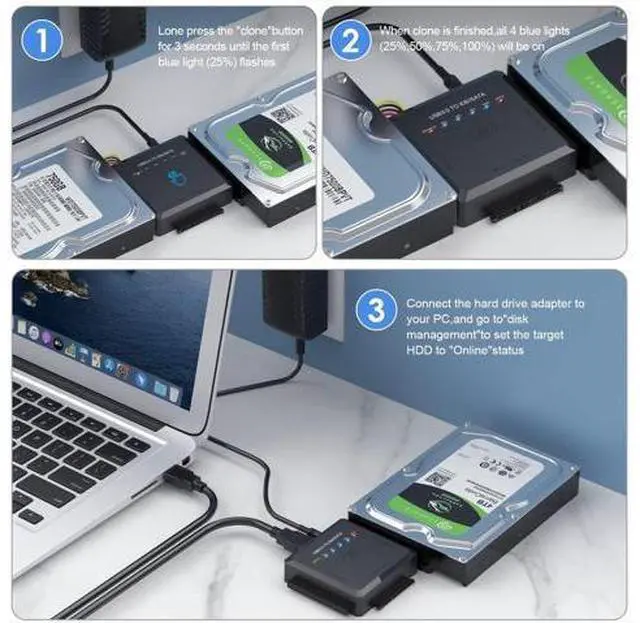
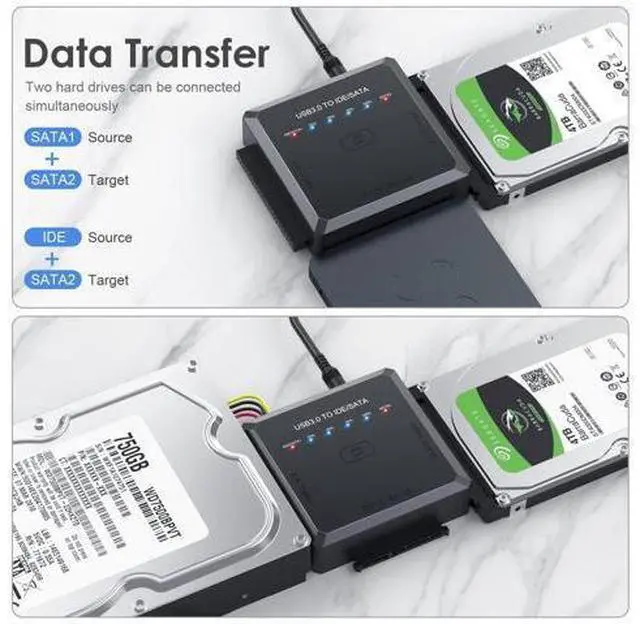
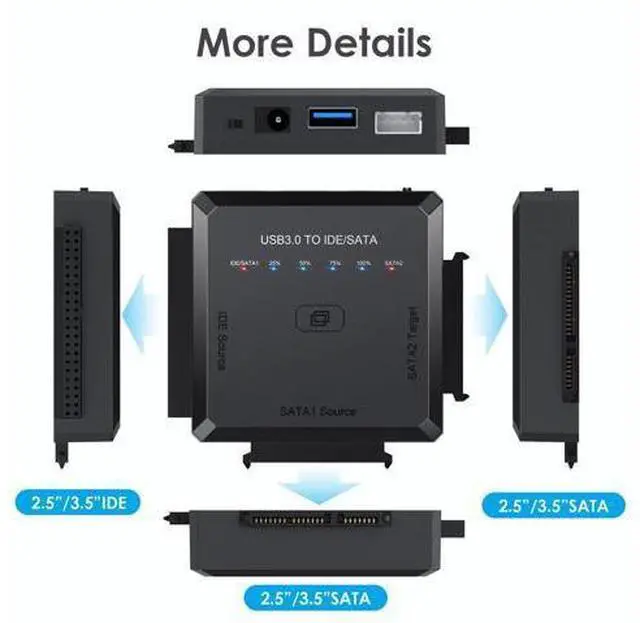
- One Touch Backup: Support offline cloning, this USB to SATA adapter is no computer needed! Just press clone button until the first blue light(25%) flashes to easily achieve 1:1 perfect clone! You can operate offline clone only in 2 combinations: IDE Source and SATA2 Target; SATA1 Source and SATA2 Target. Capacity requirement :SATA2 target is larger than IDE/SATA1. TIPS: IDE Source and SATA1 Source cannot be connected simultaneously; Universal SATA to USB Adapter: Our SATA IDE to USB Adapter allow you to connect 2.5 or 3.5 inches SATA or IDE hard drives, supporting the simultaneous connection of 2 HDDs for fast data transfer, backup, clone and upgrade. Besides, it comes with a 12V 2A power adapter to meet the needs of the power required for the 3.5 " drives; Friendly for Use: Just plug and play with no driver or software needed! For new HDD/SSD, please go to "Disk Management" to initialize it first, and then your HDD/SSD can be recognized. When all 4 blue lights: 25%, 50%, 75%, 100% , come on at the same time, the cloning is successful. The use of this sata to usb 3.0 adapter is easier and more convenient than ever
+
+
Overview
Specs
Reviews
Any questions? Our AI beta will help you find out quickly.
Try me now
ULXUUUN's Exquisite IDE Hard Drive Adapter Converter! Plug and Play, no any driver request! Equipped with USB 3.0 Port, its transmission speed can up to 5Gbps. Please note that the actual data transfer speed is depend on performance of your computer and hard disk (HDD). Data Transfer of
Hard Drive Data Recovery Kit: For offline clone, you can only choose the following 2 ways: IDE Source? SATA2 Target SATA1 Source? SATA2 Target Tips for
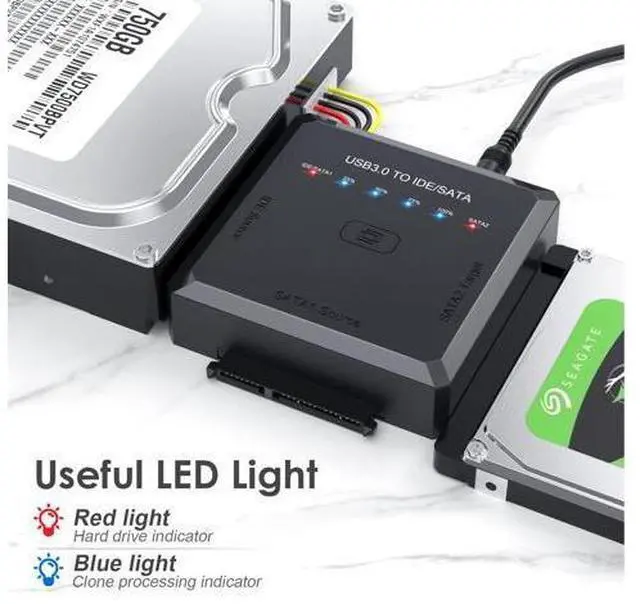
Offline Clone: Please back up all the data from your source HDD before offline clone. Please confirm there are no bad sectors from both HDDs, or the clone may fail. When clone is finished successfully, all 4 blue lights (25%, 50%, 75%, 100%) will be on. If all 4 blue lights flash simultaneously, it means the clone failed. For offline clone, there is no computer needed! Please do not connect the hard drive adapter to your computer until the clone is finished. LED Light Design Different lights represent different meanings of cloning, lighting can make you better grasp the cloning process, the whole process at a glance! Clone Button Design Just press the "CLONE" button for 3 seconds, you can start your clone with this ultra recovery converter, very easy for use! Aluminum Shell Design The hard disk drive adapter is made of high quality aluminum and has the characteristic of fast heat dissipation, so you do not need to worry about heat dissipation in daily use!
Hard Drive Data Recovery Kit: For offline clone, you can only choose the following 2 ways: IDE Source? SATA2 Target SATA1 Source? SATA2 Target Tips for
Offline Clone: Please back up all the data from your source HDD before offline clone. Please confirm there are no bad sectors from both HDDs, or the clone may fail. When clone is finished successfully, all 4 blue lights (25%, 50%, 75%, 100%) will be on. If all 4 blue lights flash simultaneously, it means the clone failed. For offline clone, there is no computer needed! Please do not connect the hard drive adapter to your computer until the clone is finished. LED Light Design Different lights represent different meanings of cloning, lighting can make you better grasp the cloning process, the whole process at a glance! Clone Button Design Just press the "CLONE" button for 3 seconds, you can start your clone with this ultra recovery converter, very easy for use! Aluminum Shell Design The hard disk drive adapter is made of high quality aluminum and has the characteristic of fast heat dissipation, so you do not need to worry about heat dissipation in daily use!
Specifications
5Gbps transfer Speed One Touch Backup Hot Swapping Dirt resistance SolidWarranty & Returns
Warranty, Returns, And Additional Information
Warranty
- Please contact the Seller directly for warranty information. Warranty information may also be found on the Manufacturer's website.
- CONTACT
Return Policies
- Return for refund within: 30 days
- Return for replacement within: 30 days
- This item is covered by NovaStar Tech Return Policy
Manufacturer Contact Info
- For a directory of all our manufacturers, please click below.
- Manufacturers Directory
LOADING...