Your Browsing History
Meet Your Seller
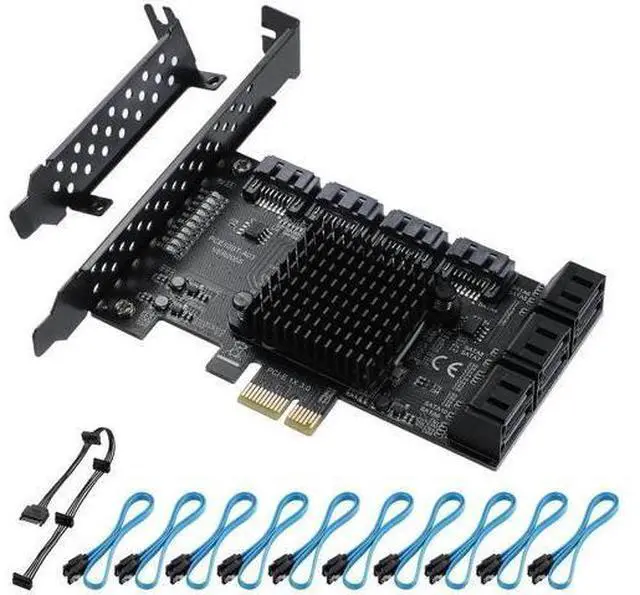
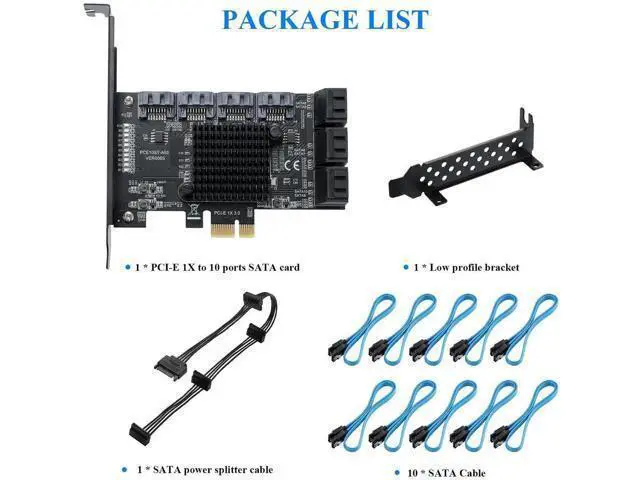
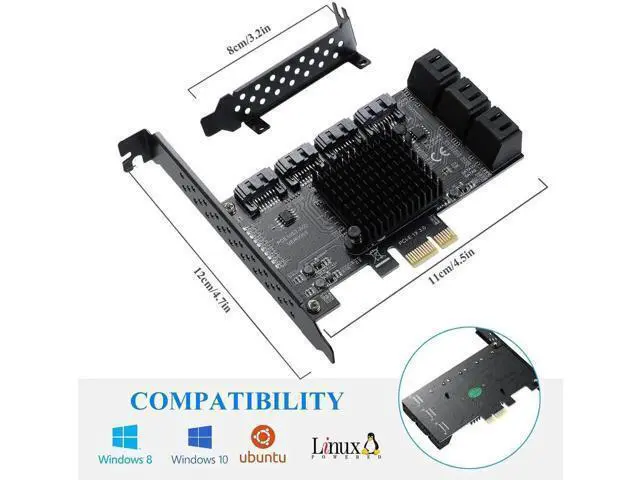
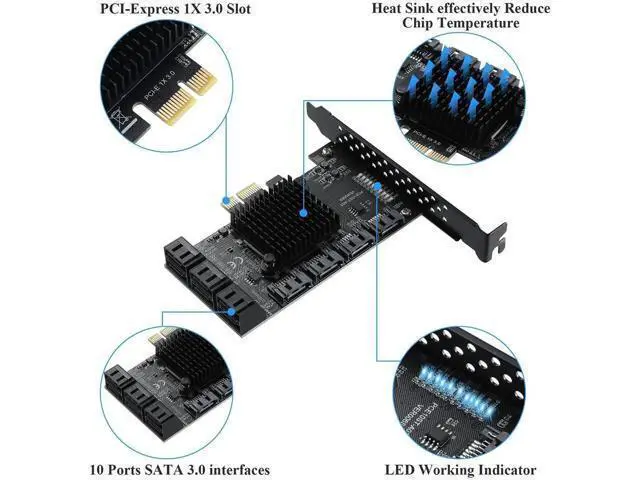
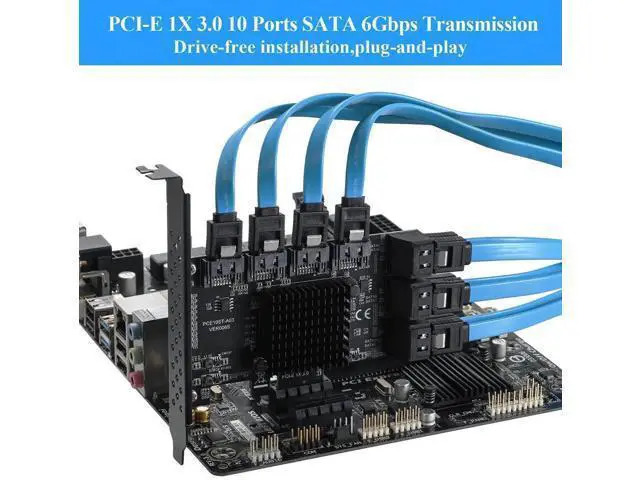
PCIE 1X SATA Card 10 Ports,6 Gbps SATA 3.0 Controller PCIe Expansion Card,Non-Raid,Support 10 SATA 3.0 Devices,with Low Profile Bracket and 10 SATA CablesChip:ASM1166
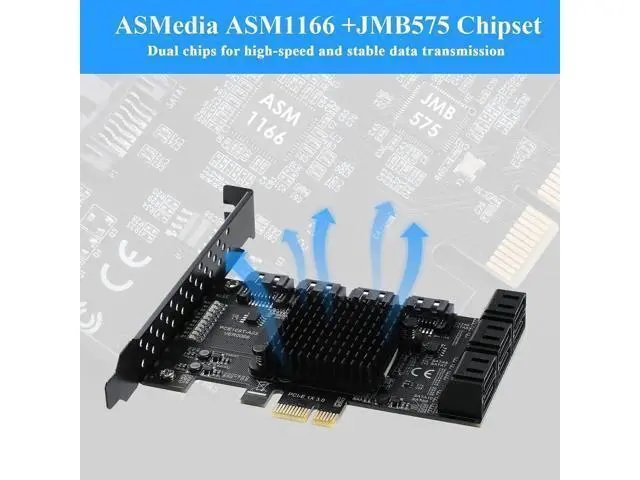
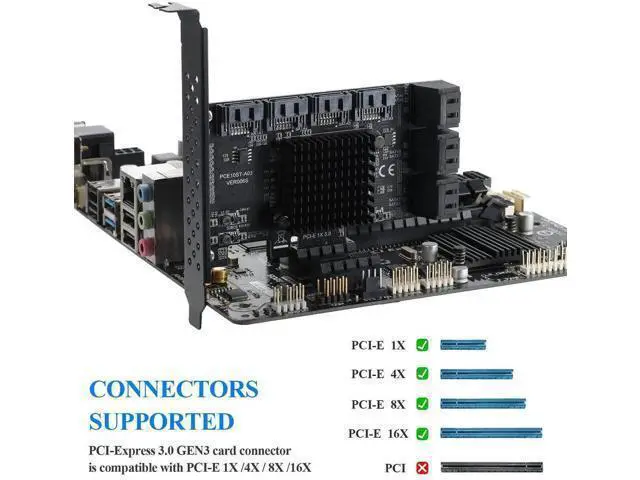
- [10 Ports PCI-E to SATA 3.0]This PCIE SATA CARD allows you to add 10 SATA 3.0 6Gbps devices to your computer. No need to drive, plug and play.; [PCI-Express X1 interface]Compatible with PCI-Express X1 /X4 /X8 /X16 slots.(Recommended under PCI-E 3.0, faster use); [Powerful chip]ASMedia ASM1166 Chip, with heat sink, long-lasting high temperature resistance, high-speed and stable transmission.; [System support]Compatible with Windows/8/10/Ubuntu/Linux.Support SATA interface hard disk/optical drive/SSD solid state drive.; Compatible with SATA 3 (6Gbps), SATA 2 (3Gbps), SATA 1 (1.5Gbps)Comply with PCI-Express 3.0 specification and backward compatible with PCI-Express 2.0.
+
+
Overview
Specs
Reviews
Any questions? Our AI mode will help you find out quickly.
Try me now
Product name: 10-port SATA 3.0 expansion card
Product interface: PCI-E1X
Product chip: ASM1166
Support system: Windows 8 / Windows10 / Ubuntu /Linux. (Synology can only recognize 4 hard drives; WIN7 users are not recommended to buy)
Specification: Comply with Serial ATA 3.0 specification, backward compatible with SATA 2.0 / SATA 1.0 Comply with PCI-Express v 3.0 specification and backward compatible with PCI-Express v 2.0 / 1.0. Support 6.0G b/s, 3.0 Gbit/s and 1.5 Gbit/s Support hot swap. Compatible with SATA6G, 3G and 1.5G hard drives Motherboard applicable slot PCI-E 1X and above
Note: RAID is not supported. The RAID in INTEL only applies to raw SATA. It is an expansion card that cannot support third-party chips.
Speed description information:
1. Use SATA 3.0 data cable to achieve the best results. (We recommend using this SATA 3.0 card in the PCIE 3.0 slot to get the fastest speed. ) 2. PCI-E requires a slot above V 2.0. For V 1.0, the speed will not exceed 250M.
3.
Motherboard BOIS setting: SATA mode should be changed to AHCI. Although some motherboards are PCIE 2.0 version, BOIS does not enable gen2 high-speed mode by default and needs to be turned on manually. The fastest speed of PCI-E 2.0 is 380-450 m/s. Different computer configurations and SATA SSDs have different speeds. If the detection is incomplete or unstable, please contact us to send the driver.

Product interface: PCI-E1X
Product chip: ASM1166
Support system: Windows 8 / Windows10 / Ubuntu /Linux. (Synology can only recognize 4 hard drives; WIN7 users are not recommended to buy)
Specification: Comply with Serial ATA 3.0 specification, backward compatible with SATA 2.0 / SATA 1.0 Comply with PCI-Express v 3.0 specification and backward compatible with PCI-Express v 2.0 / 1.0. Support 6.0G b/s, 3.0 Gbit/s and 1.5 Gbit/s Support hot swap. Compatible with SATA6G, 3G and 1.5G hard drives Motherboard applicable slot PCI-E 1X and above
Note: RAID is not supported. The RAID in INTEL only applies to raw SATA. It is an expansion card that cannot support third-party chips.
Speed description information:
1. Use SATA 3.0 data cable to achieve the best results. (We recommend using this SATA 3.0 card in the PCIE 3.0 slot to get the fastest speed. ) 2. PCI-E requires a slot above V 2.0. For V 1.0, the speed will not exceed 250M.
3.
Motherboard BOIS setting: SATA mode should be changed to AHCI. Although some motherboards are PCIE 2.0 version, BOIS does not enable gen2 high-speed mode by default and needs to be turned on manually. The fastest speed of PCI-E 2.0 is 380-450 m/s. Different computer configurations and SATA SSDs have different speeds. If the detection is incomplete or unstable, please contact us to send the driver.
Warranty & Returns
Warranty, Returns, And Additional Information
Warranty
- Please contact the Seller directly for warranty information. Warranty information may also be found on the Manufacturer's website.
- CONTACT
Return Policies
- Return for refund within: 30 days
- Return for replacement within: 30 days
- This item is covered by OUTDOORMAX GEAR Return Policy
Manufacturer Contact Info
- For a directory of all our manufacturers, please click below.
- Manufacturers Directory
LOADING...