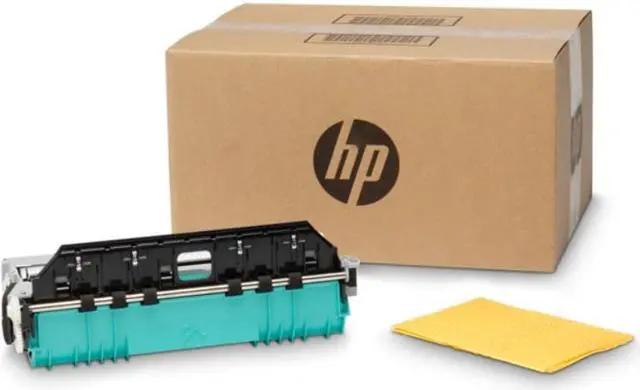
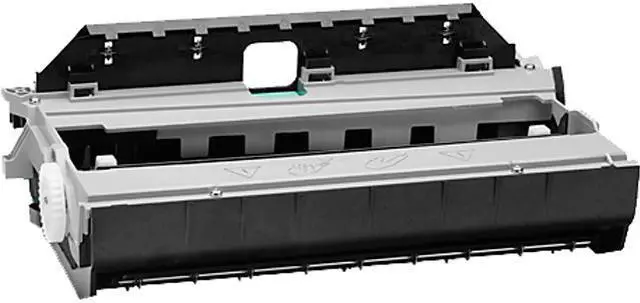
The HP B5L09A is an ink collection unit rated for 115,000 pages, designed for businesses and print teams using HP Officejet Enterprise Color X585 multifunction printers or X555 printers.
Recommended For
- Organizations running a compatible HP Officejet Enterprise Color X555 or X585 that need to replace its ink collection unit and keep the printer in service.
- IT and office-equipment teams maintaining X555/X585 printers in busy workgroups, where having the model-specific replacement on hand can support scheduled maintenance and reduce waiting for the part.
- Printer service providers supporting the X555/X585 series who need the specified ink collection unit and duplex module for a replacement job.
- Fleet managers planning maintenance for compatible X555/X585 printers around the unit’s listed 115,000-page yield, while treating actual replacement timing as dependent on use.
Real-World Use Scenarios
- When an HP Officejet Enterprise X555 or X585 reports that its ink collection unit is full, replace B5L09A to address the maintenance warning and return the printer to normal operation.
- In a busy office using an X555 or X585 for regular print jobs, keep this maintenance part in mind as a long-life consumable; HP lists a rated yield of 115,000 pages, though actual replacement timing depends on use.
- When replacing the unit on-site, a staff member can follow HP’s steps to open the printer’s left door, remove the old unit, slide in the new one, and confirm the replacement on the control panel if prompted.
- After installing a replacement, an office administrator can use the printer’s supplies menu to record the new unit if the confirmation screen does not appear.
- When disposing of the full unit, keep its packaging during installation so the old unit can be packed for shipment to HP’s recycling program.




 here!

 Hot Seller