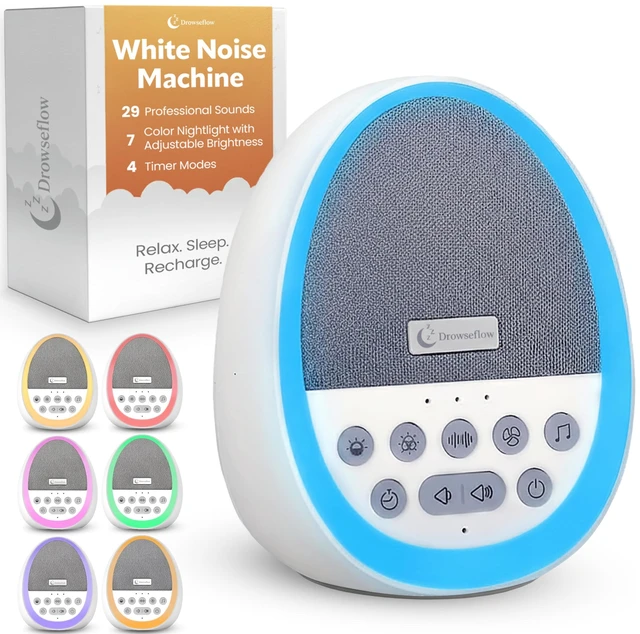
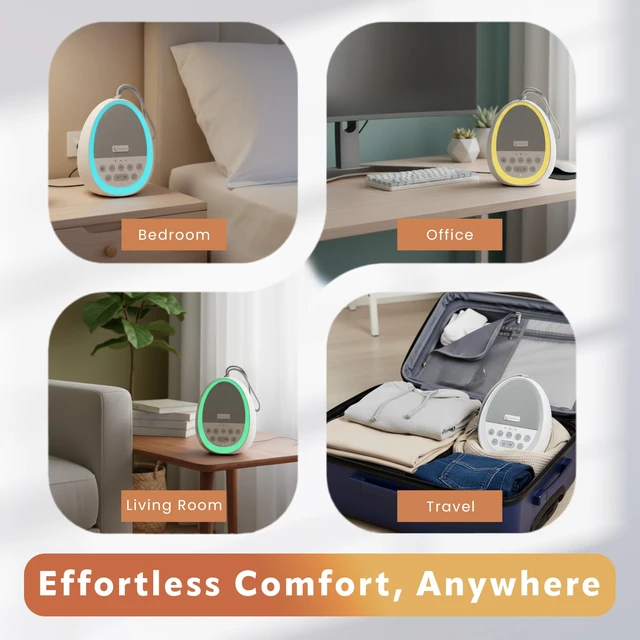
White Noise Sound Machine for Sleep Baby, Kids USB Charge 29 Sounds | White, Fan and Nature Sounds with 7 Colours for Peaceful Sleep and Relataxation. Fully Portable for Travel & Swapping Rooms
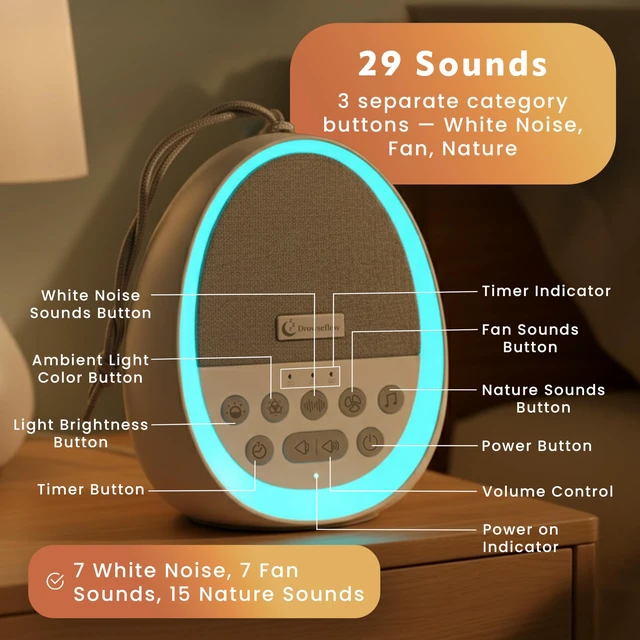
DEEPER, UNDISTURBED SLEEP features 29 premium, non-looping sounds across white noise, fan, and nature categoriesincluding rain, ocean waves, and birds blocking distractions to help you and your family fall asleep faster and stay asleep longer.
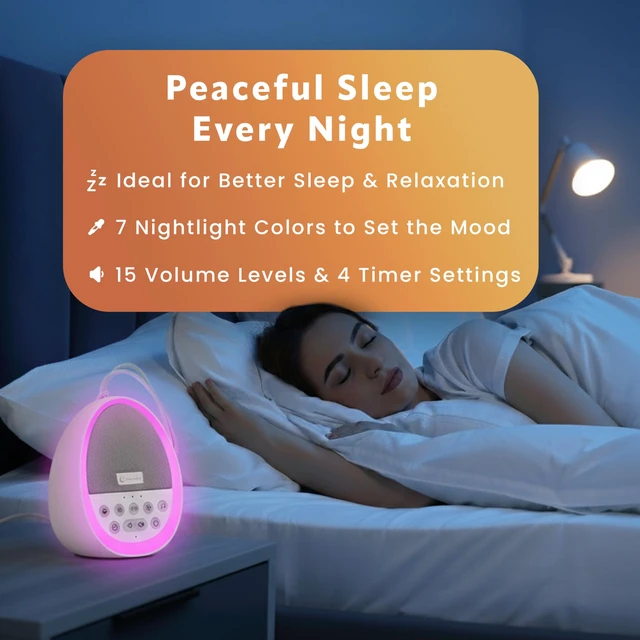
CALMING NIGHT LIGHT & TIMER Built-in 7-color night light with adjustable brightness for a soothing sleep environment. Choose 30, 60, 90 min, or continuous timerideal for naps, bedtime, or overnight use.
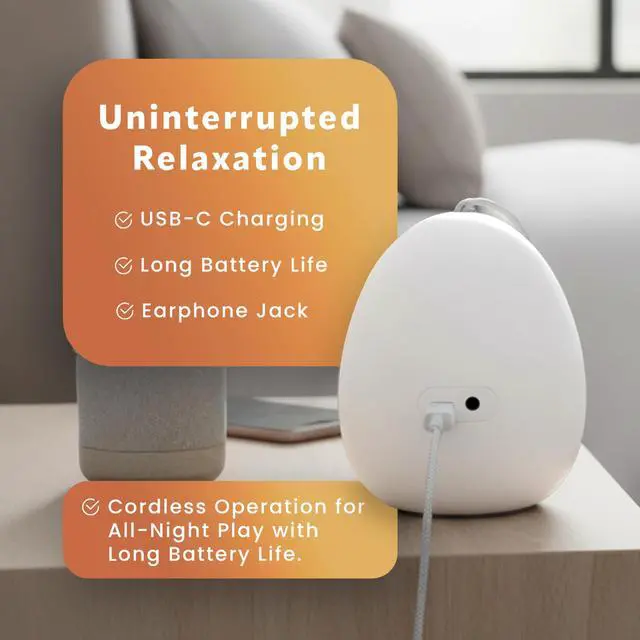
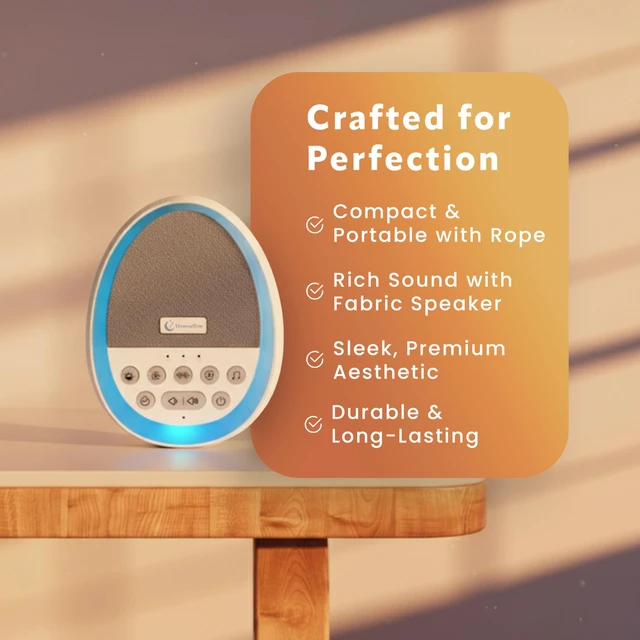
PORTABLE & RECHARGEABLE Take your portable sound machine anywhere with the built-in 2000mAh battery, USB-C charging, and hanging rope for crib, stroller, or travel. Ideal as a baby sound machine or for office privacy.
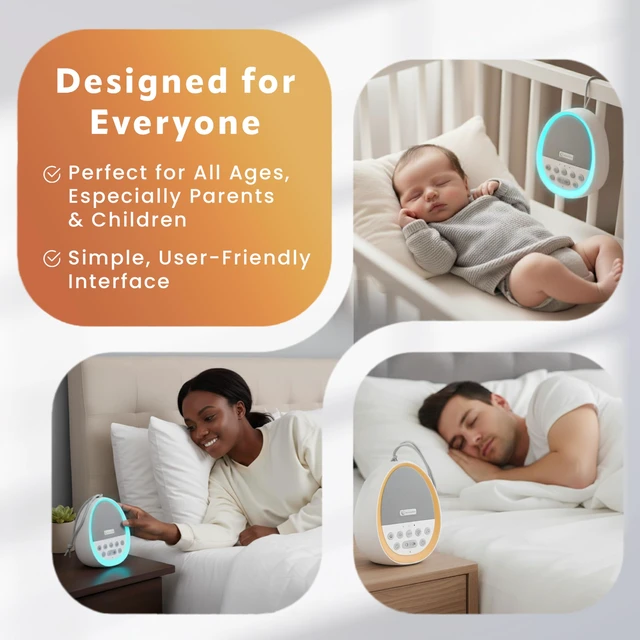
USER-FRIENDLY DESIGN Dedicated buttons for each sound category, 15 volume levels, smart memory function, and toddler-safe controls make this sleep sound machine easy and safe for all ages.
MULTI-PURPOSE NOISE BLOCKING Use as a white noise machine for sleeping, working, or relaxing. Masks snoring, street noise, and chatter in bedroom, nursery, or office. Includes 3.5mm headphone jack for private listening.
+
+
Overview
Specs
Reviews
Any questions? Our AI mode will help you find out quickly.
Try me now
White Noise Sound Machine for Sleep Baby, Kids USB Charge 29 Sounds | White, Fan and Nature Sounds with 7 Colours for Peaceful Sleep and Relataxation. Fully Portable for Travel & Swapping Rooms
Learn more about the Detailed Specifications
Model
Brand
drowseflow
Part Number
df-sm01
Details
Type
compact
Color
White
Spec
drowseflow, compact, White, 0.7 pounds
Media Playback
compact, 1. Press and hold the power button for 2 seconds to turn on the sound machine. 2. Use the category buttons to select a sound type (white noise, fan, nature). 3. Adjust the volume using the volume buttons. 4. Set the timer by pressing the timer button and selecting the desired duration (30, 60, 90 minutes, or continuous). 5. To use the nightlight, press the nightlight button and adjust the brightness. 6. For private listening, connect headphones to the headphone jack. 7. To turn off press and hold the power button for 2 seconds. Next time you use the device, simply power it on—it will automatically return to your previous settings. 8.Charge the device using the included USB-C cable..
Frequency
1. Press and hold the power button for 2 seconds to turn on the sound machine. 2. Use the category buttons to select a sound type (white noise, fan, nature). 3. Adjust the volume using the volume buttons. 4. Set the timer by pressing the timer button and selecting the desired duration (30, 60, 90 minutes, or continuous). 5. To use the nightlight, press the nightlight button and adjust the brightness. 6. For private listening, connect headphones to the headphone jack. 7. To turn off press and hold the power button for 2 seconds. Next time you use the device, simply power it on—it will automatically return to your previous settings. 8.Charge the device using the included USB-C cable..
Radio
compact, 1. Press and hold the power button for 2 seconds to turn on the sound machine. 2. Use the category buttons to select a sound type (white noise, fan, nature). 3. Adjust the volume using the volume buttons. 4. Set the timer by pressing the timer button and selecting the desired duration (30, 60, 90 minutes, or continuous). 5. To use the nightlight, press the nightlight button and adjust the brightness. 6. For private listening, connect headphones to the headphone jack. 7. To turn off press and hold the power button for 2 seconds. Next time you use the device, simply power it on—it will automatically return to your previous settings. 8.Charge the device using the included USB-C cable..
Speakers
compact, USB Type-C
Battery Life
false, Battery Powered
Features
Features
drowseflow, White, false
Dimensions & Weight
Dimensions & Weight
20'
Package Contents
Package Contents
1. Press and hold the power button for 2 seconds to turn on the sound machine. 2. Use the category buttons to select a sound type (white noise, fan, nature). 3. Adjust the volume using the volume buttons. 4. Set the timer by pressing the timer button and selecting the desired duration (30, 60, 90 minutes, or continuous). 5. To use the nightlight, press the nightlight button and adjust the brightness. 6. For private listening, connect headphones to the headphone jack. 7. To turn off press and hold the power button for 2 seconds. Next time you use the device, simply power it on—it will automatically return to your previous settings. 8.Charge the device using the included USB-C cable.., false, USB Type-C, 1
Details
Contains Embedded Battery
False
Additional Information
First Listed on Newegg
September 08, 2026
There are no reviews yet.
Do you own this product?
Warranty & Returns
Warranty, Returns, And Additional Information
Warranty
Please contact the Seller directly for warranty information. Warranty information may also be found on the Manufacturer's website.