Your Browsing History
Meet Your Seller
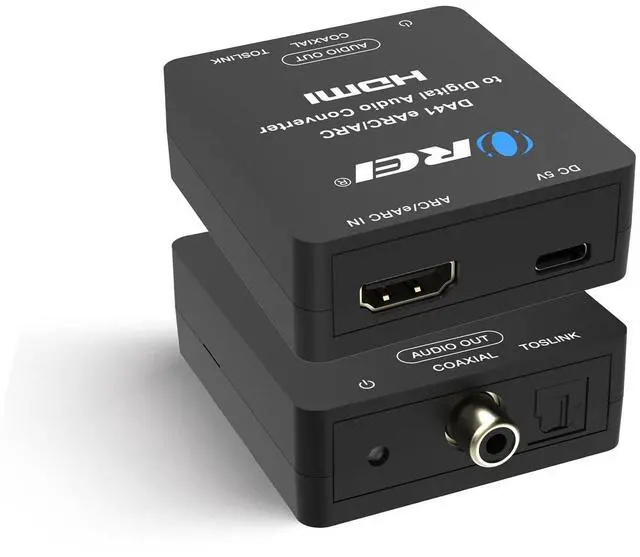
eARC/ARC to Digital Audio Converter Extractor PCM2.0 Dolby5.1 DTS 5.1 HDMI ARC to Optical Audio Converter, HDMI ARC to Coaxial Converter, Dual Digital Output, Plug & Play
Limited time offer, ends 10/15 By QiPing Global Store
- Converts the audio signal from a TV ARC/eARC source into digital audio output of Toslink. Simply connect the TV HDMI ARC port to the input of the DA41 and connect your audio device to the Coaxial or Toslink. DOES NOT ALLOW YOU TO CONTROL VOLUME WITH TV REMOTE. Input: HDMI ARC/eARC; Output: Toslink/SPDIF & Coaxial. No CEC: Coaxial or Optical Port, volume cannot be controlled by TV remote. The device comes with a dual voltage supply using a US plug, and an adapter/converter is provided for international use. Supports PCM5.1 / LPCM 2.0 Channel, HDMI Input to Optical/Coaxial 5.1 Output, Headphone Output; Just Plug and Play. Please use an HDMI 2.1 cable in order for eARC support. Supports [email protected], [email protected], power on/off switch, LED indicator. NOTE: It will not work with Dolby AC3/Dolby Digital Plus etc. 1 x DA41 Audio Extractor, Manual, Standard USB Power Cable. Troubleshooting - When using the ARC function, the volume needs to be adjusted by the audio device. Make sure the HDMI ARC port of the connected TV is used and switch to the "on" state. If you encounter any Setup Issues, are uncertain about the device's compatibility, please contact the manufacturer to verify compatibility with other devices

+
+
Overview
Specs
Reviews
Any questions? Our AI mode will help you find out quickly.
Try me now
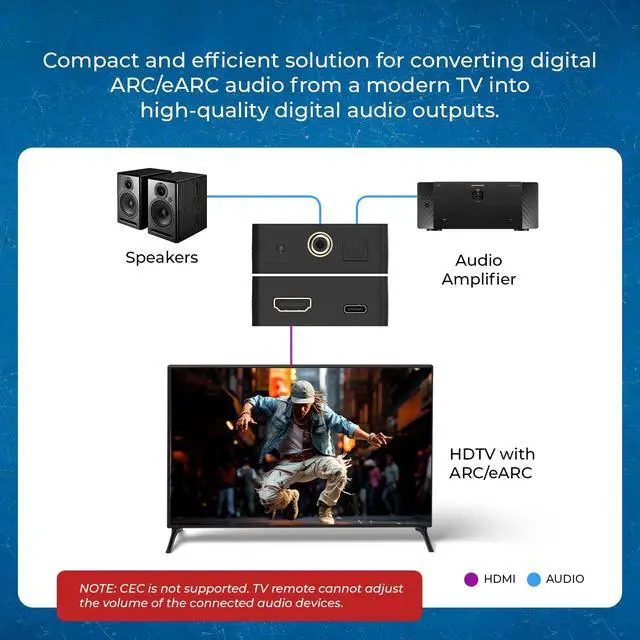
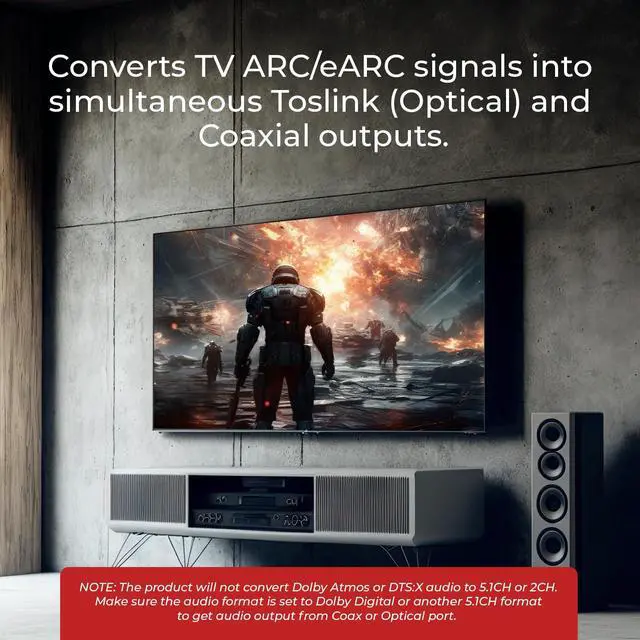
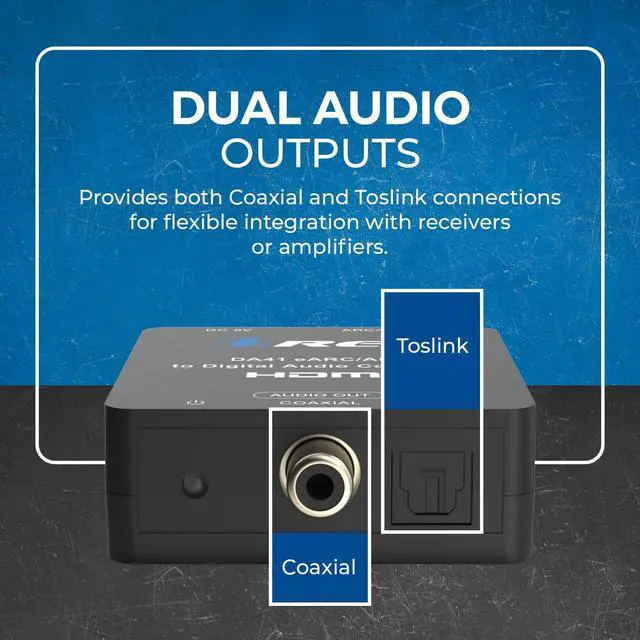
Converts the audio signal from a TV ARC/eARC source into digital audio output of Toslink. Simply connect the TV HDMI ARC port to the input of the DA41 and connect your audio device to the Coaxial or Toslink. DOES NOT ALLOW YOU TO CONTROL VOLUME WITH TV REMOTE.
Input: HDMI ARC/eARC;
Output: Toslink/SPDIF & Coaxial.
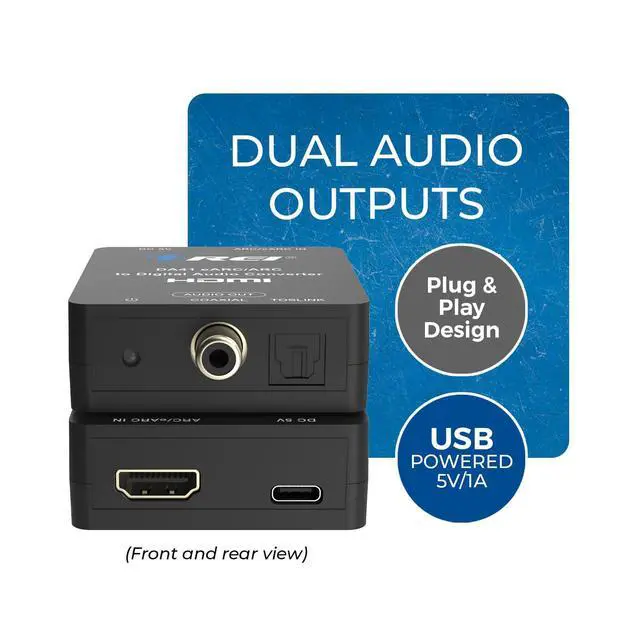
No CEC: Coaxial or Optical Port, volume cannot be controlled by TV remote. The device comes with a dual voltage supply using a US plug, and an adapter/converter is provided for international use. Supports PCM 5.1 / LPCM 2.0 Channel, HDMI Input to Optical/Coaxial 5.1 Output, Headphone Output; Just Plug and Play. Please use an HDMI 2.1 cable in order for eARC support. Supports Dolby@ 5.1, DTS@ 5.1, power on/off switch, LED indicator.
NOTE: It will not work with Dolby AC3/Dolby Digital Plus etc. 1 x DA41 Audio Extractor, Manual, Standard USB Power Cable. Troubleshooting - When using the ARC function, the volume needs to be adjusted by the audio device. Make sure the HDMI ARC port of the connected TV is used and switch to the "on" state. If you encounter any Setup Issues, are uncertain about the device's compatibility, please contact the manufacturer to verify compatibility with other devices
Input: HDMI ARC/eARC;
Output: Toslink/SPDIF & Coaxial.
No CEC: Coaxial or Optical Port, volume cannot be controlled by TV remote. The device comes with a dual voltage supply using a US plug, and an adapter/converter is provided for international use. Supports PCM 5.1 / LPCM 2.0 Channel, HDMI Input to Optical/Coaxial 5.1 Output, Headphone Output; Just Plug and Play. Please use an HDMI 2.1 cable in order for eARC support. Supports Dolby@ 5.1, DTS@ 5.1, power on/off switch, LED indicator.
NOTE: It will not work with Dolby AC3/Dolby Digital Plus etc. 1 x DA41 Audio Extractor, Manual, Standard USB Power Cable. Troubleshooting - When using the ARC function, the volume needs to be adjusted by the audio device. Make sure the HDMI ARC port of the connected TV is used and switch to the "on" state. If you encounter any Setup Issues, are uncertain about the device's compatibility, please contact the manufacturer to verify compatibility with other devices
Warranty & Returns
Warranty, Returns, And Additional Information
Warranty
- Please contact the Seller directly for warranty information. Warranty information may also be found on the Manufacturer's website.
- CONTACT
Return Policies
- Return for refund within: 30 days
- Return for replacement within: 30 days
- This item is covered by QiPing Global Store Return Policy
Manufacturer Contact Info
- For a directory of all our manufacturers, please click below.
- Manufacturers Directory
LOADING...