• $35.99
  • Free 30-day Returns
  • Ships from China.
    Price alert
    Shop it at NeweggBusiness.

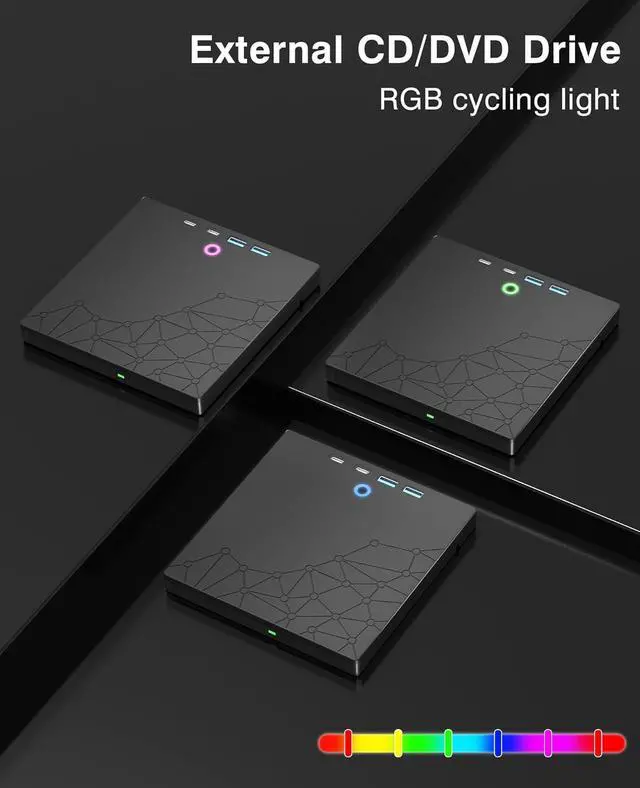
    AUTYUE External CD/DVD Drive for Laptop, DVD Burner CD Reader, 7-in-1 USB 3.0 Type C Portable CD Players with 4 USB Ports & SD/TF Ports, External Disk Drive Optical for Windows 11 10 PC Linux Mac OS

    Limited time offer, ends 01/31 By Shenzhen Qiuyiyue Store

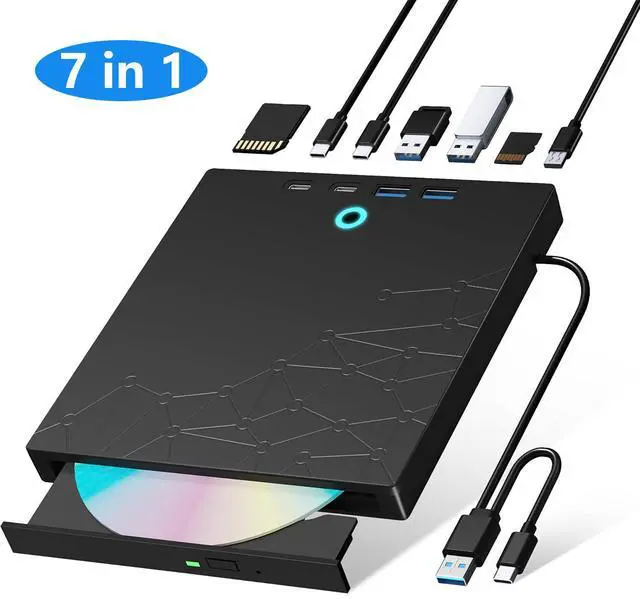
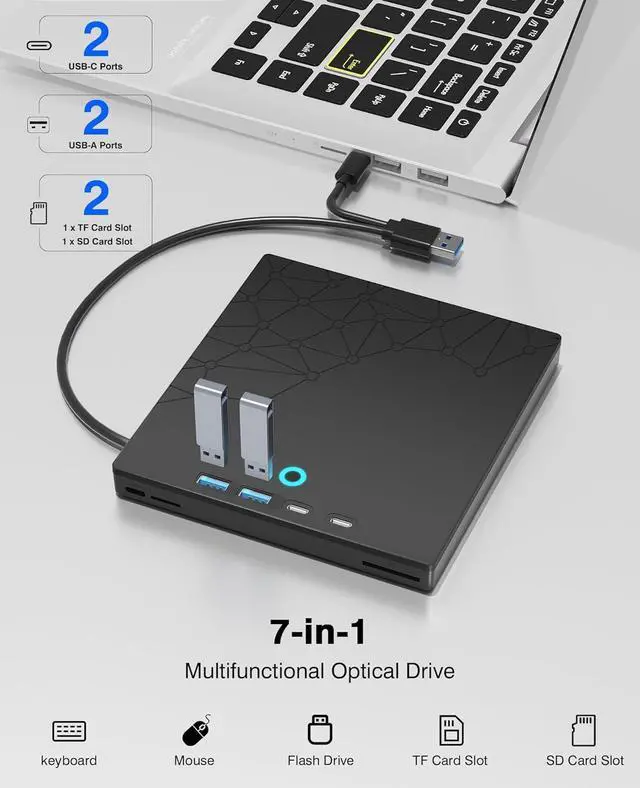
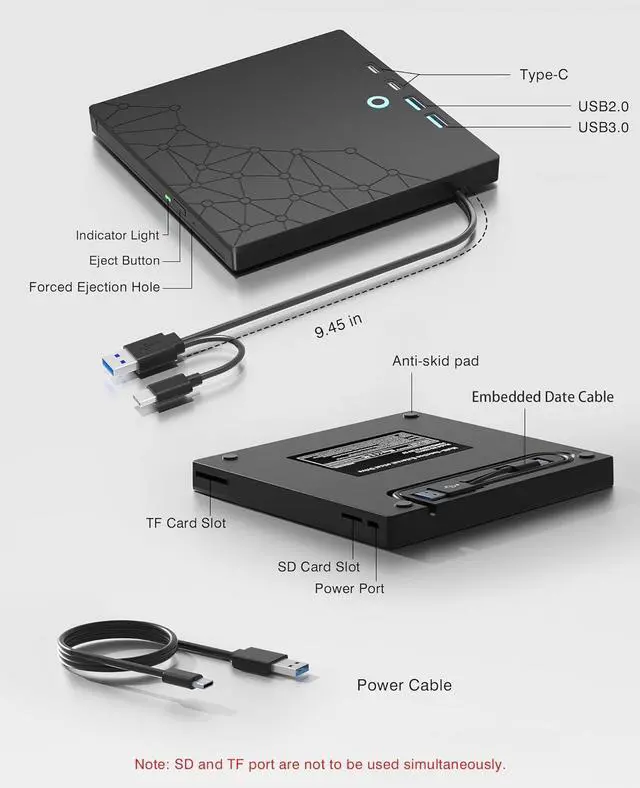
    • 7-in-1 Optical Drive: Our external CD/DVD drive is a versatile device that serves as a disc reader, cd burner, writer, rewriter, ripper, and multi-port hub (with 2 USB-A ports, 2 Type-C ports, and 2 TF/SD card slots). Use it with compatible media software to play DVDs or CDs, burn MP3s, videos, photos, and files to blank discs, import content from cameras, install software/games, and handle all other CD/DVD tasks. Please note: SD and TF cards cannot be used simultaneously.
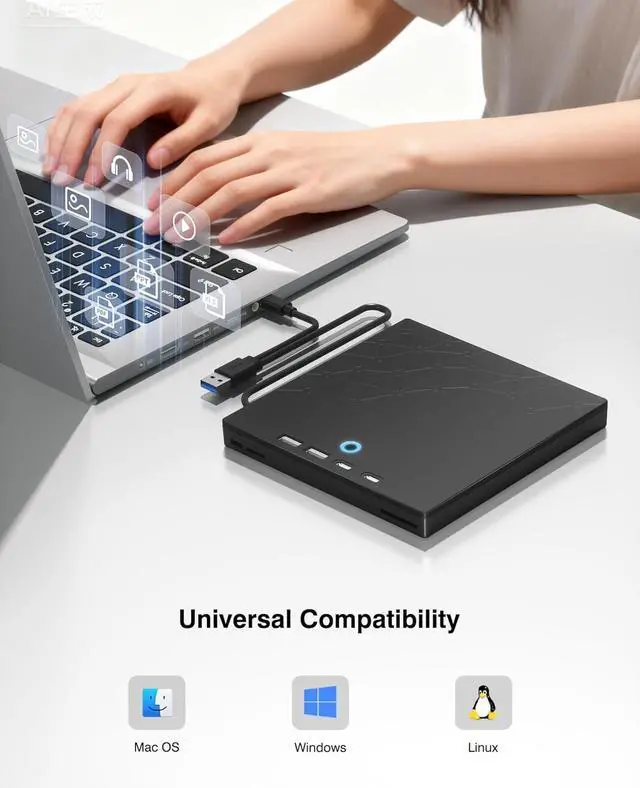
    • Broad Compatibility: Supports Windows 11/10/8.1/7/Vista/XP/98/SE/ME/2000, Linux, and all versions of Mac OS. Please note: This external DVD drive is NOT compatible with iPads/tablets/projectors/TVs/Chrome OS/car stereos/phones/ Blu-ray/4K discs.
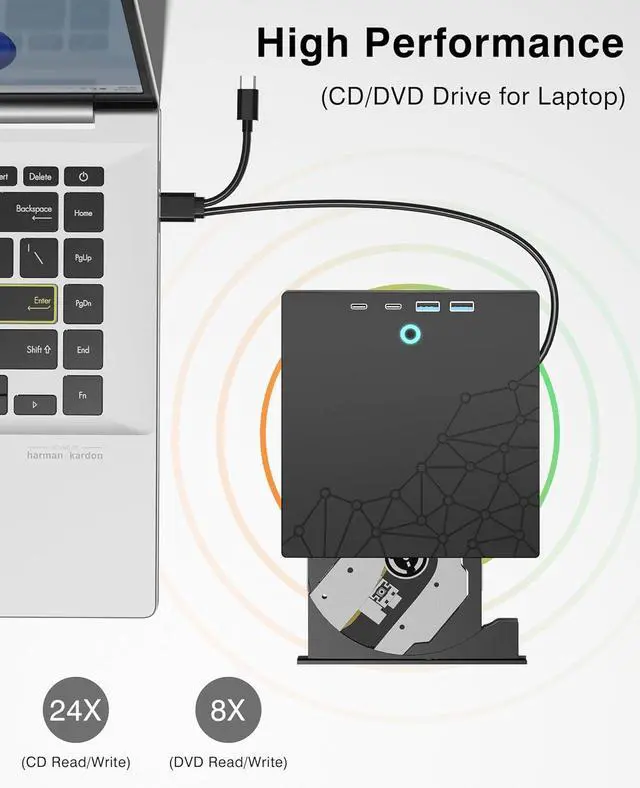
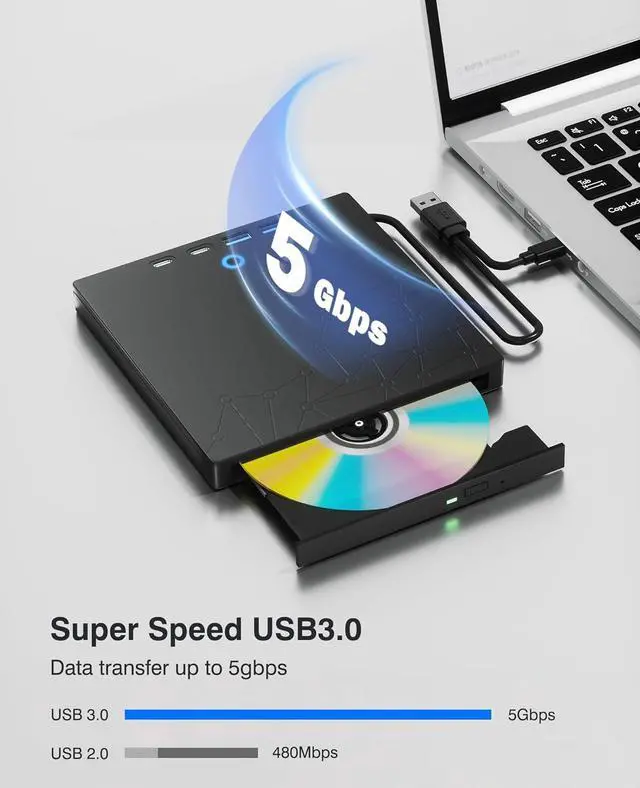
    • Plug & Play: Super simple to set up -just plug it into a USB port! This CD/DVD burner has a high-speed USB 3.0 data transfer port with speeds of up to 5 Gbps (625 MB/s). It offers maximum DVD writing/reading speeds of up to 8X and CD writing/reading speeds of up to 24X, which are faster than you would expect. Also features robust error correction, anti-skip and quiet operation.
    • Slim & Portable Design: This usb cd drive is ultra-thin and lightweight, featuring a built-in cable for easy use and storage. The eject button and disc tray are designed for smooth operation. With non-slip rubber padding and a sleek, stylish look, you can easily carry and use this portable DVD drive external anywhere.
    +
    +
    Overview
    Specs
    Reviews
    avatar

    Any questions? Our AI beta will help you find out quickly.

    External CD/DVD Drive for Laptop, DVD Burner CD Reader, 7-in-1 USB 3.0 Type C Portable CD Players
    External CD/DVD Drive for Laptop, DVD Burner CD Reader, 7-in-1 USB 3.0 Type C Portable CD Players
    External CD/DVD Drive for Laptop, DVD Burner CD Reader, 7-in-1 USB 3.0 Type C Portable CD Players
    External CD/DVD Drive for Laptop, DVD Burner CD Reader, 7-in-1 USB 3.0 Type C Portable CD Players
    External CD/DVD Drive for Laptop, DVD Burner CD Reader, 7-in-1 USB 3.0 Type C Portable CD Players
    External CD/DVD Drive for Laptop, DVD Burner CD Reader, 7-in-1 USB 3.0 Type C Portable CD Players
    External CD/DVD Drive for Laptop, DVD Burner CD Reader, 7-in-1 USB 3.0 Type C Portable CD Players
    External CD/DVD Drive for Laptop, DVD Burner CD Reader, 7-in-1 USB 3.0 Type C Portable CD Players
    External CD/DVD Drive for Laptop, DVD Burner CD Reader, 7-in-1 USB 3.0 Type C Portable CD Players
    External CD/DVD Drive for Laptop, DVD Burner CD Reader, 7-in-1 USB 3.0 Type C Portable CD Players
    External CD/DVD Drive for Laptop, DVD Burner CD Reader, 7-in-1 USB 3.0 Type C Portable CD Players

    How to use the external cd/dvd drive?

    Step1 : Plug the USB A or USB C connector into your computer's USB port instead of USB extension hub.

    Step2 : [For Windows OS] Your computer will recognize the drive and shows "CD/DVD-ROM" folder for optical drive.

    [For Mac OS] The Mac OS computer will not display the device icon until the disc is inserted into the optical drive and the disc is read successfully.

    Step3 : Set the DVDs region code (CDs do not have region code). The disc can only be played when there on code of the DVD drive matchesthe DVD. (Note: Only allows to change the region code 4-5 times)

    The steps of changing the region codes:

    1. Right-click My Computer and click Properties.

    2. Click Hardware. - Click Device Manager. - Expand DVD-ROM drives and select the optical drive. - Click Action and select Properties.

    3. Select the DVD Region tab.

    4. Choose the desired region.

    Step4 : The CD/DVD disk drive Not compatible with Blu ray,TV, car, Blu-ray, tablet, phone, projector,PS5 and Chrome OS.


    Features:


    7-in-1 Optical DriveOur external CD/DVD drive is a versatile device that serves as a disc reader, cd burner, writer, rewriter, ripper, and multi-port hub (with 2 USB-A ports, 2 Type-C ports, and 2 TF/SD card slots). Use it with compatible media software to play DVDs or CDs, burn MP3s, videos, photos, and files to blank discs, import content from cameras, install software/games, and handle all other CD/DVD tasks. Please note: SD and TF cards cannot be used simultaneously.

    Broad CompatibilityThis external CD drive supports Windows 11/10/8.1/7/Vista/XP/98/SE/ME/2000, Linux, and all versions of Mac OS. It works with nearly all computers including MacBook Pro/Air, iMac, Mac Mini, laptops, desktops, PCs, and all-in-ones. Please note: This external DVD drive is NOT compatible with iPads/tablets/projectors/TVs/Chrome OS/car stereos/phones/ Blu-ray/4K discs.

    Plug & PlaySuper simple to set up just plug it into a USB port! This CD/DVD burner has a high-speed USB 3.0 data transfer port with speeds of up to 5 Gbps (625 MB/s). It offers maximum DVD writing/reading speeds of up to 8X and CD writing/reading speeds of up to 24X, which are faster than you would expect. This external DVD drive also features robust error correction, anti-skip and quiet operation.

    Slim & Portable DesignThis usb cd drive is ultra-thin and lightweight, featuring a built-in cable for easy use and storage. The eject button and disc tray are designed for smooth operation. With non-slip rubber padding and a sleek, stylish look, you can easily carry and use this portable DVD drive external anywhere.


    How to use the external cd/dvd drive?

    Step1 : Plug the USB A or USB C connector into your computer's USB port instead of USB extension hub.

    Step2 : [For Windows OS] Your computer will recognize the drive and shows "CD/DVD-ROM" folder for optical drive.

    [For Mac OS] The Mac OS computer will not display the device icon until the disc is inserted into the optical drive and the disc is read successfully.

    Step3 : Set the DVDs region code (CDs do not have region code). The disc can only be played when there on code of the DVD drive matchesthe DVD. (Note: Only allows to change the region code 4-5 times)

    The steps of changing the region codes:

    1. Right-click My Computer and click Properties.

    2. Click Hardware. - Click Device Manager. - Expand DVD-ROM drives and select the optical drive. - Click Action and select Properties.

    3. Select the DVD Region tab.

    4. Choose the desired region.

    Step4 : The CD/DVD disk drive Not compatible with Blu ray,TV, car, Blu-ray, tablet, phone, projector,PS5 and Chrome OS.

    Warranty & Returns

    Warranty, Returns, And Additional Information

    Warranty

    • Please contact the Seller directly for warranty information. Warranty information may also be found on the Manufacturer's website.
    • CONTACT

    Return Policies

    Manufacturer Contact Info

    LOADING...