






IMPORTANT:
_
1. Please turn up the volume to max on the audio source when recording.
_
2. Please format your USB flash drive as FAT32 before recording.
_
3. Please use a USB power adapter, DC 5V 1A, do not powered by a USB port on a computer.
_
4. Designed to convert your old analog music to MP3 files, the recorded MP3 file is 128Kbps 44.1KHz Daul-Mono, it is not a professional DJ device.
________________________________________________________________
Audio Capture Recorder with 3.5mm & RCA IN Ports, Remote Controlled Music Digitizer Record Any Audio as MP3 File
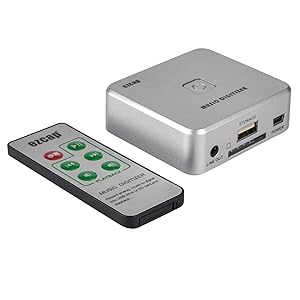
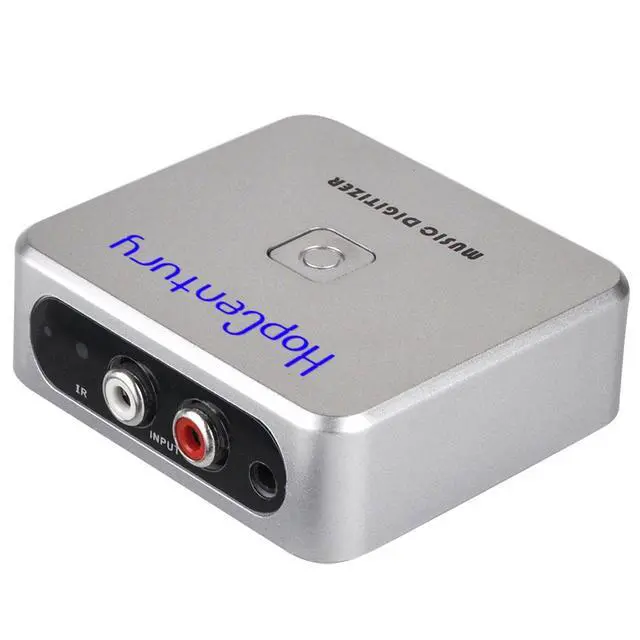
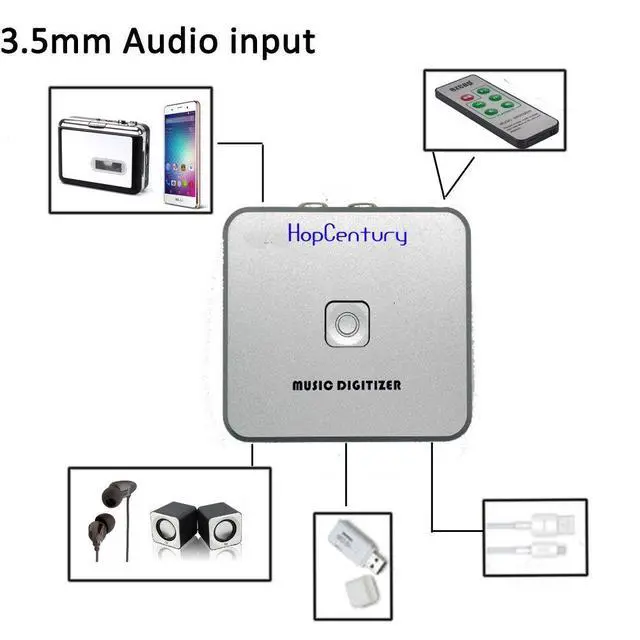
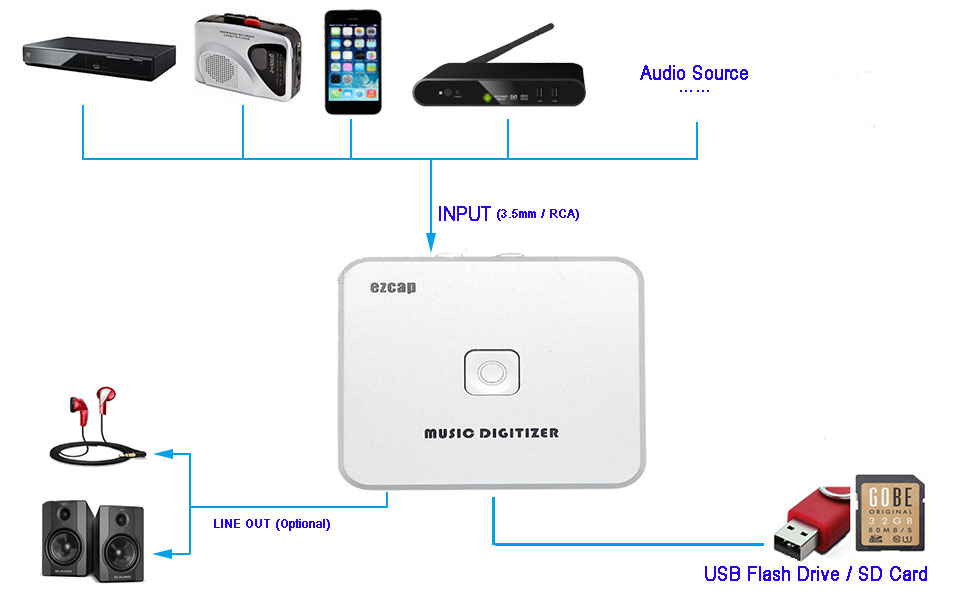
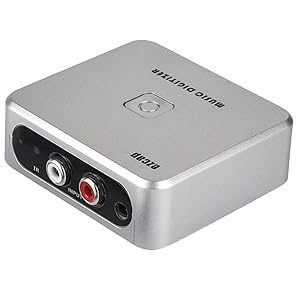
- Compatible with most audio and multimedia devices which has a 3.5mm or RCA audio output port, such as cellphones, cassette players, DVD, game consoles, TV boxes, phonograph and other equipments.
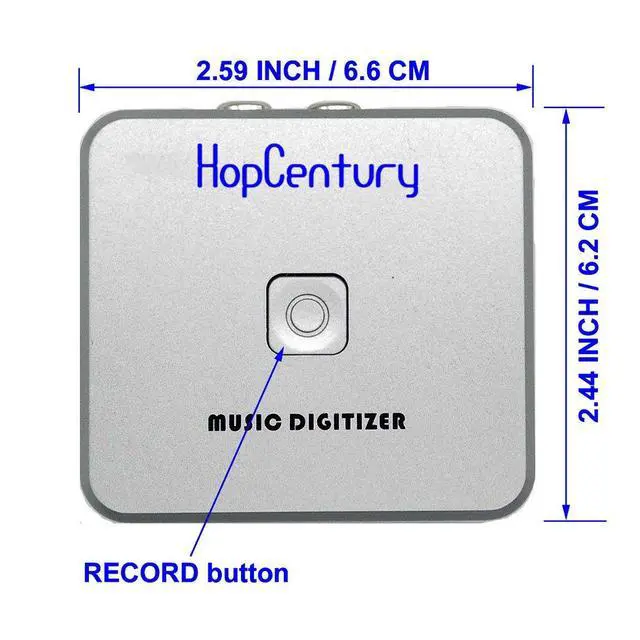
- Easy to capture the audio signals and save them as MP3 files on a USB flash drive, a computer is NOT required. Just press the RECORD button to star and stop recording at any time you like.
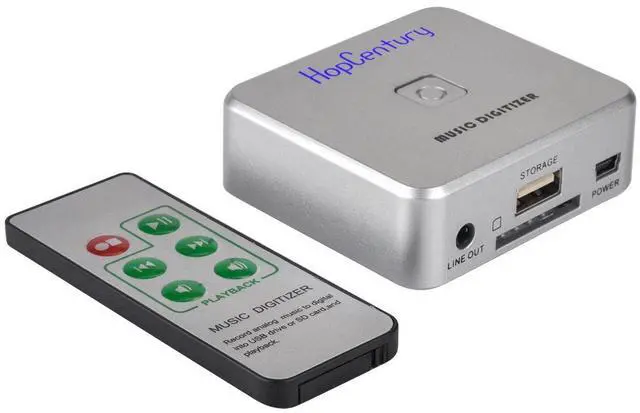
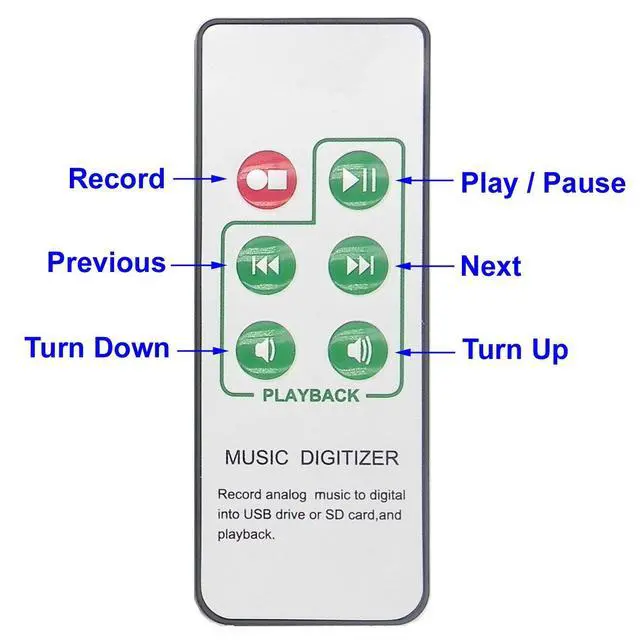
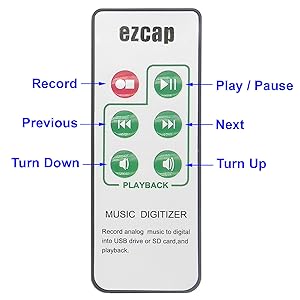
- Remote control is enclosed, it is very convenient to access all functions of the audio capture device, Start / Stop recording, Play / Pause music, Previous, Next , Turn up / down volume.
How to Use:
- Connect the audio capture to a USB charger (NOT included)
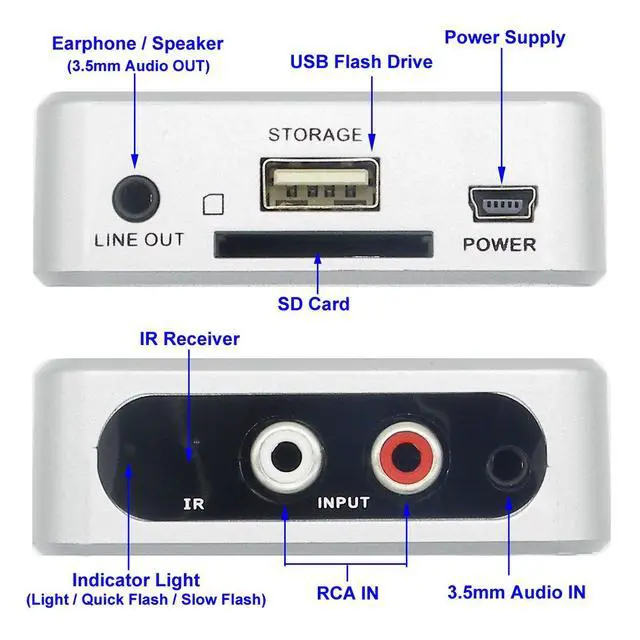
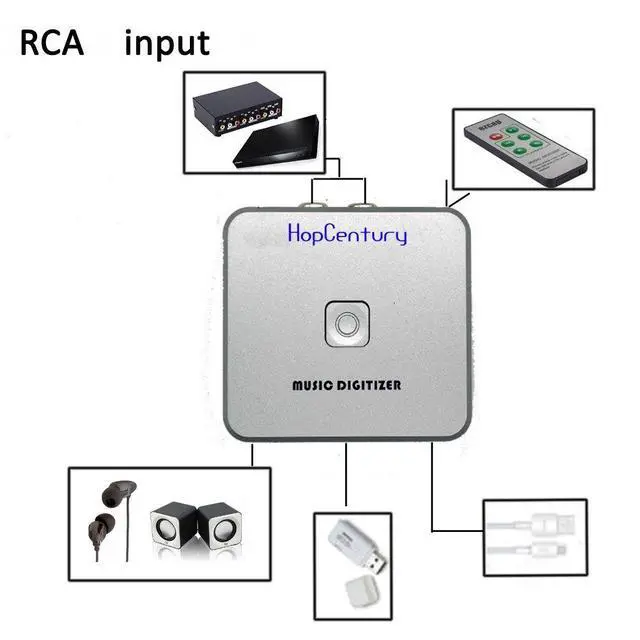
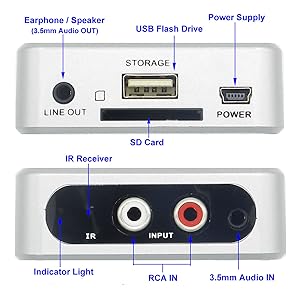
- Connect the audio source device (Cassette player, cellphone, DVD Player etc.) to the capture with a 3.5mm audio cable or a RCA cable
- Format a SD card or a USB flash drive as FAT32 on a computer, and remove it safely (important)
- Plug the USB flash drive in the capture (please do NOT plug in the SD card and USB disk together)
- Play a music on the audio source at full volume (important)
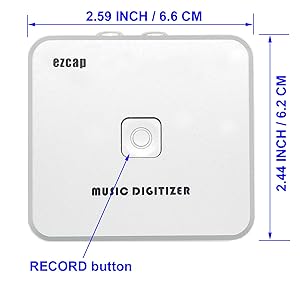
- Press the RECORD button to start recording, the LED indicator would flash, then press the RECORD button again to stop recording
- Wait about 10 seconds after the indicator stop flashing, remove the USB flash drive from the audio capture
- Then you could save the recorded MP3 files on a computer, or share to your friends
Note: Some USB flash drives or SD cards with Sandisk brand are not compatible with the audio capture, please use another one if there are some errors when recording.
Features:
Power supply: DC 5V/1A or above
Storage type: U disk, SD card (32GB Max, FAT32)
Audio input: 3.5mm audio, RCA (red/white)
Audio output: 3.5mm audio
Playback: You could connect a earphone to the LINE OUT port on the audio capture to listen the recorded music
Recorded format: MP3 (128Kbps, 44.1KHz, Dual-Mono)
Size: 2.59 * 2.44 * 0.91 IN
Net Weight: 0.11 LB
PACKAGE:
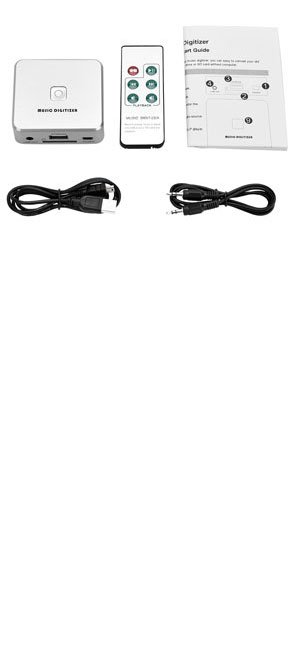
1 x Music capture recorder
1 x USB power cable
1 x 3.5mm audio cable
1 x Remote control
1 x English user manual
IMPORTANT:
_
1. Please turn up the volume to max on the audio source when recording.
_
2. Please format your USB flash drive as FAT32 before recording.
_
3. Please use a USB power adapter, DC 5V 1A, do not powered by a USB port on a computer.
_
4. Designed to convert your old analog music to MP3 files, the recorded MP3 file is 128Kbps 44.1KHz Daul-Mono, it is not a professional DJ device.
________________________________________________________________
Audio Capture Recorder with 3.5mm & RCA IN Ports, Remote Controlled Music Digitizer Record Any Audio as MP3 File
- Compatible with most audio and multimedia devices which has a 3.5mm or RCA audio output port, such as cellphones, cassette players, DVD, game consoles, TV boxes, phonograph and other equipments.
- Easy to capture the audio signals and save them as MP3 files on a USB flash drive, a computer is NOT required. Just press the RECORD button to star and stop recording at any time you like.
- Remote control is enclosed, it is very convenient to access all functions of the audio capture device, Start / Stop recording, Play / Pause music, Previous, Next , Turn up / down volume.
How to Use:
- Connect the audio capture to a USB charger (NOT included)
- Connect the audio source device (Cassette player, cellphone, DVD Player etc.) to the capture with a 3.5mm audio cable or a RCA cable
- Format a SD card or a USB flash drive as FAT32 on a computer, and remove it safely (important)
- Plug the USB flash drive in the capture (please do NOT plug in the SD card and USB disk together)
- Play a music on the audio source at full volume (important)
- Press the RECORD button to start recording, the LED indicator would flash, then press the RECORD button again to stop recording
- Wait about 10 seconds after the indicator stop flashing, remove the USB flash drive from the audio capture
- Then you could save the recorded MP3 files on a computer, or share to your friends
Note: Some USB flash drives or SD cards with Sandisk brand are not compatible with the audio capture, please use another one if there are some errors when recording.
Features:
Power supply: DC 5V/1A or above
Storage type: U disk, SD card (32GB Max, FAT32)
Audio input: 3.5mm audio, RCA (red/white)
Audio output: 3.5mm audio
Playback: You could connect a earphone to the LINE OUT port on the audio capture to listen the recorded music
Recorded format: MP3 (128Kbps, 44.1KHz, Dual-Mono)
Size: 2.59 * 2.44 * 0.91 IN
Net Weight: 0.11 LB
PACKAGE:
1 x Music capture recorder
1 x USB power cable
1 x 3.5mm audio cable
1 x Remote control
1 x English user manual