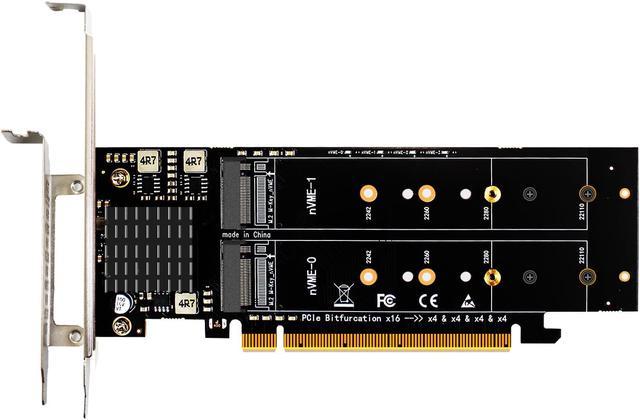
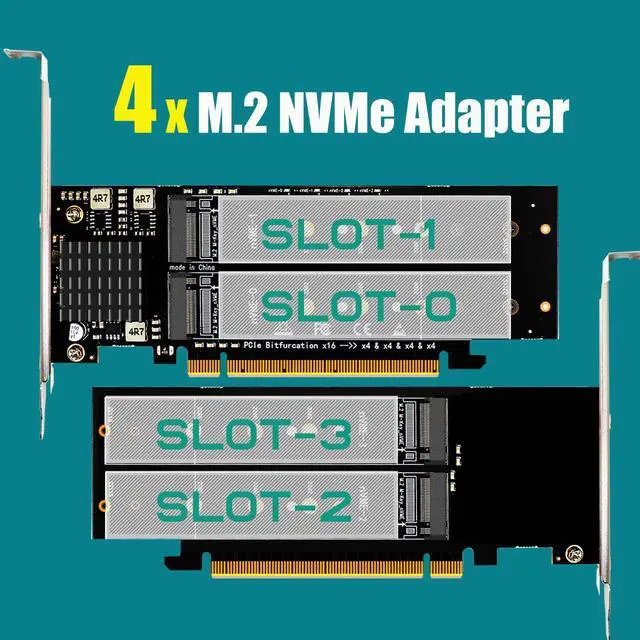
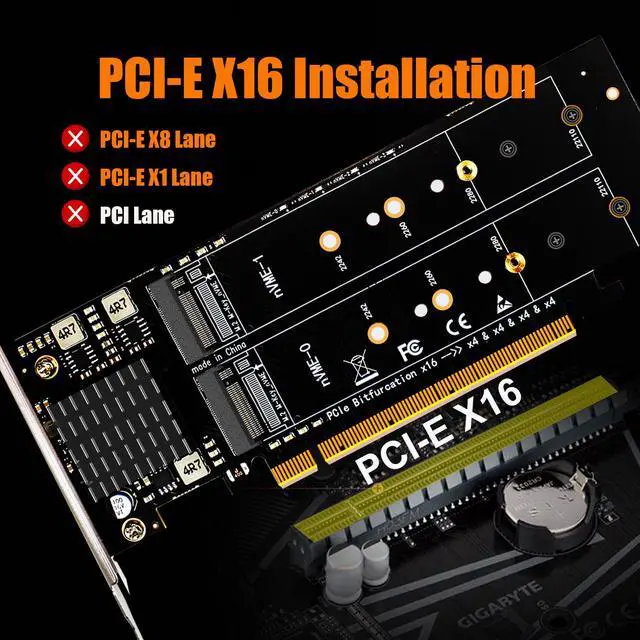
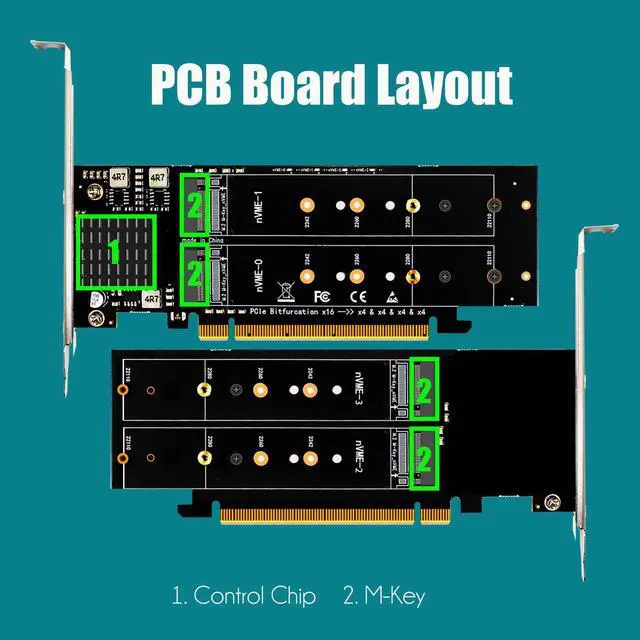
Quad M.2 NVMe to PCIe 4.0 X16 Adapter: By installing 4 M.2 NVMe SSDs (Support 22110/2280/2260/2242/2230 M.2 NVMe SSD) on this PCIe 4.0 X16 adapter, your computer will be able to access 4 M.2 NVMe SSDs at the same time
Support Soft RAID in Intel/AMD platform, not support Mac Pro 5.1 (Note: To set up Intel's RAID-on-CPU (VROC), you need to purchase your license)
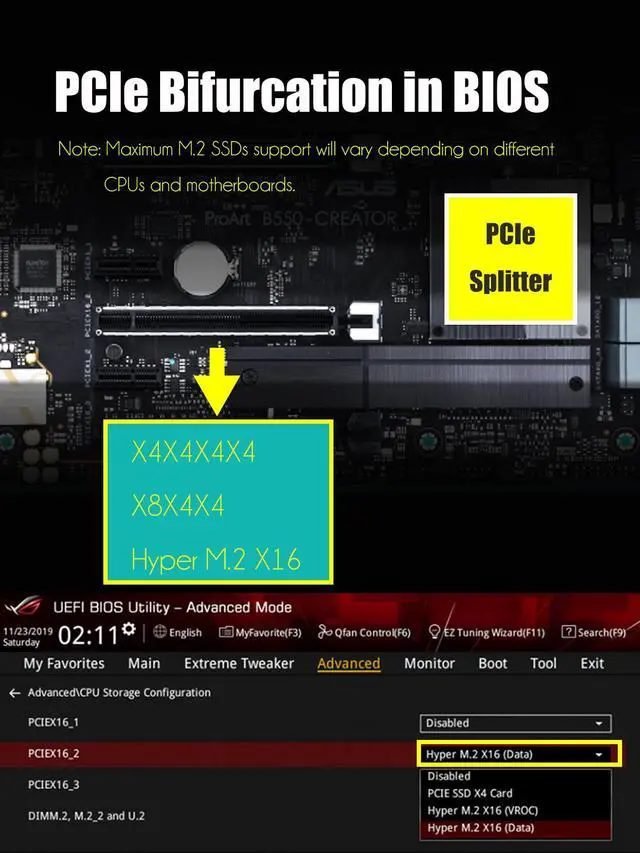
Important: Because this adapter does not support PCIe Bifurcation, it requires a motherboard that supports PCIe Bifurcation. Otherwise, only the NVMe-1 port can recognize the NVMe SSD.
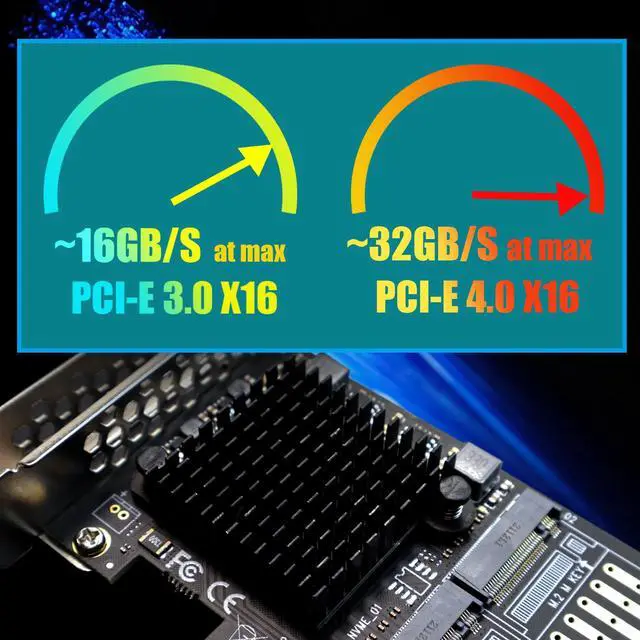
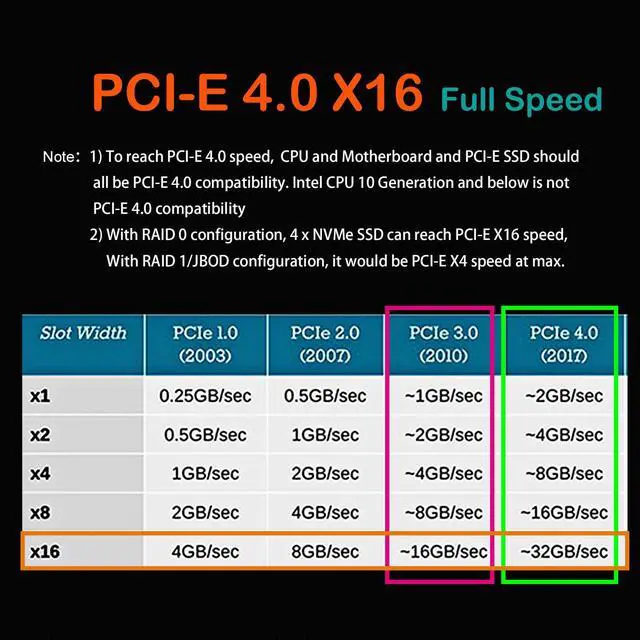
To reach PCIe 4.0 X4 (64Gbps) full speed, the CPU and motherboard PCIe slot and PCIe M.2 SSD should all be PCIe 4.0 features (Note: PCIe 4.0 is not supported on Intel CPUs below 11th generation)
Plug-and-play in Windows 11/10/8/Linux/Mac OS (Note: Not support Windows 7). The new M.2 NVMe SSD needs to be initialized and formatted before it can be recognized by the computer host.
+
+
Overview
Specs
Reviews
Any questions? Ask CelesteSM will help you find out quickly.
Try me now
Model: PA41
Interface to PC
PCI-Express 4.0 X16 (256GBbps at max)
Interface to SSD
4 x Key M ( Support 2230/2242/2260/2280/22110 form factor)
OS Compatibility
Windows and Linux (Note: not support windows 7)
PCIe Bifurcation
Not support, so it requires a motherboard that supports PCIe Bifurcation
Hardware Platform
Intel and AMD motherboard with PCIe Bifurcation (Note: not support Mac Pro)
CPU Requirements
Intel 11th Gen or Ryzen 5000 Series and above
RAID Setup
Software RAID setup via Windows Disk Management or Linux mdadm Utility
Quad M. 2 PCIe SSD Host Adapter: add 4 x M. 2 PCIe (NVMe/AHCI) SSD (M-Key) onto a single PCIe X16 host adapter, so you can access 4 x M. 2 PCIe SSD individually, or setup soft RAID in windows/Linux/3rd party software. M. 2 PCIe RAID for Intel/AMD Platform: Support M. 2 NVMe SSD RAID-on-CPU (VROC) in Intel Platform, but you need to purchase Intel VROC license by yourself. Support M. 2 NVMe RAID in AMD Platform. Not compatible with Mac Pro 5.1 Note: Without pcie splitter function in this host adapter (ASM1184E chip), so motherboard must support PCIe Bifurcation. Otherwise, only one M. 2 PCIe SSD will be recognized. If you are not sure PCIe Bifurcation of your motherboard, please consult motherboard munufacture or contact us via amazon message Please setup pcie splitter in BIOS/UEFI into X4X4X4X4 (Compatible with Hyper M. 2 X16 mode in ASUS). Number of M. 2 PCIe SSD may vary depending on different CPUs and motherboards. Chipset support PCIe Bifurcation: Intel Platform X299, C422, C621, Z390, Z370, Z490, Z590, Z690, X99; AMD Platform TRX40, X399, X570, X470, B550, B450, Z590, etc. Please make sure BIOS/UEFI support native NVMe and OS boot from PCIe lane, then this Quad M. 2 PCIe SSD Host Adapter support OS boot from M. 2 PCIe SSD or M. 2 PCIe RAID. Compatible with PCIe 4.0 / 3.0 / 2.0 motherboards, and install into PCI-Express X16 lane. To reach PCIe 4.0 speed, make sure your CPU and motherboard and PCIe SSDs are all PCIe 4.0 enabled. To reach PCIe X16 full bandwidth, setup 4 x M. 2 PCIe SSD into RAID 0 mode.
Learn more about the Detailed Specifications
Details
Type
PCI-E RAID Controller Card
Additional Information
First Listed on Newegg
April 22, 2023
There are no reviews yet.
Do you own this product?
Warranty & Returns
Warranty, Returns, And Additional Information
Warranty
Please contact the Seller directly for warranty information. Warranty information may also be found on the Manufacturer's website.





 here!
here!