

Your Browsing History
- Free 30-day Returns
$79.54
Ships from China.

Best Sellers
- $80.24
- + FREE SHIPPING


Meet Your Seller


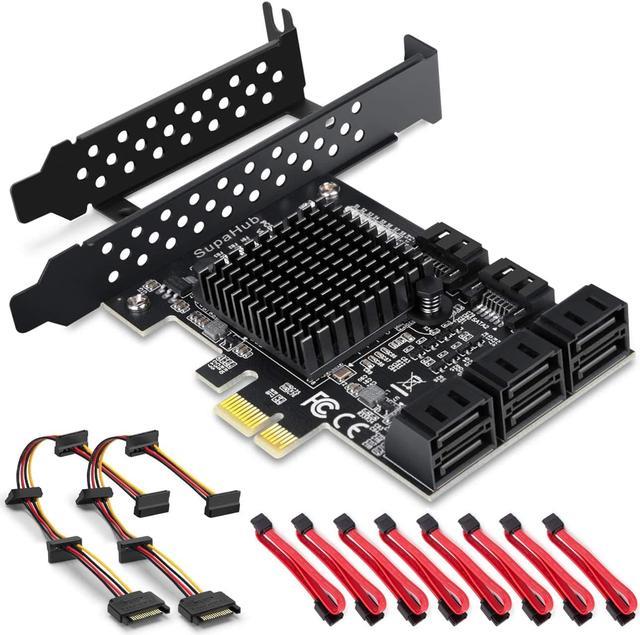


SATA Card 8 Port, Non Raid SATA Expansion Card for SATA III 6G Hard Drives for Desktop, Includes 8 SATA Cables and 2 SATA Splitter Cables
Limited time offer, ends 11/01 By xiatiandianzi
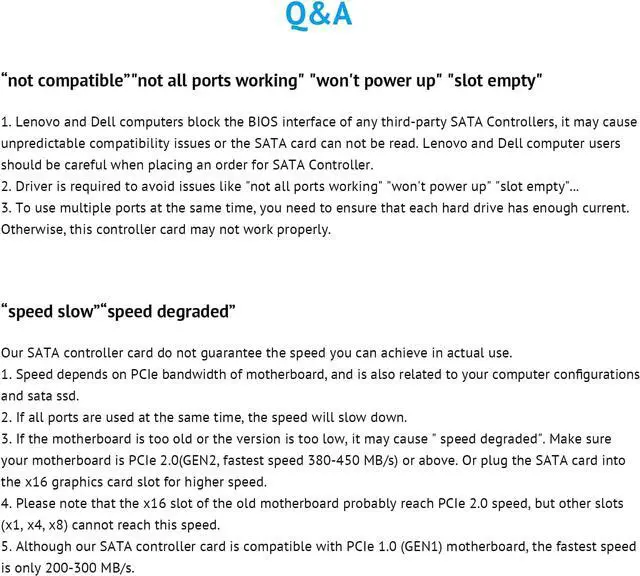
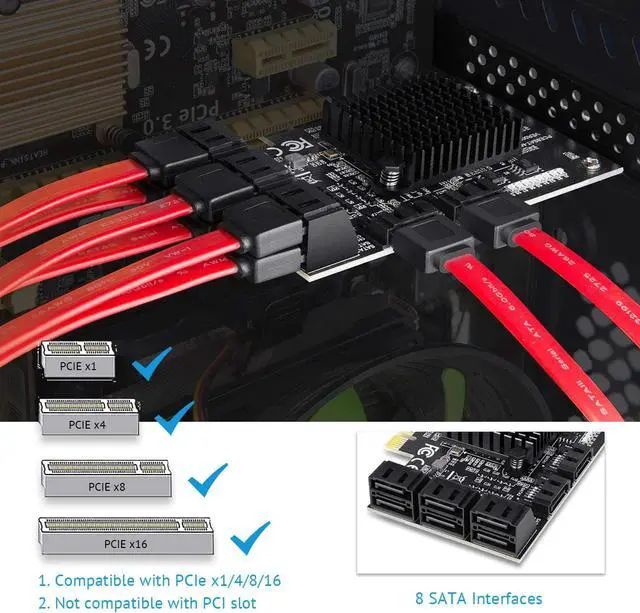
- Non-Raid 8 Ports SATA Card: This PCIE SATA card allows you to add 8 SATA 3.0 6Gbps devices to your computer. The BIOS of DELL and Lenovo motherboards will shield the third-party adapter card, do not order this SATA controller card if you use the motherboards of these two brands.
- Two chips: The use of these two chips enhances heat dissipation, durable high temperature resistance, and more stable operation.
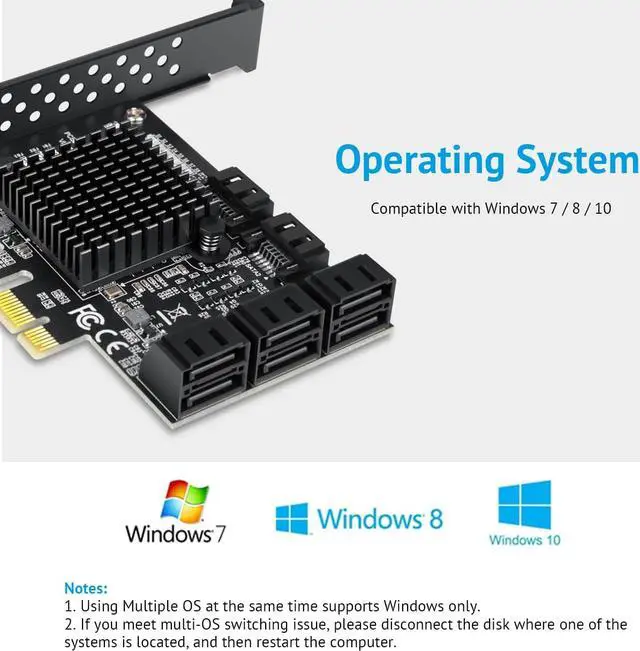
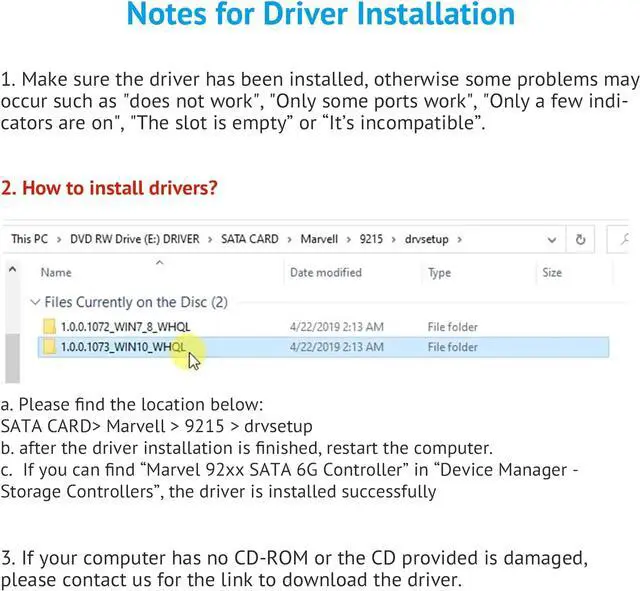
- Operation Systems & Driver: Supports Windows 7/8/10. Please install the drivers, otherwise some problems may occur such as "does not work", "Only some ports work", "Only a few indicators are on", "The slot is empty” or “It’s incompatible”. Contact us if you need for the link to download the driver.
- Interfaces: Supports PCI-E x1, x4, x8, x16. PCI slot is incompatible. You should power off the SATA PCIe card before inserting it into the motherboard or removing it.
+
+
Overview
Specs
Reviews

Any questions? Our AI mode will help you find out quickly.
Try me now
Installation Instructions
1. Please clean the gold finger of PCIe SATA expansion card by eraser , plug the SATA cable of the chassis into the PCIe SATA controller card. Then connect all the hard disks
2. Turn off the power of the computer and open the back cover of the PC; Rremove the bars corresponding to the free slot on the chassis
3. Insert the sata controller 8 port into the corresponding PCI-E expansion slot of the host
4. Secure the iron strip of the expansion card to the chassis with a screwdriver
5. Close the chassis and plug in the power cord to boot. After entering the system, install the driver
Driver Installation
a. Please find the location below:
SATA CARD> Marvell > 9215 > drvsetup
b. after the driver installation is finished, restart the computer.
c. If you can find “Marvel 92xx SATA 6G Controller” in “Device Manager - Storage Controllers”, the driver is installed successfully
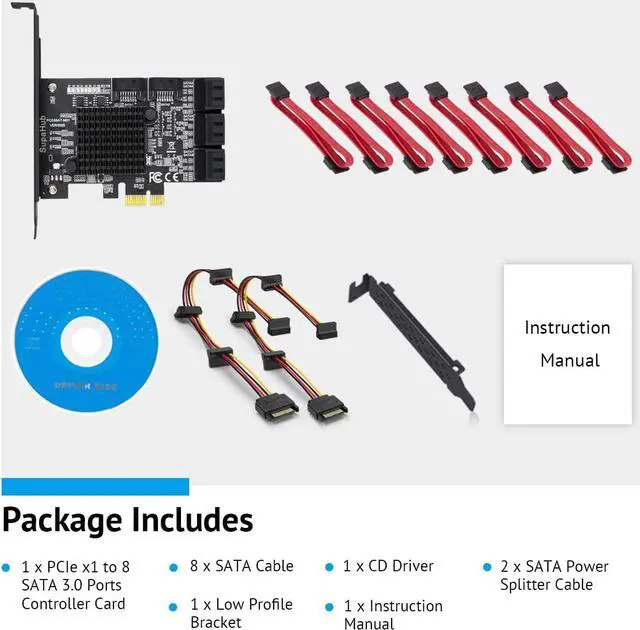
Package Includes
1* 8-Port PCIe SATA Card
1* Low Profile Bracket
2* SATA Power Splitter Cable
8* SATA Cable
1* CD driver
1* User Manual
1. Please clean the gold finger of PCIe SATA expansion card by eraser , plug the SATA cable of the chassis into the PCIe SATA controller card. Then connect all the hard disks
2. Turn off the power of the computer and open the back cover of the PC; Rremove the bars corresponding to the free slot on the chassis
3. Insert the sata controller 8 port into the corresponding PCI-E expansion slot of the host
4. Secure the iron strip of the expansion card to the chassis with a screwdriver
5. Close the chassis and plug in the power cord to boot. After entering the system, install the driver
Driver Installation
a. Please find the location below:
SATA CARD> Marvell > 9215 > drvsetup
b. after the driver installation is finished, restart the computer.
c. If you can find “Marvel 92xx SATA 6G Controller” in “Device Manager - Storage Controllers”, the driver is installed successfully
Package Includes
1* 8-Port PCIe SATA Card
1* Low Profile Bracket
2* SATA Power Splitter Cable
8* SATA Cable
1* CD driver
1* User Manual
Warranty & Returns
Warranty, Returns, And Additional Information
Warranty
- Please contact the Seller directly for warranty information. Warranty information may also be found on the Manufacturer's website.
- CONTACT
Return Policies
- Return for refund within: 30 days
- Return for replacement within: 30 days
- This item is covered by xiatiandianzi Return Policy
Manufacturer Contact Info
- For a directory of all our manufacturers, please click below.
- Manufacturers Directory
LOADING...
LOADING...