Your Browsing History
- Free 30-day Returns
$16.88
Ships from China.
Meet Your Seller
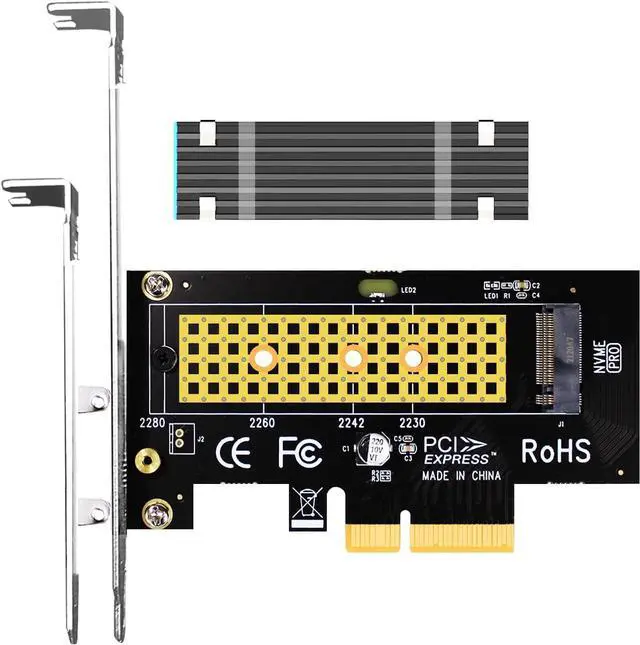
PA09-HS M.2 NVMe to PCIe 4.0 X4 Adapter with M.2 Heatsink for M.2 NVMe SSD
- This adapter turns your motherboard's PCIE X4/X8/X16 slot into an M.2 Key M slot for M.2 NVMe SSD installation. PCIE X1/PCI slots aren't supported. It comes with heatsinks that cool M.2 SSDs by 5 - 20°C.
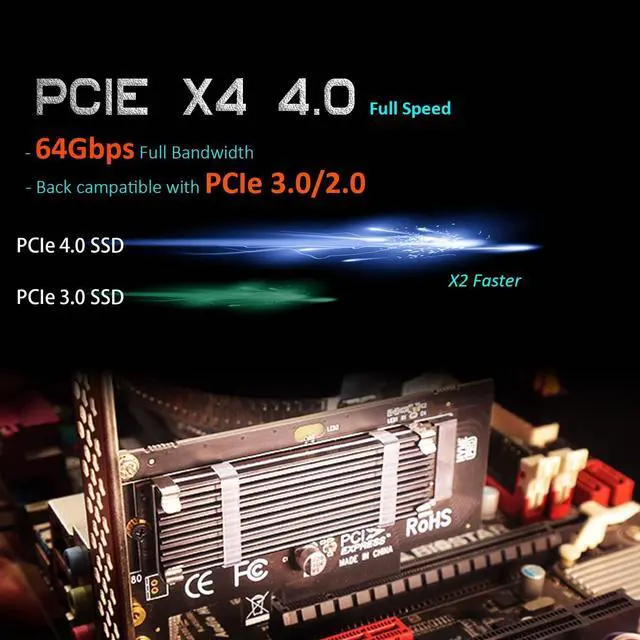
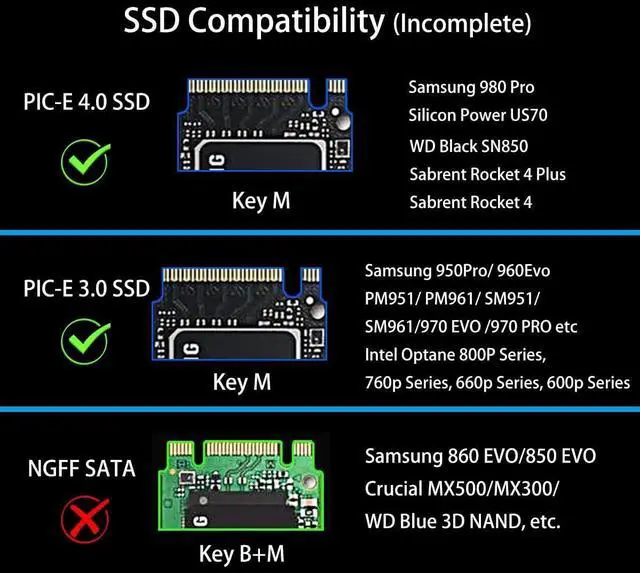
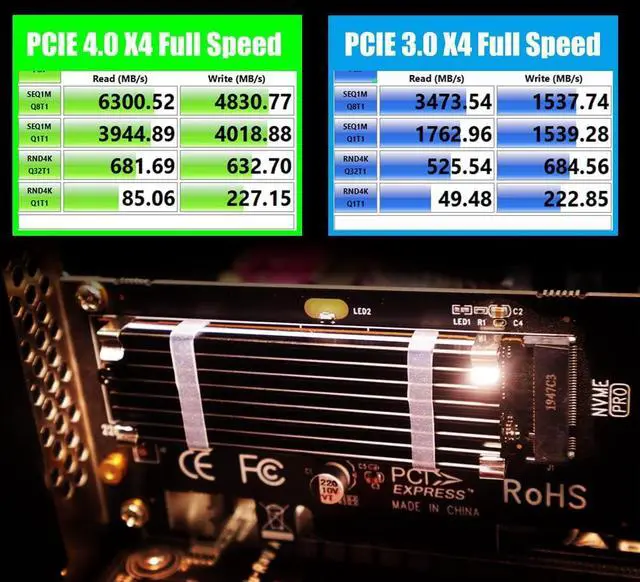
- Works with PCIE 4.0/3.0 M.2 NVMe SSDs. For full PCIE 4.0 X4 speed, your CPU, slots, and SSD must all support it. Note: CPUs below 11th gen don't support PCIE 4.0.
- No capacity limit for M.2 NVMe SSDs (2T, 4T work). Supports 2230/2242/2260/2280 sizes. New SSDs need initialization and formatting. M.2 SATA SSDs aren't supported.
- Compatible with Windows 11/10/8, Linux, and Mac OS. Support OS boot from NVMe SSD, except on some old motherboards (usable as storage then). Windows 7 lacks native NVMe driver; download from Microsoft or SSD manufacture site.
- Includes 12cm regular and 8cm low - profile brackets for any PC frame. FCC and CE certified. Get lifetime tech support - contact us for troubleshooting.
+
+
Overview
Specs
Reviews
Any questions? Our AI beta will help you find out quickly.
Try me now
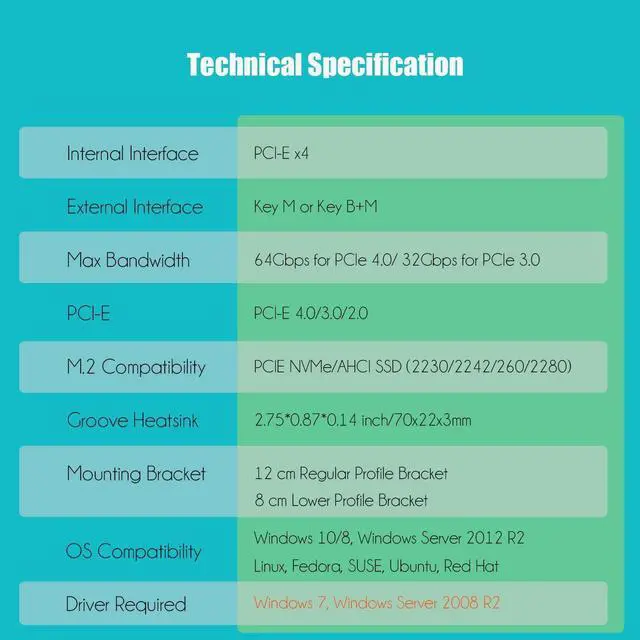
| Internal Interface | PCI-Express X4 |
| External Interface | Key M |
| Max Bandwidth | 8GB/s for PCIe 4.0 and 4GB/s for PCIe 3.0 |
| PCI-E Compatibility | PCI-Express 4.0/3.0/2.0 |
| M.2 Compatibility | M.2 NVMe SSD |
| Form Factor | 2230/2242/2260/2280 |
| OS Compatibility | Windows, Linux, Mac OS (Not support Windows 7) |
NVMe drive as boot drive or storage drive?
For NVMe boot drive, you need to reinstall the OS (windows 10 64bit/Windows 11 is recommended).
- First you need to prepare a bootable usb drive and OS (windows 10 64bit/Windows 11).
- When reinstalling the system, please select GUID Partition Table (GPT).
- OS will reboot after completing installation, remove the bootable usb drive, enter BIOS to setup UEFI boot mode
For NVMe storage drive, Plug and play in Windows 11/10/8/Linux/Mac OS
- Windows 7 can not support nvme drive
- Brand new NVMe drive need to be Initialized and formated before OS recognize it.
M.2 Heatsink for PCIe SSD cooling
- 5°C - 20°C cooling effect (varies by environment)
- Aluminum body with groove design: 2.75*0.87*0.12 inch (LxWxH)
- Thermal Pad: conducting heat from M.2 SSD to M.2 heatsink, 2 W/mk Thermal conductivity, low viscosity, insulation
- Unique installation: 2 x metal clips and 2 x rubber bands, easy to install, permanent use
Installation
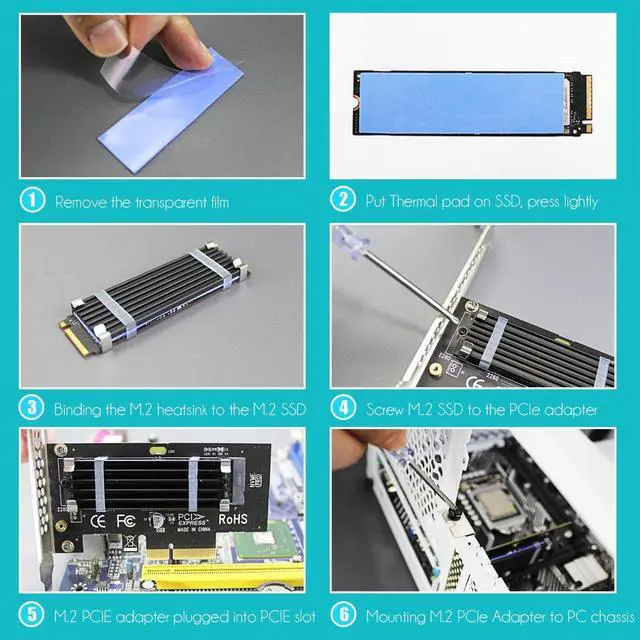
- Remove the transparent film
- Put Thermal pad on SSD, press lightly
- Using metal clips and rubber bands, bind the M.2 heatsink to the M.2 SSD
- Screw M.2 SSD to the PCIe adapter
- M.2 PCIe adapter plugged into PCIe slot
- Mounting M.2 PCIe Adapter to PC chassis
Warranty & Returns
Warranty, Returns, And Additional Information
Warranty
- Please contact the Seller directly for warranty information. Warranty information may also be found on the Manufacturer's website.
- CONTACT
Return Policies
- Return for refund within: 30 days
- Return for replacement within: 30 days
- This item is covered by Connecting Technology Return Policy
Manufacturer Contact Info
- For a directory of all our manufacturers, please click below.
- Manufacturers Directory
LOADING...