

Your Browsing History

- Free 30-day Returns
$208.00
Ships from China.




Meet Your Seller

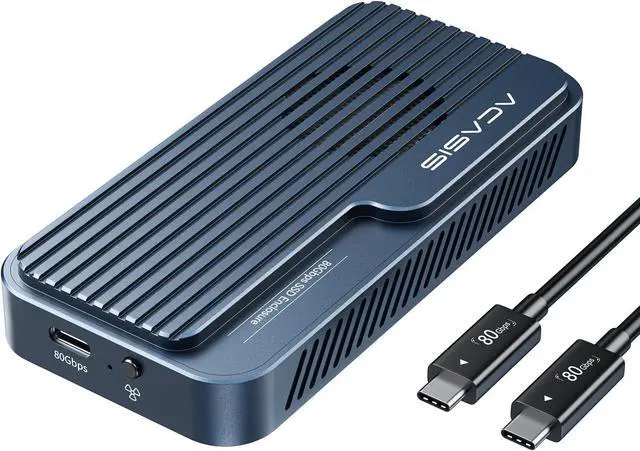


ACASIS 80Gbps M.2 NVMe SSD Enclosure, with Cooling Fan, Compatible with Thunderbolt5/USB4 V2.0, Back Compatible with Thunderbolt4/USB4 V1.0, USB3.2/3.1/3.0 (TB501 Pro) (Gray)
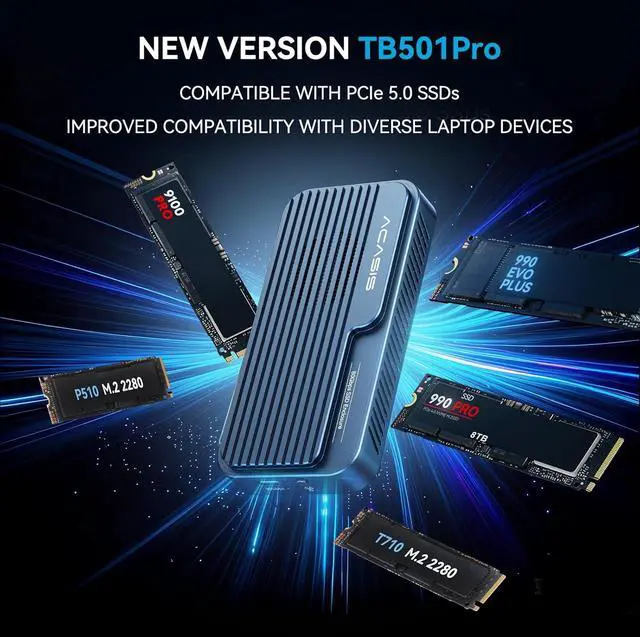
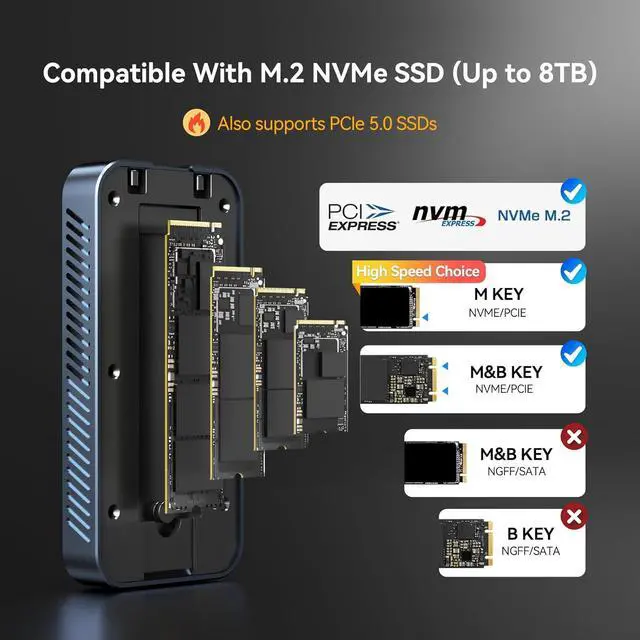
- ACASIS Upgraded 80Gbps SSD EnclosurePowered by the advanced JHL9480 chip, this enclosure supports PCIe 5.0 SSDs and most laptops, delivering fast, stable, and future-proof performance.
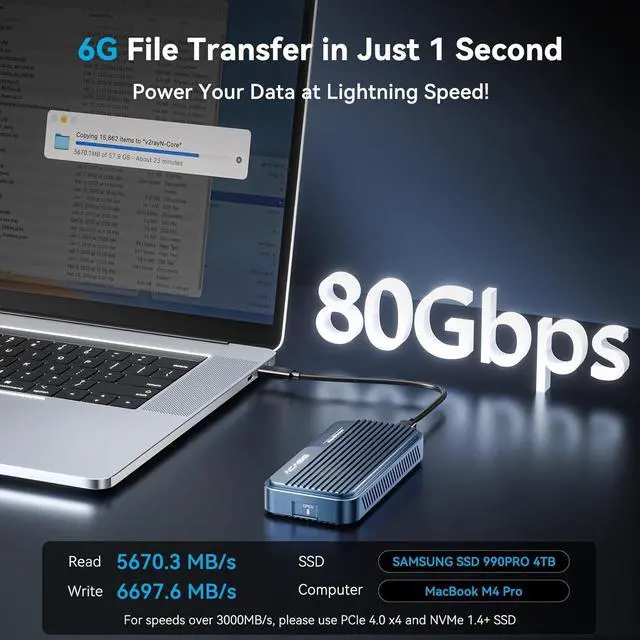
- Blazing-Fast SpeedsEnjoy read and write speeds up to 6000 MB/s. Perfect for content creators, gamers, and professionals handling large files or data-heavy tasks. To exceed 3000 MB/s, use a PCIe 4.0 x4 NVMe 1.4 or higher SSD.
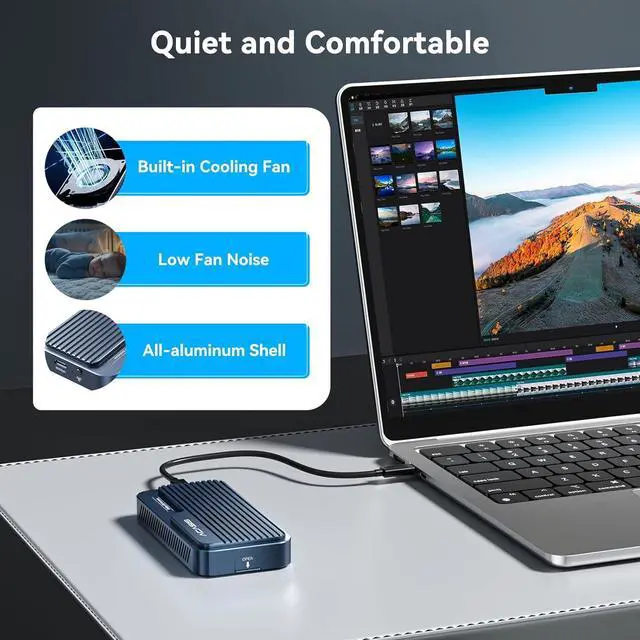
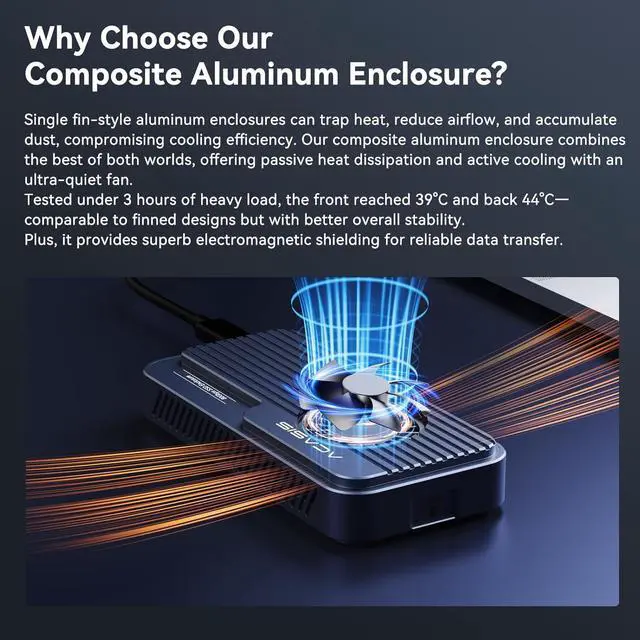
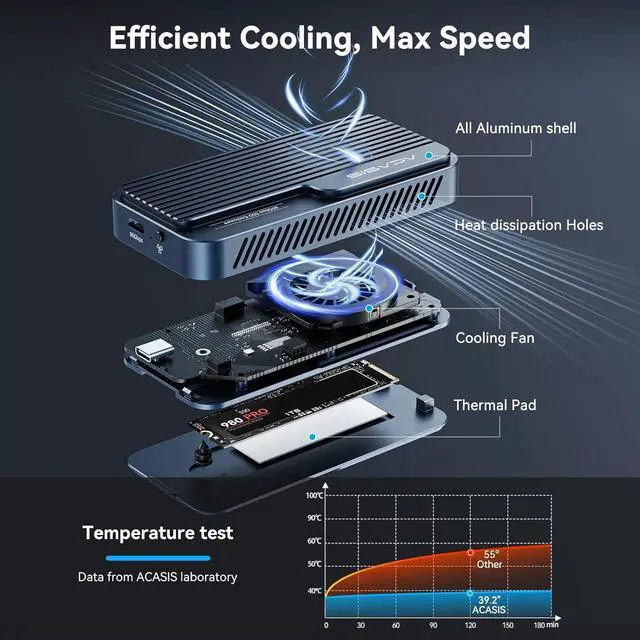
- Smart Cooling FanThe built-in fan auto-starts at 55°C and stops at 40°C to keep your SSD stable and extend its life. Manual mode is easy: press and hold the switch for 1 second to force it on; system resumes auto mode when turned off.
- Heat Management for EnclosureDuring large file transfers, the enclosure may heat up, which is normal. For stable performance, manually activate the fan, place the enclosure in a ventilated area, and avoid long continuous transfers of large files.
- Plug & Play, No Drivers Needed, Tool-less DesignJust connect and gosimple setup lets you focus on your work without delays.
- Packaging List80Gbps M.2 NVMe SSD Enclosure x 1, 80Gbps Cable (19.68 in) x 1, Silicone Stoppers x 2, SSD Size Adapter x1, Thermal Pads x 2, User Manual x1.
- Wide CompatibilityWorks with USB4 V2.0 / 80Gbps at full speed, and backward compatible with 40Gbps, USB4 V1.0, and USB 3.2/3.1/3.0.
+
+
Overview
Specs
Reviews

Any questions? Our AI mode will help you find out quickly.
Try me now
What's in the box
80Gbps Cable (19.68 in) x1
80Gbps M.2 NVMe SSD Enclosure x1
SSD Size Adapter x1
Silicone Stoppers x2
Thermal Pads x2
Can't Recognize The 80Gbps Nvme SSD Enclosure?- Windows: Update Thunderbolt drivers; new drives Disk Management New Volume. Mac: Check Thunderbolt in System Report; if undetected, test ports; new drives Disk Utility Erase. General: Try another TB cable; if light fails, request replacement.
- Dual chip is industry standard, support 80Gbps theoretical speeds (up to 6000MB/s real-world performance)
- Backward compatible with USB4 V1.0, USB3.2/3.1/3.0.
- Auto-activating fan,aluminium housing with thermal pads for effective heat dissipation.
- Why is the enclosure recognized as a USB device when connected to a MacBook with a Thunderbolt 3 port?
- Some Thunderbolt 3 ports may only run at USB speed (10Gbps) with the 80Gbps enclsoure due to compatibilitylimits. We recommend using a Thunderbolt 3 or 4 enclosure instead.
- Some Thunderbolt 3 ports may only run at USB speed (10Gbps) with the 80Gbps enclsoure due to compatibilitylimits. We recommend using a Thunderbolt 3 or 4 enclosure instead.
- Please note that all current inventory, in every color, uses the JHL9480-B2 version. If your device is unable to detect PCIe 5.0, we kindly suggest revisiting the troubleshooting steps outlined in the first QA.
Warranty & Returns
Warranty, Returns, And Additional Information
Warranty
- Please contact the Seller directly for warranty information. Warranty information may also be found on the Manufacturer's website.
- CONTACT
Return Policies
- Return for refund within: 30 days
- Return for replacement within: 30 days
- This item is covered by Connecting Technology Return Policy
Manufacturer Contact Info
- For a directory of all our manufacturers, please click below.
- Manufacturers Directory
LOADING...