Your Browsing History
Meet Your Seller
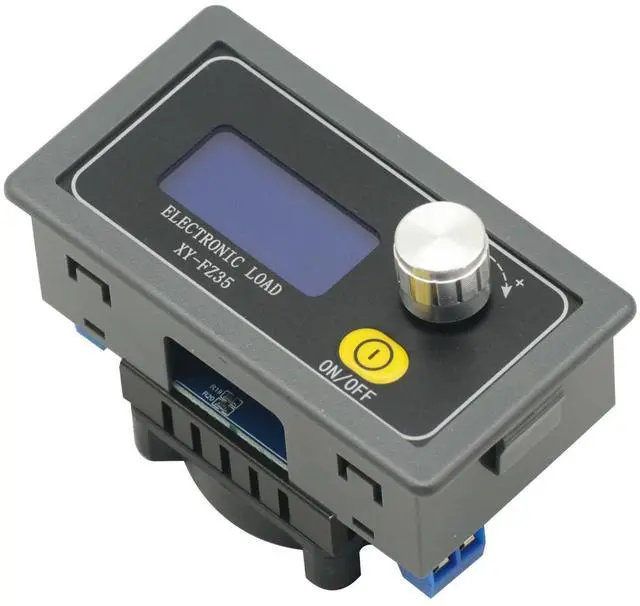
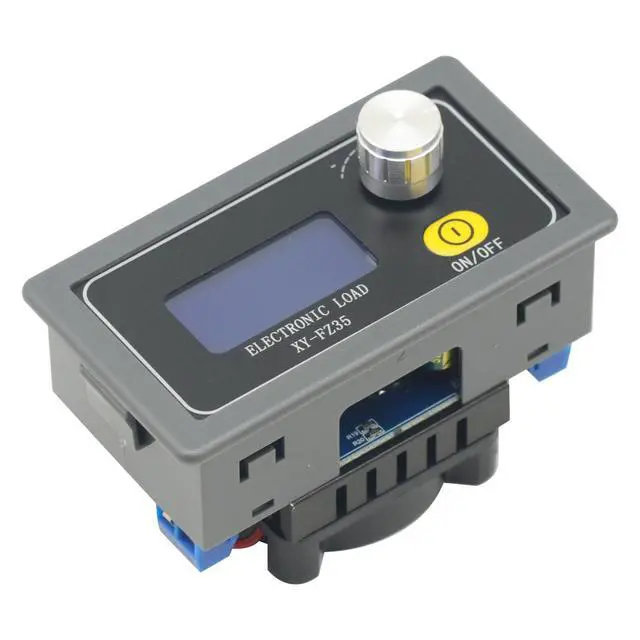
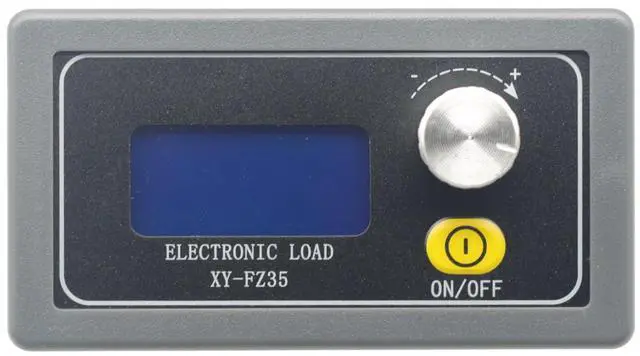
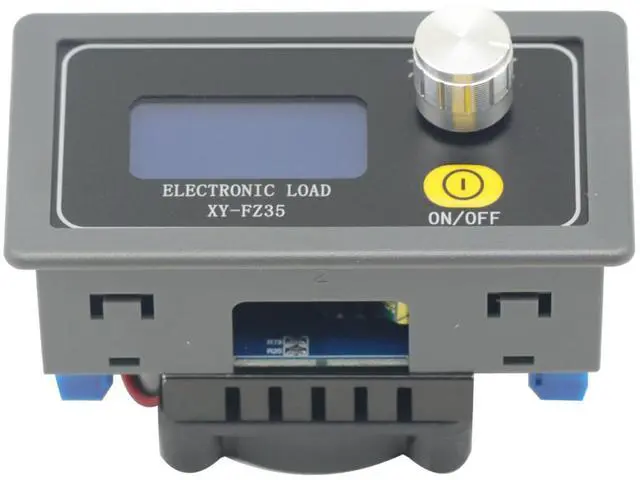
Electronic Load Tester 5A 35W Battery Capacity Resistor Tester Voltmeter Ammeter Adjustable Constant Current Electronic Load
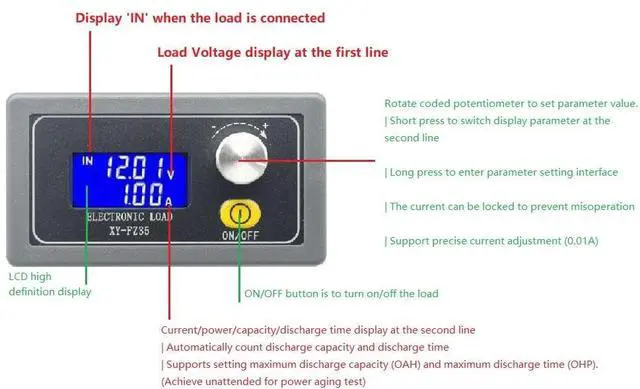
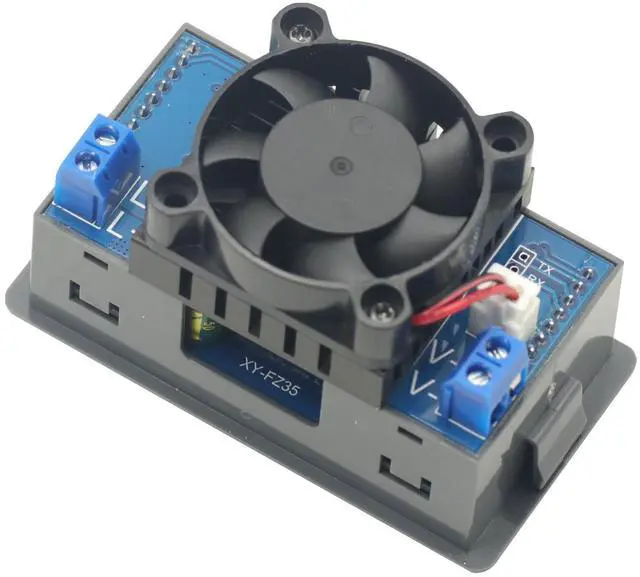
- Electronic Load Tester 5A 35W Battery Capacity Resistor Tester Voltmeter Ammeter Adjustable Constant Current; Constant Current Adjustable Load Module Battery Discharge Capacity Tester; The current a voltage V power W capacity ah and discharge time can be displayed; Automatic statistics of discharge capacity and discharge time; Set maximum discharge Capacity (OAH) and maximum discharge time (OHP); (Realization of unattended aging experiments); Intelligent temperature-controlled fan, when the power is greater than 10W or the temperature is greater than 40 fan start automatically; Data group function: You can choose whether to add up the capacity value and running time of the previous stage;
+
+
Overview
Specs
Reviews
Any questions? Our AI mode will help you find out quickly.
Try me now
Product description 35W DC 5A Electronic Load Tester
1. In the running interface, long press the encoder potentiometer to enter the setting interface;
2. Adjust the size of the parameter by rotating the encoder potentiometer, clockwise increase, anti-clockwise decrease; short press the rotary encoder to switch the parameter to be modified;
3. In the interface of maximum capacity (OAH) /maximum discharge time (OHP), press ON/OFF button briefly to select the corresponding function to be on or off, if it is off, ---- will be displayed;
4. In the maximum capacity (OAH) parameter interface, long press ON/OFF button to select the capacity range ( 9.999A h/ 99.99A h/ 999.9A h/9999Ah);
5. When the parameter setting is finished, long press the encoder potentiometer to exit the setting interface, and the setting parameters will be saved automatically;
1. The electronic load enters into the operation interface after powering up, and it can be used to turn on or turn off the electronic load by short pressing the ON/OFF button, and the current of the electronic load can be modified in real time by rotating the encoder potentiometer;
2. Short press the encoder potentiometer button to switch the downward display (current/power/capacity/time);
3. In any display interface, rotate the encoder potentiometer, it will automatically switch to the current display interface;
4. In the current display interface, long press the ON/OFF button is used to turn on or off the data lock function, if the data lock function is turned on, the lock symbol I- will be displayed in front of the current, and at this time it is not possible to rotate the encoder potentiometer to adjust the load current in real time to prevent misuse. If the data lock function is on, the lock symbol I- will be displayed in front of the current, in this case, the load cannot be adjusted in real time by rotating the encoder potentiometer, so as to prevent misuse;
5. In the capacity/time interface, long press the ON/OFF button to clear the corresponding capacity/time data. Data Upload Format. No alarm status. Load supply voltage, load current, capacity value, discharge time. 11.90V, 0.11A, 0.004A h, 00:02 -Load Voltage 11.90V, Load Current 0.11A, Capacity 0.004A h, Discharge Time 00:02.
Note: If the maximum discharge time is turned on, 00:02 means countdown time. Alarm Status. Upload alarm status code (OVP/OCP/OPP/LVP/OAH/OHP/OTP). Read product parameter settings
OVP: 25.2, OCP: 5.10, OPP: 35.5, LVP: 1.50, OAH: 0222, OHP: 00:00, Overvoltage, Overcurrent, Overpower, Undervoltage, Maximum Capacity, Maximum Discharge Time See More

1. In the running interface, long press the encoder potentiometer to enter the setting interface;
2. Adjust the size of the parameter by rotating the encoder potentiometer, clockwise increase, anti-clockwise decrease; short press the rotary encoder to switch the parameter to be modified;
3. In the interface of maximum capacity (OAH) /maximum discharge time (OHP), press ON/OFF button briefly to select the corresponding function to be on or off, if it is off, ---- will be displayed;
4. In the maximum capacity (OAH) parameter interface, long press ON/OFF button to select the capacity range ( 9.999A h/ 99.99A h/ 999.9A h/9999Ah);
5. When the parameter setting is finished, long press the encoder potentiometer to exit the setting interface, and the setting parameters will be saved automatically;
1. The electronic load enters into the operation interface after powering up, and it can be used to turn on or turn off the electronic load by short pressing the ON/OFF button, and the current of the electronic load can be modified in real time by rotating the encoder potentiometer;
2. Short press the encoder potentiometer button to switch the downward display (current/power/capacity/time);
3. In any display interface, rotate the encoder potentiometer, it will automatically switch to the current display interface;
4. In the current display interface, long press the ON/OFF button is used to turn on or off the data lock function, if the data lock function is turned on, the lock symbol I- will be displayed in front of the current, and at this time it is not possible to rotate the encoder potentiometer to adjust the load current in real time to prevent misuse. If the data lock function is on, the lock symbol I- will be displayed in front of the current, in this case, the load cannot be adjusted in real time by rotating the encoder potentiometer, so as to prevent misuse;
5. In the capacity/time interface, long press the ON/OFF button to clear the corresponding capacity/time data. Data Upload Format. No alarm status. Load supply voltage, load current, capacity value, discharge time. 11.90V, 0.11A, 0.004A h, 00:02 -Load Voltage 11.90V, Load Current 0.11A, Capacity 0.004A h, Discharge Time 00:02.
Note: If the maximum discharge time is turned on, 00:02 means countdown time. Alarm Status. Upload alarm status code (OVP/OCP/OPP/LVP/OAH/OHP/OTP). Read product parameter settings
OVP: 25.2, OCP: 5.10, OPP: 35.5, LVP: 1.50, OAH: 0222, OHP: 00:00, Overvoltage, Overcurrent, Overpower, Undervoltage, Maximum Capacity, Maximum Discharge Time See More
Warranty & Returns
Warranty, Returns, And Additional Information
Warranty
- Please contact the Seller directly for warranty information. Warranty information may also be found on the Manufacturer's website.
- CONTACT
Return Policies
- Return for refund within: 30 days
- Return for replacement within: 30 days
- This item is covered by LUOYIMAN Return Policy
Manufacturer Contact Info
- For a directory of all our manufacturers, please click below.
- Manufacturers Directory
LOADING...