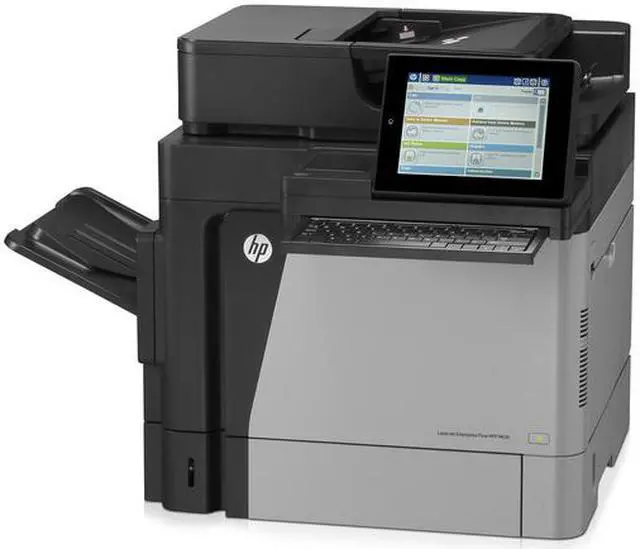
HP LaserJet Enterprise Flow M630z 60ppm All-in-One Monochrome Laser Printer Features:
Printer
Print speeds of up to 60 ppm in simplex and 41 ipm in duplex are possible, along with a first print out speed of 8.5 seconds.
The M630z has excellent durability with a rated monthly duty cycle of 250,000 pages and a recommended monthly volume of 5000-28,000 pages.
Mobile printing support for HP ePrint and Apple AirPrint protocols as well as compatibility with select Mobile Apps.
Smart Software print features include support for the Open Extensibility Platform, FutureSmart Firmware, HP Instant-on Technology, HP Auto-On/Auto-Off Technology, HP Easy Color, print preview, print multiple pages per sheet (2, 4, 6, 9, 16), collation, watermarks, store print jobs, job separator, and stapling.
Manage the printer using HP Web Jetadmin or HP Utility (Mac).
Standard printer languages are HP PCL 6, HP PCL 5, HP PostScript level 3 emulation, and PDF v1.7.
Scanner
HP EveryPage Technology uses an ultrasonic transmitter and receiver to ensure every page is properly fed and scanned.
An optical scan resolution of 600 dpi will help create sharp digital images.
Scan speeds of up to 65 ppm in black and white and 63 ppm in color are possible along with single-pass duplexing at speeds up to 89 ipm in black and white and 65 ipm in color.
Users can scan documents up to 8.5 x 14" using either the ADF or flatbed.
Scan input modes include copy, email, scan to network folder, scan to USB, save to device memory, and Open Extensibility Platform (OXP) applications.
This unit offers a color depth of 24-bit.
Users can save scans in PDF, JPEG, TIFF, MTIFF, XPS, and PDF/A formats. Also, when using OCR technology, you can save TEXT, Unicode TEXT, RTF, Searchable PDF, HTML, and CSV formats.
Digital Sending Features include scan to email, save to network folder, save to USB drive, sent to FTP, send to LAN fax, send to internet fax, local address book, SMTP over SSL, scan to HP Flow CM, scan to SharePoint, and OCR.
Advanced scan features include image preview & edit, HP EveryPage Technologies, optimize text/picture, image adjustments, job build, output quality settings, selectable scan resolution from 75-600 dpi, auto detect color, edge erase, auto tone, auto job notification, auto black page suppression, auto orientation, auto page crop, and HP Quick Sets.
Copier
Copy speed of up to 60 cpm are supported.
The maximum copy resolution is 600 x 600 dpi.
Users can produce up to 9999 copies as part of a single job.
Copier settings include reduction/enlargement from 25-400%, duplex copying, scalability, image adjustments (darkness, contrast, background cleanup, sharpness), N-up, N or Z-ordering content orientation, collation, booklet, job build, edge-to-edge, and job storage.
Fax
The fax uses a 33.6 kbps modem with transmission speeds of up to 3 seconds per page. Also, it supports resolutions of up to 300 x 300 dpi.
Smart fax software features include stored faxes, fax archiving, fax forwarding, scale-to-fit, fax address book, LAN/Internet fax, fax number confirmation, and holiday fax schedule.
Fax features include auto fax reduction, auto redialing, fax forwarding, fax polling (poll to receive only), junk barrier, and PC interface support.
There are 100 speed dial numbers, each able to contain 100 numbers.
Standard fax features include incoming fax storage to disk, auto fax reduction, auto redialing, fax forwarding, fax polling (receive only), junk barrier, and PC interface support.





 here!
here!