Weather Alert: Severe winter storms may impact delivery times in some regions. We appreciate your patience as carriers work to deliver orders as quickly as possible. UPS Service Alerts.
  • $166.99
  • Free 30-day Returns
  • Price alert
    Shop it at NeweggBusiness.

    Meet Your Seller

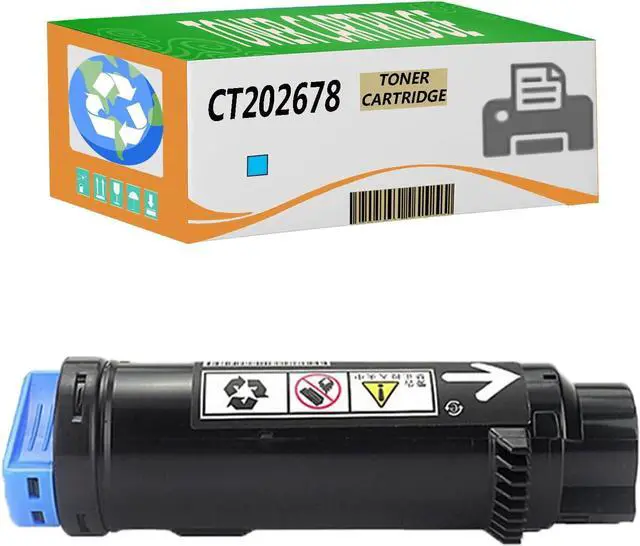
    Toner Cartridges for Xerox DocuPrint CM310z CP310dw CM210z CP210dw Printer, Combo Pack Compatible Replacement with CT202677 CT202678 CT202679 CT202680 (Cyan)

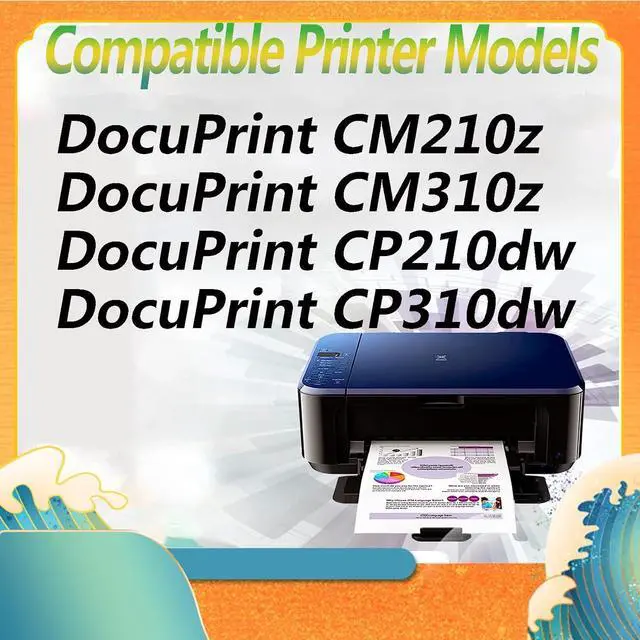
    • Printer Models: CT202677 (Black) CT202678(Cyan) CT202679(Magenta) CT202680(Yellow) for Xerox DocuPrint CM310z, DocuPrint CP310dw, DocuPrint CM210z, DocuPrint CP210dw Printer.
    • Page Yield: 2,200 pages per black, 2,200 pages per color cartridge (cyan, magenta, yellow) at 5% coverage on letter/A4 .
    • Multiple Combinations: Multiple toner cartridges will double your total print volume and help you reduce your purchase costs.
    • Provide High Quality: The printed words are clear, and they will not fade for a long time; High printing efficiency and large capacity will help you save more costs.
    • Our Services: Our two year 100% Satisfaction Guarantee ensures that you will get excellent printouts when you buy our compatible toner.
    +
    +
    Overview
    Specs
    Reviews
    avatar

    Any questions? Our AI beta will help you find out quickly.

    Warm tip: Please understand that the old and new packaging of the products will be sent randomly.
    NOTE:
    *It is recommended to change the cartridge
    1: The machine prompts you to replace the toner cartridge.
    2: The print sample is very light.
    3: The powder box will be printed light after adding powder for many times.
    *Recommend replacing the toner cartridge
    1: The machine prompts to replace selenium.
    2: There are regular black lines in the printed sample.
    *Toner box installation method:
    1: Take out the old cartridge:
    Remove the old toner cartridge before use.
    2: Shake the powder cartridge horizontally.
    Before use, shake the toner horizontally 2-3 times to make the toner even.
    3: Load into copier.
    Just load it into the copier and use it.
    *Easy installation and never hurt your printer.
    *Have a nice day!

    Warranty & Returns

    Warranty, Returns, And Additional Information

    Warranty

    • Please contact the Seller directly for warranty information. Warranty information may also be found on the Manufacturer's website.
    • CONTACT

    Return Policies

    • Return for refund within: 30 days
    • Return for replacement within: 30 days
    • This item is covered by LEMITE Return Policy

    Manufacturer Contact Info

    LOADING...