

Your Browsing History


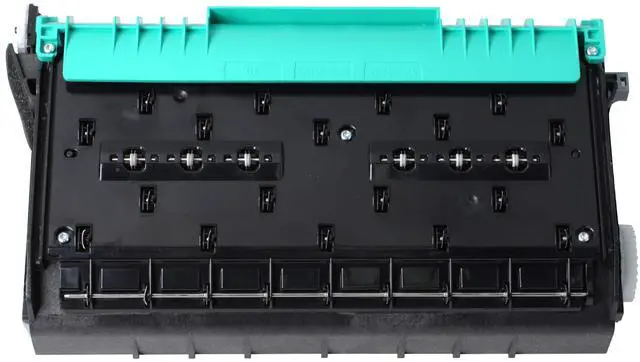
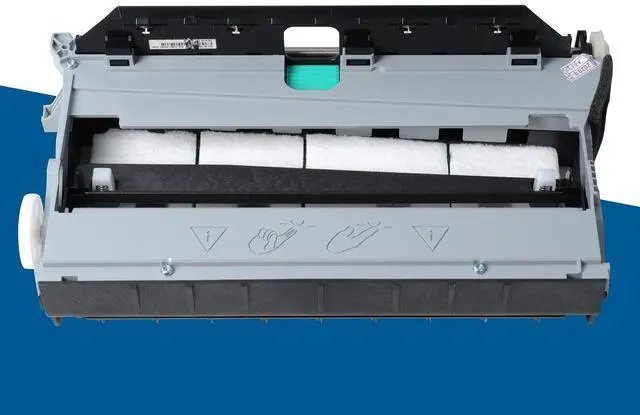
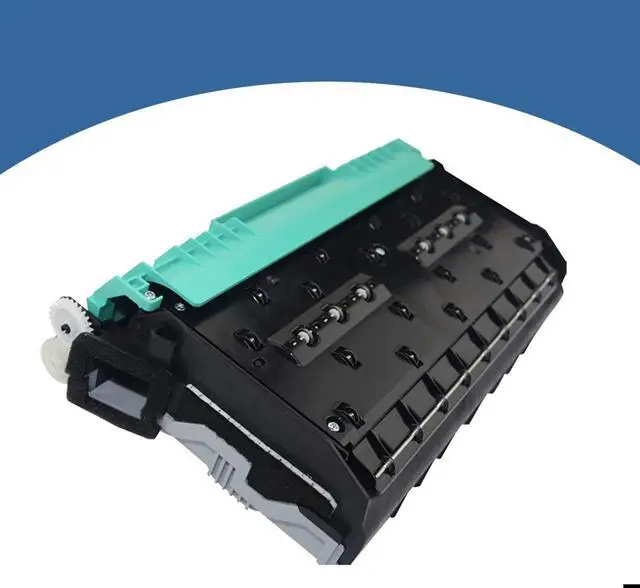
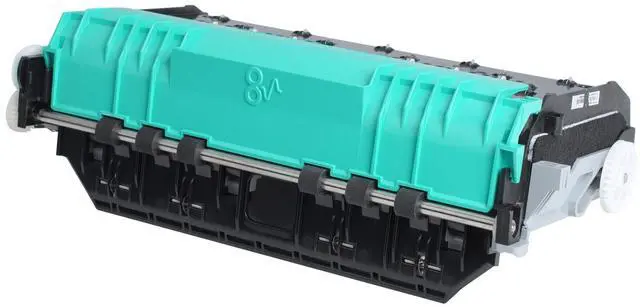


CN459-60375 Duplex Module Assembly Compatible with HP PageWide Officejet Pro 477dw 477dn 577dw 577dz 552dw x476 377dw Printer, Waste Ink Collector Unit for hp973 974 975 CN598-67004
Limited time offer, ends 10/05 By EpicTransTrade
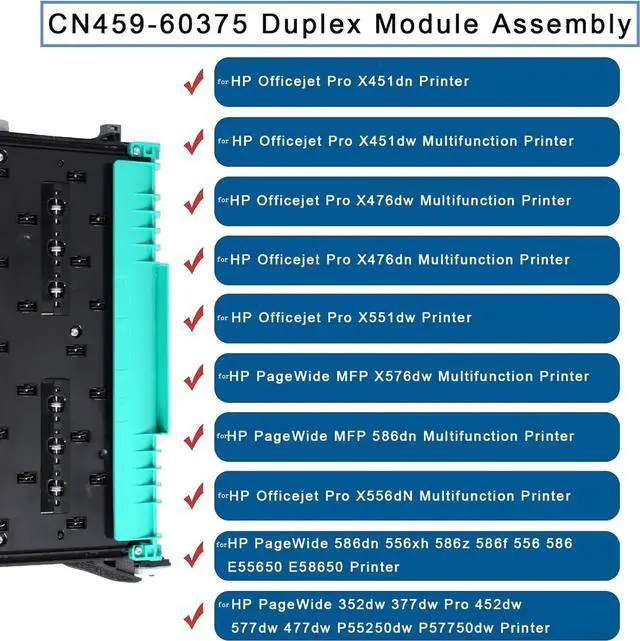
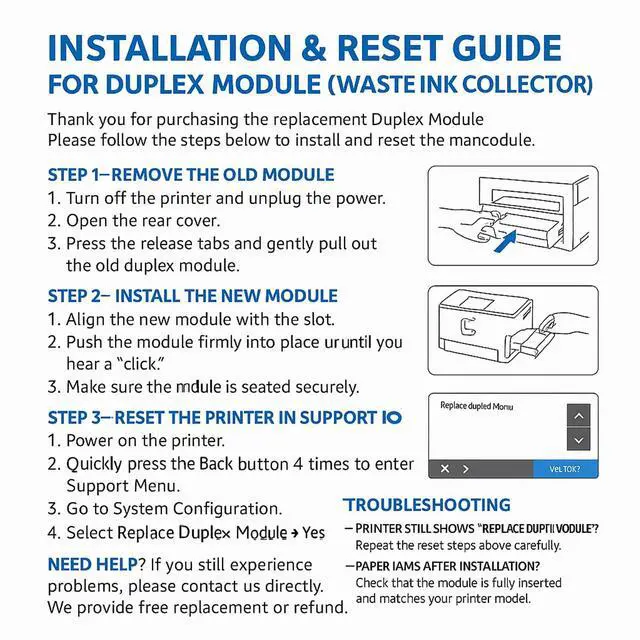
- Duplex Modular Assembly Ink Maintenance Box. Replacement Part Numbers: CN598-67004, CN459-60377, CN459-60375, CN459-40630, CN598-67045. Works with HP973, HP974, HP975. Product Name: CN459-60375 Duplexer / Assembly Duplex Diverter Guide / Maintenance Box / Waste Ink Tank / Waste Ink Collector. Compatible Models: Compatible with HP PageWide Pro x451dw, x476dw, x476, x576dw, x551dw, 352dw, 377dw, 452dn, 477dw, 477dn, 552dw, 577dw, 556xh, 586dn, E58650dn, E55650, P55250dw, P57750dw printers. Also Compatible with: HP Officejet Pro X451dn, X451dw, X476dw, X476dn, X551dw, X556dn printers. When your printer shows a "Service Ink Container is Full" message, replace the duplex modular assembly promptly. To install, order the compatible replacement part, switch off the printer, take out the old unit, and place the new unit firmly. The entire process requires about 2-3 minutes. Make sure to view the relevant video for guidance on resetting the printer menu after installing the new unit. Package Contains: 1 x CN459-60375 Duplex Module Assembly. This is a non-original aftermarket part. Note: Carefully examine the item's appearance and model number, and compare it with your original item before ordering to ensure it fits your machine
+
+
Overview
Specs
Reviews

Any questions? Our AI mode will help you find out quickly.
Try me now
Duplex Modular Assembly Ink Maintenance Box. Replacement Part Numbers: CN598-67004, CN459-60377, CN459-60375, CN459-40630, CN598-67045. Works with HP973, HP974, HP975. Product Name: CN459-60375 Duplexer / Assembly Duplex Diverter Guide / Maintenance Box / Waste Ink Tank / Waste Ink Collector. Compatible Models: Compatible with HP PageWide Pro x451dw, x476dw, x476, x576dw, x551dw, 352dw, 377dw, 452dn, 477dw, 477dn, 552dw, 577dw, 556xh, 586dn, E58650dn, E55650, P55250dw, P57750dw printers. Also Compatible with: HP Officejet Pro X451dn, X451dw, X476dw, X476dn, X551dw, X556dn printers. When your printer shows a "Service Ink Container is Full" message, replace the duplex modular assembly promptly. To install, order the compatible replacement part, switch off the printer, take out the old unit, and place the new unit firmly. The entire process requires about 2-3 minutes. Make sure to view the relevant video for guidance on resetting the printer menu after installing the new unit. Package Contains: 1 x CN459-60375 Duplex Module Assembly. This is a non-original aftermarket part. Note: Carefully examine the item's appearance and model number, and compare it with your original item before ordering to ensure it fits your machine
Warranty & Returns
Warranty, Returns, And Additional Information
Warranty
- Please contact the Seller directly for warranty information. Warranty information may also be found on the Manufacturer's website.
- CONTACT
Return Policies
- Return for refund within: 30 days
- Return for replacement within: 30 days
- This item is covered by EpicTransTrade Return Policy
Manufacturer Contact Info
- For a directory of all our manufacturers, please click below.
- Manufacturers Directory
LOADING...