

Your Browsing History
- Free 30-day Returns
$37.96
Ships from China.

Meet Your Seller

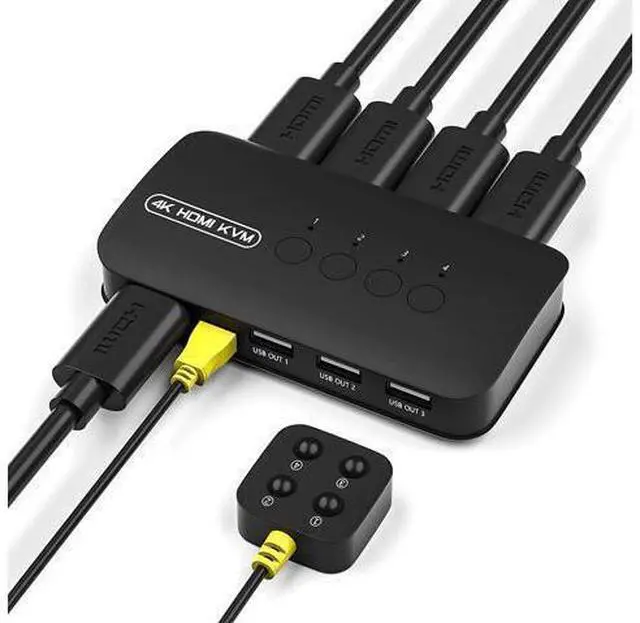


HDMI KVM Switch 4 Port, 3 x USB 2.0, 3xUSB HDMI Switcher for 4 Computers Supports 4K/2K @30Hz HDMI KVM USB Switch, with 4 HDMI KVM Cables and 1 Desktop Controller
Limited time offer, ends 10/07 By ProGear Haven
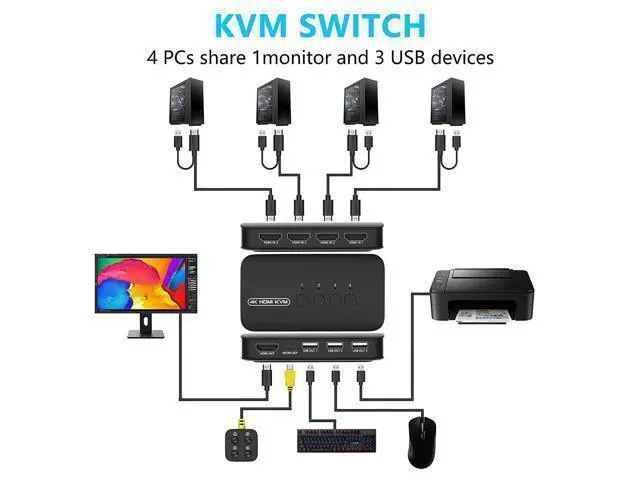
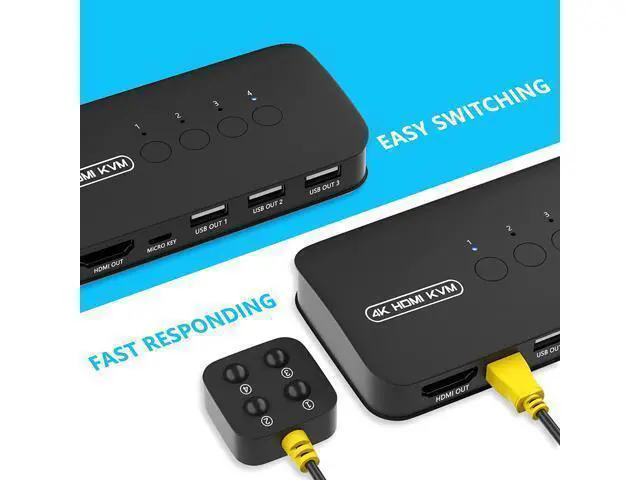
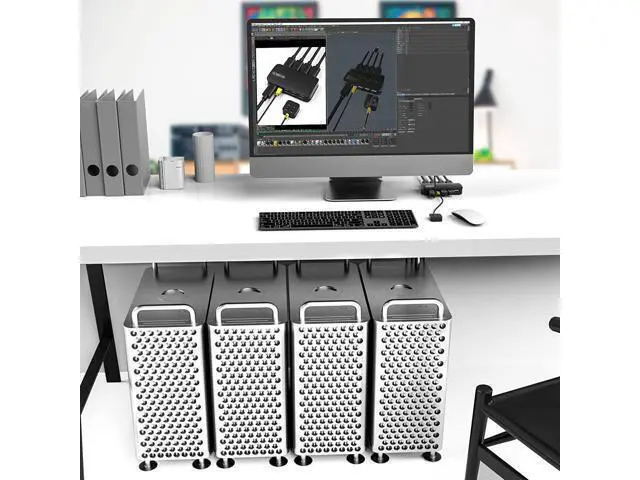
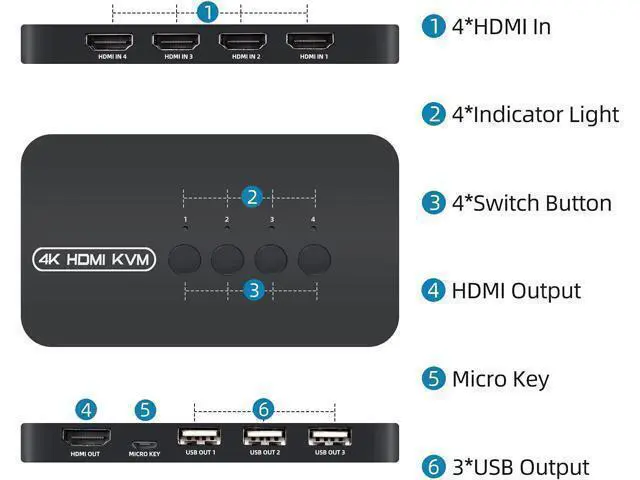
- 4 IN 1 OUT KVM SWITCH HDMI- to control your 4 computers by desktop controller or 4 buttons from KVM switch. Through this product with 3 ports front USB hub, 4 computer hosts or other signal sources can share 1 set of monitor, keyboard, mouse or U disk etc.
- 4K@30HZ HDMI KVM SWITCH - It is a 4K HD audio and video HDMI switch, widely used in various fields such as multimedia, office, conference, learning, securities, etc.
- PLUG AND PLAY - The KVM Switch 4 Port Displayport does not need to install any driver software, convenient installation, quick response. Greatly improves work efficiency and quality, it is a good helper for your work and life
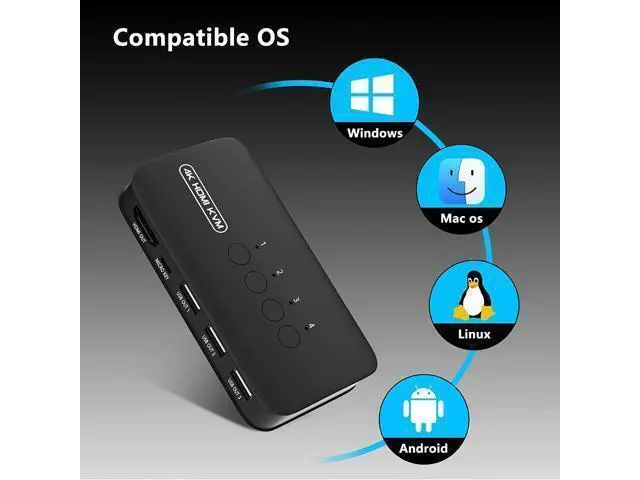
- WIDE COMPATIBILITY - Supports all kinds of computer operating systems, such as Windows 11/10/8.1/8/7/XP/Vista, Mac OS, Linux, Android system, etc. Compatible with laptop PC PS4 Xbox HDTV, etc.
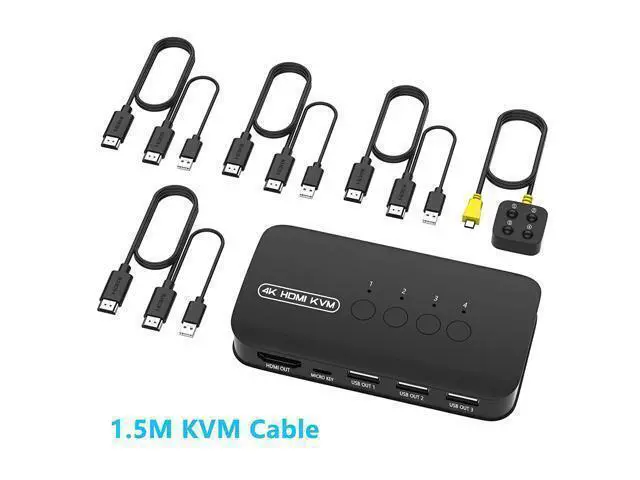
- PACKAGE INCLUDES - 4 Port HDMI KVM Switch*1, Desktop Controller*1, 1.5m HDMI with External USB Head 2 in 1 Cable*4, User Manual*1.
+
+
Overview
Specs
Reviews

Any questions? Our AI mode will help you find out quickly.
Try me now
KVM Switch HDMI 4 ports 4K@30Hz HDMI KVM Switch 4 Ports allows you to manage 4 computers with only 1 monitor + USB/wireless keyboard and mouse and share 1 printer, U disk, USB speaker (only single USB cable) or other USB 2.0 -Devices. 4 PCs share 1 monitor. Share 3 USB devices with 4 computers like keyboard, mouse, scanners, printers, etc. Plug and play, no extra power supply, no driver installation, more convenience. Support high-resolution 4K x 2K @ 30Hz. 2 in1 KVM cable, make your desk tidy.
Support hot plug. 2 in 1 KVM cable USB and HDMI cables keep your desk tidy and increase productivity in the office or at home.
Please note: Plug the HOST connector of the KVM cable into the computer. Plug the KVM connector of the KVM cable into the HDMI IN of the KVM switch. The HOST port and KVM port cannot
Specification Interface protocols: USB 2.0
Input: 4 PC MAX (HDMI + USB 2 in 1)
Output: HDMI*1 +
USB*3 Switch mode: panel button, external controller
Support system: Windows / Mac / Linux / Unix / Dos system Package content 4-Port KVM Switch * 1 KVM cable * 4 Wired switch button * 1 User Manual * 1
Specification: Resolution up to 4K@30Hz/3840*2160, support 3D, 1080P. Support super widescreen display, DDC and EDID management. Automatic identification high quality output.
Two ways to toggle: Button & Wire Desktop control. Build with 3 USB 2.0 hubs for your keyboard mouse speaker printer. Plug and play, support hot plug. No software required.
Compatible with: DOS, Win3. X/...
Support hot plug. 2 in 1 KVM cable USB and HDMI cables keep your desk tidy and increase productivity in the office or at home.
Please note: Plug the HOST connector of the KVM cable into the computer. Plug the KVM connector of the KVM cable into the HDMI IN of the KVM switch. The HOST port and KVM port cannot
Specification Interface protocols: USB 2.0
Input: 4 PC MAX (HDMI + USB 2 in 1)
Output: HDMI*1 +
USB*3 Switch mode: panel button, external controller
Support system: Windows / Mac / Linux / Unix / Dos system Package content 4-Port KVM Switch * 1 KVM cable * 4 Wired switch button * 1 User Manual * 1
Specification: Resolution up to 4K@30Hz/3840*2160, support 3D, 1080P. Support super widescreen display, DDC and EDID management. Automatic identification high quality output.
Two ways to toggle: Button & Wire Desktop control. Build with 3 USB 2.0 hubs for your keyboard mouse speaker printer. Plug and play, support hot plug. No software required.
Compatible with: DOS, Win3. X/...
Warranty & Returns
Warranty, Returns, And Additional Information
Warranty
- Please contact the Seller directly for warranty information. Warranty information may also be found on the Manufacturer's website.
- CONTACT
Return Policies
- Return for refund within: 30 days
- Return for replacement within: 30 days
- This item is covered by ProGear Haven Return Policy
Manufacturer Contact Info
- For a directory of all our manufacturers, please click below.
- Manufacturers Directory
LOADING...