

Your Browsing History
- Free 30-day Returns
$39.47
Ships from China.

Meet Your Seller

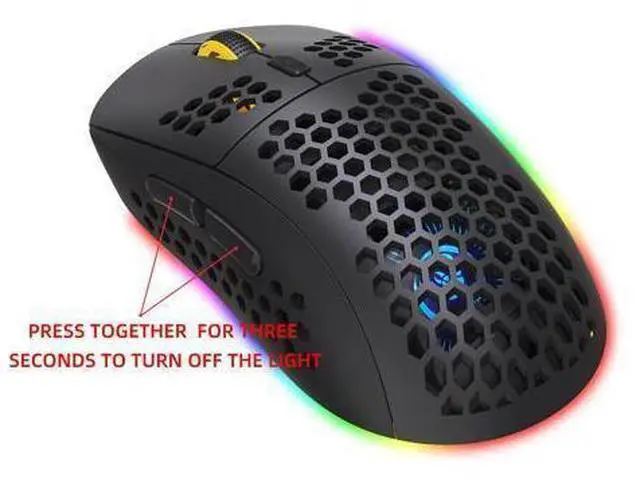
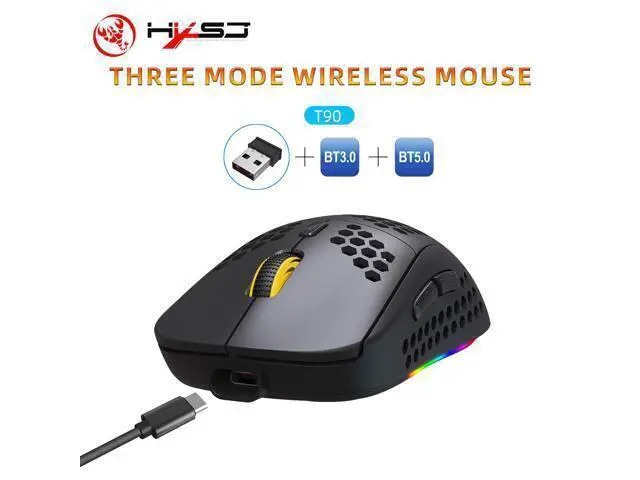
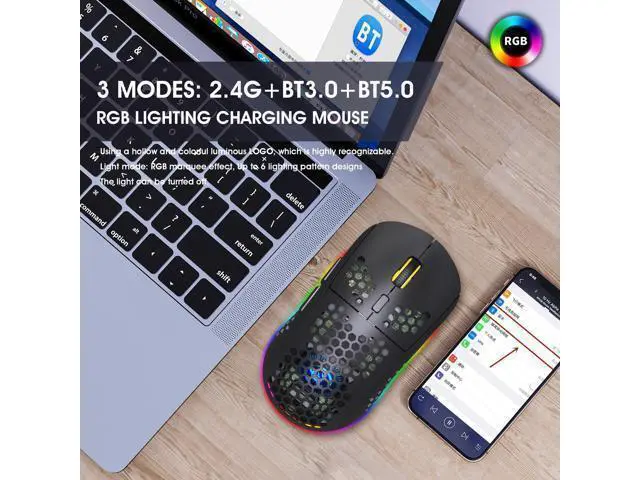
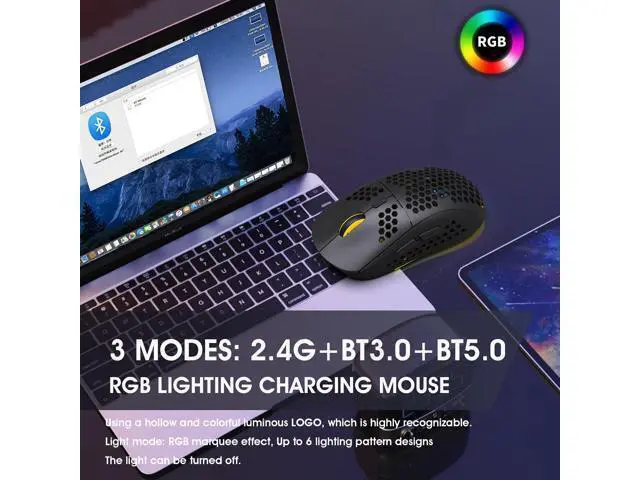


2.4G wireless mouse with RGB lighting and wireless gaming TYPE-C charging port, 750 mAh capacity
Limited time offer, ends 10/07 By ProGear Haven
- Technical Parameters:
- 1. 3 Modes: 2.4 G wireless+Bluetooth 3.0+Bluetooth 5.0
- 2. Rechargeable:750mAh built-in rechargeable battery
- 3. Accurate tracking: professional IC positioning accuracy
- 4. 10M wireless receiving distance
- 5. Five-speed DPI adjustment design
- 6. 10 million times sound switch design
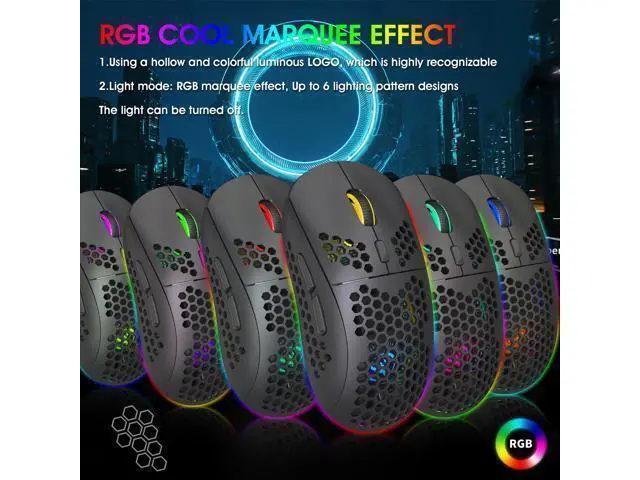
- 7. Using a hollow and colorful luminous LOGO, which is highly recognizable
- 8.Light mode: RGB marquee effect, Up to 6 lighting pattern designs,The light can be turned off.
- USB 2.4G mode connection steps:
- 1. Set the mouse switch to ON .
- 2. Plug the receiver into the computer's USB port. Press the mode button once.The red LED flashes and the installation is done automatically.
- Bluetooth mode:
- To turn on the Bluetooth mode, you need to press the mode button for 3 seconds and the green light flashes quickly,indicating that the Bluetooth mode is activated and you can search for connections.
- Bluetooth 3.0 mode connection steps:
- 1. Turn on the Bluetooth icon on your computer.
- 2. Turn on the mouse power switch, press the mode switch 2times, the second mode light turns green and flashes quickly.
- 3. Enter BT3.0 Bluetooth connection mode for pairing.
- Bluetooth 5.0 mode connection steps:
- 1. Turn on the Bluetooth icon on your computer.
- 2. Turn on the mouse power switch, Press the mode switch3 times, the third mode light turns blue Flashing quickly.
- 3. Enter BT5.0 Bluetooth connection mode to select pairing.
+
+
Overview
Specs
Reviews

Any questions? Our AI mode will help you find out quickly.
Try me now
Technical Parameters:; 1.
3 Modes: 2.4 G wireless+Bluetooth 3.0 +Bluetooth 5.0;
2.
Rechargeable: 750mAh built-in rechargeable battery;
3.
Accurate tracking: professional IC positioning accuracy; 4. 10M wireless receiving distance;
5. Five-speed DPI adjustment design; 6. 10 million times sound switch design;
7. Using a hollow and colorful luminous LOGO, which is highly recognizable;
8.
Light mode: RGB marquee effect, Up to 6 lighting pattern designs, The light can be turned off.;
USB 2.4G mode connection steps:;
1. Set the mouse switch to ON.;
2. Plug the receiver into the computer's USB port. Press the mode button once. The red LED flashes and the installation is done automatically.;
Bluetooth mode:; To turn on the Bluetooth mode, you need to press the mode button for 3 seconds and the green light flashes quickly, indicating that the Bluetooth mode is activated and you can search for connections.;
Bluetooth 3.0 mode connection steps:;
1. Turn on the Bluetooth icon on your computer.;
2. Turn on the mouse power switch, press the mode switch 2times, the second mode light turns green and flashes quickly.;
3. Enter BT 3.0 Bluetooth connection mode for pairing.;
Bluetooth 5.0 mode connection steps:;
1. Turn on the Bluetooth icon on your computer.;
2. Turn on the mouse power switch, Press the mode switch3 times, the third mode light turns blue Flashing quickly.;
3. Enter BT 5.0 Bluetooth connection mode to select pairing.
3 Modes: 2.4 G wireless+Bluetooth 3.0 +Bluetooth 5.0;
2.
Rechargeable: 750mAh built-in rechargeable battery;
3.
Accurate tracking: professional IC positioning accuracy; 4. 10M wireless receiving distance;
5. Five-speed DPI adjustment design; 6. 10 million times sound switch design;
7. Using a hollow and colorful luminous LOGO, which is highly recognizable;
8.
Light mode: RGB marquee effect, Up to 6 lighting pattern designs, The light can be turned off.;
USB 2.4G mode connection steps:;
1. Set the mouse switch to ON.;
2. Plug the receiver into the computer's USB port. Press the mode button once. The red LED flashes and the installation is done automatically.;
Bluetooth mode:; To turn on the Bluetooth mode, you need to press the mode button for 3 seconds and the green light flashes quickly, indicating that the Bluetooth mode is activated and you can search for connections.;
Bluetooth 3.0 mode connection steps:;
1. Turn on the Bluetooth icon on your computer.;
2. Turn on the mouse power switch, press the mode switch 2times, the second mode light turns green and flashes quickly.;
3. Enter BT 3.0 Bluetooth connection mode for pairing.;
Bluetooth 5.0 mode connection steps:;
1. Turn on the Bluetooth icon on your computer.;
2. Turn on the mouse power switch, Press the mode switch3 times, the third mode light turns blue Flashing quickly.;
3. Enter BT 5.0 Bluetooth connection mode to select pairing.
Warranty & Returns
Warranty, Returns, And Additional Information
Warranty
- Please contact the Seller directly for warranty information. Warranty information may also be found on the Manufacturer's website.
- CONTACT
Return Policies
- Return for refund within: 30 days
- Return for replacement within: 30 days
- This item is covered by ProGear Haven Return Policy
Manufacturer Contact Info
- For a directory of all our manufacturers, please click below.
- Manufacturers Directory
LOADING...