

Your Browsing History
- Free 30-day Returns
$17.99


Meet Your Seller





Waste Ink Pad Replacement for Eco Tank Printer ET2800 ET2803 ET2400 ET4800 ET4700 ET2720 ET2820 ET2710 ET2712 L3110 Printer Replacement, Contain 2 Reset Keys and Software, 2 Packs
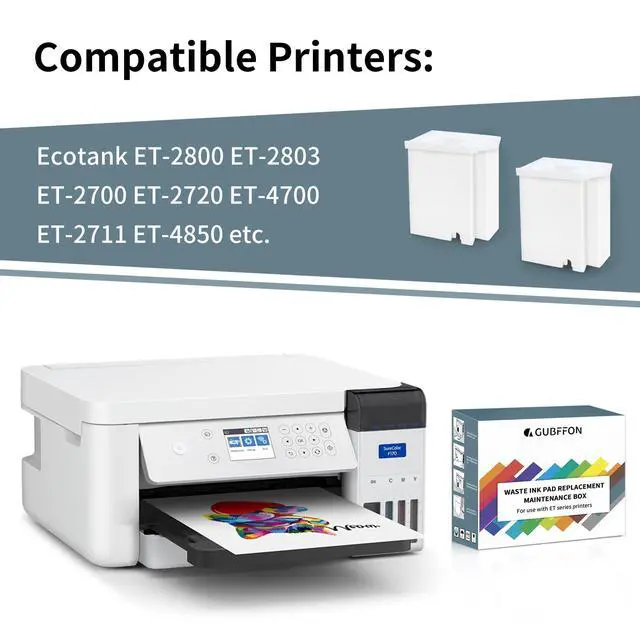
- BROAD MODEL COMPATIBILITY Replacement waste ink pad/maintenance tank kit designed for ET-2720, ET-2800, ET-2803, ET-2400, ET-4800, ET-2710/2711/2712/2714/2715, ET-2726, ET-4700 and L1110/L1119/L3100/L3106/L3108/L3109/L3110/L3115-L3119/L3150 (Not compatible with ET-2850).
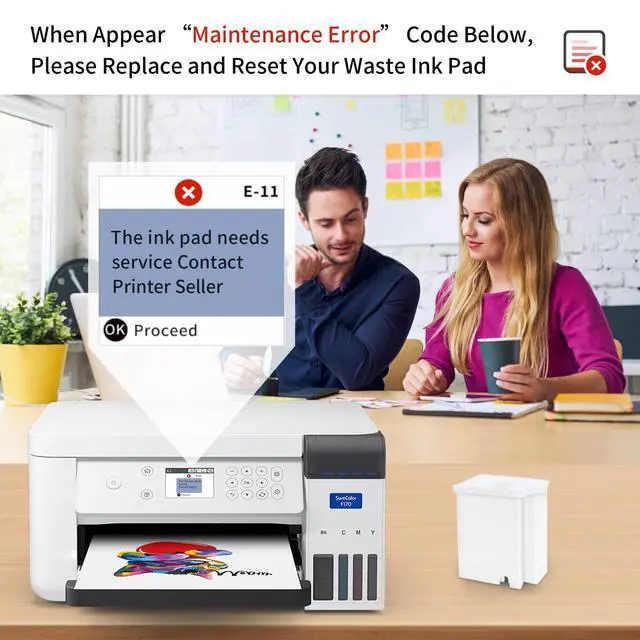
- FIX SERVICE LIFE ERRORS Replace the saturated waste ink pad to address parts end of service life messages. If the message remains, use the included reset process (security key code + utility) to reset the waste ink counter back to 0.
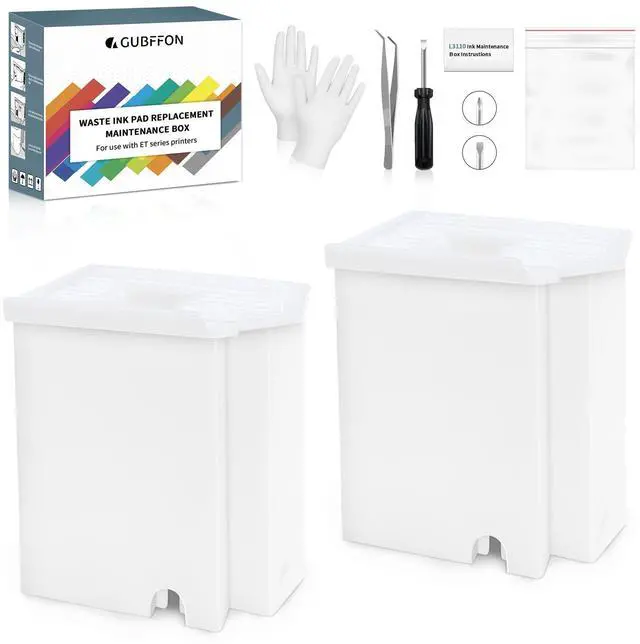
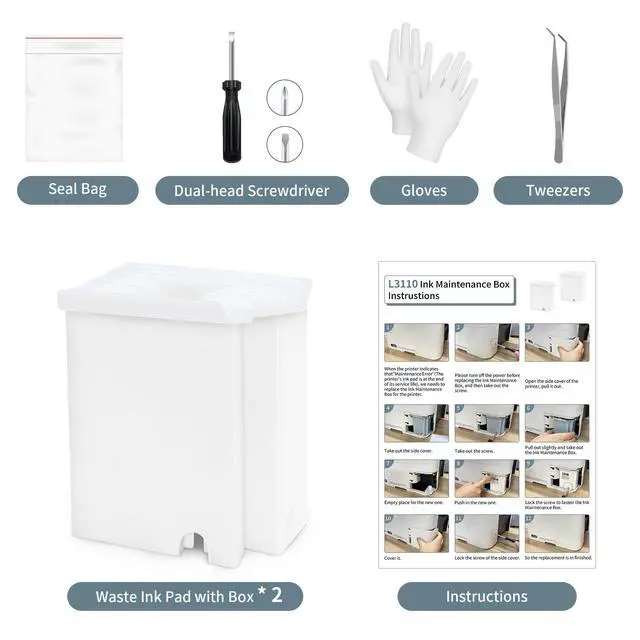
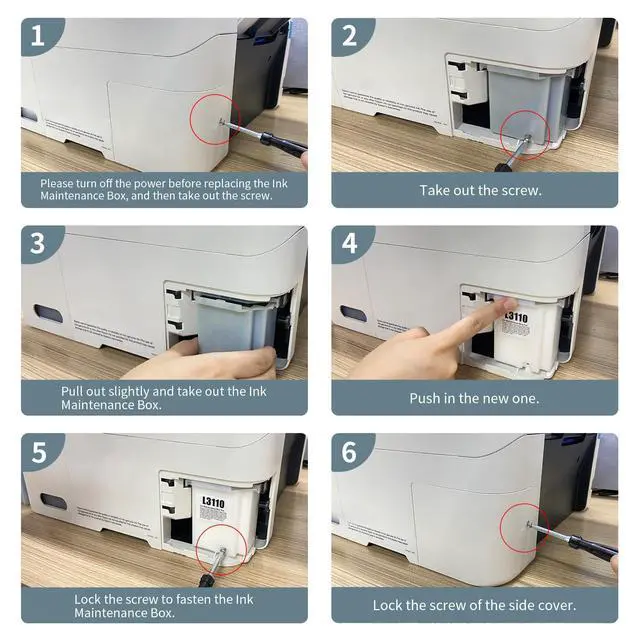
- COMPLETE DIY INSTALL KIT Includes 2 replacement maintenance tanks (pad sponge included), dual-head screwdriver, tweezers, disposable gloves, sealing bag, plus step-by-step instructions to help most users complete replacement in ~20 minutes.
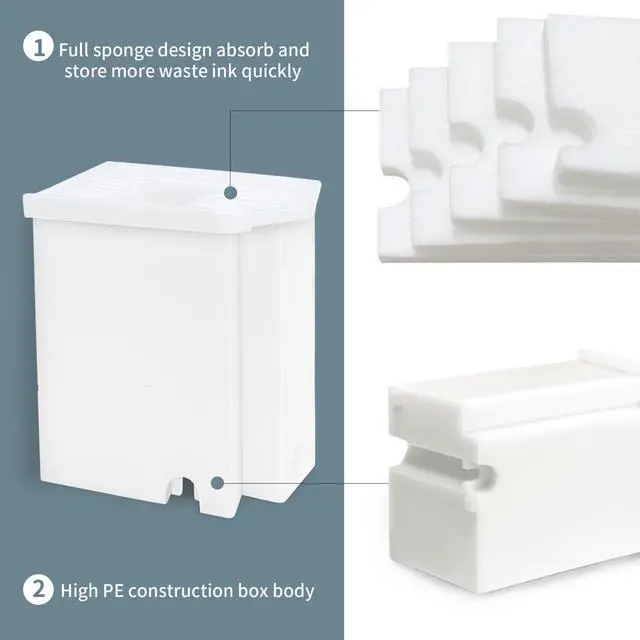
- HIGH-CAPACITY INK ABSORPTION Super-absorbent sponge material is selected for strong ink retention to extend time between replacements. Designed to support heavy printing workloads (approx. 10,000 pages / 12 years under typical use).
- WINDOWS-ONLY RESET SOFTWARE + SUPPORT Reset utility is for Microsoft Windows only (Windows 10/11 recommended); not compatible with macOS/Linux/ChromeOS. Help is available for compatibility checks, installation guidance, and counter reset troubleshooting.
+
+
Overview
Specs
Reviews

Any questions? Our AI mode will help you find out quickly.
Try me now
Restore Your Printer Without Replacing It
Stop the Parts End of Service Life message without buying a new printer. This Waste Ink Pad Replacement Kit helps restore normal operation by replacing the saturated waste ink pad/maintenance tank and (when needed) resetting the waste ink counter.
Key Benefits
- Wide compatibility across multiple EcoTank ET and L-series models (see list below)
- 2-pack value: includes 2 replacement maintenance tanks/pads
- DIY-friendly: includes tools and instructions; many users finish in about 20 minutes
- High-absorption sponge designed for long service intervals (approx. 10,000 pages / 12 years under normal use)
- Reset support: if the error remains after replacement, follow the reset process to set the waste ink counter to 0
Compatibility
ET series: ET-2720, ET-2800, ET-2803, ET-2400, ET-4800, ET-2710/2711/2712/2714/2715, ET-2726, ET-4700
L series: L1110, L1119, L3100, L3106, L3108, L3109, L3110, L3115, L3116, L3117, L3118, L3119, L3150
Note: Not compatible with ET-2850.
Reset Software Note
The reset utility is designed for Microsoft Windows only (Windows 10/11 recommended). It is not compatible with macOS, Linux, or ChromeOS.
What's in the Box
- 2 × Replacement maintenance tanks / waste ink pads (pad sponge included)
- 1 × Dual-head screwdriver
- 1 × Tweezers
- 1 × Pair of disposable gloves
- 1 × Sealing bag
- 1 × Instruction manual
FAQ
Q: Will this fix the parts end of service life message by itself?
A: Replacing the waste ink pad addresses the common cause (a saturated pad). If the message remains, you may also need to reset the waste ink counter to 0 using the Windows utility and a security key code.
Q: Is the reset software compatible with macOS?
A: No. The reset utility is Windows-only (Windows 10/11 recommended) and does not support macOS, Linux, or ChromeOS.
Q: How long does replacement take?
A: Many users can complete the DIY replacement in about 20 minutes using the included tools and step-by-step instructions.
Q: Does this work with ET-2850?
A: No. ET-2850 is not included in the compatible models list for this kit.
Q: What do I receive in the package?
A: You receive 2 replacement maintenance tanks/pads (with sponge), screwdriver, tweezers, disposable gloves, sealing bag, and an instruction manual.
Warranty & Returns
Warranty, Returns, And Additional Information
Warranty
- Please contact the Seller directly for warranty information. Warranty information may also be found on the Manufacturer's website.
- CONTACT
Return Policies
- Return for refund within: 30 days
- Return for replacement within: non-replaceable
- This item is covered by grow_up Return Policy
Manufacturer Contact Info
- For a directory of all our manufacturers, please click below.
- Manufacturers Directory
LOADING...