

Your Browsing History
- Free 30-day Returns
$22.99


Meet Your Seller




Replacement Waste Ink Pad for Ecotank ET-2800 ET-2803 ET-2400 ET-4800 ET-4700 ET-2720 ET-2820 ET-2710 ET-2712 L3110 Printers etc - Contact get 2 Reset Keys & Software (4Packs pad)
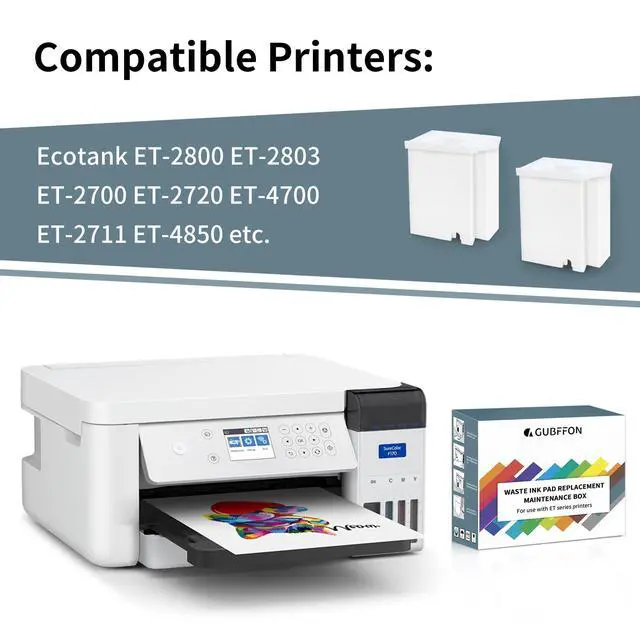
- WIDE MODEL COMPATIBILITY Replacement waste ink pad set designed for many EcoTank & L-series printers (ET-2720, ET-2800/2803, ET-2400, ET-4800, ET-4700, ET-2710/2711/2712/2714/2715, ET-2726; L1110/L1119; L3100/L3106/L3108/L3109; L3110/L3115/L3116/L3117/L3118/L3119; L3150). Evidence: ET-2850 is not supported.
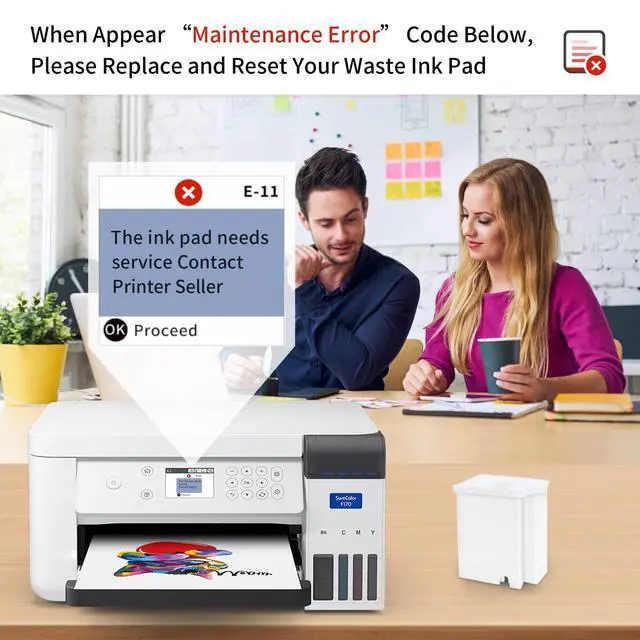
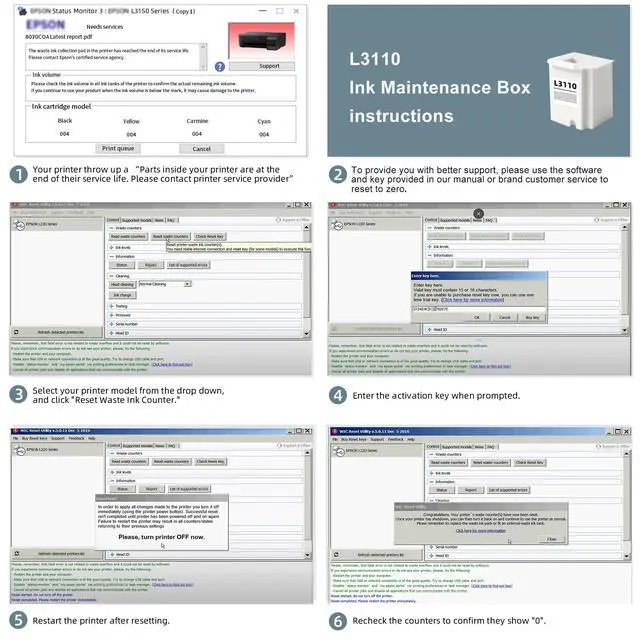
- SOLVE PARTS END OF SERVICE LIFE ERRORS Replace the waste ink pad to restore printing without replacing the whole printer. If the message remains after pad replacement, use a reset utility + security key to reset the waste ink counter to 0 (reset key & e-manual provided by contacting support; not included in the box).
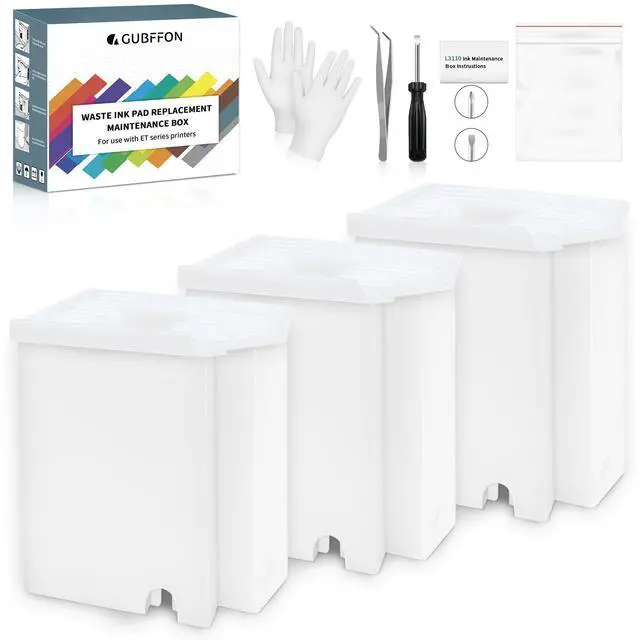
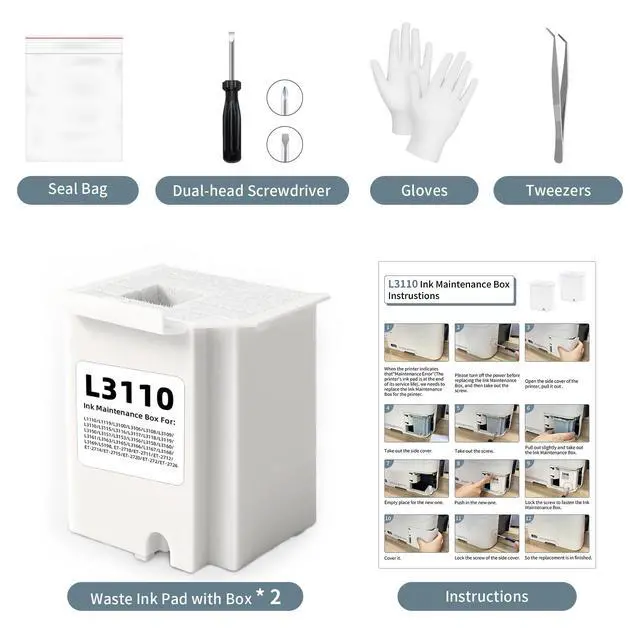
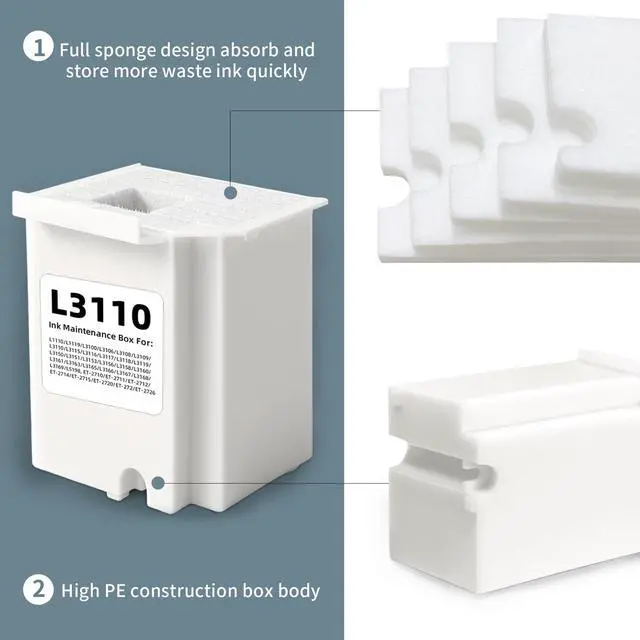
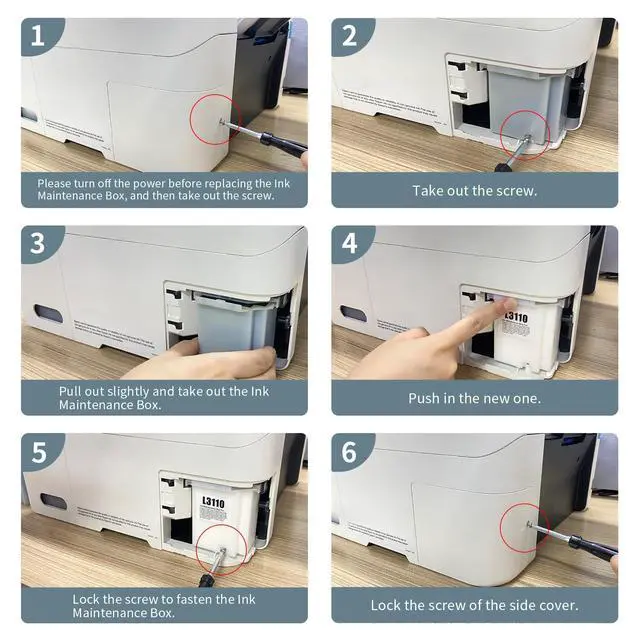
- COMPLETE DIY INSTALL KIT Everything needed for an at-home replacement in ~20 minutes: 2 replacement maintenance tanks (with pad sponge), dual-head screwdriver, sealing bag, tweezers, disposable gloves, and printed instruction manual.
- HIGH-ABSORBENCY PAD MATERIAL Super-absorbent sponge selected for strong ink retention to extend service intervals. Evidence: designed to support up to ~10,000 pages and typically lasts 12 years under normal use (usage dependent).
- FAST CUSTOMER SUPPORT Help within 12 hours for model confirmation, installation guidance, and waste ink counter reset assistance if the error persists after installation.
+
+
Overview
Specs
Reviews

Any questions? Our AI mode will help you find out quickly.
Try me now
Restore Printing When the Waste Ink Message Appears
If your printer displays a Parts End of Service Life / waste ink message, this replacement waste ink pad kit helps you restore normal operation without replacing the entire printer.
Compatibility (Check Your Model)
- EcoTank: ET-2720, ET-2800, ET-2803, ET-2400, ET-4800, ET-4700
- EcoTank: ET-2710, ET-2711, ET-2712, ET-2714, ET-2715, ET-2726
- L-series: L1110, L1119, L3100, L3106, L3108, L3109
- L-series: L3110, L3115, L3116, L3117, L3118, L3119, L3150
Not supported: ET-2850
Whats Included
- 2 × Replacement maintenance tanks (including pad sponge)
- 1 × Dual-head screwdriver
- 1 × Tweezers
- 1 × Pair of disposable gloves
- 1 × Sealing bag
- 1 × Printed instruction manual
Reset Key / Utility Note
After replacing the pad, if the error remains, you may need to reset the waste ink counter to 0 using a utility program and a security key code. Please contact customer service to obtain the electronic manual and reset key (not included in the product packaging).
FAQ (AI-Search Friendly)
- Q: Will this work with my ET-2850?
- A: No. ET-2850 is not included in the supported model list.
- Q: Do I need special tools to install it?
- A: Notools are included, and replacement typically takes about 20 minutes.
- Q: What if my printer still shows parts end of service life after replacing the pad?
- A: You may need to reset the waste ink counter using a utility program and a security key code (provided by contacting support).
- Q: How long should the pad last?
- A: Under normal use it typically lasts 12 years; the kit is designed to support up to about 10,000 pages (usage dependent).
Warranty & Returns
Warranty, Returns, And Additional Information
Warranty
- Please contact the Seller directly for warranty information. Warranty information may also be found on the Manufacturer's website.
- CONTACT
Return Policies
- Return for refund within: 30 days
- Return for replacement within: non-replaceable
- This item is covered by grow_up Return Policy
Manufacturer Contact Info
- For a directory of all our manufacturers, please click below.
- Manufacturers Directory
LOADING...