AOACE Gaming PC AMD Ryzen 7 5700X [8-Core 4.6GHz], RTX 5060 8GB GDDR7, DLSS 4, VR Ready, WiFi 6E, 32GB DDR4, 1TB PCIe4 NVMe, 6 ARGB, Win11 Home
  •  
  • $1,249.99 –
  • Save: 34%
  • $29.99
  • Free 30-day Returns
  • Sold by Direct from manufacturerVIVO
    Top Rated
    4.7 (2,010 seller ratings)

    Shipped by Direct from manufacturerVIVO

    Price alert
    Shop it at NeweggBusiness.

    Meet Your Seller

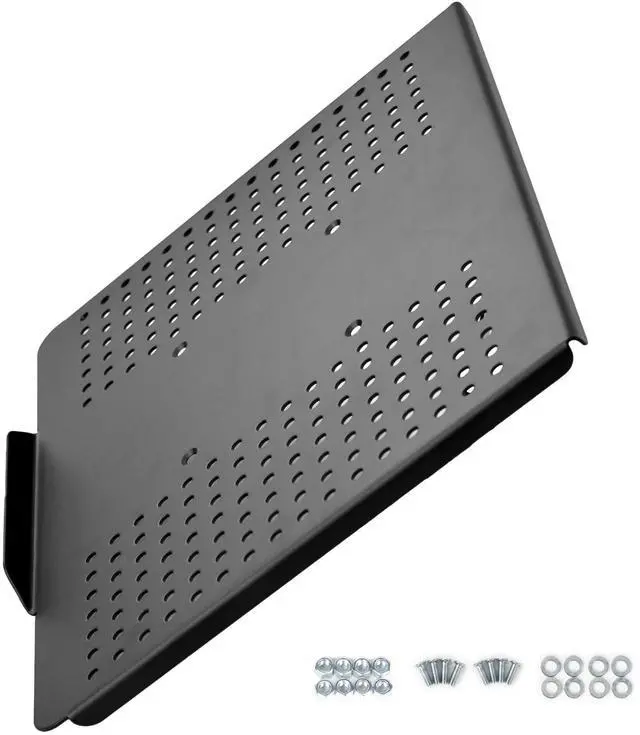
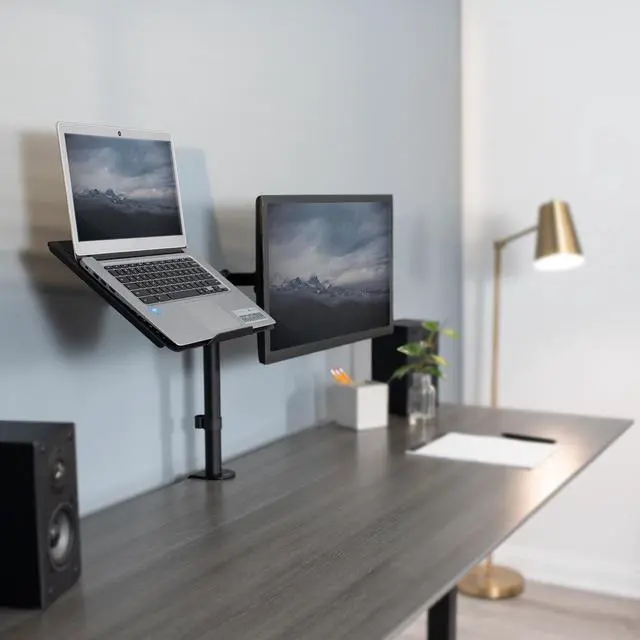
    VIVO Laptop / Notebook Tray Holder for VESA Mount Stand / Fits 100mm Plate Holes

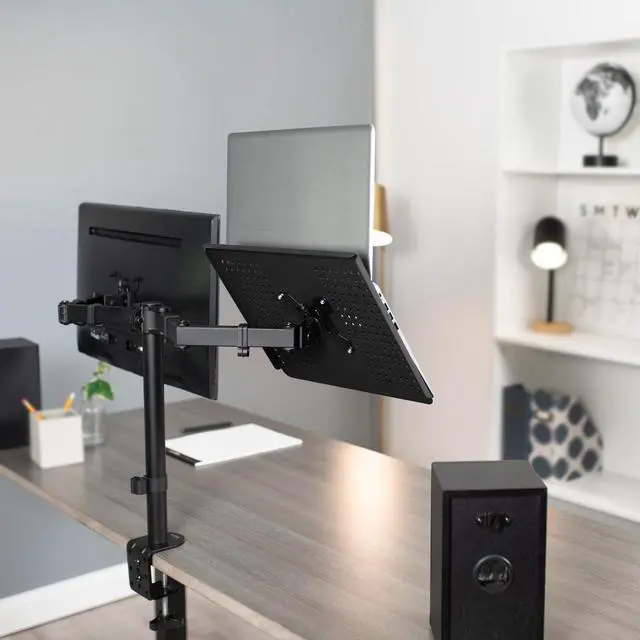
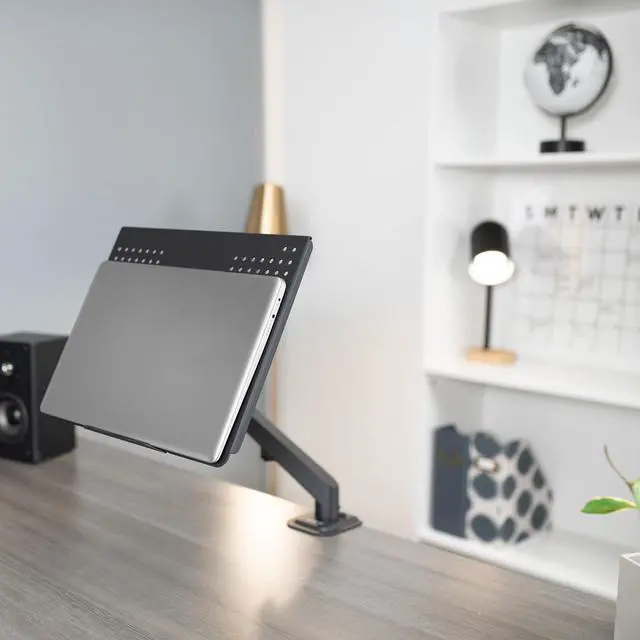
    • Fits 17" Devices: Tray supports 17 laptops and notebooks and is compatible with VESA mounts (This purchase is for the tray only. VESA arm must be purchased separately)
    • Bottom Lip: Protrudes in order to protect devices from sliding and/or sustaining damage through other means
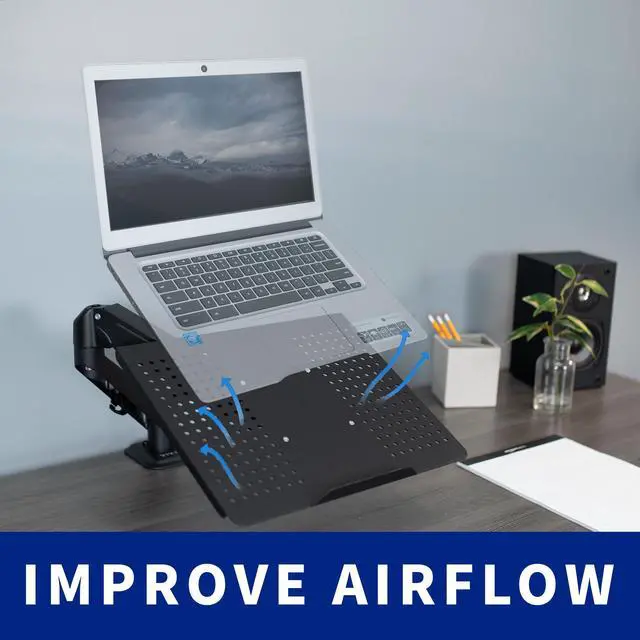
    • Ventilation: Extra ventilation holes significantly improve airflow to keep your laptop cool
    • Ergonomics: Great for improving posture and other aspects of ergonomics while operating computer
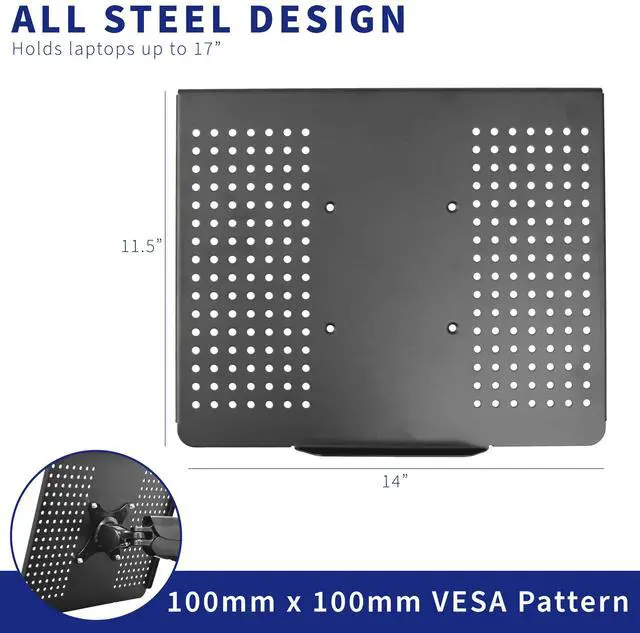
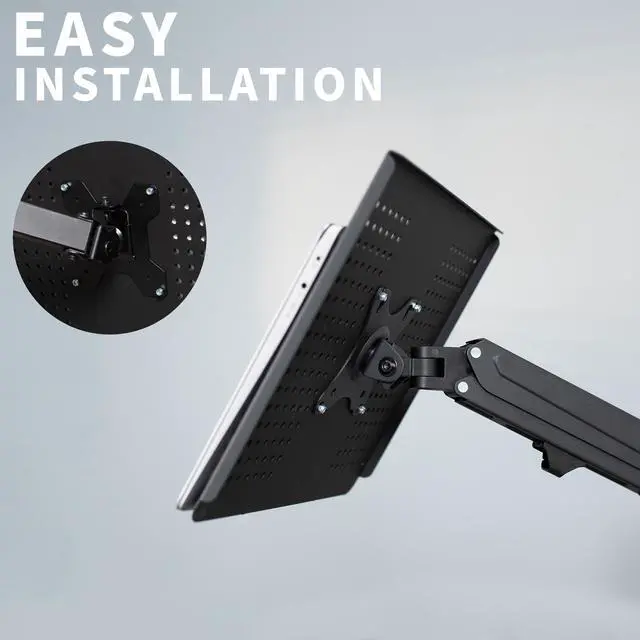
    • VESA Capabilities: Mounting plate connects to any VESA 100x100mm holes
    +
    +
    Overview
    Specs
    Reviews

    Any questions? Ask CelesteSM will help you find out quickly.

    STAND-LAP2 is a new laptop / notebook tray designed with 100 x 100mm VESA holes that attach to your VESA LCD monitor mount. For best operation, a VESA mount that is able to tilt 90 degrees upward is recommended. STAND-LAP2 features numerous ventilation holes and a front retainer lip to help keep your laptop from sliding off. Mounting hardware is included to easily attach the tray to your VESA mount. Comes in a black matte finish and measures 14" x 11.5". This tray is the same as the one that is part of our popular STAND-V001L laptop mount and STAND-V002C laptop/monitor mount.

    Compatibility

    • The following is a list of VIVO Mounts compatible with STAND-LAP2: STAND-V001, STAND-V001O, STAND-V001OU, STAND-V001Q, STAND-V001T, STAND-V002, STAND-V002O, STAND-V002OU, STAND-V003M, STAND-V003T, STAND-V004, STAND-V004Y, STAND-V011, STAND-V012
    • Supports up to 17" laptops and notebooks
    • Compatible with VESA 100mm x 100mm holes

    Features

    • Protruding bottom lip protects laptop from sliding forward
    • Helpful in providing an ergonomic work setup for your laptop / notebook
    • Necessary mounting hardware is provided to easily fasten the tray to your VESA mount
    • Boasts a black matte finish and measures 14" x 11.5"

    Warranty & Returns

    Warranty, Returns, And Additional Information

    Warranty

    • Please contact the Seller directly for warranty information. Warranty information may also be found on the Manufacturer's website.
    • CONTACT

    Return Policies

    • Return for refund within: 30 days
    • Return for replacement within: 30 days
    • This item is covered by VIVO Return Policy

    Manufacturer Contact Info

    LOADING...

    The VIVO laptop tray is a VESA 100x100mm mount accessory for holding laptops and notebooks up to 17 inches, suited to users who want to add a laptop to a compatible VESA stand; the VESA arm is sold separately.

    Recommended For

    • Desk-based workers who already have a compatible 100×100 mm VESA monitor arm and want to position a laptop beside or above their main display without using more desk surface.
    • Docked-laptop users who work with an external keyboard and mouse and want the laptop raised or repositionable while keeping the main work area clear.
    • Home-office or standing-desk users who want to reposition a laptop with a compatible VESA arm as their work posture or viewing setup changes.
    • Users with a laptop up to 17 inches who want an open, ventilated tray with a front lip, rather than a closed or enclosed holder.

    Real-World Use Scenarios

    • At a home-office desk, attach the tray to a compatible VESA arm to lift a laptop off the work surface; this can free space for a keyboard, mouse, or notes while keeping the laptop within reach.
    • When using a laptop alongside an external monitor, mount the laptop on a separate arm to position its screen beside the monitor; this keeps both displays available without taking up as much desk space.
    • For a seated workstation, use a compatible adjustable arm to bring the laptop screen closer to a comfortable viewing position; the result depends on the arm’s adjustment range and the desk setup.
    • In a compact desk setup, use the tray to keep a laptop supported on a VESA arm rather than flat on the desk; its open holes leave the underside less covered, but they do not guarantee lower operating temperatures.
    • For a flexible desk arrangement, attach the tray to a compatible VESA arm and reposition the laptop when switching between focused work and using an external display; the arm must be purchased separately.