Meet Your Seller
Visit VIVO Store
FOLLOW
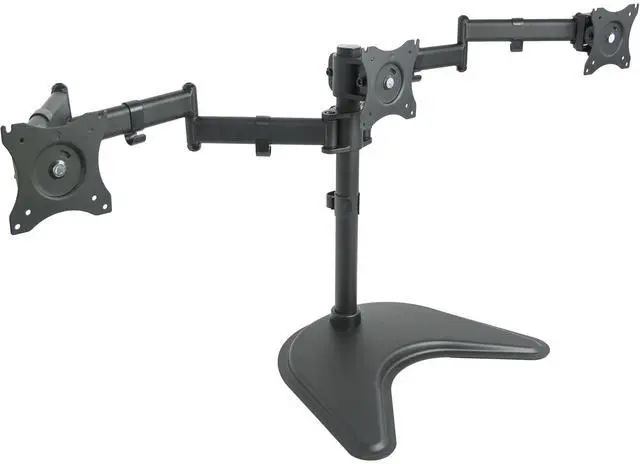
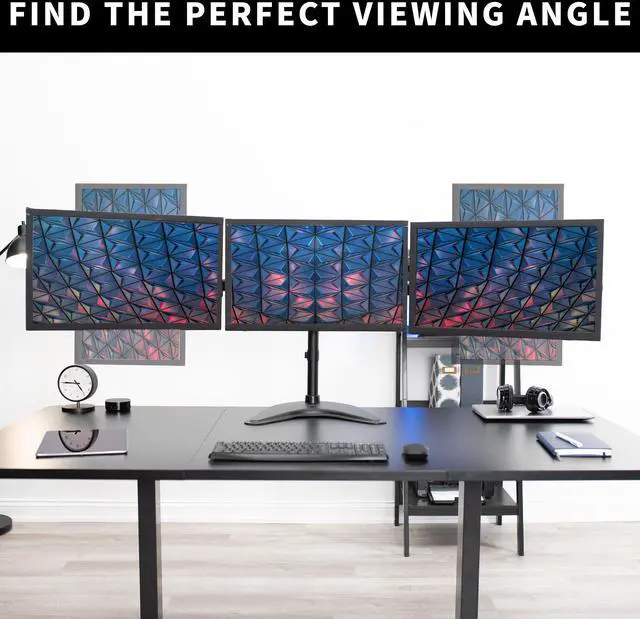
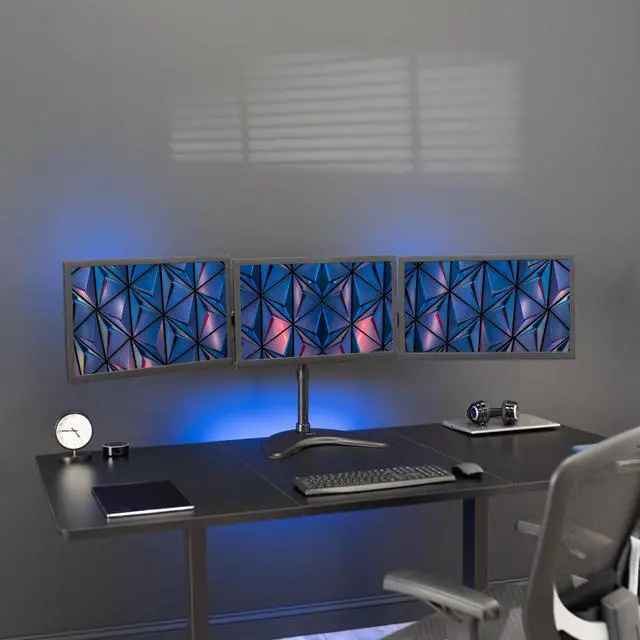
VIVO Triple Monitor Mount Adjustable Desk Free Stand for 3 LCD Screens upto 24"
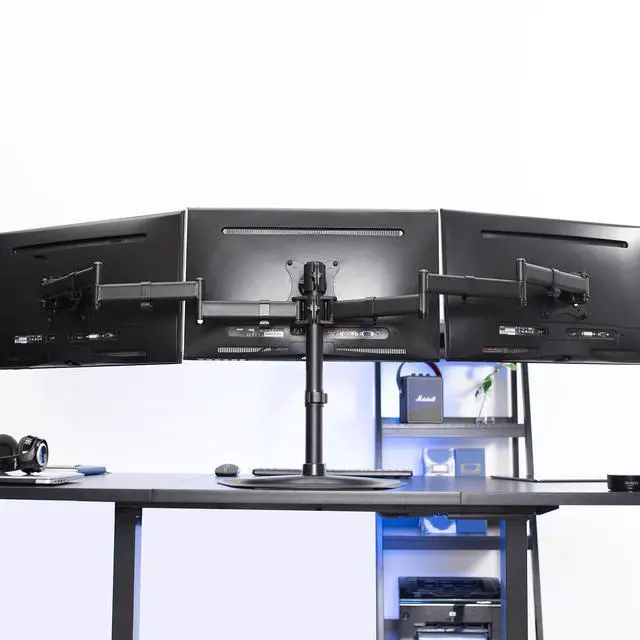
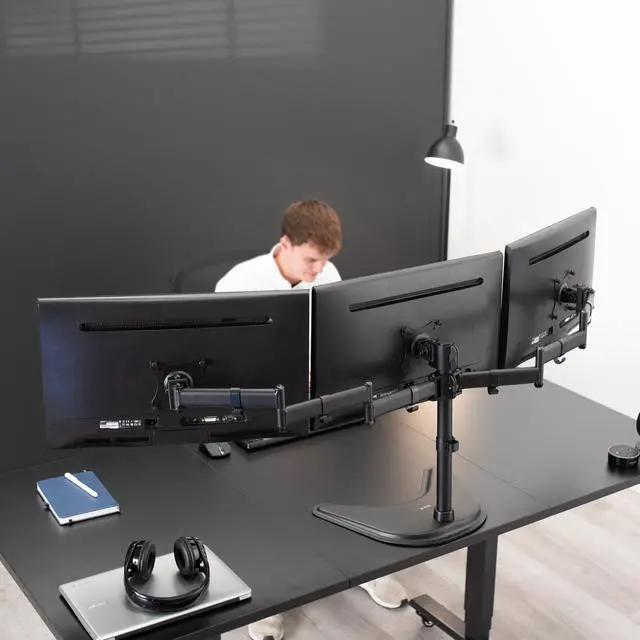
- Triple Monitor Articulating Stand: Clear up valuable workspace and increase work efficiency with a three monitors mount alignment
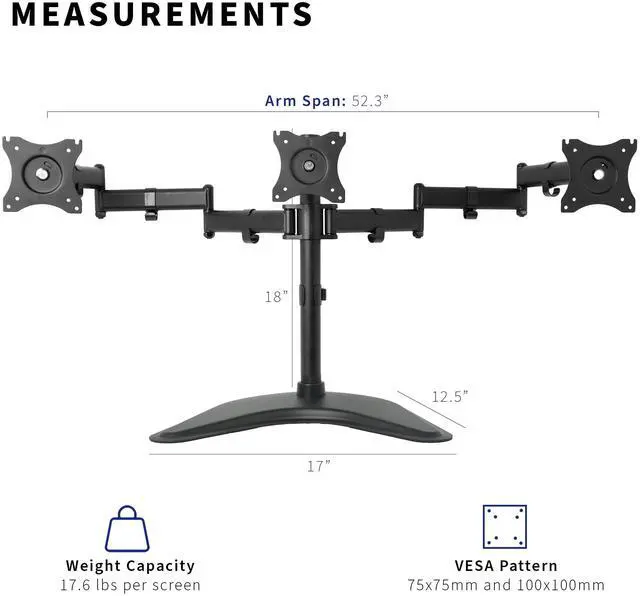
- Fits 13" to 24" Screens: Holds three computer monitors 13" to 24" in size and up to 17.6 lbs each with VESA 75x75mm or 100x100mm mounting holes (will fit 27" screens but will allow very limited angled screen positioning)
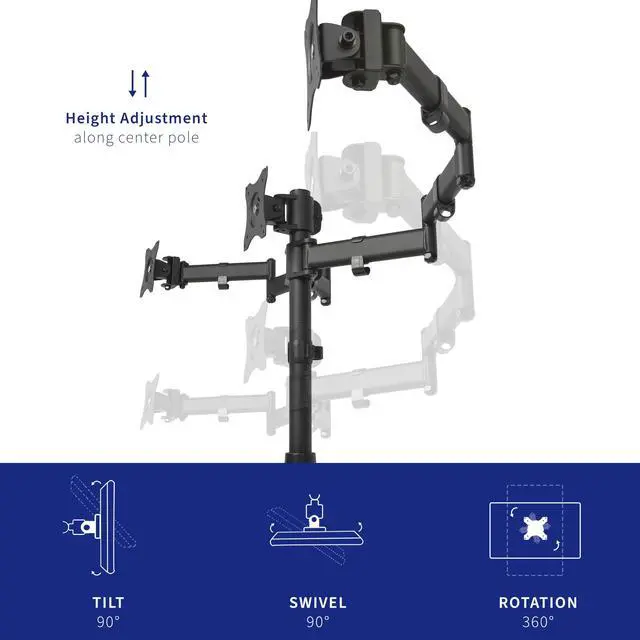
- Fully Adjustable: Mounting arms and plates offer 90° tilt, 90° swivel, and 360° rotation. Monitors can be placed in portrait or landscape orientation
- Perfect Monitor Alignment: The VESA plates allows each individual plate to be adjusted up and down by 1.1 so your monitors will be perfectly aligned
- Best Practices: Please do not pull monitors too far forward or backward unless the stand is bolted down, as this will cause stability issues
+
+
Overview
Specs
Reviews (9)
See all Q & A
Any questions? Ask CelesteSM will help you find out quickly.
Try me now
Triple monitor stand (STAND-V003P) from VIVO! Clear up valuable work space on your desk with this heavy duty three monitor mount. Constructed of high grade steel, this stand was built to resist scratches. The VESA plates allows each individual plate to be adjusted up and down by 1.1" so your monitors will be perfectly aligned. This stand comes in a black matte finish.
Measurements & Compatibility:
- Supports three LCD screens up to 17.6lbs and 24" in size each
- This is a standard VESA mount with 75 X 75 and 100 X 100 mounting holes
- The total arm span reaches 52.3" with an 18" center post
- The mounting brackets are 26" on center (apart), please see product diagram for further details
Features:
- Tilt: -45 to +45 degree
- Swivel: 90 degree
- Rotate: 360 degree
- Height adjustable
- Integrated cable management system
- Monitors can be installed either in portrait or landscape shape
- Fully adjustable arms
- The newly designed stand base is built to provide excellent stabilization while maintaining a super low profile
- The bottom of the base contains padding to protect your desk from scratches
Warranty & Returns
Warranty, Returns, And Additional Information
Warranty
- Please contact the Seller directly for warranty information. Warranty information may also be found on the Manufacturer's website.
- CONTACT
Return Policies
- Return for refund within: 30 days
- Return for replacement within: 30 days
- This item is covered by VIVO Return Policy
Manufacturer Contact Info
- For a directory of all our manufacturers, please click below.
- Manufacturers Directory
LOADING...
The VIVO Triple Monitor Mount is a freestanding desk stand for three 13–24-inch monitors, suitable for multitasking workstations that need adjustable screen positioning without mounting the stand to the desk.
Recommended For
- Desk-based multitaskers who keep email, documents, and reference material visible across three compact monitors and want to reclaim the space beneath them.
- Home-office users who want three side-by-side displays but cannot clamp or bolt a mount to their desk; the free-standing base sits on the desktop instead.
- Users who need a fixed work setup with portrait-and-landscape options—for example, keeping a document or code window vertical beside landscape displays.
- People building a conventional triple-screen desk setup with three VESA-compatible monitors up to 24 inches, rather than a specialized racing-simulation display rig.
Real-World Use Scenarios
- For spreadsheet or accounting work, keep the main workbook in the center and reference data, email, or notes on the side screens; this reduces the need to switch between overlapping windows. A community example describes using separate screens to compare spreadsheet rows and columns.
- For a home-office workflow, place a video meeting or primary task on the center monitor while keeping a calendar, chat, or reference document visible on the side screens; this makes it easier to follow the meeting and check supporting information without repeatedly changing windows.
- When reading long PDFs or documents alongside a main work screen, rotate one compatible monitor to portrait orientation for more visible page content; keep the other screens in landscape for editing or reference work.
- For a desk with three separate monitor bases taking up work area, mounting the screens on one stand can open up room beneath them for a keyboard, paperwork, or other desk items; the stand’s base still occupies part of the desktop.