AOACE Gaming PC AMD Ryzen 7 5700X [8-Core 4.6GHz], RTX 5060 8GB GDDR7, DLSS 4, VR Ready, WiFi 6E, 32GB DDR4, 1TB PCIe4 NVMe, 6 ARGB, Win11 Home
  •  
  • $1,249.99 –
  • Save: 34%
  • $39.99
  • Free 30-day Returns
  • Sold by Direct from manufacturerVIVO
    Top Rated
    4.7 (2,010 seller ratings)

    Shipped by Direct from manufacturerVIVO

    Price alert
    Add to Wish List(Found on 1 wish list)
    Shop it at NeweggBusiness.

    Meet Your Seller

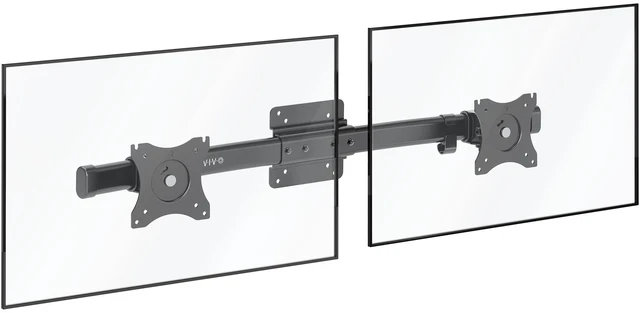
    Dual VESA Bracket Adapter Horizontal Assembly Mount, 2 Monitor Screens up to 27"

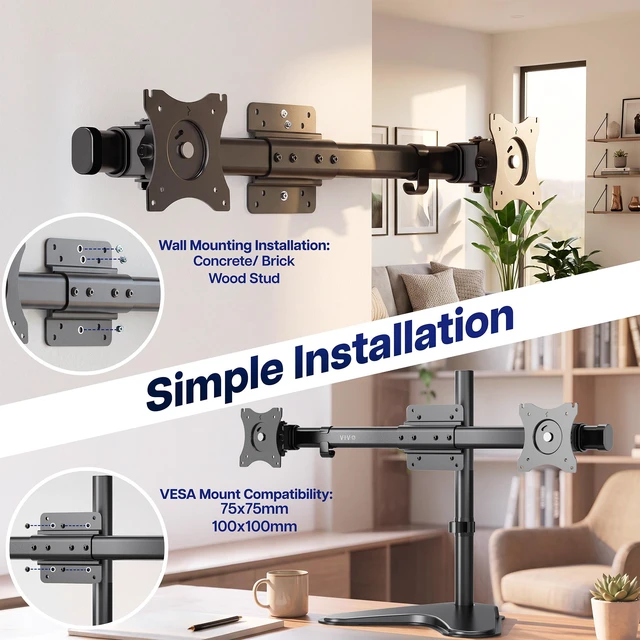
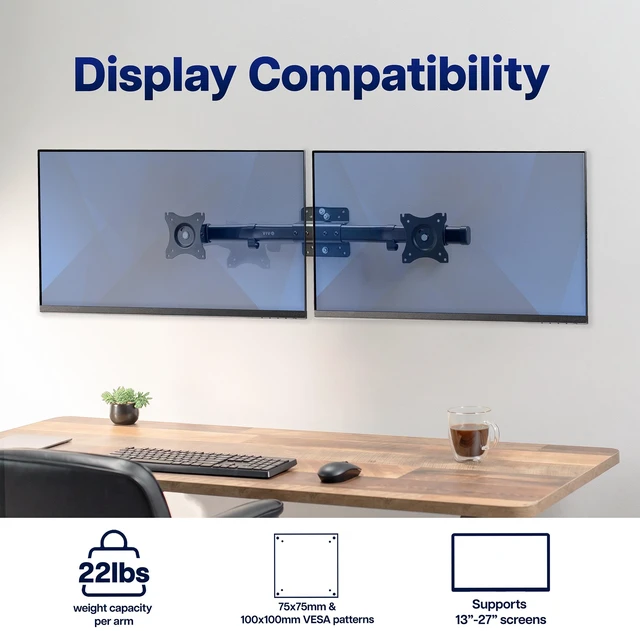
    • VESA Bracket Adapter: Designed to mount to an existing single VESA monitor mount or stand, and can also be wall-mounted for a versatile setup. Fits VESA 75x75mm and 100x100mm mounting holes (bracket and mounting bolts included)
    • Fits 13 to 27 Screens: This sturdy bracket adapter is built to support 13 to 27 monitor screens weighing up to 22 lbs each
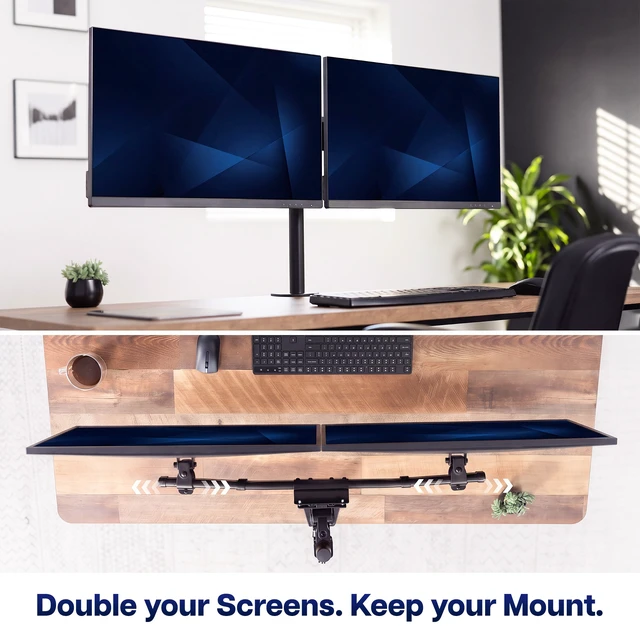
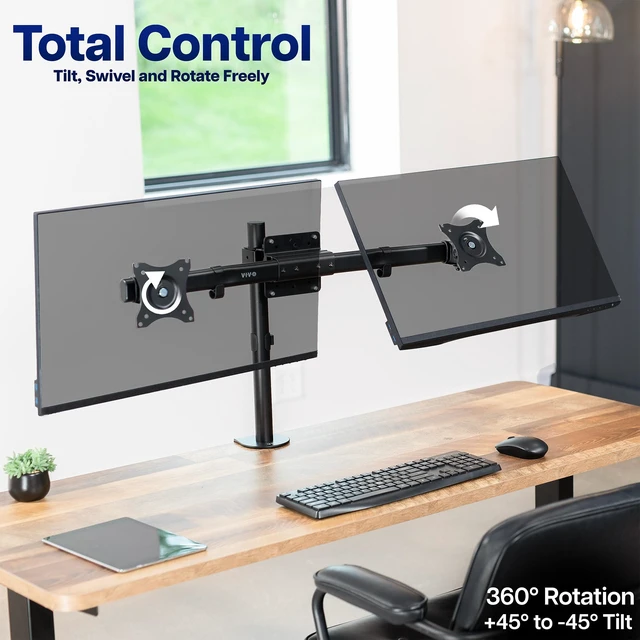
    • Dual Screen Display: Curved horizontal array creates perfect dual-monitor viewing. Screens can be installed in either portrait or landscape orientation
    • Articulation and Slide Adjustment: Mounting brackets feature +45° to -45° tilt, 30° swivel, 360° rotation, and sliding capability so that you can enjoy ergonomic viewing angles and have a flush screen setup
    • Easy Setup: Assembly and mounting are an easy process with hardware and step-by-step instructions included
    +
    +
    Overview
    Specs
    Reviews

    Any questions? Ask CelesteSM will help you find out quickly.

    Create double the viewing experience with the VESA Adapter Bracket for 2 Monitor Screens (MOUNT-VW02A) from VIVO! This adapter bracket is designed to connect to a VESA single monitor mount or can be installed on a wall, supporting two screens (weighing up to 22 pounds each) rather than one. Please note that MOUNT-VW02A does not come with the stand/base or VESA plate, which must be purchased separately. Monitors are mounted on a curved rail that can be moved from side to side without requiring tools, and can be tilted 45 degrees in each direction to create proper ergonomic viewing angles. Open slots at the top of the mounting bracket make attaching your monitors incredibly easy. Cable clips are included on each side of the mount to keep cords organized and protected. This curved bracket is simple to assemble, features VESA 75x75mm and 100x100mm hole patterns, and includes all mounting hardware.

    Compatibility

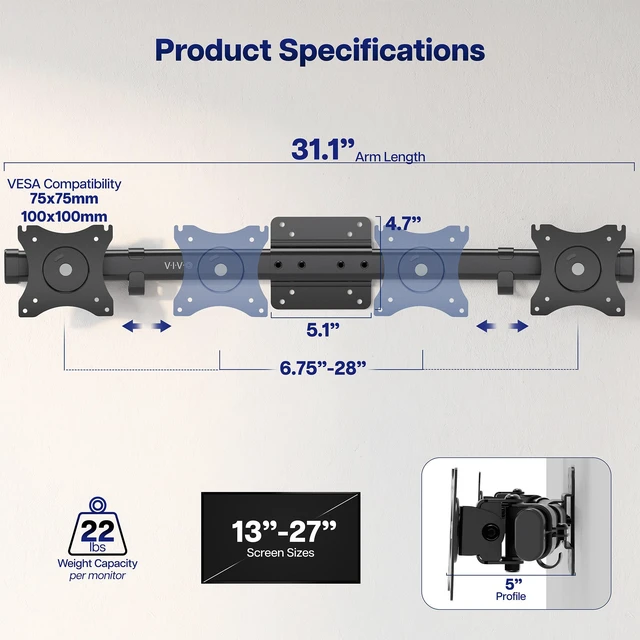
    • Screen Size: 13" to 27"

    • Mounting Options: Wood Stud, Concrete/Brick, VESA Plate

    • VESA Standard: 75x75mm and 100x100mm

    • Weight Capacity: 22 lbs (per monitor)

    Specifications

    • Color: Black

    • Material: Steel

    • Wall Bracket Dimensions: 5.1 x 4.7

    • Arm Span: 6.75 to 28

    • Sliding Adjustment: 12.25 Per Side

    • Arm Length: 31.1

    • Profile: 5

    • Articulation: +45° to -45° tilt, 30° swivel, and 360° rotation

    • Screen Orientation: Portrait or Landscape

    Warranty & Returns

    Warranty, Returns, And Additional Information

    Warranty

    • Please contact the Seller directly for warranty information. Warranty information may also be found on the Manufacturer's website.
    • CONTACT

    Return Policies

    • Return for refund within: 30 days
    • Return for replacement within: 30 days
    • This item is covered by VIVO Return Policy

    Manufacturer Contact Info

    LOADING...
    LOADING...

    The VIVO Dual VESA Bracket Adapter holds two 13–27-inch monitors, up to 22 lb each, in a curved horizontal layout. It suits users building a dual-screen setup from a compatible VESA mount or stand, with portrait or landscape orientation and adjustable viewing angles.

    Recommended For

    • Desk users who already have a compatible single-monitor VESA mount and want to convert it to a side-by-side setup for tasks such as keeping reference material beside a main work screen.
    • People who want two monitors aligned in a horizontal row and need to slide the screens along the bracket to adjust their spacing.
    • Users building a mixed-orientation workspace, such as a landscape screen for primary work with a portrait screen for documents or long pages.
    • People who want a two-screen wall-mounted setup and can securely attach the bracket to an appropriate wall structure.

    Real-World Use Scenarios

    • If you already have a compatible single-monitor mount, add a second display to the same support for a side-by-side setup without replacing the mount or stand.
    • For desk work that involves switching between a primary task and reference material, position two landscape displays together so both screens remain in view.
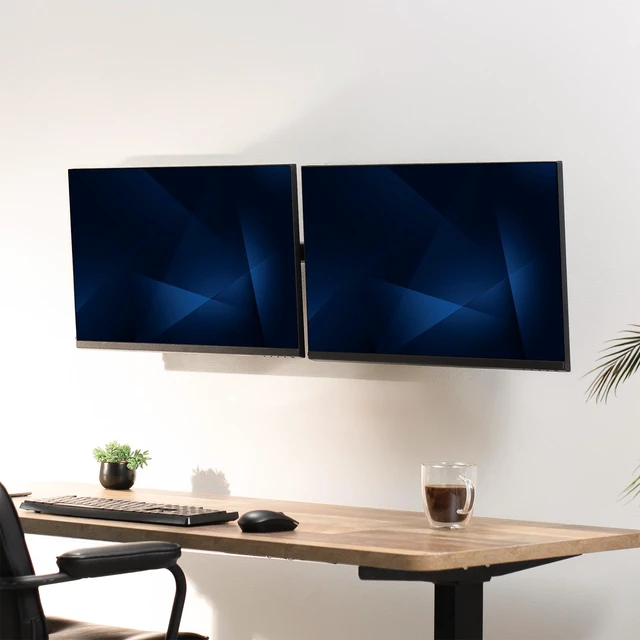
    • For a wall-mounted workstation, attach the bracket to a compatible wall mount to place two screens side by side and keep them off the desk surface.
    • When a task benefits from different screen shapes, set one display in portrait for longer pages or documents and keep the other in landscape for general work.
    • For a gaming or hobby desk, use the bracket to arrange two displays across one mounting point, then slide them into position to suit the setup.