AOACE Gaming PC AMD Ryzen 7 5700X [8-Core 4.6GHz], RTX 5060 8GB GDDR7, DLSS 4, VR Ready, WiFi 6E, 32GB DDR4, 1TB PCIe4 NVMe, 6 ARGB, Win11 Home
  •  
  • $1,249.99 –
  • Save: 34%
  • $69.99
  • Free 30-day Returns
  • Sold by Direct from manufacturerVIVO
    Top Rated
    4.7 (2,010 seller ratings)

    Shipped by Direct from manufacturerVIVO

    Price alert
    Shop it at NeweggBusiness.

    Meet Your Seller

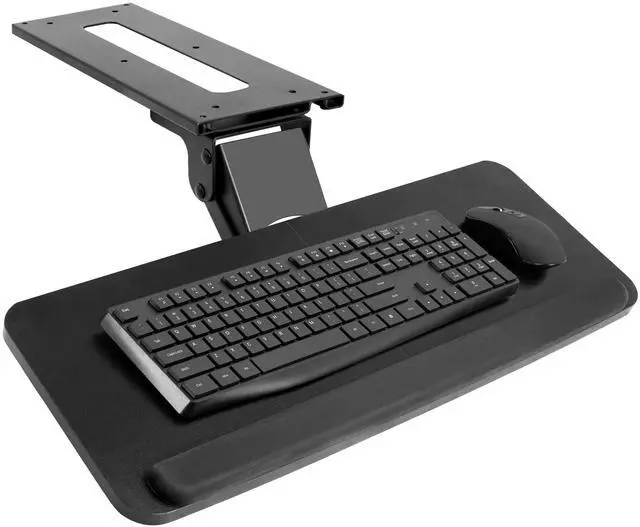
    VIVO Adjustable Computer Keyboard & Mouse Platform Tray Under Table Desk Mount

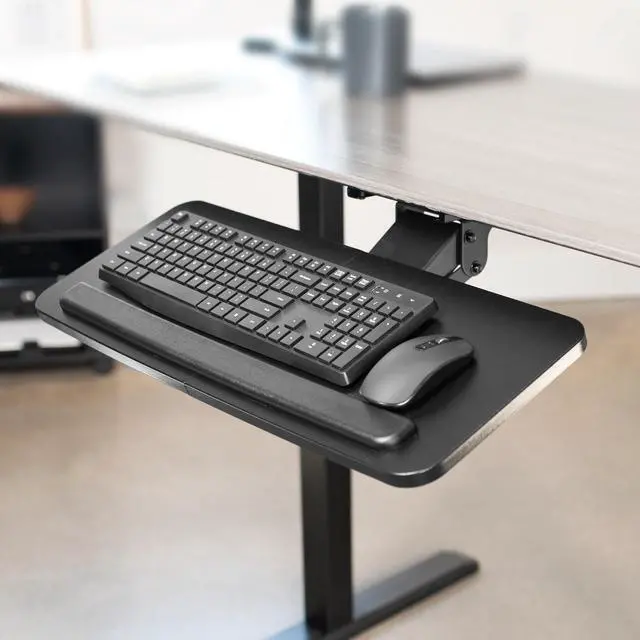
    • Ergonomic Keyboard and Mouse Tray: Installs underneath a standard desk for comfortable typing angles --Patent Pending--
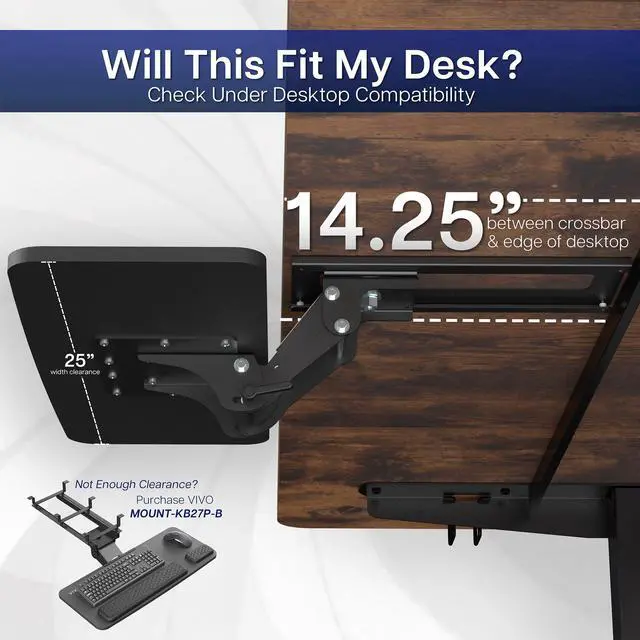
    • Compatibility: If installing to a height adjustable desk, you will need a spacer bracket for the track to fit over the frame crossbar. Search for adapter MOUNT-SPACER01 (not included) for this purpose
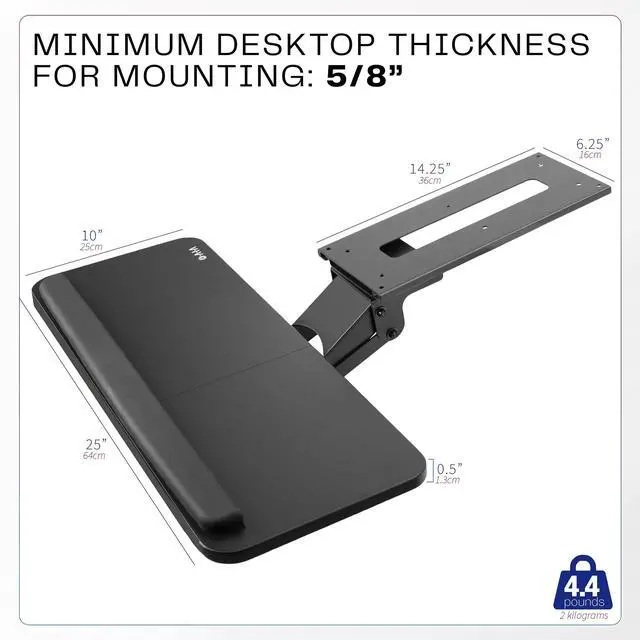
    • Deluxe Universal 25" x 10" Tray: Fits most keyboards and mice. The keyboard slides forward and back on a 14.25" long and 6.25" wide track (will need 14.25" between the desktop edge and crossbar). Minimum recommended desktop thickness is 5/8"
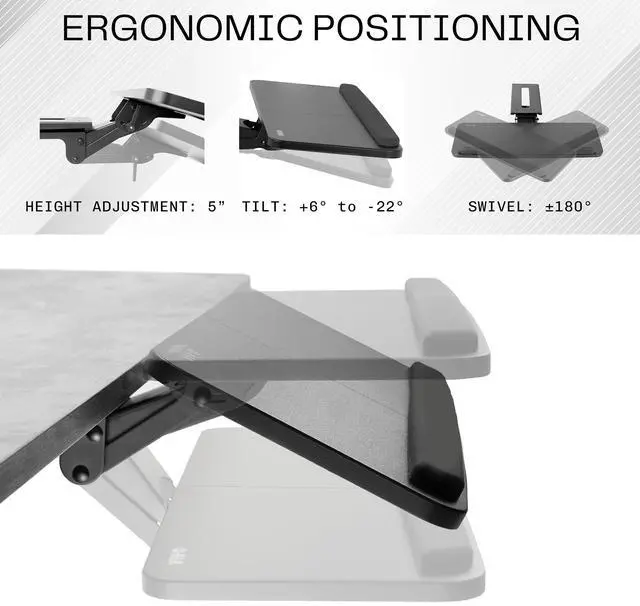
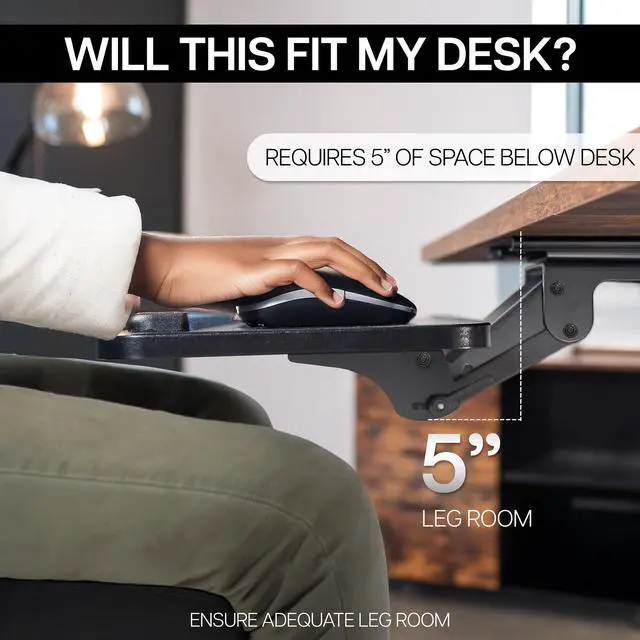
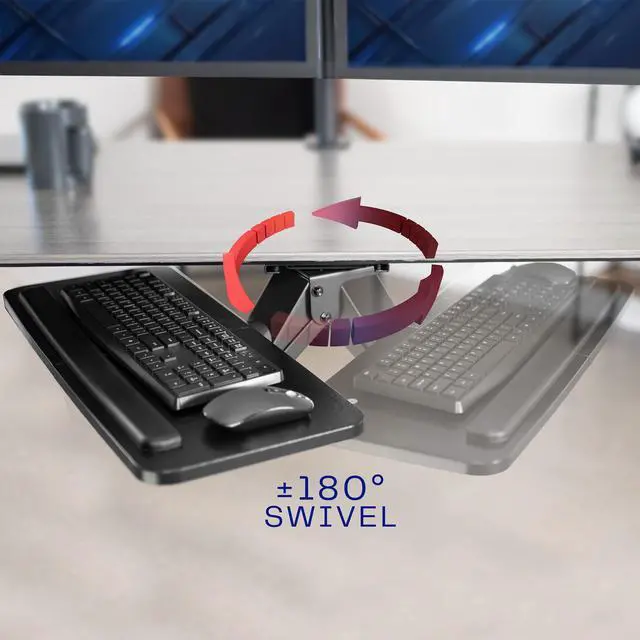
    • Enhance Posture: Reduce wrist soreness with supportive rubber padding, full side to side rotations, and 5" height adjustment
    • Simple Assembly Process: All mounting hardware is included for fast and easy assembly. The total tray weight is 10 lbs. Please be sure your desk can support this under-mounted weight
    +
    +
    Overview
    Specs
    Reviews
    See all Q & A

    Any questions? Ask CelesteSM will help you find out quickly.

    Enhance your typing posture with the Black Under Desk Keyboard Tray (MOUNT-KB03B) from VIVO! An adjustable and convenient workflow is ideal and easy on the body as you type at a more ergonomic position. When not in use, simply slide the tray under the desk and out of the way. This sturdy product comes in a black matte finish to match a variety of desks on the market and provide a modern appearance. The sleek metal track is low profile and slides under the desk when not in use. Getting your keyboard tray set up is a breeze, and we provide all the hardware for under-desk mounting.

    Compatibility

    • Universal Design: Fits most keyboards and mice on the market
    • Minimum Recommended Desktop Thickness: 5/8"
    • Desk Support: Please make sure that your desk can support the trays weight of 10 pounds
    • Weight Capacity: 4.4 lbs

    Specifications

    • Color: Black
    • Material: Steel, MDF Board
    • Keyboard Tray Dimensions: 25" x 10"
    • Keyboard Tray Thickness: 0.5"
    • Sliding Track Dimensions: 14.25" x 6.25"
    • Height Adjustment: 5"
    • Tilt: +6° to -22°
    • Rotation: 360°

    Warranty & Returns

    Warranty, Returns, And Additional Information

    Warranty

    • Please contact the Seller directly for warranty information. Warranty information may also be found on the Manufacturer's website.
    • CONTACT

    Return Policies

    • Return for refund within: 30 days
    • Return for replacement within: 30 days
    • This item is covered by VIVO Return Policy

    Manufacturer Contact Info

    LOADING...

    The VIVO Adjustable Computer Keyboard & Mouse Platform Tray is an under-desk mount for people who want a full-size keyboard and mouse workspace with adjustable height and typing angle; it offers 5 inches of height adjustment and side-to-side rotation.

    Recommended For

    • People who type and use a mouse for long desk sessions and want to adjust the keyboard position independently of the desktop; the tray offers height, tilt, and rotation adjustments.
    • Users with a crowded desktop who want to slide their keyboard and mouse underneath the desk when they need the surface for other tasks.
    • People setting up a fixed-height desk who want a lower, adjustable typing position without replacing the desk.
    • Users with a standard-size keyboard and mouse who want both on one under-desk platform rather than on separate surfaces.

    Real-World Use Scenarios

    • During a work-from-home day with frequent typing and mouse use, a user can position both on the under-desk tray and adjust its height and angle to find a more comfortable working posture.
    • On a crowded desk used for paperwork or other tasks, the user can slide the keyboard tray beneath the desktop when it is not needed, freeing the main surface.
    • When a user’s current typing position feels too high or low, the tray’s height and tilt adjustments let them reposition the keyboard and mouse without changing the desk itself.
    • In a compact home office, mounting the keyboard and mouse below the desktop can leave the top surface available for a monitor, notebook, or other daily work items.
    • For a sit-stand desk setup, the tray can provide a separate keyboard position, but the user should check for a frame crossbar and allow room for the track; a spacer bracket may be needed.