ABS Cyclone Aqua Prebuilt Gaming PC - Windows 11 - Intel Core i7-14700F - GeForce RTX 5060 8GB - DLSS 4 - 32GB DDR5 - 1TB NVMe SSD
  •  
  • $1,599.99 –
  • Save: 11%
  • $49.99
  • Free 30-day Returns
  • Sold by Direct from manufacturerVIVO
    Top Rated
    4.7 (2,010 seller ratings)

    Shipped by Direct from manufacturerVIVO

    Price alert
    Add to Wish List(Found on 6 wish lists)
    Shop it at NeweggBusiness.

    Meet Your Seller

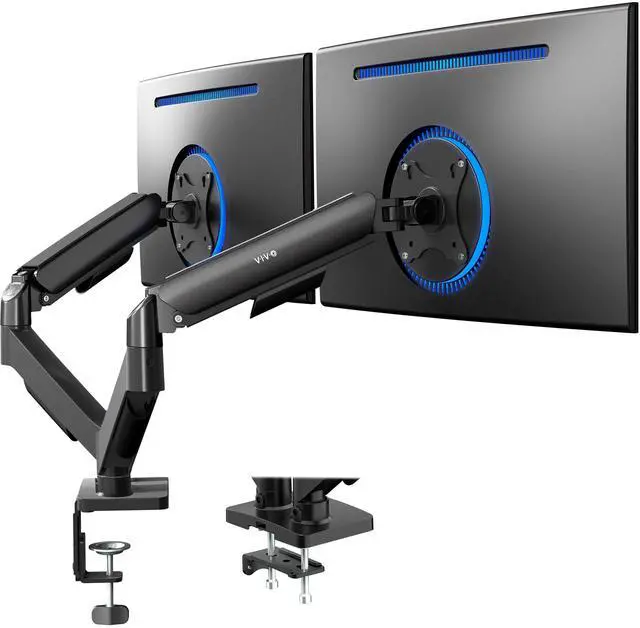
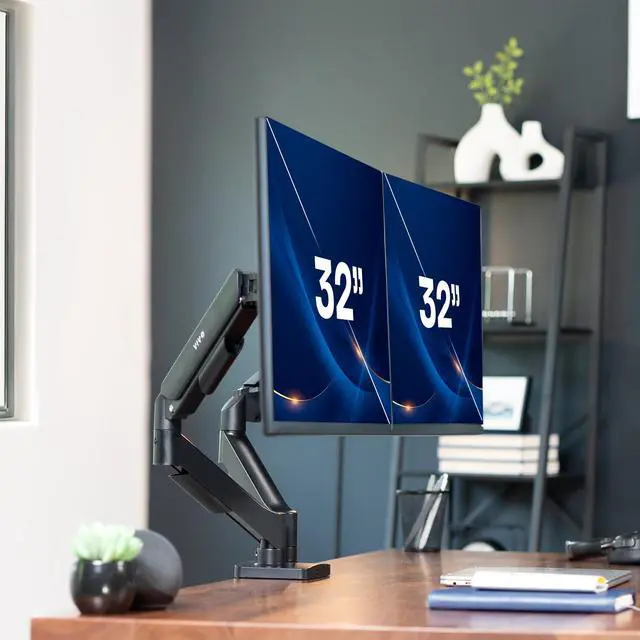
    Dual Monitor Mechanical Spring Desk Mount Stand | Fits Screens up to 32"

    • Black
    • White
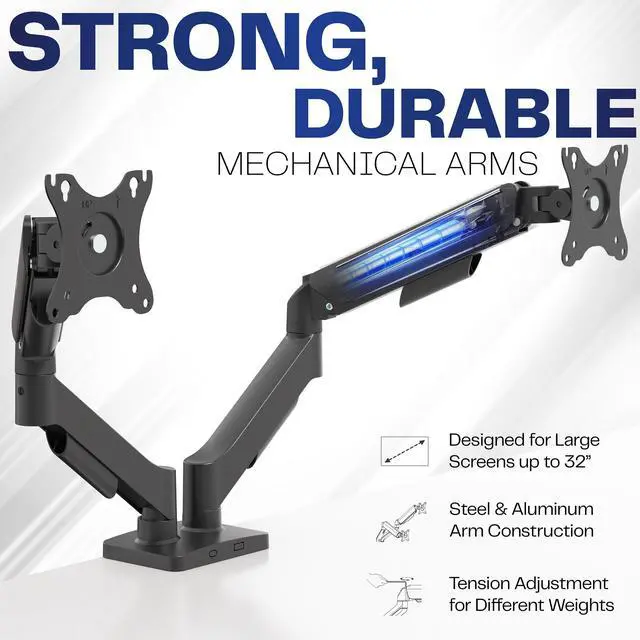
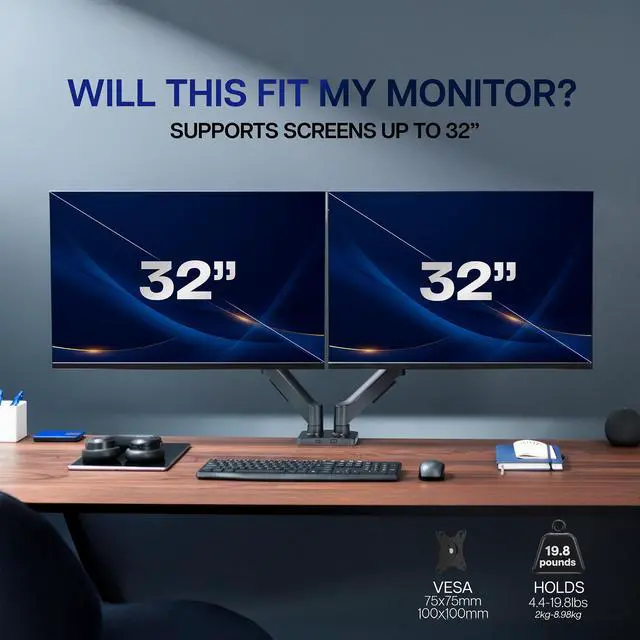
    • Screen Compatibility: Universally compatible with most 17-inch to 32-inch flat and curved screens weighing from 4.4 lbs to 19.8 lbs each with VESA 75x75mm or 100x100mm mounting patterns
    • Mechanical Spring Adjustment: Toolless monitor placement with perfect counterbalance presentation in all directions. Please Note: The back of the arms will extend past the edge of your desk
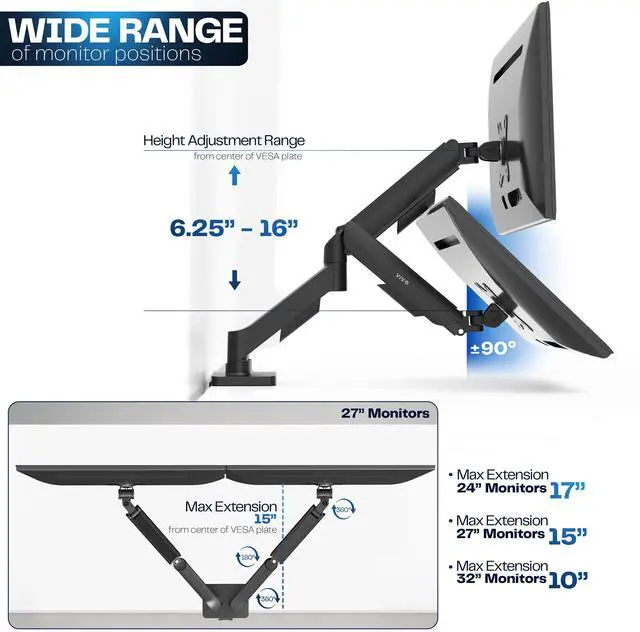
    • Articulation: The mounting brackets offer +90° to -90° tilt, 180° swivel, and 360° rotation for convenient, customizable viewing angles
    • Easy Assembly: All hardware and step-by-step instructions are provided for smooth assembly. The open-top VESA plates create easy slide-on monitor installation
    • Clear Up Desk Space: Reclaim valuable desk space by elevating 2 screens and mounting this stand to your surface of choice with the heavy-duty C-clamp (tops up to 3.1") or optional bolt-through grommet mount (tops up to 1.9")
    +
    +
    Overview
    Specs
    Reviews (7)
    See all Q & A

    Any questions? Ask CelesteSM will help you find out quickly.

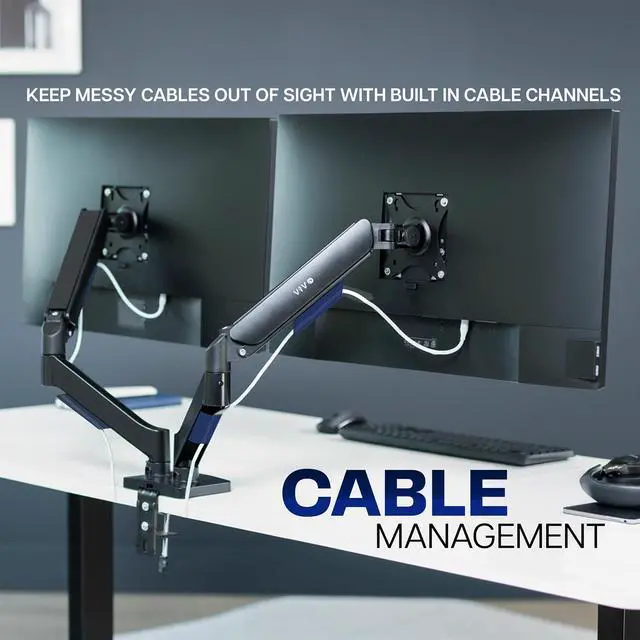
    Elevate your monitors to an ergonomic height and adjust viewing angles with just the touch of a hand with the Mechanical Arm Dual Monitor Desk Mount (STAND-V002O) from VIVO! Supporting 17" to 32" monitors weighing up to 19.8 lbs each, this counterbalance mount provides simple height adjustment without the use of tools. Featuring high-quality construction, flexible joints, integrated cable management, sturdy clamp or grommet mounting, and more, this stand is ready to transform your workspace!

    Compatibility

    • Screen Sizes: 17" to 32"
    • VESA Standard: 75x75mm and 100x100mm
    • Desktop Thickness for Clamp: 0.4" to 3.1"
    • Desktop Thickness for Grommet: 0.4" to 1.9"
    • Weight Capacity: 4.4 lbs to 19.8 lbs per arm

    Specifications

    • Color: Black
    • Material: Aluminum, Steel, Plastic
    • Surface Finish: Powder Coating
    • Arm Span: 33
    • Maximum Screen Height: 16 (center screen)
    • Maximum Extension: 19.75
    • Articulation: +90° to -90° tilt, 180° swivel, and 360° rotation
    • Height Adjustment: 6.25" to 16"
    • Screen Orientation: Portrait or Landscape

    Warranty & Returns

    Warranty, Returns, And Additional Information

    Warranty

    • Please contact the Seller directly for warranty information. Warranty information may also be found on the Manufacturer's website.
    • CONTACT

    Return Policies

    • Return for refund within: 30 days
    • Return for replacement within: 30 days
    • This item is covered by VIVO Return Policy

    Manufacturer Contact Info

    LOADING...

    The VIVO dual-monitor mechanical spring desk mount suits home-office and workstation users who want to raise two compatible screens and adjust their viewing positions without tools. It supports most 17–32-inch flat or curved monitors weighing 4.4–19.8 lb each, with VESA 75x75mm or 100x100mm mounting patterns.

    Recommended For

    • Home-office and office users running two compatible monitors who want to free up desk surface by mounting both screens on one clamp or grommet base.
    • People who switch between seated and standing desk positions and want to reposition two monitors without using tools for routine height and angle changes.
    • Multitaskers who keep two displays side by side—for example, referencing documents on one screen while writing or working in another—and want flexible tilt, swivel, and portrait-or-landscape positioning.
    • Users whose two monitors each fall within the mount’s 17–32-inch, 4.4–19.8-pound, VESA 75×75 or 100×100 compatibility range and who want to adjust their viewing positions by hand.

    Real-World Use Scenarios

    • For a two-screen work setup, keep your main task on one monitor and documents, a spreadsheet, or a meeting on the other; position the screens side by side to reduce switching between windows.
    • When desk space is limited, lift both monitors off their original bases to free the surface below for a laptop, notebook, or other everyday items.
    • For reading long documents or viewing code, rotate one screen to portrait while leaving the other in landscape; this can make a secondary display better suited to tall content.
    • If your viewing position changes during the day, reposition the screens by hand to bring them closer, raise or lower them, or angle them toward your current seat.
    • During a quick review or conversation at the desk, swivel one monitor toward another person so they can see the screen without moving the whole desk setup.