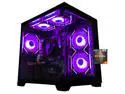
ABS Cyclone Aqua Prebuilt Gaming PC - Windows 11 - Intel Core i7-14700F - GeForce RTX 5060 8GB - DLSS 4 - 32GB DDR5 - 1TB NVMe SSD
  •  
  • $1,599.99 –
  • Save: 11%
  • $39.99
  • Free 30-day Returns
  • Sold by Direct from manufacturerVIVO
    Top Rated
    4.7 (2,010 seller ratings)

    Shipped by Direct from manufacturerVIVO

    Price alert
    Shop it at NeweggBusiness.

    Meet Your Seller

    VIVO Computer Keyboard & Mouse Platform VESA Mount Attachment 25.5 x 8" Tray

    • Mounted Keyboard and Mouse Tray: VESA keyboard tray bracket attachment that mounts directly to monitor mounts and stands, hanging below the computer screen. Perfect combination with wall mounts to create a standing workstation
    • Compatibility: Keyboard tray measures 25.5" x 8.3" and fits both keyboard and mouse side-by-side. Attachment bracket measures 5.5" x 13.3"
    • Cable Management: Backside cable management keeps potentially messy AV and power cords organized for a tidy, distraction free workspace
    • Built to Last: Crafted for long-term use with high quality materials and a durable design to withstand daily wear and tear
    • Simple Assembly Process: Includes mounting hardware and easy-to-follow assembly instructions for a hassle free setup
    +
    +
    Overview
    Specs
    Reviews (1)

    Any questions? Ask CelesteSM will help you find out quickly.

    Enhance your monitor mount by adding VESA Keyboard Tray (MOUNT-KB03) from VIVO! Designed to connect to your monitor mount with the tray sitting underneath the computer screen, this innovative product will turn your basic monitor setup into a standing workstation! The tray measures 25.5 x 8.3, fitting both the keyboard and mouse side-by-side. Backside cable management keeps AV and power cords organized, and mounting hardware and assembly instructions are included. MOUNT-KB03 is perfect for office workspaces, reception areas, home offices, and more. Please Note: The monitor mount must be purchased separately.

    Compatibility

    • VESA Standard: 75x75mm and 100x100mm
    • Weight Capacity: 4.4 lbs

    Specifications

    • Color: Black
    • Material: Steel
    • Tray Dimensions: 25.5(L) x 8.3(W)
    • Bracket Dimensions: 5.5(L) x 13.3(H)

    Warranty & Returns

    Warranty, Returns, And Additional Information

    Warranty

    • Please contact the Seller directly for warranty information. Warranty information may also be found on the Manufacturer's website.
    • CONTACT

    Return Policies

    • Return for refund within: 30 days
    • Return for replacement within: 30 days
    • This item is covered by VIVO Return Policy

    Manufacturer Contact Info

    LOADING...

    The VIVO VESA-mount keyboard and mouse tray attaches to compatible monitor mounts or stands, placing both peripherals side by side below the screen. It suits people creating a standing workstation or adding a keyboard tray to a monitor-mounted setup.

    Recommended For

    • People creating a compact home-office or standing workstation who already have a compatible monitor mount and want the keyboard and mouse positioned below the screen.
    • Reception or service-desk staff who need a keyboard-and-mouse surface attached to a monitor mount rather than taking up space on the main counter.
    • Desk users who want a dedicated, side-by-side keyboard and mouse surface and whose peripherals fit within the tray’s 25.5 × 8.3-inch area.
    • Users with a 75 × 75 mm or 100 × 100 mm VESA-compatible monitor mount who want to add a keyboard platform without buying a separate desk-mounted tray.

    Real-World Use Scenarios

    • When a wall-mounted monitor leaves no convenient place for a keyboard, attach the tray to a compatible VESA mount to create a workstation where the screen and typing area sit together.
    • On a crowded desk, place the keyboard and mouse on the mounted tray to free the main surface for writing, paperwork, or other equipment.
    • For a standing workstation built around a wall-mounted monitor, use the tray as a nearby typing surface; the result depends on setting the mount and tray at a comfortable working height.
    • In a compact workstation with limited room for a separate keyboard stand, use the under-screen tray to keep the keyboard and mouse together near the display.
    • For a cleaner-looking setup, route keyboard and power cables along the tray’s rear cable-management area instead of leaving them loose across the work surface.