• $39.99
  • Free 30-day Returns
  • Sold by Direct from manufacturerVIVO
    Top Rated
    4.7 (2,010 seller ratings)

    Shipped by Direct from manufacturerVIVO

    Price alert
    Shop it at NeweggBusiness.

    Meet Your Seller

    VIVO Gas Spring Full Articulating Arm Monitor Wall Mount for 17" to 32" Screens

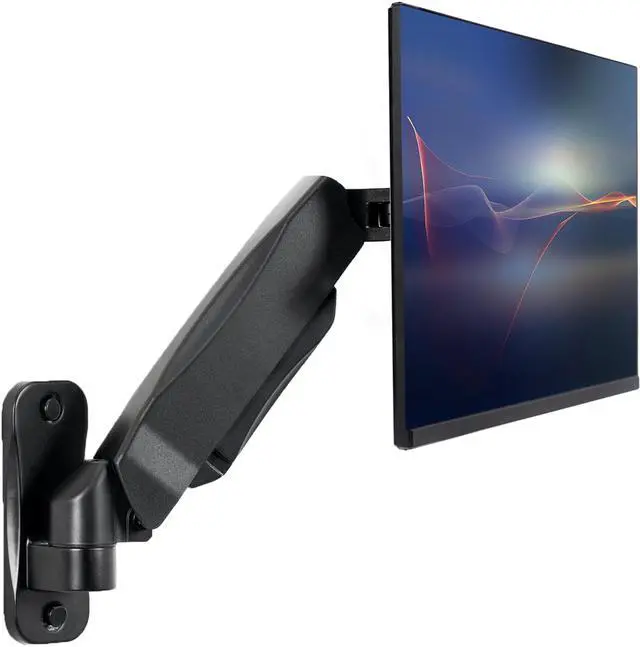
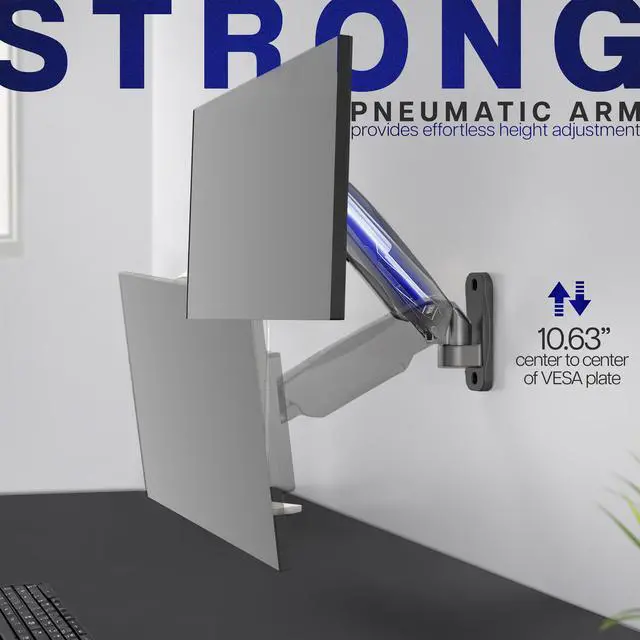
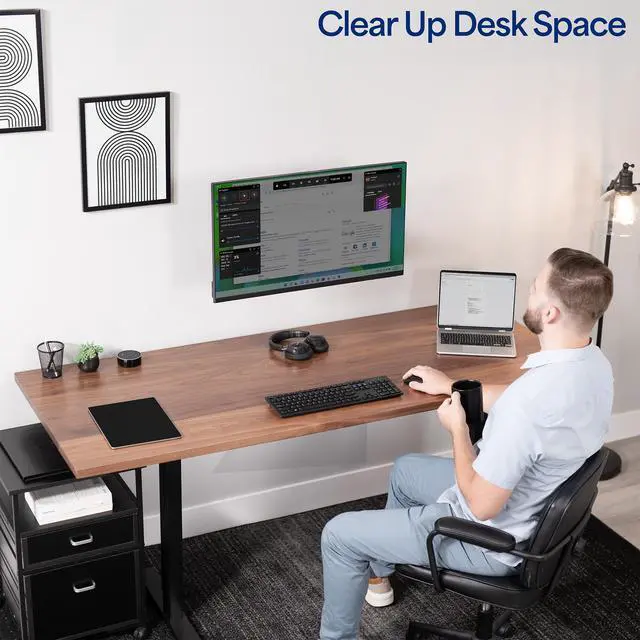
    • Counterbalance Wall Mount: Clear up valuable desk space with a deluxe gas spring wall mount. Features tool-less, instant height adjustment, allowing you to find the perfect ergonomic viewing level
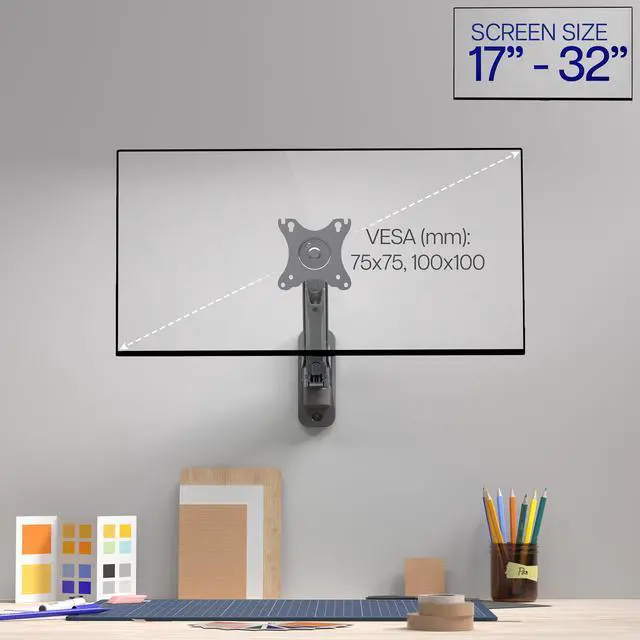
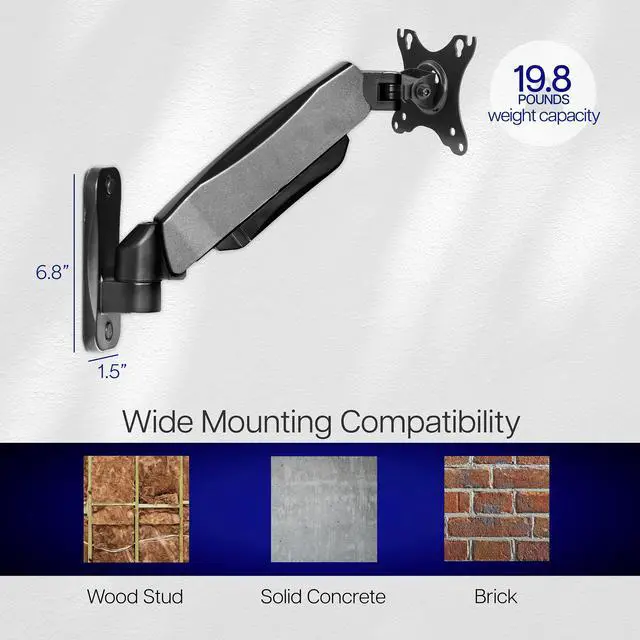
    • Fits 17 to 32 Screens: Supports one computer monitor under 19.8 lbs (sizes 17 to 32) with VESA 75x75mm or 100x100mm mounting holes
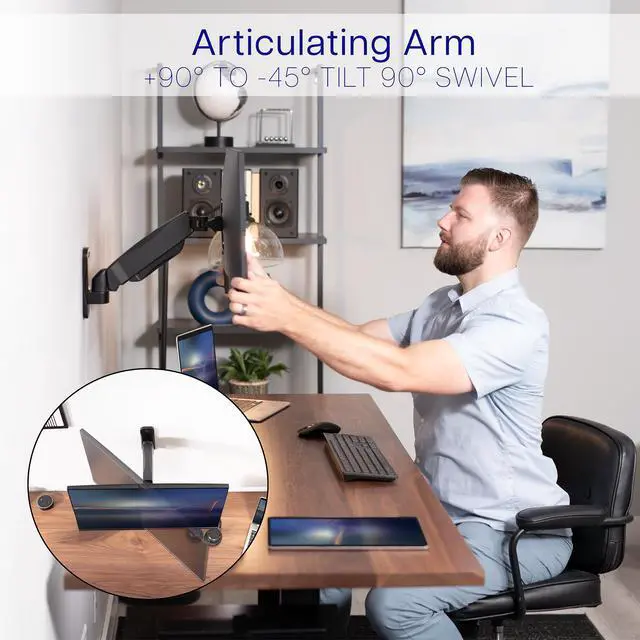
    • Articulating Arm: +90° to -45° tilt and 180° swivel motion creates a variety of viewing angles
    • Easy Installation: Mounting hardware is included to get your monitor mounted in no time
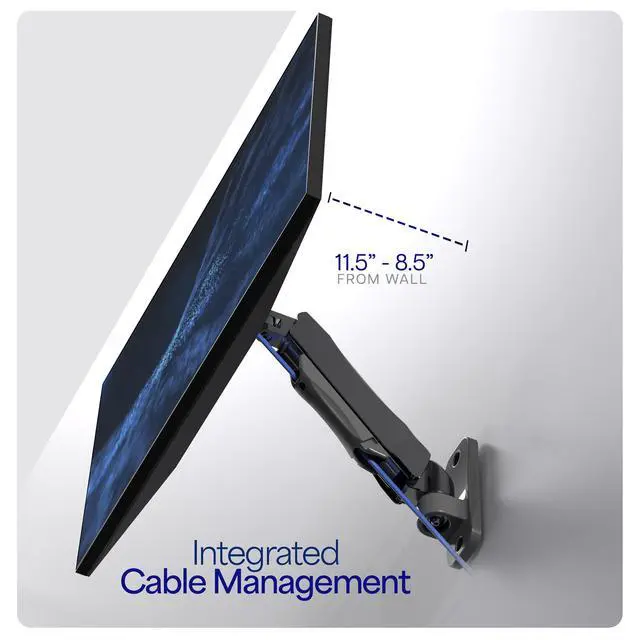
    • Cable Management: Integrated system keeps cords out of sight and organized
    +
    +
    Overview
    Specs
    Reviews

    Any questions? Ask CelesteSM will help you find out quickly.

    MOUNT-V001A is a single monitor gas spring wall mount from VIVO. The gas spring arm allows for simple height adjustment without the use of tools and is fully adjustable for setting the monitor to almost any viewing angle. Comes with necessary hardware for an easy mounting process including mounting screws, anchors, washers, and VESA screws. AV and power cords are kept organized by the integrated cable management. MOUNT-V001A is compatible with standard VESA 75x75mm and 100x100mm and fits screens up to 32" in size and 19.8 lbs in weight. Monitor can be placed in landscape or portrait position. The articulating arm reaches a max 14.75" from the wall.

    Compatibility

    • Supports one monitor 17" to 32" in size
    • Fits VESA 75x75mm or 100x100mm mounting holes
    • Holds 4.4 lbs to 19.8 lbs in weight

    Features

    • Deluxe gas spring
    • Height adjustable free-floating system
    • Integrated cable management system
    • Monitor can be installed in portrait or landscape shape
    • Slide-in VESA plate for quick attachment and detachment
    • Easy wall attachment with included mounting hardware

    Warranty & Returns

    Warranty, Returns, And Additional Information

    Warranty

    • Please contact the Seller directly for warranty information. Warranty information may also be found on the Manufacturer's website.
    • CONTACT

    Return Policies

    • Return for refund within: 30 days
    • Return for replacement within: 30 days
    • This item is covered by VIVO Return Policy

    Manufacturer Contact Info

    LOADING...

    The VIVO MOUNT-V001A is a gas-spring wall mount for one 17–32-inch monitor weighing under 19.8 lb, suited to desk users who want to free up workspace and adjust screen height without tools; it fits VESA 75×75 mm and 100×100 mm monitors.

    Recommended For

    • People with compact or crowded desks who want to wall-mount one compatible monitor and keep the display stand off the work surface.
    • Desk workers who often change their monitor’s height or viewing angle during the day; the gas-spring arm allows tool-free height adjustment and swiveling.
    • Readers, coders, or document-focused users who want to rotate a compatible monitor between landscape and portrait orientation.
    • People setting up a shallow wall-side workstation who need some monitor reach and vertical adjustment; the arm extends 8.75–11.5 inches and has a 3–14.75-inch height-adjustment range.

    Real-World Use Scenarios

    • When a monitor stand takes up room on a compact home-office desk, mounting the screen on the wall leaves more of the desktop available for a keyboard, notebook, or other work items.
    • For a fixed desk against a wall where a desk clamp is awkward or unwanted, a wall-mounted arm keeps the monitor supported without attaching hardware to the desk.
    • When a user wants to change the monitor’s position during the workday, the adjustable arm makes it easier to bring the screen closer, move it aside, or set it at a different height.
    • When someone needs to show a screen to a nearby colleague, swiveling the monitor toward them can make sharing a document or image easier without moving the desk setup.
    • For reading long documents or viewing code, rotating a compatible monitor into portrait orientation can show more vertical content at once and reduce frequent scrolling.
    • In a workspace where display and power cords hang behind the screen, the mount’s cable-management feature helps keep them gathered rather than loose around the monitor.