Meet Your Seller
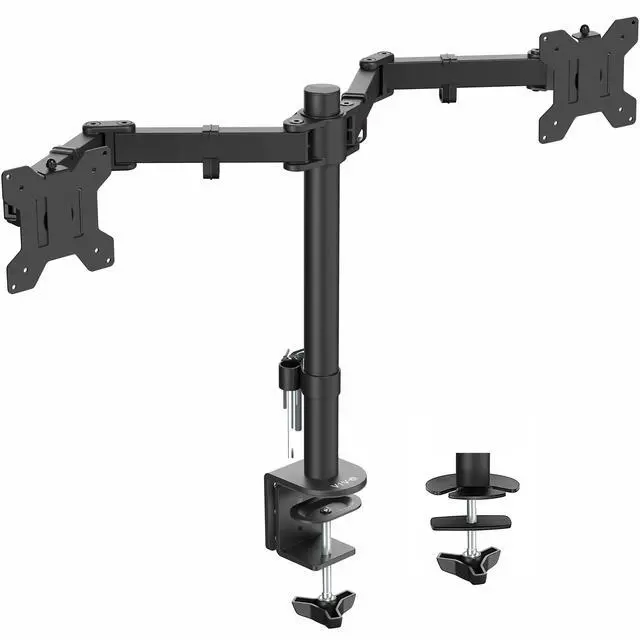
VIVO Full Motion Dual VESA Monitor Desk Mount Double Arm Joint Screens up to 34"
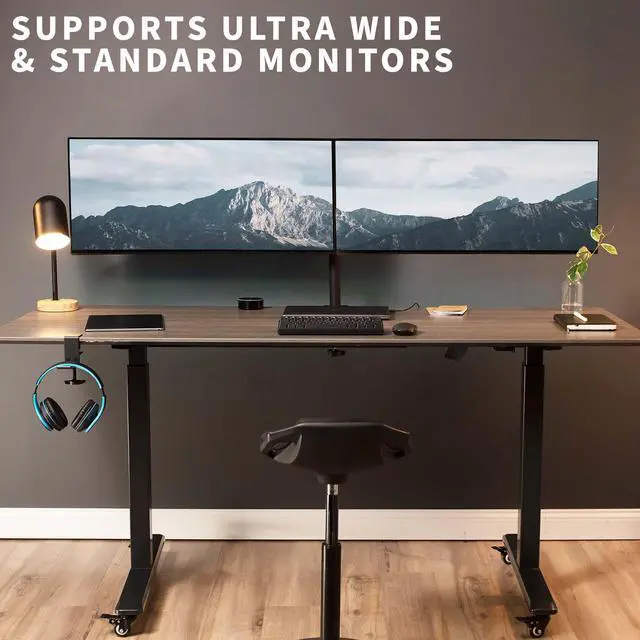
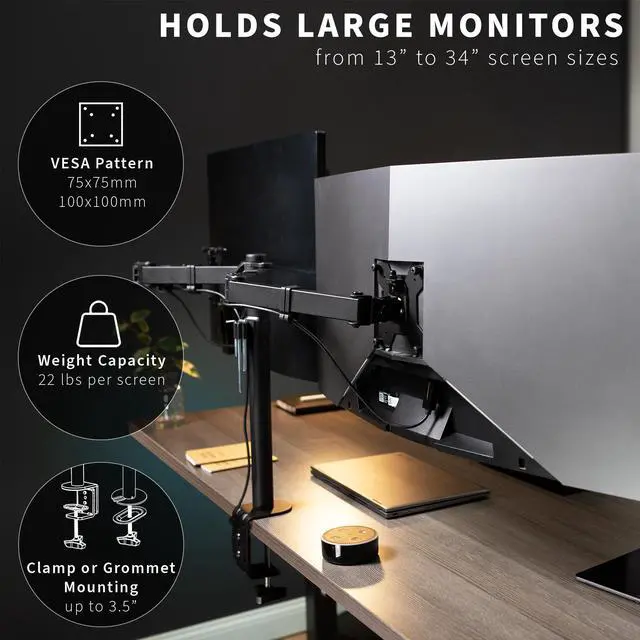
- Ultrawide Compatibility: Provides excellent support and durability for two computer monitors, 13" to 34" (including ultrawides), weighing up to 22 lbs each with VESA 75x75mm and 100x100mm mounting holes
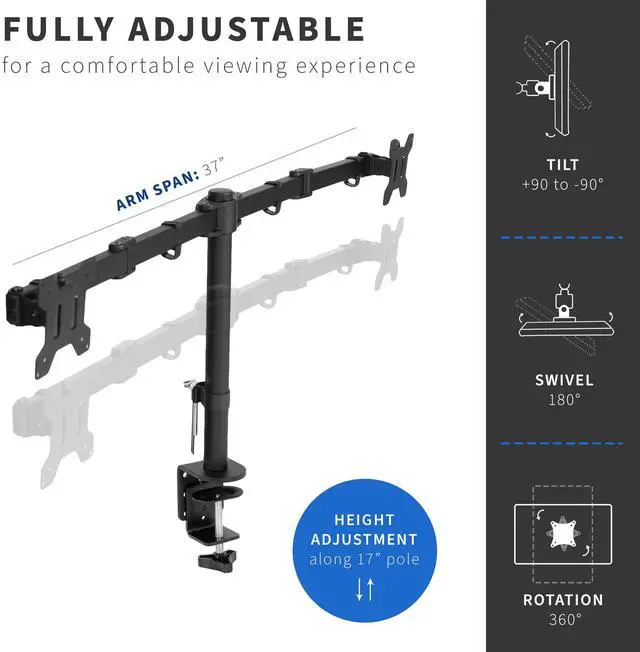
- Fully Adjustable: Monitor arms offer +90° to -90° tilt, 180° swivel, and 360° rotation for optimal viewing angles. Monitors can be placed in portrait or landscape orientation
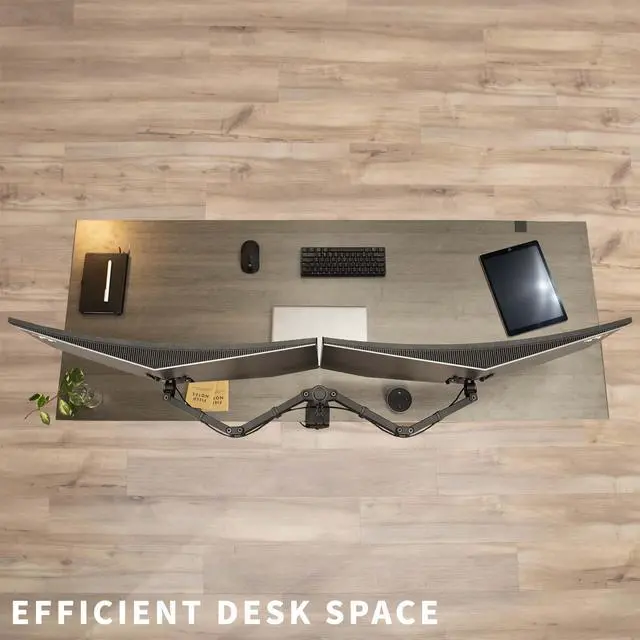
- Double Monitor Force: Win back valuable desk space and increase work efficiency by getting 2 monitors off your desk and raised to a comfortable viewing height
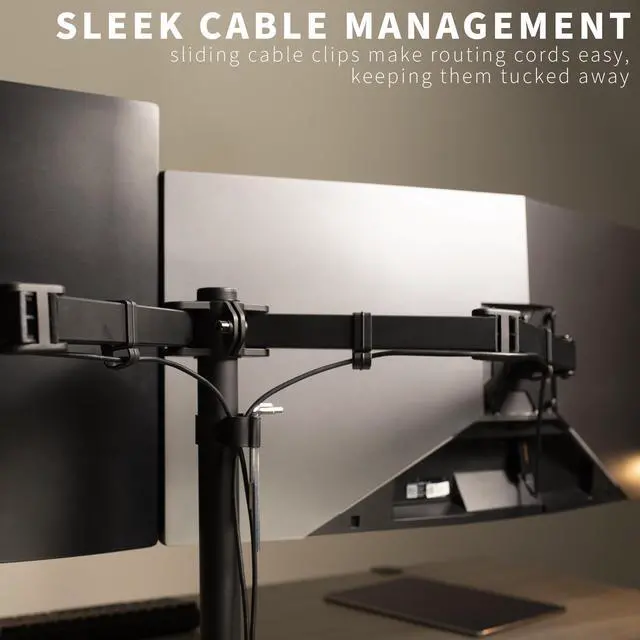
- Additional Features: An integrated cable management system keeps cords organized to give your workspace a clean appearance, and bottom-side padding is included to protect your desk surface from scuffs and scratches
- Drill-Free Mounting: This product secures to your surface of choice up to 3.5" thick via a heavy-duty C-clamp, or use the equally sturdy optional grommet mount to suit your preferred layout
Any questions? Ask CelesteSM will help you find out quickly.
Improve productivity and create comfortable viewing angles with dual monitor desk mount (STAND-V102D) from VIVO! Win back valuable workspace on your desk with this heavy-duty monitor mount. Constructed of high-grade steel, this stand was built to resist scratches and support two 13" to 34" LCD screens (including ultrawides) weighing up to 22 pounds each. The sleek, black appearance also blends well with virtually any environment. Offering a variety of features including simple height adjustment and arm articulation for comfortable viewing angles, a sturdy desk clamp for excellent support, and integrated cable management to keep cords clean and organized, this stand was designed to perform! Adjust each joint to make your stand as fluid or stationary as desired. The VESA plates (75x75mm and 100x100mm) can be adjusted up and down by a half inch so that your monitors can be perfectly aligned. Please note that screen alignment also depends on whether the VESA holes are in the same location on each monitor.
Compatibility
- Supports two monitor screens: 13" to 34" (including ultrawides)
- VESA Standard: VESA 75x75mm and 100x100mm mounting holes
- Maximum Desktop Thickness: 3.5"
- Weight Capacity: 22 lbs per monitor
Features
- Pole Height: 17"
- Arm Span: 37" (from bracket to bracket)
- Arm Length: 18.5"
- Articulation: +90° to -90° tilt, 180° swivel, and 360° rotation
- Screen Placement: Portrait or Landscape Orientation
Warranty & Returns
Warranty, Returns, And Additional Information
Warranty
- Please contact the Seller directly for warranty information. Warranty information may also be found on the Manufacturer's website.
- CONTACT
Return Policies
- Return for refund within: 30 days
- Return for replacement within: 30 days
- This item is covered by VIVO Return Policy
Manufacturer Contact Info
- For a directory of all our manufacturers, please click below.
- Manufacturers Directory
The VIVO Full Motion Dual VESA Monitor Desk Mount is a space-saving double-arm stand for users who want to position two 13–34-inch monitors, including ultrawides, with adjustable tilt, swivel, and rotation; it supports up to 22 lb per screen.
Recommended For
- Desk-based workers who use two side-by-side monitors for tasks like keeping documents or reference material visible beside their main work screen, and want to free up desk surface.
- Users combining a landscape main display with a portrait second screen for coding, reading long documents, or monitoring chat and dashboards; the mount supports portrait or landscape orientation.
- Home-office or workstation users who want to angle two compatible monitors toward different seating positions without moving their desk setup.
- People replacing separate monitor bases with a single desk-mounted stand, provided both displays have compatible VESA holes and are within the mount’s size and weight limits.
Real-World Use Scenarios
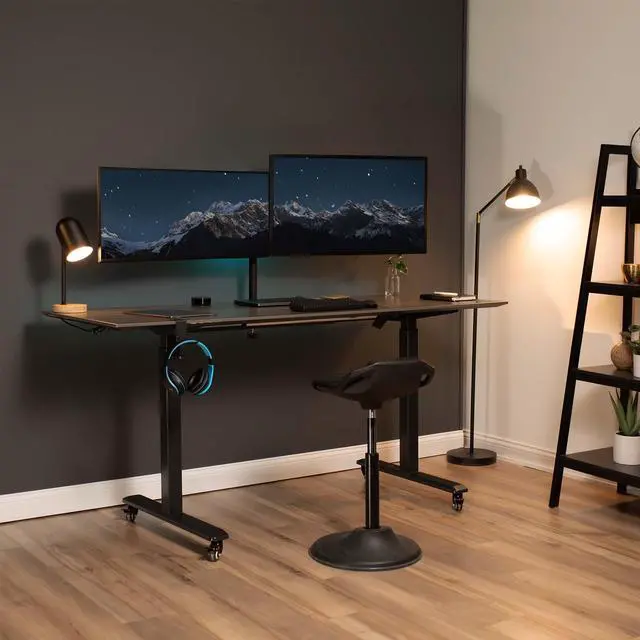
- At a home-office desk, a user keeps a video call or reference material on one screen while working on the other; mounting both screens together makes the two-display setup easier to arrange and leaves more of the desktop available.
- When two monitor bases crowd a small desk, a user clamps the mount to the desk edge and raises both screens, freeing tabletop space for a keyboard, notebook, or other work items.
- For a fixed work setup, a user adjusts the two screens to a comfortable height and viewing angle, then leaves them in place; this is a better fit for occasional repositioning than frequent day-to-day movement.
- A user who reads long documents or code can rotate one compatible monitor to portrait while keeping the other in landscape, making the screens serve different tasks without changing the desk layout.
- When a user wants a mounted dual-screen setup without drilling into the desk, the included C-clamp can attach at the desk edge; the grommet option can suit a desk with a compatible mounting hole.


![AOACE Gaming PC AMD Ryzen 7 5700X [8-Core 4.6GHz], RTX 5060 8GB GDDR7, DLSS 4, VR Ready, WiFi 6E, 32GB DDR4, 1TB PCIe4 NVMe, 6 ARGB, Win11 Home AOACE Gaming PC AMD Ryzen 7 5700X [8-Core 4.6GHz], RTX 5060 8GB GDDR7, DLSS 4, VR Ready, WiFi 6E, 32GB DDR4, 1TB PCIe4 NVMe, 6 ARGB, Win11 Home](https://c1.neweggimages.com/ProductImageCompressAll100/C545S2607150J6GDT09.jpg)