Meet Your Seller
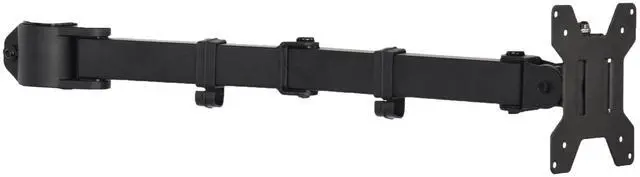
VIVO Black Fully Adjustable Single Monitor Arm for Desk Mount Stand
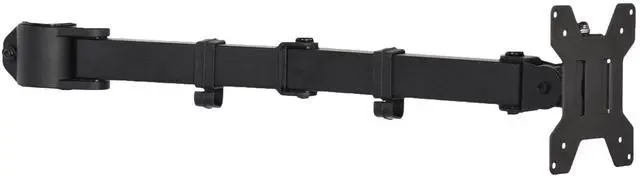
- Monitor Arm with Steel Construction: Designed for sturdiness, durability, and scratch resistance, this single monitor arm is built to last and safely support your screen at a comfortable viewing height
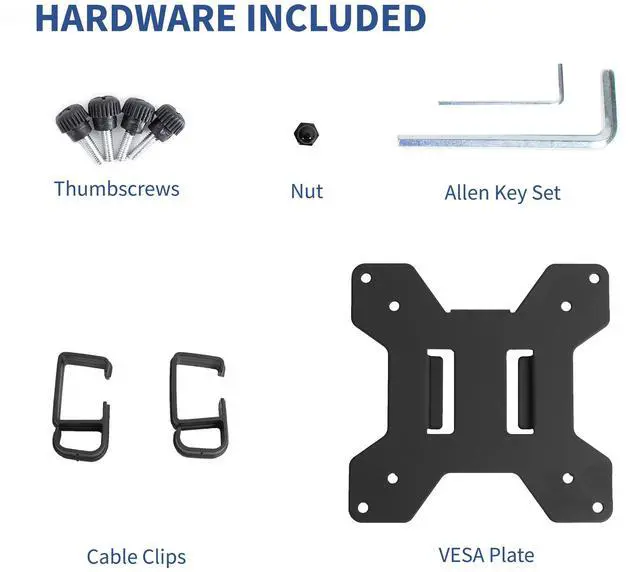
- Fits 13" to 27" Screens: This monitor mount securely holds screens 13 to 27 in size and 22 lbs in weight. VESA bracket is included with 75x75mm and 100x100mm mounting patterns
- Full Articulation: Adjustable arm offers -15° to +15° tilt, 360° swivel, and 360° rotation for comfortable and ergonomic viewing angles. The monitor can be placed in portrait or landscape orientation
- Integrated Cable Management: Keep your power and AV cables clean and organized with detachable cable clips included with the arm
- Easy Installation: All hardware is provided to get the new arm attached to your current stand and monitor mounted in no time
Any questions? Ask CelesteSM will help you find out quickly.
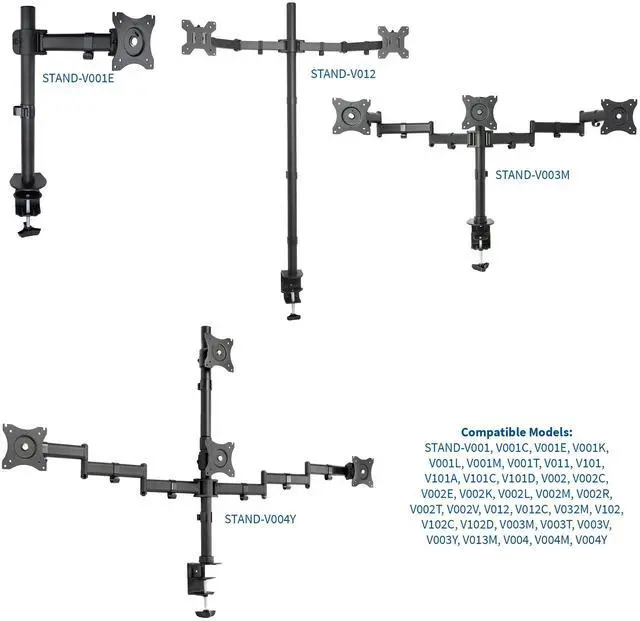
Save desk space and make your workstation more ergonomic by using this fully adjustable monitor arm (PT-SD-AM01A) from VIVO! Made to support 13" to 27" screens, this solid steel item is designed for sturdiness, scratch resistance, and durability with a sleek black color that blends into any environment. If you currently have a monitor stand and would like to turn it into a single monitor stand with an adjustable arm, this is the product for you! Featuring full articulation of -15° to +15° tilt, 360° swivel, and 360° rotation for comfortable viewing angles, cable management clips to keep cords organized, and a VESA bracket containing 75x75mm and 100x100mm mounting holes, this arm is ready to enhance your work experience! Please see the list of compatible VIVO stand models below.
Compatibility
- Fits 1 Monitor Screen: 13 to 27
- VESA Standard: 75x75mm and 100x100mm
- Weight Capacity: 22 lbs
- Compatible with the following VIVO Stands: STAND-V001, V001C, V001E, V001K, V001L, V001M, V001T, V011, V101, V101A, V101C, V101D, V002, V002C, V002E, V002K, V002L, V002M, V002R, V002T, V002V, V012, V012C, V032M, V102, V102C, V102D, V003M, V003T, V003V, V003Y, V013M, V004, V004M, and V004Y
Specifications
- Color: Black
- Material: Steel
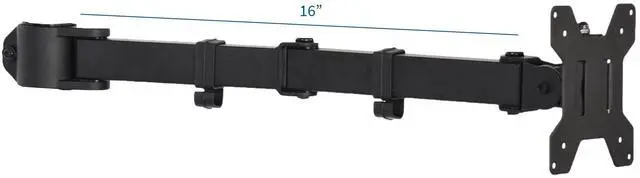
- Arm Extension: 16
- Articulation: -15° to +15° tilt, 360° swivel, 360° rotation
Warranty & Returns
Warranty, Returns, And Additional Information
Warranty
- Please contact the Seller directly for warranty information. Warranty information may also be found on the Manufacturer's website.
- CONTACT
Return Policies
- Return for refund within: 30 days
- Return for replacement within: 30 days
- This item is covered by VIVO Return Policy
Manufacturer Contact Info
- For a directory of all our manufacturers, please click below.
- Manufacturers Directory
The VIVO Black Fully Adjustable Single Monitor Arm is a steel mount for one 13–27-inch monitor weighing up to 22 lb, suited to users who want adjustable viewing angles and portrait or landscape orientation; it supports 75x75mm and 100x100mm VESA patterns.
Recommended For
- Desk workers who want to reclaim the surface area taken up by a monitor’s original stand and keep a single screen mounted at a comfortable viewing position.
- Single-monitor users who occasionally swivel, tilt, or rotate their display to suit different viewing positions or switch between landscape and portrait orientation.
- People setting up a VESA-compatible monitor at a chosen desk position who do not need to raise and lower the screen frequently throughout the day.
- Users with a single monitor within the listed 13–27-inch, 22-pound limit and with a 75 × 75 mm or 100 × 100 mm VESA mounting pattern.
Real-World Use Scenarios
- If you already have a compatible VIVO monitor stand, use this replacement arm to add adjustable positioning without replacing the entire stand; confirm your stand model is listed as compatible before ordering.
- For a crowded desk, attach a compatible monitor to the stand’s arm so it sits off the desktop, leaving more room for a keyboard, paperwork, or other work items.
- When a monitor needs to sit at a more comfortable viewing angle, adjust its tilt or swivel on the arm instead of repeatedly shifting the stand or changing the desk setup.
- For reading long documents or viewing code, rotate a compatible VESA-mounted monitor into portrait orientation; the screen can be turned back to landscape for everyday browsing or video.
- In a multi-monitor workspace, use the arm for a secondary screen to reduce the space taken by its original stand and position it beside the primary display.
- For a tidier workstation, route the monitor’s power and display cables along the arm’s included clips rather than leaving them loose across the desk.