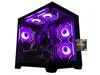
ABS Cyclone Aqua Prebuilt Gaming PC - Windows 11 - Intel Core i7-14700F - GeForce RTX 5060 8GB - DLSS 4 - 32GB DDR5 - 1TB NVMe SSD
  •  
  • $1,599.99 –
  • Save: 11%
  • $29.99
  • Free 30-day Returns
  • Sold by Direct from manufacturerVIVO
    Top Rated
    4.7 (2,010 seller ratings)

    Shipped by Direct from manufacturerVIVO

    Price alert
    Shop it at NeweggBusiness.

    Meet Your Seller

    VIVO Black Fully Adjustable Dual Computer Monitor Arm for Desk Mount Stand

    • Fits 13" to 27" Screens. Dual monitor arms support two monitor screens each 13 to 27 in size and 22 lbs in weight. VESA brackets are included with 75x75mm and 100x100mm mounting holes
    • Solid Steel Construction: Designed for sturdiness, durability, and scratch resistance, this dual monitor arm is built to last and safely support your screens at a comfortable viewing height
    • Full Articulation: Adjustable arm offers +80° to -90° tilt, 180° swivel, and 360° rotation for comfortable and ergonomic viewing angles. Monitors can be placed in portrait or landscape orientation
    • Integrated Cable Management: Keep your power and AV cables clean and organized with detachable cable clips included with the arm
    • Easy Installation: All hardware is provided to get the new arm attached to your current stand and monitors mounted in no time
    +
    +
    Overview
    Specs
    Reviews (2)

    Any questions? Ask CelesteSM will help you find out quickly.

    Save desk space and increase productivity by turning your current stand into a dual monitor setup with double monitor arm (PT-SD-AM02A) from VIVO! Made to support 13" to 27" screens, this solid steel item is designed for sturdiness, scratch resistance, and durability with a sleek black color that blends into any environment. If you currently have a monitor stand and would like to add an adjustable arm designed for two monitor screens, this is the product for you! Featuring full articulation of +80 degrees to -90 degrees tilt, 180 degrees swivel, and 360 degrees rotation for comfortable viewing angles, cable management clips to keep cords organized, and two VESA brackets containing 75x75mm and 100x100mm mounting holes, this arm is ready to enhance your work experience!

    Compatibility and Measurements

    • Compatible with the following VIVO Stands: STAND-V001, V001C, V001E, V001H, V001K, V001L, V001M, V001T, V011, V011H, V101, V101A, V101C, V101D, V002, V002F, V002FG, V002L, V002N, V002R, V002T, V012, V012C, V012F, V004, V004F, V004FG, V004Y, and V004Z
    • Arm Span (Bracket to Bracket): 29"

    Warranty & Returns

    Warranty, Returns, And Additional Information

    Warranty

    • Please contact the Seller directly for warranty information. Warranty information may also be found on the Manufacturer's website.
    • CONTACT

    Return Policies

    • Return for refund within: 30 days
    • Return for replacement within: 30 days
    • This item is covered by VIVO Return Policy

    Manufacturer Contact Info

    LOADING...

    The VIVO Black Fully Adjustable Dual Monitor Arm is a steel add-on for compatible VIVO monitor stands, supporting two 13–27-inch screens up to 22 lb each; it suits desk users who want adjustable side-by-side displays with tilt, swivel, rotation, and cable clips.

    Recommended For

    • Desk-based workers who keep two monitors in a mostly fixed side-by-side position for tasks such as comparing documents, spreadsheets, and reference material.
    • Home-office users who want to clear space under two monitors by mounting them to one desk-mounted pole rather than using each monitor’s original stand.
    • Users who want to set up two compatible monitors once, then make occasional height, tilt, swivel, or portrait-orientation adjustments rather than repositioning them throughout the day.
    • Budget-focused users building a straightforward dual-monitor workstation who are comfortable with a manual, tool-adjusted mount instead of a spring-assisted arm.

    Real-World Use Scenarios

    • For a home-office user who keeps email or reference material open beside their main work, the mount holds two monitors together and frees desk surface that would otherwise be occupied by separate monitor bases.
    • For spreadsheet work, writing, or other tasks that use multiple windows, users can keep related content visible across two screens instead of repeatedly switching between applications; the pole mount is best suited to a layout that stays mostly in place.
    • For a mixed-orientation setup, such as one landscape screen for general work and one portrait screen for long documents or code, the monitors can be rotated and positioned to suit the desk; check that both screens fit the mount and your preferred arrangement.
    • For a desk with limited usable surface, the single desk attachment can replace two monitor stands and keep cables routed along the mount, leaving more room for a keyboard and everyday items.
    • For someone setting up a two-screen workstation once and making occasional angle changes, the mount provides tilt, swivel, and rotation; users who frequently move screens around may find a pole-style mount less convenient than independent spring arms.