Meet Your Seller
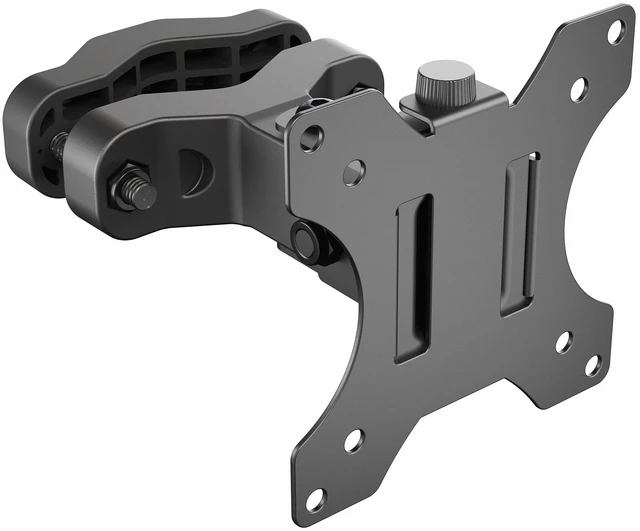
VIVO Steel Universal Bracket Pole Mount VESA Plate, Fits 17" to 32" Screens
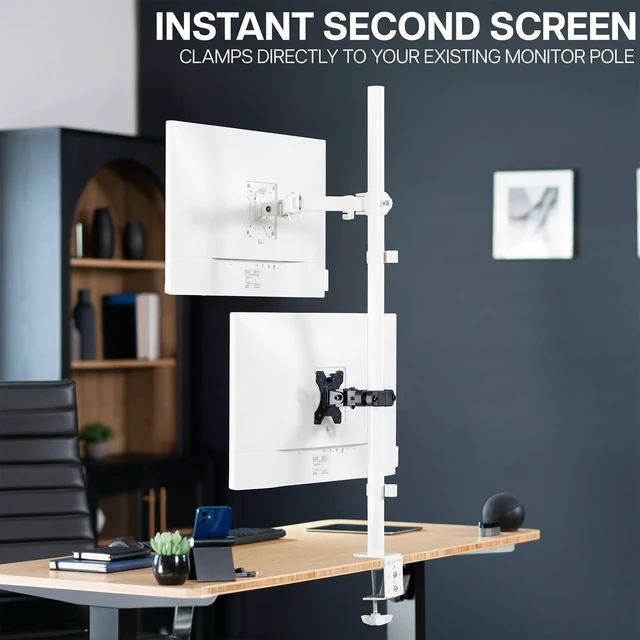
- VIVO Pole Mounts: We create affordable ergonomic solutions designed with creativity and quality to help transform your visual display! This sturdy steel bracket mounts to any compatible pole for convenient screen placement
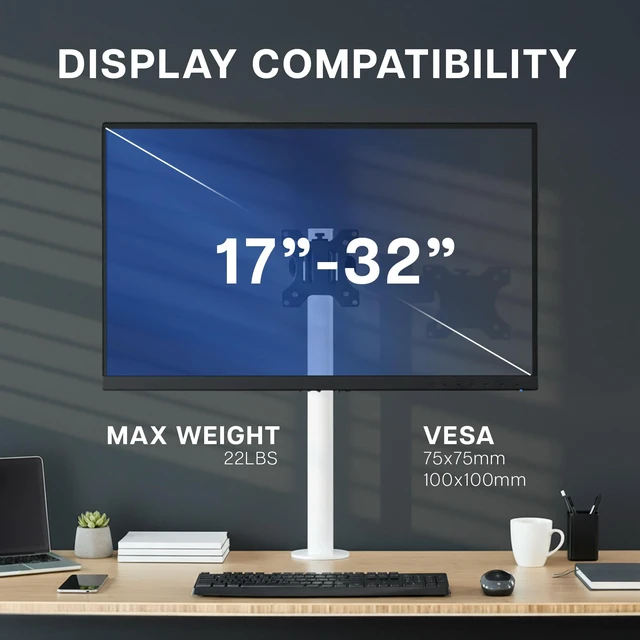
- Fits 17" to 32" Screens: Designed for monitors and TVs alike, this steel bracket holds most 17 to 32 screens weighing up to 22 lbs with VESA 75x75mm and 100x100mm mounting holes
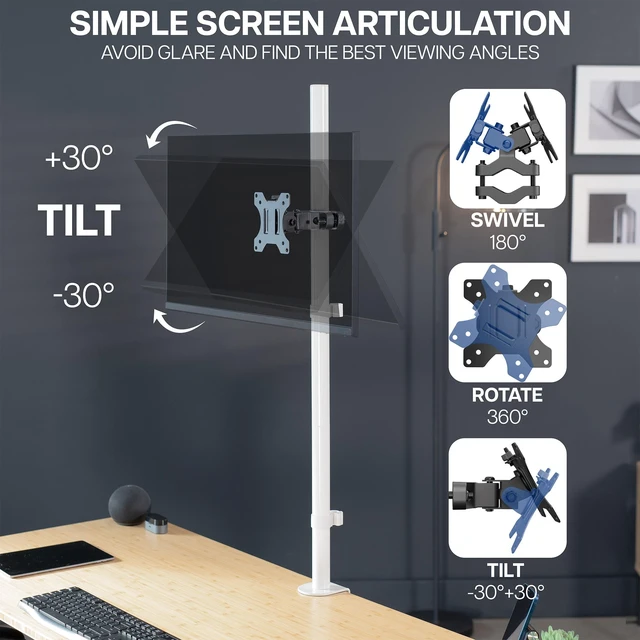
- Screen Articulation: Once your screen is mounted, enjoy comfortable viewing angles with +30° to -30° tilt, 180° swivel, and 360° rotation. The screen can be placed in portrait or landscape orientation for the desired layout
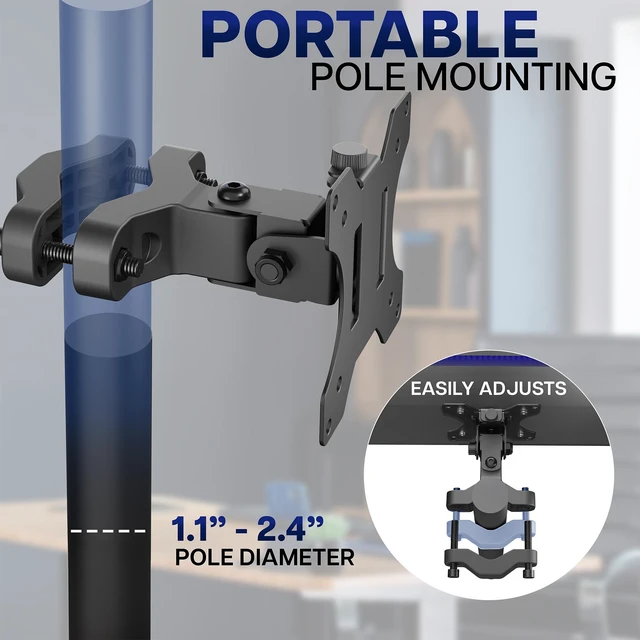
- Adjustable Design: Made to fit pole diameters from 1.1 to 2.4, this sturdy mount lets you update your monitor stands VESA compatibility and create alternative mounting solutions for poles within the diameter range
- Easy Installation: All hardware and instructions are provided for easy assembly, and a removable VESA plate makes installation a breeze
Any questions? Ask CelesteSM will help you find out quickly.
Mounting your Monitor or TV screen just got easier with Universal Pole Mount Bracket (MOUNT-POLE01) from VIVO! Whether you want to update your current monitor stands VESA compatibility or add mounting capability to an existing pole, this sturdy bracket has you covered. It holds one 17 to 32 screen weighing up to 22 lbs with VESA 75x75mm and 100x100mm mounting hole patterns. Fitting pole diameters from 1.1 to 2.4, this durable bracket gives you placement options for the ideal screen location. And thats not all! Once your screen is mounted, the bracket is adjustable with +30° to -30° tilt, 180° swivel, and 360° rotation for comfortable viewing angles that relieve tension on the neck, back, and shoulders. We provide all the necessary hardware for assembly, and a removable VESA plate makes mounting and unmounting your screen a fast and easy process.
Compatibility
Screen Size: 17 to 32
Screen Type: Monitor / TV
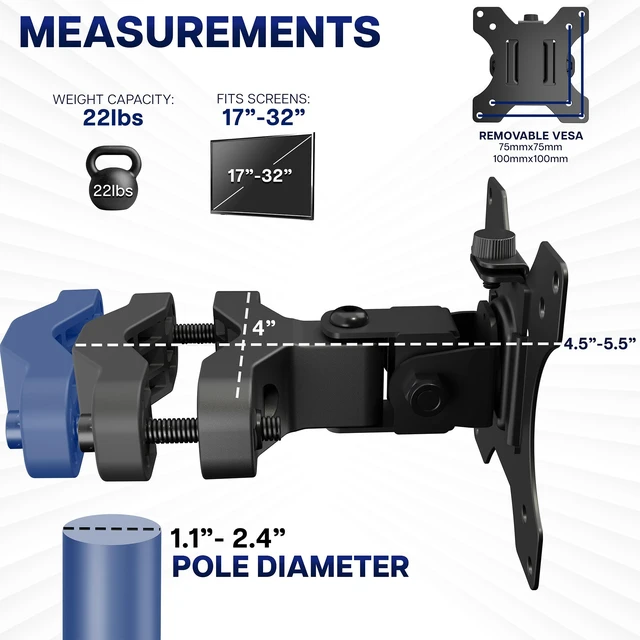
Pole Diameter: 1.1 to 2.4
VESA Compatibility: 75x75mm and 100x100mm
Weight Capacity: 22 lbs
Specifications
Color: Black
Material: Steel
Profile: 4.3
Product Dimensions: (4.5" - 5.5") x 4.5" x 4.5"
Tilt: +30° to -30°
Swivel: 180°
Rotation: 360°
Warranty & Returns
Warranty, Returns, And Additional Information
Warranty
- Please contact the Seller directly for warranty information. Warranty information may also be found on the Manufacturer's website.
- CONTACT
Return Policies
- Return for refund within: 30 days
- Return for replacement within: 30 days
- This item is covered by VIVO Return Policy
Manufacturer Contact Info
- For a directory of all our manufacturers, please click below.
- Manufacturers Directory
The VIVO Steel Universal Bracket Pole Mount is an adjustable VESA bracket for most 17–32-inch monitors or TVs up to 22 lb, suited to people who want to mount a screen on a compatible 1.1–2.4-inch pole.
Recommended For
- People adapting an existing compatible pole for a VESA monitor: the mount adds a screen attachment point without requiring a new desk stand.
- Desk-setup builders adding one monitor to a pole-based stand, especially when they want to free up space under the screen compared with a separate monitor base.
- Users who periodically switch a compatible monitor between setups: the removable VESA plate is intended to make mounting and unmounting the screen easier.
- People who want to adjust a single screen’s viewing angle or orientation on a pole-mounted setup, including switching between landscape and portrait.
Real-World Use Scenarios
- When an existing monitor-stand pole lacks a VESA mount, attach this bracket to make the pole usable with a compatible VESA monitor instead of replacing the whole stand.
- On a shared desk or work area, swivel the mounted screen toward another person for a quick screen review, then turn it back toward the main user.
- For reading long documents or viewing code, rotate a compatible monitor to portrait orientation to show more vertical content at once.
- When a desk or work surface is crowded, mount the display on a compatible pole to move its stand footprint off the surface and leave more room for other equipment.
- During setup, attach the removable VESA plate to the monitor first, then slide the plate onto the bracket; this makes it easier to mount the screen without holding it against the pole while fastening it.
![AOACE Gaming PC AMD Ryzen 7 5700X [8-Core 4.6GHz], RTX 5060 8GB GDDR7, DLSS 4, VR Ready, WiFi 6E, 32GB DDR4, 1TB PCIe4 NVMe, 6 ARGB, Win11 Home AOACE Gaming PC AMD Ryzen 7 5700X [8-Core 4.6GHz], RTX 5060 8GB GDDR7, DLSS 4, VR Ready, WiFi 6E, 32GB DDR4, 1TB PCIe4 NVMe, 6 ARGB, Win11 Home](https://c1.neweggimages.com/ProductImageCompressAll60/C545S2607150J6GDT09.jpg)