Meet Your Seller
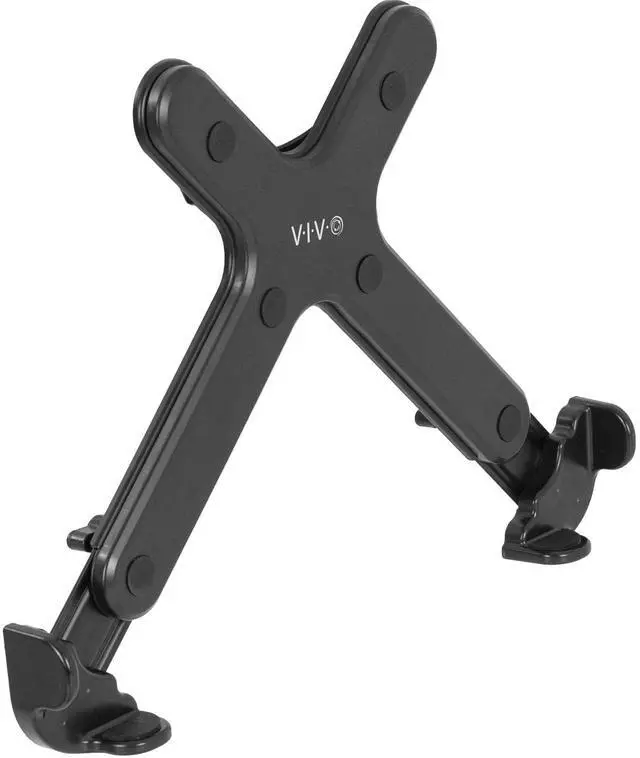
VIVO Single Laptop Notebook Stand Holder for VESA Compatible Monitor Arms
- VIVO Laptop Mounting Solutions: We create affordable solutions designed with creativity and quality to transform your unique workspace. This product is a laptop holder that mounts to any VESA compatible stand for an ergonomic layout.
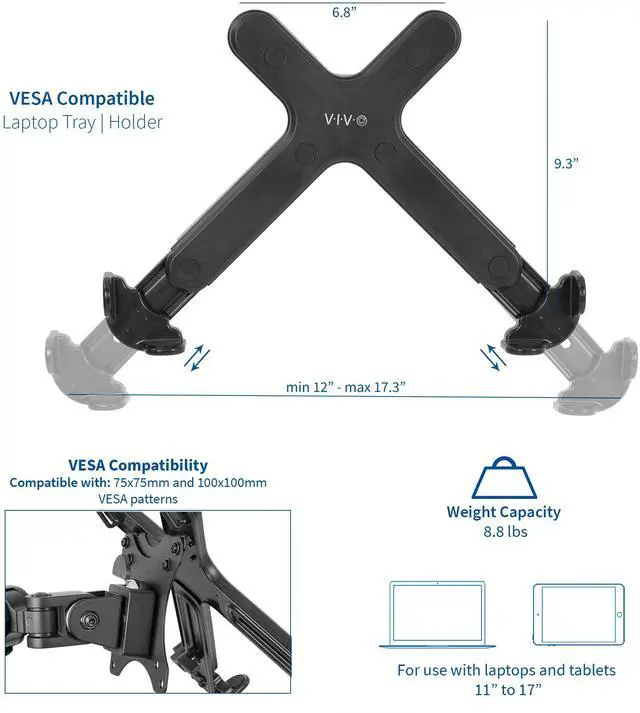
- Fits 11" to 17" Devices: This universal mount fits laptops and notebooks 11 to 17 in size and is compatible with VESA mounts 75x75mm and 100x100mm. (This purchase is for the holder only. VESA arm must be purchased separately)
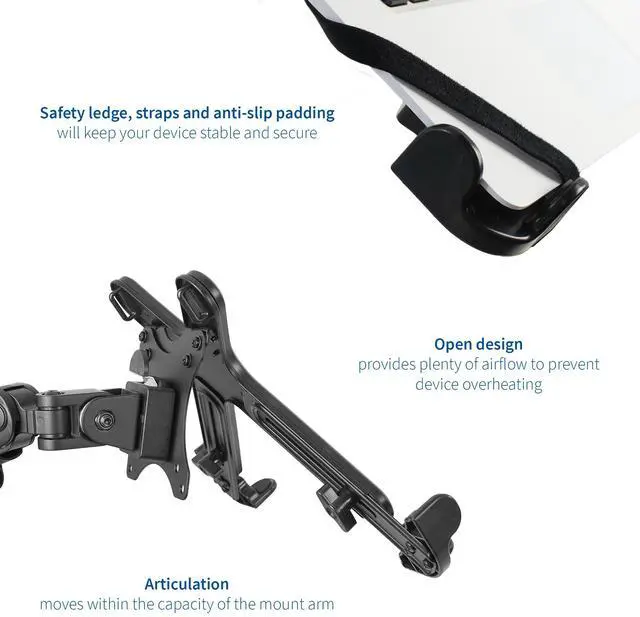
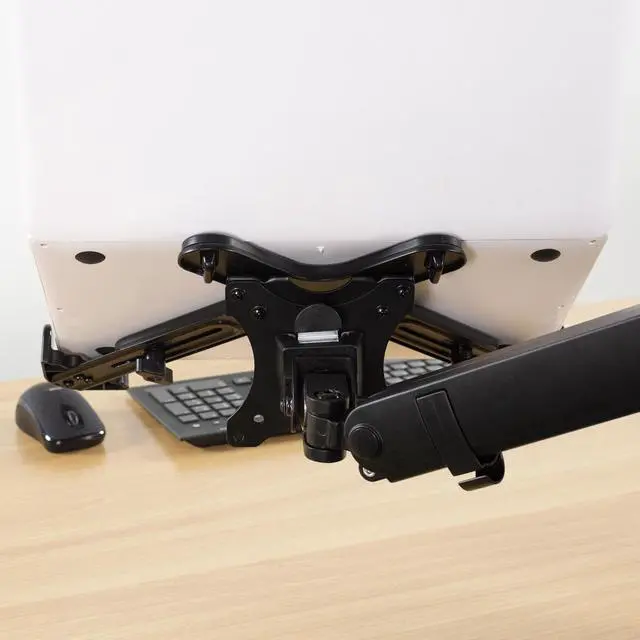
- Adjustable Clamps: The clamp width is adjustable from 12 to 17.3, allowing this mount to fit a variety of laptop sizes. Rubber tabs keep your device from slipping, and safety straps prevent the laptop from falling
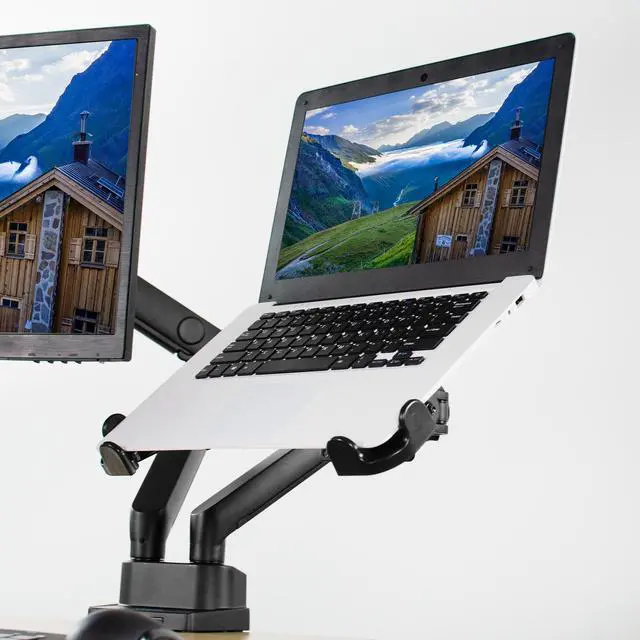
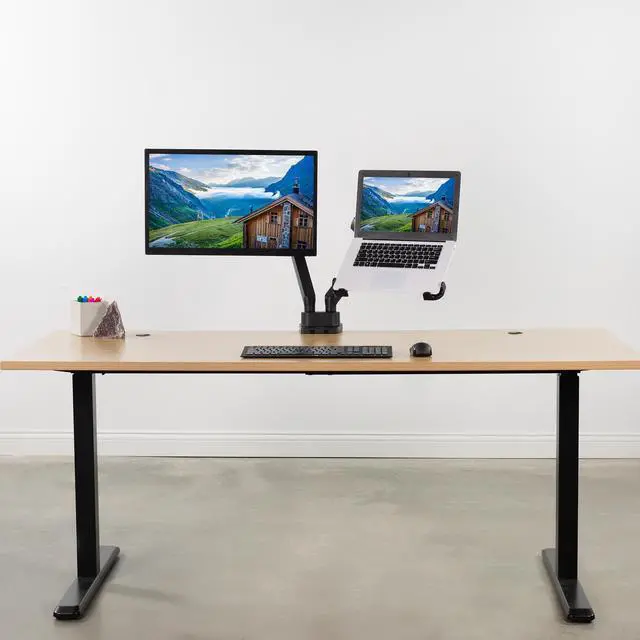
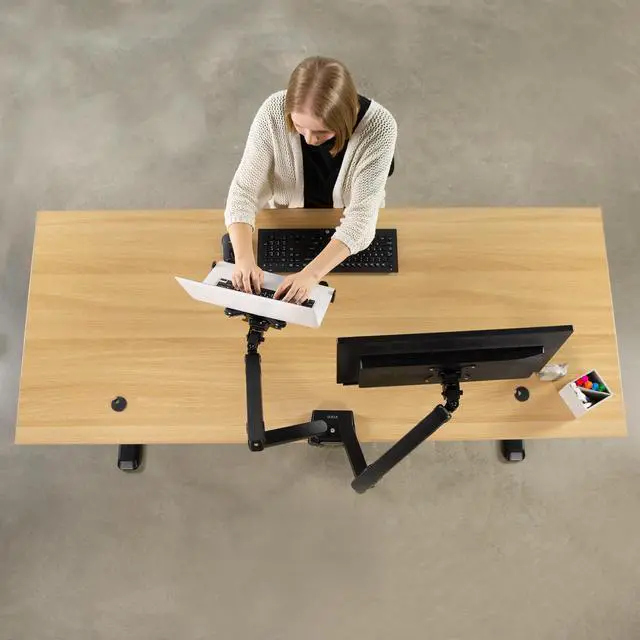
- Ergonomics: Elevating your laptop is great for improving posture and other aspects of ergonomics while you work at your desk. Simply mount this product to your existing VESA arm to bring your laptop to eye level
Any questions? Ask CelesteSM will help you find out quickly.
Elevate your laptop to eye level with VESA Compatible Laptop Holder (STAND-LAP4) from VIVO! This adjustable bracket attaches to your current compatible monitor mount (VESA 75x75mm and 100x100mm) and holds a laptop 11 to 17 in size. Raising your device to an ergonomic position reduces strain on your back, neck, and eyes. The open design provides excellent airflow for sufficient cooling, extending the product life of your device. Adjustable clamps allow it to fit a variety of laptop sizes, anti-skid padding keeps your laptop from sliding, and safety straps are included for extra security. Sturdy construction provides long lasting performance and holds your laptop secure while you enjoy your new ergonomic workspace!
Compatibility
- Suggested Laptop Size: 11 to 17
- VESA Compatibility: 75x75mm and 100x100mm
- Weight Capacity: 8.8 lbs
Specifications
- Color: Black
- Material: Steel, Plastic
- Dimensions (when not extended): 12 x 9.3
- Adjustable Width: 12 to 17.3
Warranty & Returns
Warranty, Returns, And Additional Information
Warranty
- Please contact the Seller directly for warranty information. Warranty information may also be found on the Manufacturer's website.
- CONTACT
Return Policies
- Return for refund within: 30 days
- Return for replacement within: 30 days
- This item is covered by VIVO Return Policy
Manufacturer Contact Info
- For a directory of all our manufacturers, please click below.
- Manufacturers Directory
The VIVO Single Laptop Notebook Stand Holder attaches an 11–17-inch laptop to a VESA-compatible monitor arm, making it suitable for desk users who want to raise their screen toward eye level; the arm is sold separately.
Recommended For
- Desk-based workers who already have a compatible VESA monitor arm and want to raise a laptop beside an external monitor, keeping both screens adjustable while leaving more desk space for a keyboard and mouse.
- People who use a laptop as a docked, mostly stationary computer and want to position its screen at a more comfortable viewing height; a Reddit user reported using a VIVO laptop tray and VESA arm for a ThinkPad streaming setup.
- Users who want to reposition a laptop screen with a monitor arm rather than keep it on a fixed desk stand, including people who alternate between sitting and standing at a desk.
- Owners of compatible 11–17-inch laptops within the holder’s 8.8-pound capacity who want an open, ventilated mounting position rather than a closed vertical storage stand.
Real-World Use Scenarios
- When using a laptop beside an external monitor, mount the laptop at a more comparable viewing height to create a two-screen workspace; an external keyboard and mouse let you work without reaching up to type.
- If you already have a compatible VESA monitor arm, replace its monitor attachment with the laptop holder to put the laptop on the arm instead of occupying a separate spot on the desk.
- For video calls, chat, or reference material, keep the laptop visible beside your main display as a secondary screen; the arm lets you position it where it is easier to glance at during work.
- At a laptop-only desk, raise the screen closer to eye level and use a separate keyboard and mouse for typing; this can make a fixed desk setup more comfortable than looking down at the laptop on the desktop.
- When changing how the desk is arranged, reposition the laptop with the compatible monitor arm rather than lifting and moving a separate stand; the holder keeps the laptop secured while it is mounted.