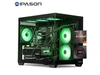
AOACE Gaming PC AMD Ryzen 7 5700X [8-Core 4.6GHz], RTX 5060 8GB GDDR7, DLSS 4, VR Ready, WiFi 6E, 32GB DDR4, 1TB PCIe4 NVMe, 6 ARGB, Win11 Home
  •  
  • $1,249.99 –
  • Save: 34%
  • $59.99
  • Free 30-day Returns
  • Sold by Direct from manufacturerVIVO
    Top Rated
    4.7 (2,010 seller ratings)

    Shipped by Direct from manufacturerVIVO

    Price alert
    Shop it at NeweggBusiness.

    Meet Your Seller

    VIVO Dual Monitor Mount Extra Tall Adjustable Stand | Fits Two Screens up to 27"

    • Fits 13 to 27 Screens: Dual vertically stacked monitor mount fitting most screens 13 to 27 in size and up to 22 lbs in weight (each) with VESA 75x75mm or 100x100mm mounting holes
    • Extra Tall Pole: The 39 center pole allows you to adjust the monitors between sitting and standing positions. Integrated cable management is included to keep AV and power cords clean and organized via clips along the arms and pole
    • Articulation and Height Adjustment: Adjustable arms offer +90° to -90° tilt, 360° swivel, 360° rotation, and height adjustment along the center pole for optimal screen positioning. Monitors can be placed in portrait or landscape orientation
    • Drill-Free Mounting: This product secures to your surface of choice up to 3.25" thick via a heavy-duty C-clamp, or use the equally sturdy optional grommet mount to suit your preferred layout
    +
    +
    Overview
    Specs
    Reviews (1)

    Any questions? Ask CelesteSM will help you find out quickly.

    Save desk space and increase efficiency with Dual Vertical Monitor Extra Tall Desk Mount (STAND-V012T) from VIVO! The tall 39" pole lets you adjust from sitting and standing positions, supporting the monitors in a vertical display. Constructed of high-grade steel, this sturdy mount was built to resist scratches and hold two screens 13 to 27 in size and weighing up to 22 pounds each. Tighten or loosen each joint to make your mount as fluid or stationary as desired. Mounting your monitors is easy with detachable VESA plates that screw into your monitors and then slide back onto the frame of the stand. The screens can be rotated in landscape or portrait positions, so you can enjoy your preferred setup with comfortable viewing angles all day long!

    Compatibility

    • Number of Screens: 2
    • Screen Size: 13 to 27
    • VESA Standard: 75x75mm and 100x100mm
    • Weight Capacity: 22 lbs per screen

    Specifications

    • Color: Black
    • Material: Steel
    • Pole Height: 39
    • Height Adjustment: Provided along the center pole
    • Articulation: +90° to -90° tilt, 360° swivel, and 360° rotation
    • Screen Placement: Portrait or Landscape Orientation


    Warranty & Returns

    Warranty, Returns, And Additional Information

    Warranty

    • Please contact the Seller directly for warranty information. Warranty information may also be found on the Manufacturer's website.
    • CONTACT

    Return Policies

    • Return for refund within: 30 days
    • Return for replacement within: 30 days
    • This item is covered by VIVO Return Policy

    Manufacturer Contact Info

    LOADING...

    The VIVO Extra Tall Dual Monitor Mount is a vertically stacked stand for two 13–27-inch monitors weighing up to 22 lb each, suited to users who want to save desk space and adjust screens for sitting or standing.

    Recommended For

    • People with compact desks who want two monitors stacked vertically to free up space beside their keyboard, mouse, or other desk equipment.
    • Work-from-home users who keep a primary screen below and reference material, chat, or other secondary content on a screen above it.
    • Users who want a vertically stacked setup on a sit-stand desk and need a tall pole to position the screens for seated or standing work.
    • People who want to switch compatible VESA monitors between portrait and landscape orientation within a fixed, desk-mounted two-screen setup.

    Real-World Use Scenarios

    • On a narrow desk, stack two monitors vertically to keep both screens available while leaving more side-to-side workspace for a laptop, notebook, or other equipment.
    • For work that involves switching between a primary task and reference material, keep the main screen at eye level and place a document, chat, or dashboard on the upper screen to reduce window switching.
    • When reading long documents or working with code, rotate a compatible screen to portrait orientation so more lines of text fit on screen; keep the other display in landscape for the main workspace.
    • In a sit-stand workspace, adjust the monitors on the center pole to suit the seated or standing position, then use the screens at the selected height.
    • When you want to avoid drilling into a desk, attach the mount at the desk edge with its clamp; a grommet installation is another option for a desk with a suitable opening.