Meet Your Seller
VIVO Universal Adjustable 10" to 15.6" Single Laptop Pneumatic Arm Wall Mount
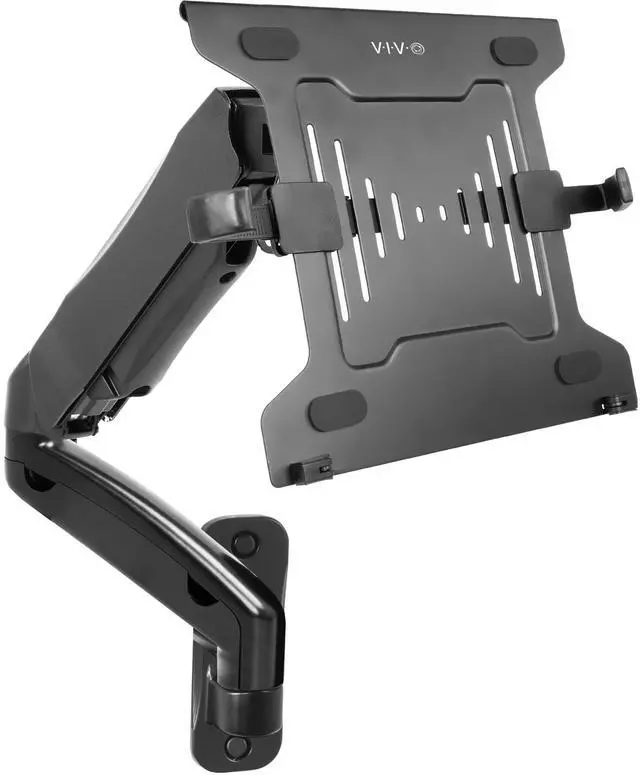
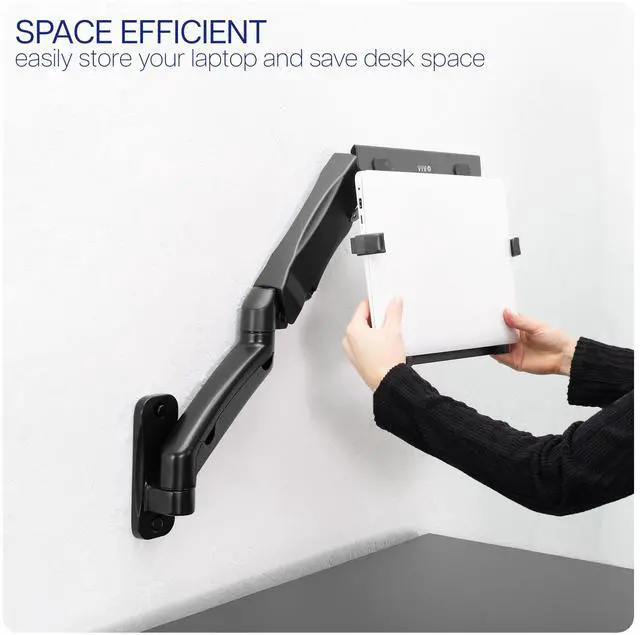
- Counter-Balance Laptop Wall Mount: Clear up valuable desk space with a deluxe single laptop pneumatic arm wall mount. Features tool-less, instant height adjustment, allowing you to find the perfect ergonomic viewing and typing angles
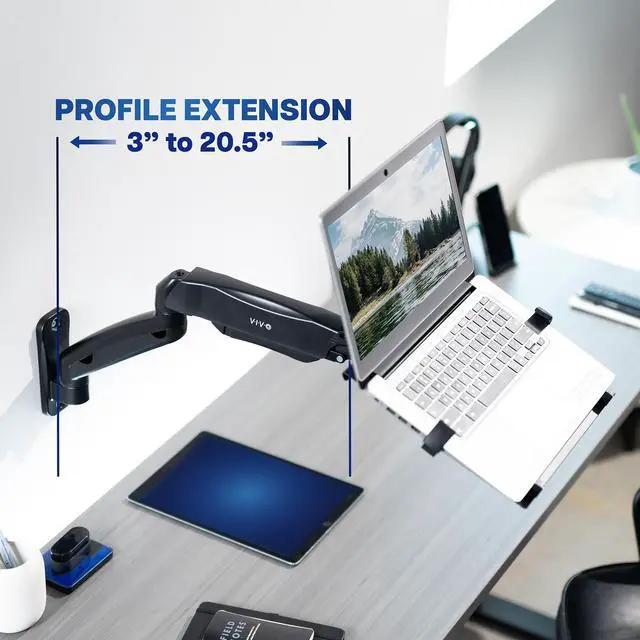
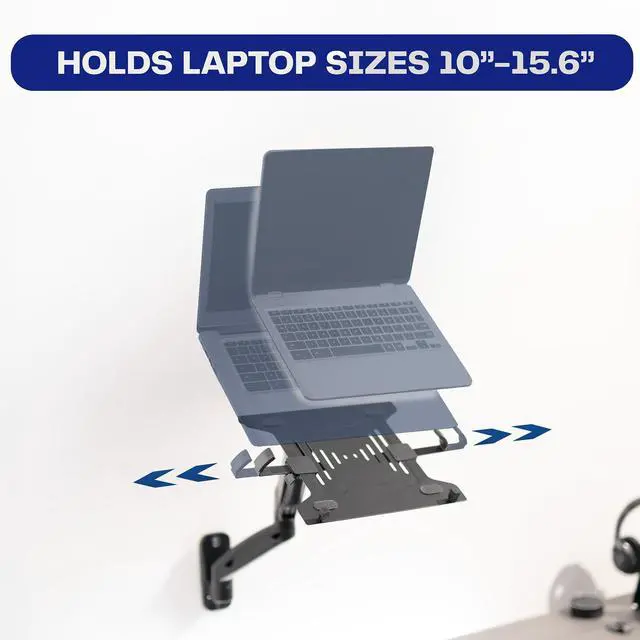
- Fits 10 to 15.6 Laptops: This wall mount can hold laptops and notebooks from 10 to 15.6 in size and up to 9.9 lbs in weight. It extends 3" to 20.5" from the wall
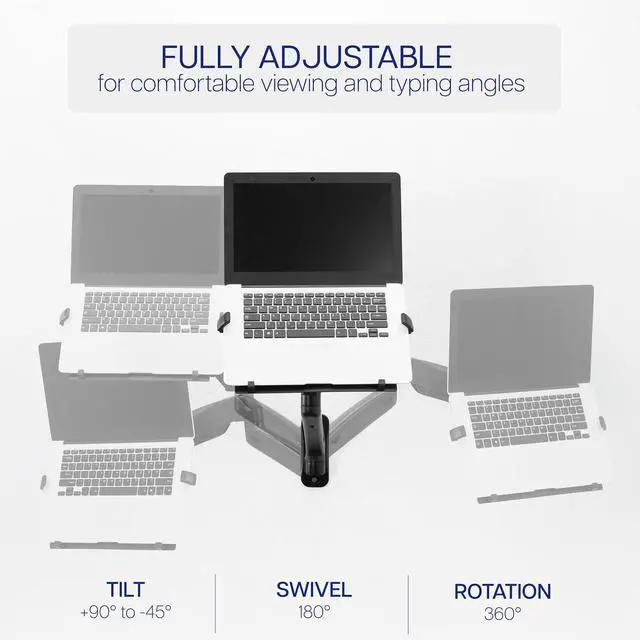
- Articulating Arm: +90° to -45° tilt, 180° swivel, 360° rotation, and smooth height adjustment allow for a variety of viewing angles. Please Note: The counterbalance arm must hold at least 4.4 lbs to work properly
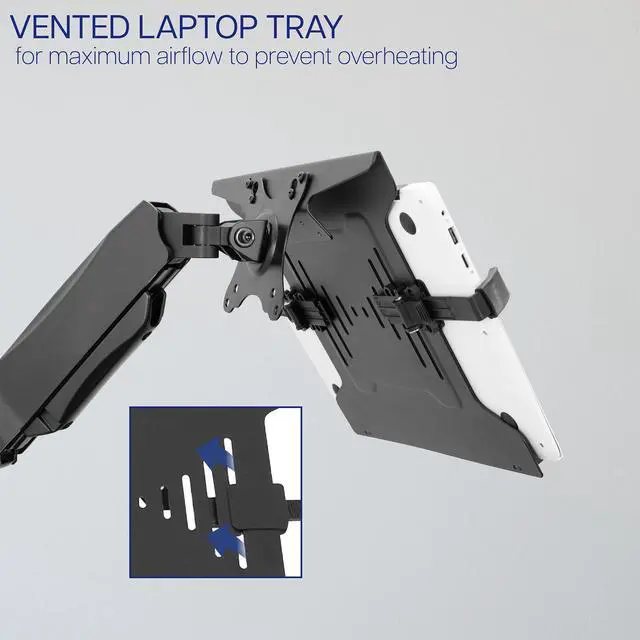
- Ventilated Tray: Features an adjustable clamp design that fits a variety of laptop sizes. Rubber tabs keep your device secure and protected from scratches, while the ventilation slots allow maximum airflow to keep your tablet from overheating
Any questions? Ask CelesteSM will help you find out quickly.
Raise your laptop to an ergonomic position with the Pneumatic Arm Single Laptop Wall Mount (MOUNT-V001GL) from VIVO! Win back valuable desk space by elevating your notebook to an ideal viewing height with this high-grade steel stand and adjustable tray built for scratch resistance and security. Featuring articulation, smooth height adjustment, wall mounting hardware, integrated cable management, and more, this mount is ready to perform! The versatility of tray placement allows ergonomic viewing and typing that aids in decreased fatigue and muscle strain on the neck, back, and shoulders. All hardware is provided for easy assembly and installation, so you can enjoy your new wall laptop station in no time!
Compatibility
- Fits Laptop Sizes: 10 to 15.6
- VESA Standard: 75x75mm and 100x100mm
- Mounting Options: Wood Studs, Concrete/Brick Wall
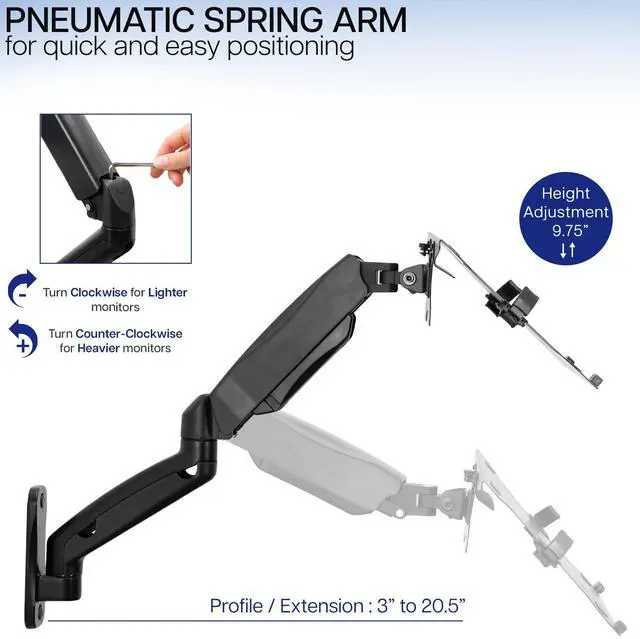
- Pneumatic Arm Weight Capacity: 4.4 lbs (minimum) to 19.8 lbs (maximum)
- Laptop Holder Weight Capacity: 9.9 lbs
Specifications
- Color: Black
- Material: Steel
- Profile / Extension: 3 to 20.5
- Height Adjustment: 9.75 with pneumatic spring lift
- Laptop Holder Adjustment Range: 9.5 to 16.5
- Laptop Holder Dimensions: 12 x 11
- Mounting Base Dimensions: 2 x 6.75
- Articulation: +90° to -45° tilt, 180° swivel, and 360° rotation
Warranty & Returns
Warranty, Returns, And Additional Information
Warranty
- Please contact the Seller directly for warranty information. Warranty information may also be found on the Manufacturer's website.
- CONTACT
Return Policies
- Return for refund within: 30 days
- Return for replacement within: 30 days
- This item is covered by VIVO Return Policy
Manufacturer Contact Info
- For a directory of all our manufacturers, please click below.
- Manufacturers Directory
The VIVO Universal Adjustable Laptop Wall Mount is a pneumatic arm for 10–15.6-inch laptops weighing 4.4–9.9 lb, with tool-free height adjustment and an articulating tray. It suits users who want to free desk space and adjust their laptop’s viewing and typing position.
Recommended For
- Home-office users who want to raise a laptop off a crowded desk and adjust its viewing position without using a desk-clamp mount.
- Golf-simulator builders who need a fixed, adjustable place beside the simulator for a laptop used to run or control the setup.
- People using a laptop at a wall-side workstation who want to reposition it for different viewing or typing angles during a session.
- Users setting up a dedicated laptop station in a workshop or other fixed workspace, where freeing the work surface matters more than moving the laptop around.
Real-World Use Scenarios
- On a compact desk, mount the laptop above the work surface and swing it aside when it is not in use, leaving more room for a keyboard, mouse, or paperwork.
- In a laptop-and-monitor setup, position the laptop beside the main display as a secondary screen, then swivel it toward the user when needed.
- For a sit-stand workstation, adjust the laptop’s position as the desk changes height so its screen stays easier to view; a similar VIVO-arm setup is reported in community use.
- For longer typing sessions, keep the laptop raised for viewing and use a separate keyboard and mouse on the desk; this can reduce tray movement from typing directly on the laptop.
- In a room where desk space is scarce, mount the laptop on a suitable wall beside the workstation and bring it closer when you need to use it; installation requires a compatible wall surface.