Meet Your Seller
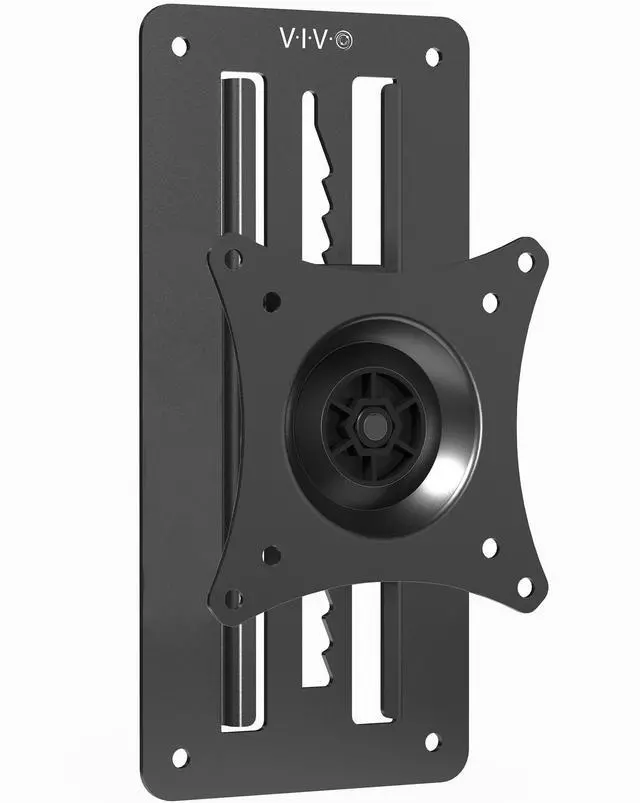
VIVO Height Adjustable 17" to 32" VESA Monitor Wall Mount Bracket for 1 Screen
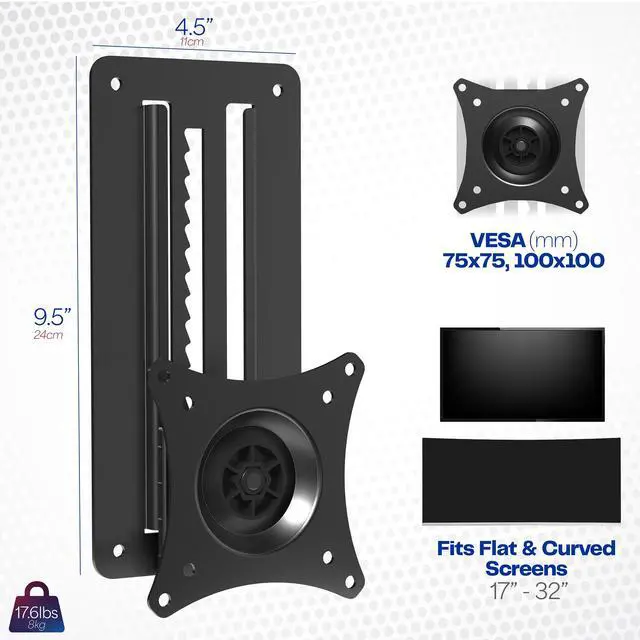
- Fits 17 to 32 Screens: Single monitor wall mount fitting 17 to 32 screens weighing up to 17.6 lbs with VESA 75x75mm or 100x100mm hole patterns
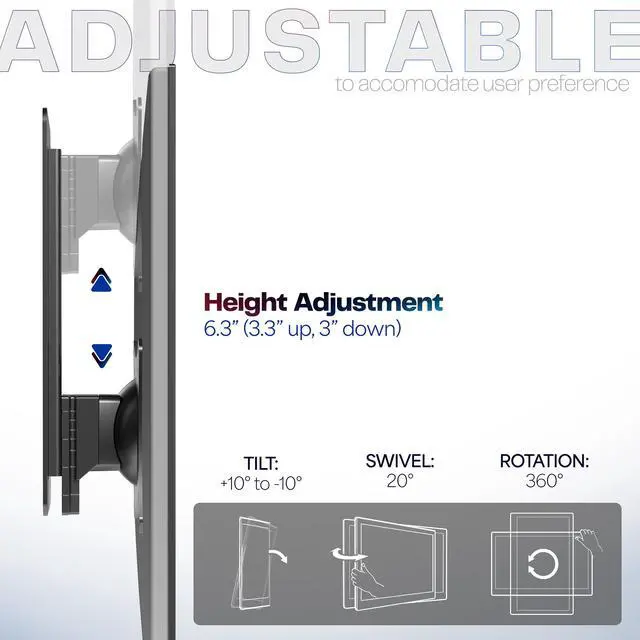
- Height Adjustment: With 6.3 of height adjustment (3.3 up and 3 down), change your monitor's height instantly. Slide monitor up until the latch engages at the desired height. To lower, raise it all the way up, then slowly slide it down to desired height
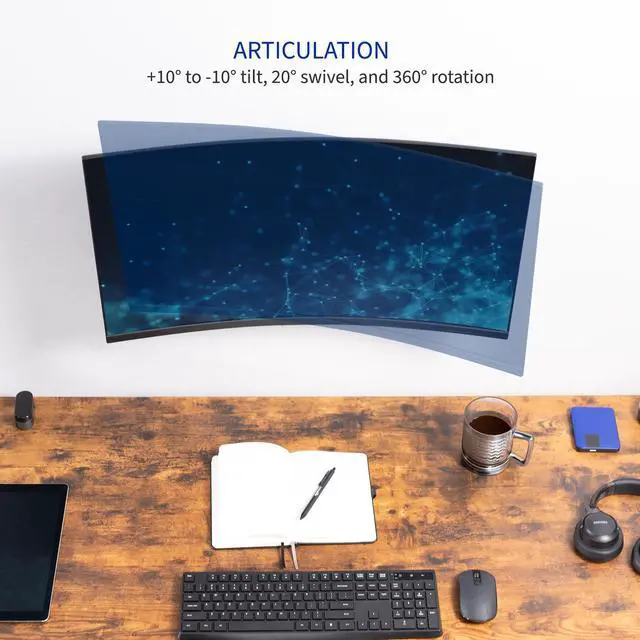
- Smooth Articulation: Enjoy ergonomic viewing angles that increase comfort and reduce glares with +10° to -10° tilt, 20° swivel, and 360° rotation. Your monitor can be placed in portrait or landscape orientation
- Mounting Compatibility: Mounts to wood studs or drywall and creates a clean, ergonomic display. Please Note: Hardware for monitors with curved or recessed backs is not included
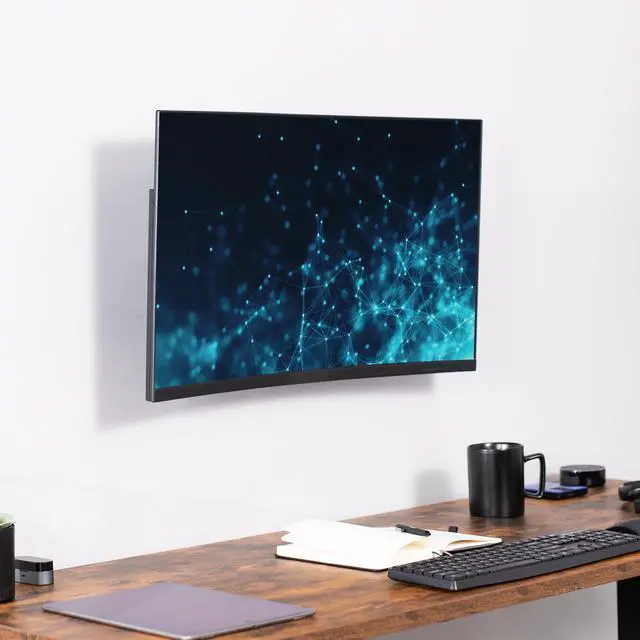
- Low Profile: Sits only 2 from the wall for a space-saving, low profile setup. This keeps your monitor out of harm's way and increases the distance between you and your screen
Any questions? Ask CelesteSM will help you find out quickly.
Save desk space and raise your screen to an ergonomic height with Single Monitor Wall Mount (MOUNT-VW01A) from VIVO! This durable mount gives your monitor 6.3 of tool-less height adjustment (3.3 up and 3 down from the center), so you can find just the right viewing position after the screen is mounted to the wall. To reset the height, simply raise the monitor to the highest point and then place at the desired setting. Additional features include screen articulation for comfortable viewing angles, a low profile design for space efficiency, and sturdy steel construction to keep your monitor safe and secure. All necessary hardware and step-by-step instructions are provided so you can enhance your workstation in no time!
Compatibility
- Screen Size: 17 to 32
- Screen Type: Flat (Hardware Included), Curved
- Mounting Options: Wood, Drywall
- VESA Standard: 75x75mm and 100x100mm
- Weight Capacity: 17.6 lbs
Specifications
- Color: Black
- Material: Steel
- Bracket Dimensions: 4.5L x 2D x 9.5H
- Articulation: +10° to -10° tilt, 20° swivel, and 360° rotation
- Height Adjustment: 6.3 (3.3 up and 3 down from center)
- Profile (Distance from Wall): 2
- Screen Placement: Portrait or Landscape Orientation
Warranty & Returns
Warranty, Returns, And Additional Information
Warranty
- Please contact the Seller directly for warranty information. Warranty information may also be found on the Manufacturer's website.
- CONTACT
Return Policies
- Return for refund within: 30 days
- Return for replacement within: 30 days
- This item is covered by VIVO Return Policy
Manufacturer Contact Info
- For a directory of all our manufacturers, please click below.
- Manufacturers Directory
The VIVO height-adjustable wall mount supports one 17–32-inch monitor weighing up to 17.6 lb with a 75x75mm or 100x100mm VESA pattern, making it suitable for users who want an ergonomic, space-saving display setup.
Recommended For
- Single-monitor desk workers who want to free up desk space and keep a screen close to the wall rather than use a desk-clamped arm.
- People setting up a fixed home-office workstation who need a modest height adjustment to position their monitor more comfortably without changing the desk.
- Readers, coders, or document-focused workers who want to rotate one compatible monitor between landscape and portrait orientation.
- Users who usually leave their screen in one position but want occasional height, tilt, or side-to-side adjustments; a hands-on installation review describes it as close to the wall and notes that it cannot be pulled forward.
Real-World Use Scenarios
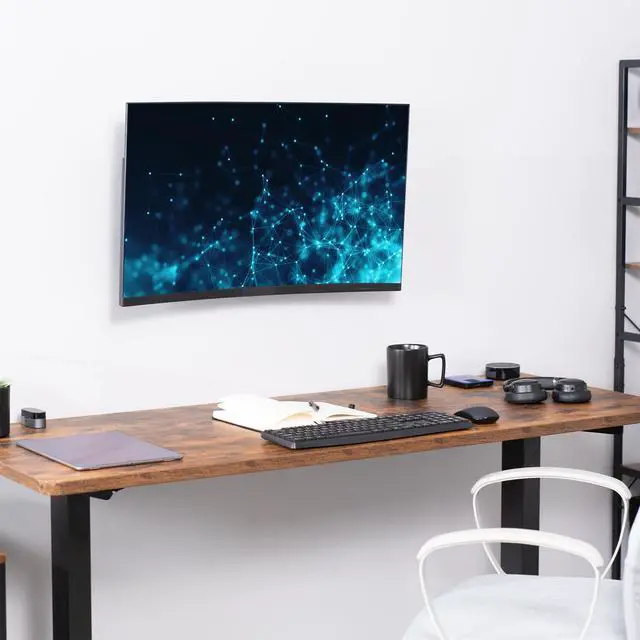
- In a compact home-office setup, mounting the monitor to the wall instead of using a desk stand frees the surface for a keyboard, notebook, or other work items; the screen stays close to the wall.
- When setting up a workstation, a user can raise or lower the mounted screen to better match their seated viewing position, then make small height changes later without repositioning a desk stand.
- In a room where overhead or nearby lighting reflects on the display, the user can tilt the monitor to change its viewing angle and reduce distracting glare.
- For reading long documents, code, or webpages, the user can rotate a compatible monitor to portrait orientation, making more vertical content visible at once.
- At a shared workstation, the user can swivel the screen slightly toward a nearby coworker or another seating position to make on-screen information easier to view together.
![AOACE Gaming PC AMD Ryzen 7 5700X [8-Core 4.6GHz], RTX 5060 8GB GDDR7, DLSS 4, VR Ready, WiFi 6E, 32GB DDR4, 1TB PCIe4 NVMe, 6 ARGB, Win11 Home AOACE Gaming PC AMD Ryzen 7 5700X [8-Core 4.6GHz], RTX 5060 8GB GDDR7, DLSS 4, VR Ready, WiFi 6E, 32GB DDR4, 1TB PCIe4 NVMe, 6 ARGB, Win11 Home](https://c1.neweggimages.com/ProductImageCompressAll60/C545S2607150J6GDT09.jpg)