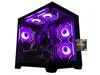
AOACE Gaming PC AMD Ryzen 7 5700X [8-Core 4.6GHz], RTX 5060 8GB GDDR7, DLSS 4, VR Ready, WiFi 6E, 32GB DDR4, 1TB PCIe4 NVMe, 6 ARGB, Win11 Home
  •  
  • $1,249.99 –
  • Save: 34%
  • $49.99
  • Free 30-day Returns
  • Sold by Direct from manufacturerVIVO
    Top Rated
    4.7 (2,010 seller ratings)

    Shipped by Direct from manufacturerVIVO

    Price alert
    Shop it at NeweggBusiness.

    Meet Your Seller

    VIVO Universal Adjustable 10" to 15.6" Single Laptop VESA Arm Pole Mount

    • Fits 10" to 15.6" Laptops: This sturdy steel laptop arm fits any pole from 1.1" to 2.4" in diameter for convenient screen placement. Designed for 10" to 15.6" laptops weighing up to 9.9 lbs, the platform clamp width is adjustable for a customized fit
    • Full Motion: The mounting bracket features +30° to -30° tilt, 180° swivel, and 360° rotation for comfortable viewing angles with a swiveling arm for additional flexibility
    • Versatile Design: This sturdy mount adds a laptop holder to your monitor stand as an alternative mounting solution for poles within the diameter range. The pole clamp can rotate completely around the pole for easy collaboration and screen sharing
    • Keep Your Desk Tidy: Creating a clean and organized appearance, convenient cable management clips route cords along the arm to keep them out of sight
    • Simple Installation: All hardware and instructions are provided for easy assembly, and a removable VESA plate makes installation a breeze
    +
    +
    Overview
    Specs
    Reviews

    Any questions? Ask CelesteSM will help you find out quickly.

    Raise your laptop to a comfortable viewing height with Pole Mount Laptop Holder (MOUNT-PL1A-LAP3) from VIVO! Whether you want to include a laptop mount to your existing monitor stand or add mounting capability to an existing pole, this sturdy arm has you covered! It holds one 10 to 15.6 laptop weighing up to 9.9 lbs and fits pole diameters from 1.1 to 2.4. Once your laptop is mounted, the durable bracket is adjustable with +30° to -30° tilt, 180° swivel, and 360° rotation for flexible placement. We provide all the necessary hardware for assembly, and a removable VESA plate makes mounting your laptop tray a fast and easy process.

    Compatibility

    • Pole Diameter: 1.1 to 2.4
    • Suggested Laptop Size: 10 to 15.6
    • VESA Compatibility: 75x75mm and 100x100mm
    • Weight Capacity: 9.9 lbs (laptop), 17.6 lbs (monitor)

    Specifications

    • Color: Black
    • Material: Steel, Plastic
    • Tray Dimensions: 11.8 x 11
    • Maximum Pole Extension: 12
    • Articulation: +30° to -30° tilt, 180° swivel, and 360° rotation

    Warranty & Returns

    Warranty, Returns, And Additional Information

    Warranty

    • Please contact the Seller directly for warranty information. Warranty information may also be found on the Manufacturer's website.
    • CONTACT

    Return Policies

    • Return for refund within: 30 days
    • Return for replacement within: 30 days
    • This item is covered by VIVO Return Policy

    Manufacturer Contact Info

    LOADING...

    The VIVO Universal Adjustable Laptop VESA Arm Pole Mount holds one 10–15.6-inch laptop weighing up to 9.9 lb on a compatible 1.1–2.4-inch pole, making it suitable for users who want adjustable laptop placement on an existing monitor stand or pole.

    Recommended For

    • Desk users who already have a compatible 1.1–2.4-inch pole and want to add a laptop beside a monitor without switching to a separate laptop stand.
    • People building a compact workstation who want to lift a 10–15.6-inch laptop off the desk and adjust its position for viewing or screen sharing.
    • Users who keep a laptop mounted at their desk and want to swivel or rotate it into a shared-view position, including near-vertical placement behind a monitor.
    • Work-from-home users who use an external keyboard and mouse and want the laptop positioned as a secondary screen or elevated display.

    Real-World Use Scenarios

    • On a crowded desk, attach the laptop tray to a compatible pole to lift the laptop off the work surface, leaving more room for a keyboard, mouse, or paperwork.
    • In a laptop-and-monitor workstation, position the laptop beside the main monitor so its screen can hold reference material, chat, or other secondary windows while you work on the larger display.
    • When someone nearby needs to see the laptop screen, swivel the mounted tray toward them for a quick walkthrough or screen-sharing conversation without picking up the laptop.
    • At a fixed desk, raise and angle the laptop display to suit your seated viewing position, while keeping the keyboard and trackpad accessible when you need to use the laptop directly.
    • For a desk that already has a compatible monitor-stand pole, add a laptop position without replacing the stand, keeping the laptop within reach and the setup consolidated around one mounting point.