SKYESEV Gaming PC Desktop Computer,AMD Ryzen ,16GB DDR4  RAM,512GB SSD M.2 PCIe,ARGB FAN*5,Wi-Fi and BT,Game Design Office console,Sea View Room,Pre installed gaming home computer
  •  
  • $489.99 –
  • Save: 45%
  • $24.99
  • Free 30-day Returns
  • Sold by Direct from manufacturerVIVO
    Top Rated
    4.7 (2,010 seller ratings)

    Shipped by Direct from manufacturerVIVO

    Price alert
    Shop it at NeweggBusiness.

    Meet Your Seller

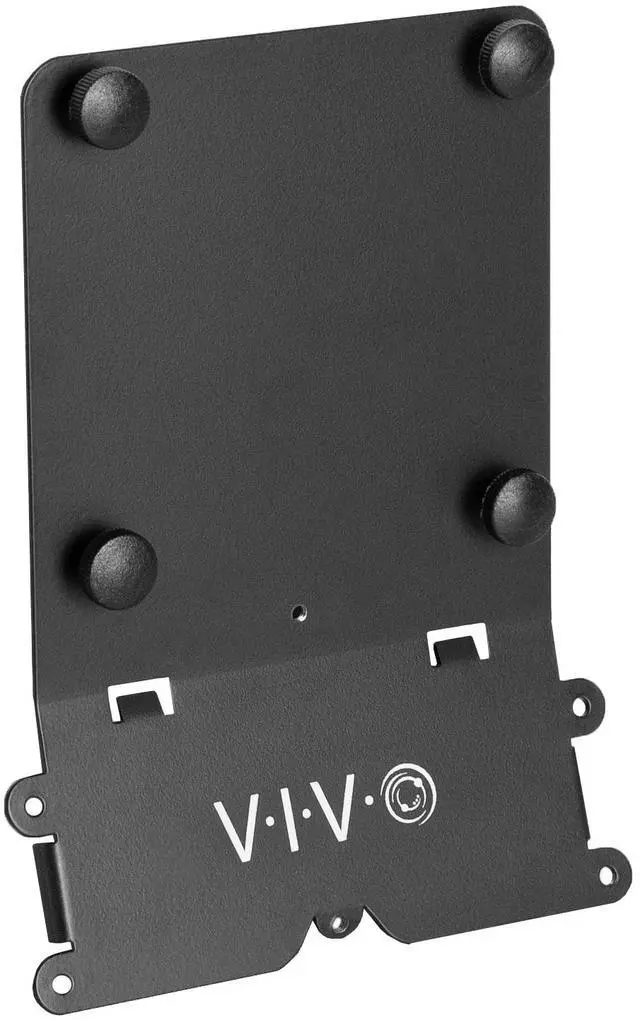
    VIVO VESA Adapter Plate Bracket Designed for 24" M1 and M3 iMac Series Monitors

    • VIVO Adapter Solutions: Please double check the model of your monitor before ordering!! This bracket kit is designed to fit only the 24" M1, M3, and M4 iMac Series Monitors. Please Note: Not compatible with the new Apple Studio Display --Patent Pending--
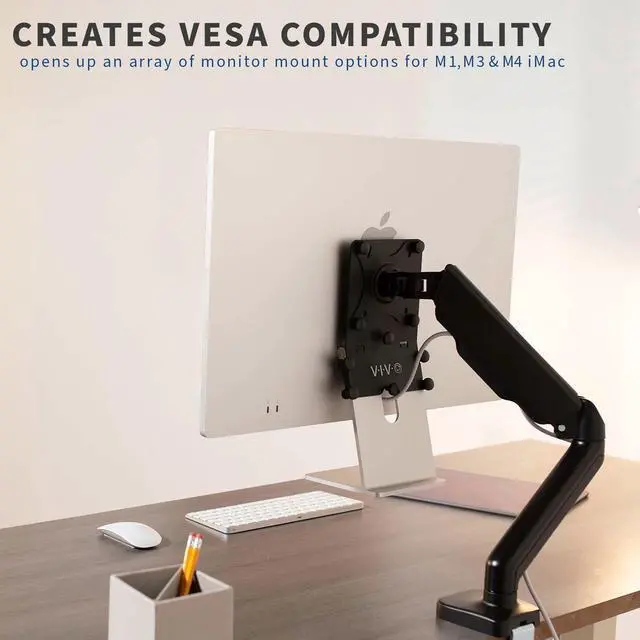
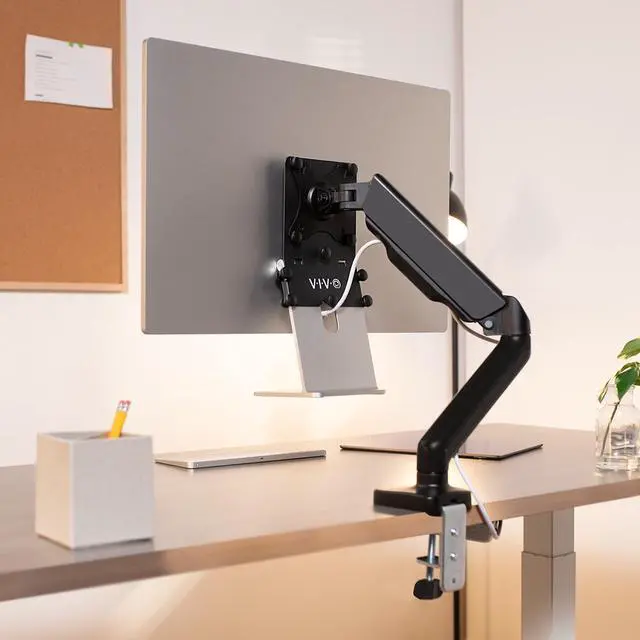
    • Convenient Mounting: Now that your compatible iMac has this adapter, you have mounting options! Find the VESA compatible stand that accommodates your workspace and enjoy comfortable viewing angles that improve the workday
    • Sturdy Build: Solid all-steel construction is designed to keep your monitor safe and secure at all times
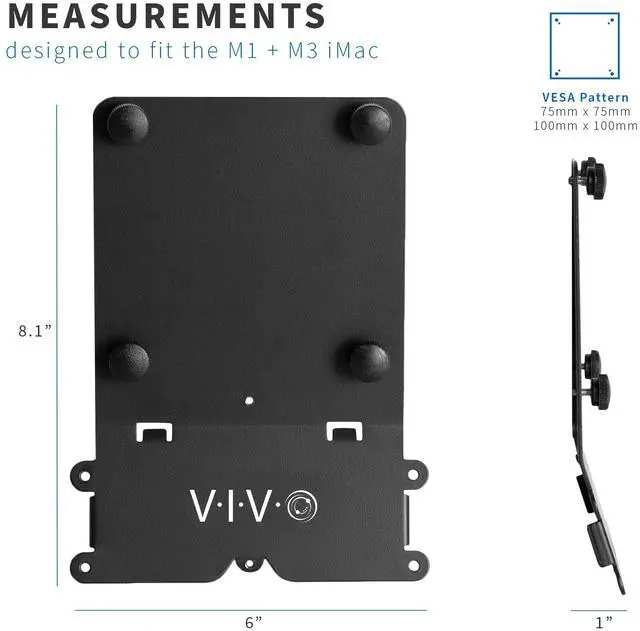
    • Compatibility: Designed only for the M1 and M3 iMac Series models listed above, this adapter provides mounting solutions for monitors that don't have VESA holes, allowing them to fit standard VESA mounts 75x75mm and 100x100mm
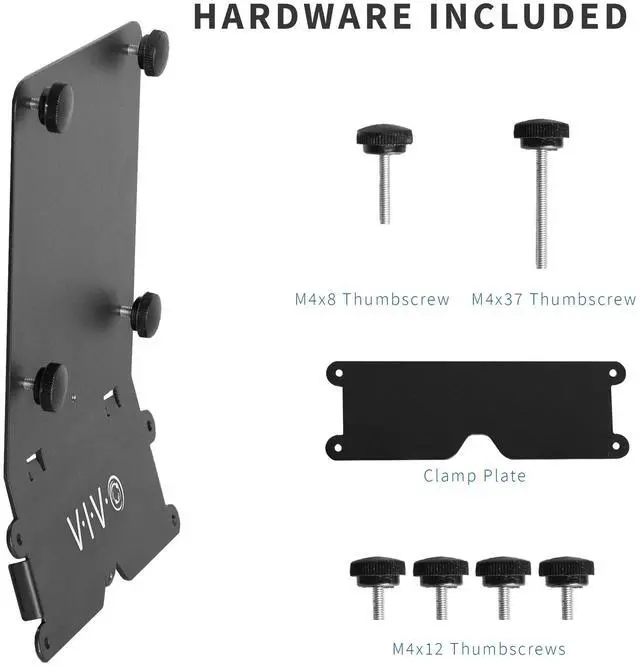
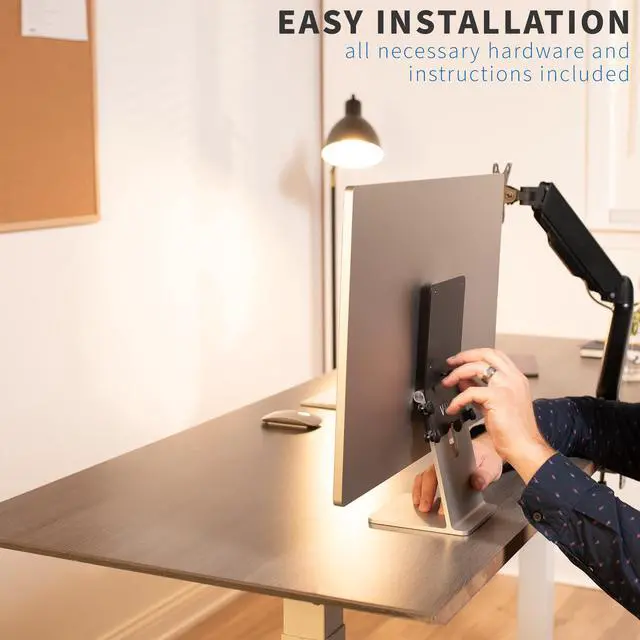
    • Easy Installation: Get your monitor mounted in no time with the provided hardware that secures the bracket to any VESA compatible stand or wall mount
    +
    +
    Overview
    Specs
    Reviews

    Any questions? Ask CelesteSM will help you find out quickly.

    Mount your compatible 24" M1, M3, and M4 iMac monitor with our VESA adapter bracket kit (MOUNT-MACM1) from VIVO! This adapter is capable of fitting any VESA 75x75mm and 100x100mm stand or wall mount. Both sturdy and low-profile, the bracket is constructed entirely of durable steel to keep your monitor safe and secure. We include the necessary hardware to secure the bracket to a VESA mount for an enhanced workstation experience.

    Compatibility

    • Fits Only the Following iMac Models: 24" M1, M3, and M4 Series
    • VESA Compatible: 75x75mm and 100x100mm

    Specifications

    • Color: Black
    • Material: Steel
    • Bracket Dimensions: 6 x 1 x 8.1
    • Profile: Screen sits approximately 0.4 to 1 closer with this adapter

    Warranty & Returns

    Warranty, Returns, And Additional Information

    Warranty

    • Please contact the Seller directly for warranty information. Warranty information may also be found on the Manufacturer's website.
    • CONTACT

    Return Policies

    • Return for refund within: 30 days
    • Return for replacement within: 30 days
    • This item is covered by VIVO Return Policy

    Manufacturer Contact Info

    LOADING...

    The VIVO VESA Adapter Plate converts compatible 24-inch iMacs without VESA holes to fit 75x75mm or 100x100mm VESA mounts, making it suitable for iMac owners who want to use a compatible stand or wall mount; check your exact model before ordering.

    Recommended For

    • 24-inch M1, M3, or M4 iMac owners who want to reclaim desk space by attaching the computer to a compatible VESA monitor arm instead of using its stock stand.
    • iMac users who need to position the screen at a different height or angle for a fixed desk setup; the adapter fits standard 75 × 75 mm and 100 × 100 mm VESA stands and wall mounts.
    • Owners who want to wall-mount a compatible 24-inch iMac and already have a wall mount with a 75 × 75 mm or 100 × 100 mm VESA pattern.
    • People reorganizing a home or office workstation who want to move a compatible iMac from its included stand to a VESA-based setup without replacing the computer.

    Real-World Use Scenarios

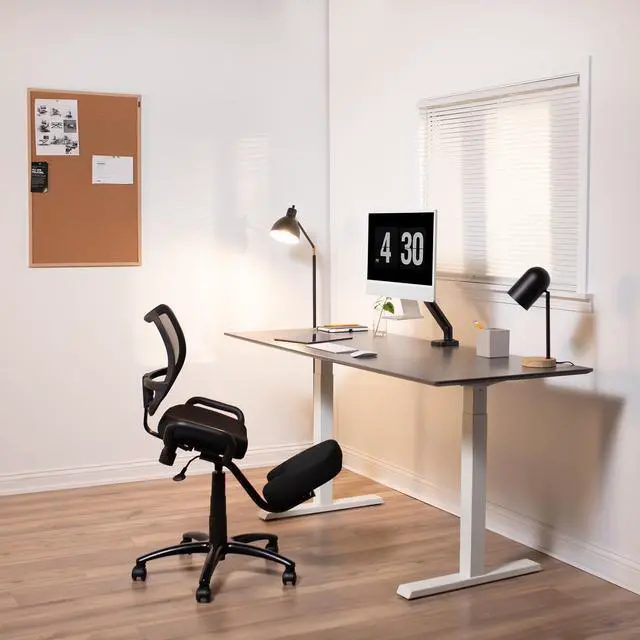
    • On a crowded home-office desk, attach a compatible 24-inch iMac to a desk-mounted VESA arm so the screen can sit above the work surface, leaving more room for a keyboard, notebook, or other equipment.
    • For a workstation where the screen height or viewing angle needs to change, pair the adapter with an adjustable VESA arm and reposition the iMac for a more comfortable viewing position.
    • In a compact room or at a desk with little usable surface, attach the iMac to a compatible wall-mounted VESA arm so it can be positioned over the desk and moved aside when the space is needed.
    • For a multi-display workstation, mount the iMac on a VESA-compatible arm and place it alongside other displays; check that each arm supports the mounted screen before installing.
    • When replacing the original stand’s fixed placement with a mount, use a compatible VESA stand or arm to position the iMac where it fits the desk layout; the adapter’s assembly guide also shows how to set or limit screen tilt.