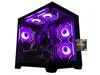
ABS Cyclone Aqua Prebuilt Gaming PC - Windows 11 - Intel Core i7-14700F - GeForce RTX 5060 8GB - DLSS 4 - 32GB DDR5 - 1TB NVMe SSD
  •  
  • $1,599.99 –
  • Save: 11%
  • $39.99
  • Free 30-day Returns
  • Sold by Direct from manufacturerVIVO
    Top Rated
    4.7 (2,010 seller ratings)

    Shipped by Direct from manufacturerVIVO

    Price alert
    Shop it at NeweggBusiness.

    Meet Your Seller

    VIVO Clamp-on Vertebrae Cable Management Kit, Desk Quad Entry Wire Organizer

    • Black
    • White
    • Vertebrae Cable Management: Clamping to the edge of your desktop, this product is designed to protect and organize AV and power cords. Great for height adjustable or stationary desk systems
    • Block System: Features snap-together interlink blocks with a 5-inch diameter steel base plate for stability. The 4-way channel entry design makes it easy to slip cables in at any angle
    • Heavy Duty C-clamp: Easily clamps to the back of your desk with a small footprint. No drilling is required. Clamp padding protects your table surface from scuffs and scratches
    • Desk to Floor: The 4-foot cable management strip ensures that your cords will be kept organized from your work surface to the floor
    • Stay Organized: Keeping your workspace clean and tidy creates a non-cluttered environment that encourages focus and concentration
    +
    +
    Overview
    Specs
    Reviews

    Any questions? Ask CelesteSM will help you find out quickly.

    Cable management is made easy with the Clamp-on Vertebrae Cable Management Kit for Desks (DESK-AC01P-B) from VIVO! This flexible, clamp-on strip provides modern and attractive desk-to-floor cable management for your work area, perfect for height adjustable and standard desks alike. The square interlocking clips are built with ergonomics and versatility in mind, featuring a quad entry cabling system for efficient cord organization. Keep unsightly and hazardous A/V and power cords clean and protected with this convenient addition to your work environment.

    Compatibility

    • Desktop Thickness for Clamp: 0.4 to 2.0
    • Desktop Thickness for Screw: At least 1 thick (optional)
    • Mounting Options: Study C-clamp or Screw Mounting (if desired)

    Specifications

    • Color: Black
    • Material: Steel, Plastic
    • Type: 4-way Channel Entry
    • Vertebrae Length: 4 ft
    • Block Dimensions (each): 2.6 x 1.4
    • Base Diameter: 5

    Warranty & Returns

    Warranty, Returns, And Additional Information

    Warranty

    • Please contact the Seller directly for warranty information. Warranty information may also be found on the Manufacturer's website.
    • CONTACT

    Return Policies

    • Return for refund within: 30 days
    • Return for replacement within: 30 days
    • This item is covered by VIVO Return Policy

    Manufacturer Contact Info

    LOADING...

    The VIVO Clamp-on Vertebrae Cable Management Kit organizes power and AV cords from desk to floor, making it suitable for people who want a tidier setup with a height-adjustable or stationary desk.

    Recommended For

    • Sit-stand desk users who want power, monitor, speaker, and network cables routed together from the desktop to the floor as the desk moves up and down.
    • Multi-device desk users with several AV and power cables who want separate channels to organize the run rather than leave a loose bundle hanging behind the desk.
    • People setting up cable management without drilling into the desktop, provided the desk has an accessible rear edge for the clamp.
    • Laptop-focused or relatively minimal desk setups that still need the few cables running to the floor gathered into one tidy route.

    Real-World Use Scenarios

    • On a sit-stand desk, route the cords that run from the desktop to the floor through the flexible spine; it moves with desk-height changes and helps keep the cable run together instead of dangling loosely.
    • For a home-office setup with several power and AV cables, gather the desktop-to-floor runs in one place; the result is a more orderly route from the work surface toward the outlet.
    • When a desk sits away from the wall, guide the visible cables down beside a desk leg rather than leaving them spread across the back; this can make the workstation look tidier from the room.
    • For a rented room or a desk you do not want to drill into, attach the organizer with its padded clamp; it provides a desk-to-floor cable route without making mounting holes.
    • On a stationary desk, use the spine to collect cords that would otherwise hang from the desktop to the floor; this keeps the drop more contained and organized.